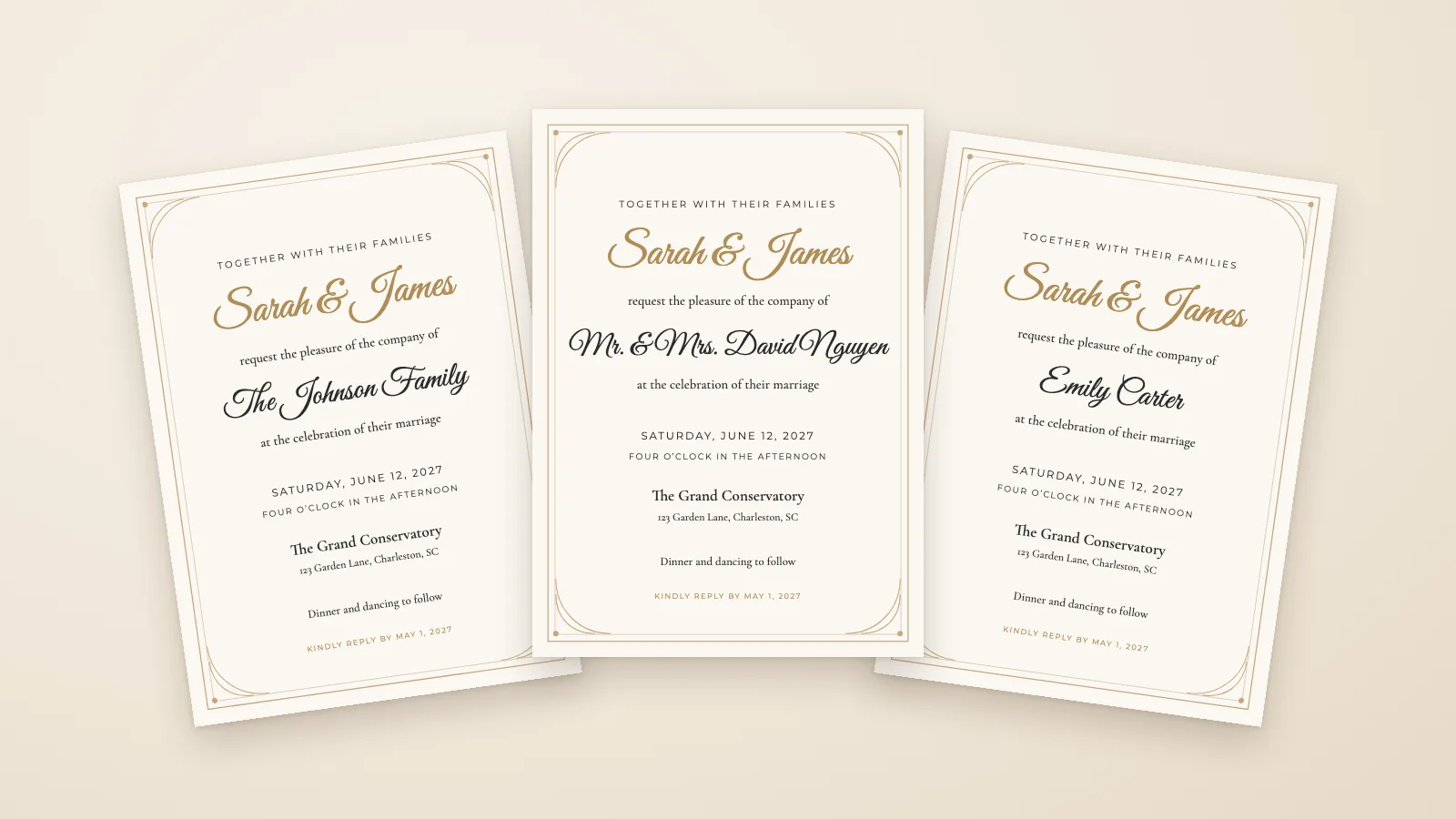
# InviteBatch — full reference
Website: https://invitebatch.com
InviteBatch is an online invitation printing and personalisation service run by CILIALIGHT LTD in London. Upload your own invitation design, or choose one of ours, and we print it on thick card with envelopes and post it to the UK, the US, Canada and 13 EU countries, from 1 card. You can also put every guest’s name on their own invitation, with print-ready PDFs, a personal WhatsApp link and RSVP tracking, send a digital WhatsApp invitation with RSVP, or make a wedding venue map, a star map or a city map poster. Occasions: weddings, birthdays, baby showers, bridal showers, graduations and holiday parties.
## Prices
£5.99 for one invitation to download (print at home or share on WhatsApp), £24.99 one-time for up to 1,000 invitations with every guest's name and RSVP, or printed and delivered from £2.01 a card at 100 cards plus delivery (UK, US, Canada, EU). The preview is free.
- One invitation (download) (£5.99): One card for everyone, printed at home or shared by phone. No shipping. Includes: Your chosen design with your own wording, fonts and colours; One name line (a guest’s name, or a line like “Family & Friends”); Print-ready PDF (5×7″) and print sheets for US Letter or A4; A phone image to send on WhatsApp, Instagram or by text; Print it at home or at any print shop as many times as you like; Instant download, so it is a final sale (no refunds, like Etsy): check the free preview first; Need more guests later? Add them from your order page and pay only the difference.
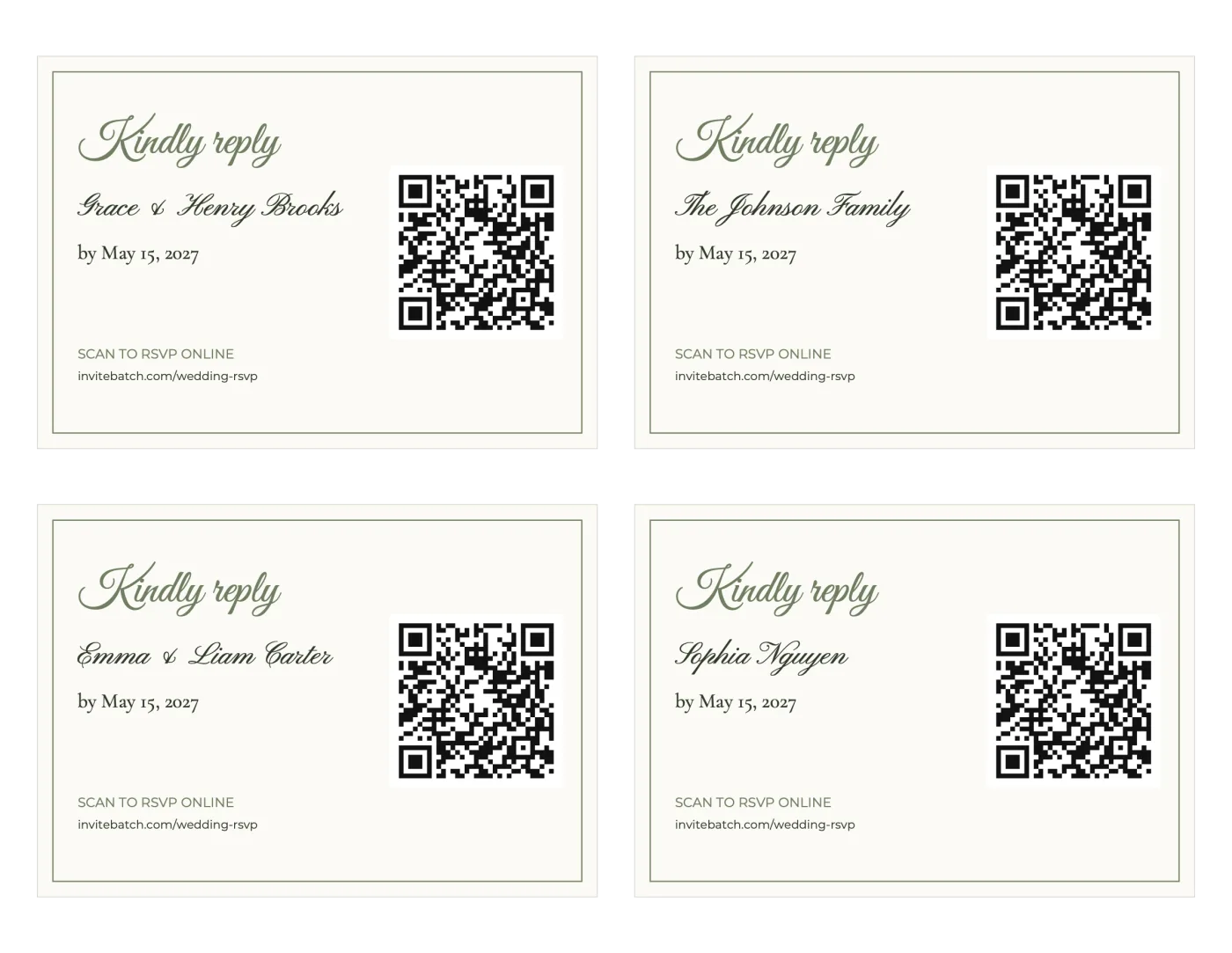
- Every guest by name (£24.99): Weddings and events where every guest should see their own name and RSVP online. Includes: Up to 1,000 invitations, each with a guest’s name; Print-ready PDFs, a ZIP with one PDF per guest and print sheets; A personal invitation link per guest with RSVP, plus an RSVP dashboard; Matching RSVP cards with QR codes, a map card, envelopes, labels and thank-you cards; Free edits for 7 days (fix a typo, add guests).
- Printed & delivered (from £2.01 a card at 100 cards): People who want real cards in their hands without printing them. Includes: Your design printed on 7×5″ premium card, with envelopes; From 1 card; the price per card drops as you order more; Delivered to the UK, the US, Canada and 13 EU countries; Delivery price and dates shown before you pay; No design fee: you only pay for the cards and delivery.
One name line in the guest list costs £5.99; two or more lines cost £24.99. A download order can be upgraded later by paying only the difference. Printed cards are ordered from the same design with no design fee.
## Current discount code
INVITEBATCH10 gives 10% off printed invitations and posters (delivery included), personalised invitation designs, digital WhatsApp invitations, star/city map posters and the passport suite at https://invitebatch.com. It is applied automatically at checkout and the lower total shows before payment. One code per order, no account needed, works on every order, no fixed end date; when it ends the site bar and the checkout line disappear. Not on free tools, the map download, the PDF viewer pass or Etsy orders. Details: https://invitebatch.com/discount-code
## Every guest by name
One order costs £24.99 one-time (no subscription), covers one event and up to 1000 invitations, and includes: print-ready PDFs (one per guest, an all-in-one PDF, and 2-per-page US Letter/A4 print sheets), a personal digital invitation link per guest with RSVP (attendance per person and event, meals, dietary needs, custom questions), an RSVP dashboard with CSV export and reminders, RSVP cards with a personal QR code, a venue map card with a QR code for directions (in the invitation's colors), A7 envelopes and Avery address labels, and matching thank-you cards. No account is needed. Free tool: a wedding invitation map maker at https://invitebatch.com/tools/wedding-invitation-map-maker (venue search, 6 styles, QR directions; free to design and preview with no sign-up, £2.99 to download the 300 dpi files). Free edits for 7 days, 7-day refund policy. English only. Printed cards are delivered to the UK, the US, Canada and 13 EU countries.
---
## About InviteBatch
Source: https://invitebatch.com/about · Updated 2026-10-30
InviteBatch is an online service for invitations. Upload a finished design and we print it and deliver it to the UK, Ireland, the US, Canada and 12 other EU countries, from 1 card. Or choose one of our designs and get a card for every guest with their name on it, with PDFs, personal links and RSVP tracking. You see the full price before you pay.
### What we do
- **[Printed invitations](https://invitebatch.com/print)** (from £0.79 a card at 100 cards, delivery from £2.65): Upload a PDF, PNG or JPG from Canva, ChatGPT, Word or a designer. Choose 6×4″, 7×5″ or square, 1–300 cards, one or both sides, matte or gloss, with or without envelopes. Best for: You already have a design and want real cards delivered.
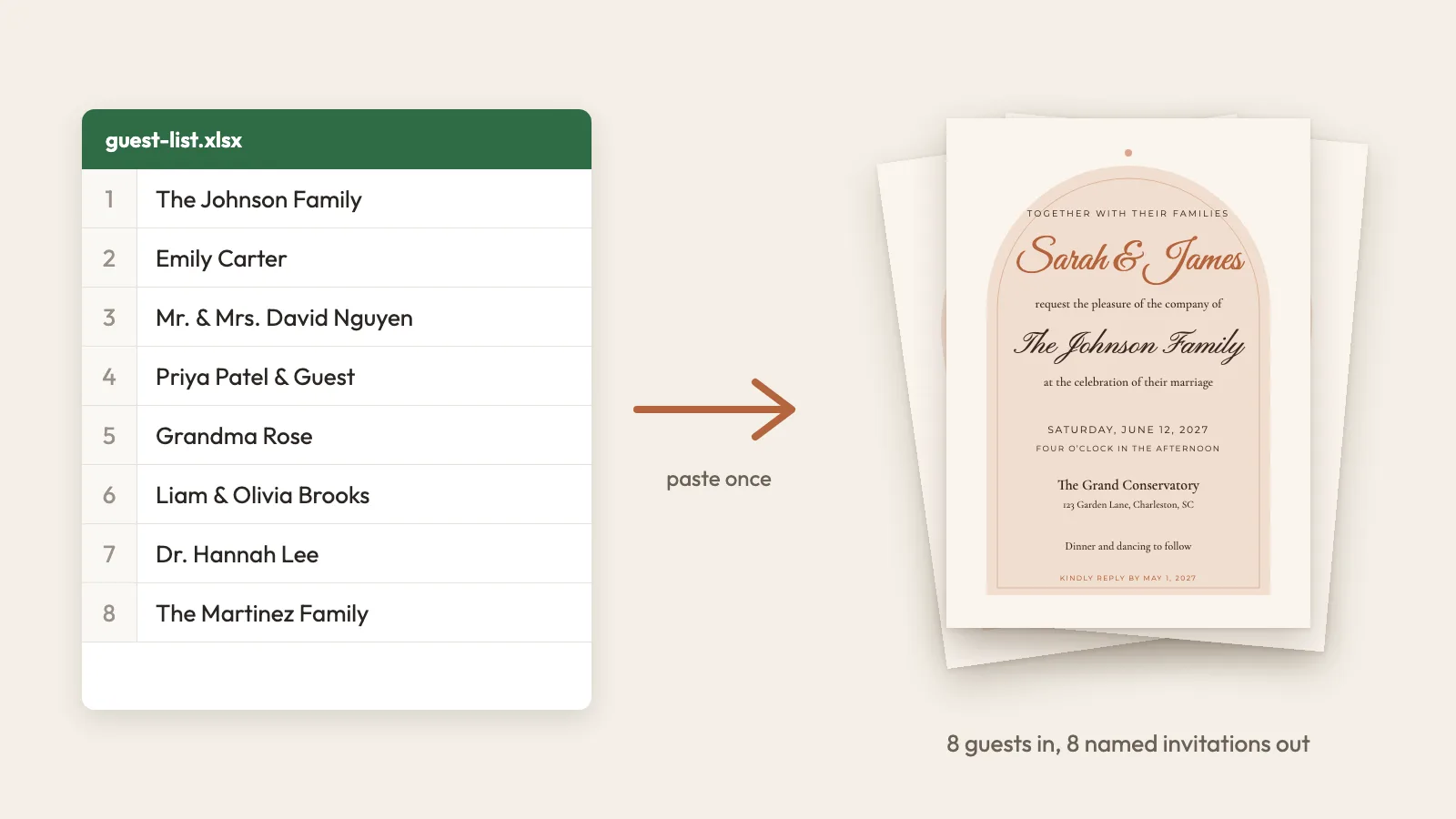
- **[Every guest by name](https://invitebatch.com/personalized-wedding-invitations)** (£24.99 one-time, up to 1,000 guests): Paste your guest list once. Each guest gets a card with their name, as print-ready PDFs and a personal link with an RSVP form, plus an RSVP dashboard. Best for: Weddings and events where every guest should see their own name.
- **[One invitation download](https://invitebatch.com/templates)** (£5.99 one-time): One design with your wording, as a print-ready PDF and a phone image. Print it as many times as you like. Best for: One card for everyone, printed at home or sent by phone.
- **[WhatsApp invitation website](https://invitebatch.com/digital)** (£69 one-time): A small website that opens like a sealed envelope with each guest’s name, sent by personal link, with RSVP. Best for: Sending invitations by phone instead of post.
- **[Star map and city map posters](https://invitebatch.com/posters)** (from £2.99): A custom poster as a digital download in every print size, or printed on silk poster paper (A3, A2 or 18×24″) and posted. Best for: Wedding, engagement and anniversary gifts.
- **[Passport and boarding pass suite](https://invitebatch.com/passport-wedding-invitations)** (£2.99): Travel-themed invitation pieces made in your browser, as print files. Best for: Destination weddings.
- **[Wedding map generator](https://invitebatch.com/tools/wedding-invitation-map-maker)** (free preview, £2.99 to download): Search a venue, style the map, add a QR code for directions and download a 300 dpi map card. Best for: Adding directions to any invitation.
### Why people use us
- **You see the full price first:** Cards, delivery and total are on screen before you pay. Your currency follows your location: pounds, euros or dollars.
- **Low minimum:** Print from 1 card. You don’t need a big order, an account or a subscription.
- **Mistakes get caught early:** The proof check flags wrong weekdays, leftover template text and blurry images before anything is printed.
- **Your own design is welcome:** Canva, ChatGPT, Word, Etsy or a designer: if it exports to PDF, PNG or JPG, we can check it and print it.
- **One price for the whole guest list:** The every-guest plan costs £24.99 for up to 1,000 guests, not a fee per guest.
### When we are not the right choice
- Office documents, A4 pages, reports, books or flyers. We print invitation-size cards only.
- Orders above 300 cards in one order.
- Same-day printing or collection from a shop.
- Letterpress, foil or other hand-finished luxury stationery.
- Delivery outside the UK, the US, Canada and these EU countries: Ireland, France, Germany, Netherlands, Belgium, Luxembourg, Austria, Denmark, Sweden, Finland, Italy, Spain, Portugal. Our downloads and digital invitations don’t need delivery.
### How printing works
1. **Upload your design:** A PDF, PNG or JPG. We check the resolution, the shape and, for PDFs, the dates, and flag problems before you pay.
2. **Choose size, quantity and card:** Every choice shows its price per card before you tap it.
3. **Check the proof and pay:** Enter your address, pick your delivery and see the full price. Nothing prints until you approve your design at checkout.
4. **We print and deliver:** Cards are printed in 1–3 working days, then sent the way you chose. Tracking comes by email when the delivery you chose has it.
### Where we deliver
- **United Kingdom:** 1–3 days. Economy post up to a tracked next-day courier.
- **Ireland:** 2–7 days. Premium matte cards are printed in the EU, VAT included, no customs. Square cards, gloss cards with envelopes and some courier options come from the UK, with any import charges collected on delivery.
- **United States:** 2–8 days. Any import charges are collected on delivery.
- **Canada:** 3–14 days. Any import charges are collected on delivery.
- **Also in the EU: France, Germany, Netherlands, Belgium, Luxembourg, Austria, Denmark, Sweden, Finland, Italy, Spain, Portugal:** 2–7 days. Printed in the EU, VAT included, no customs.
### How we compare
| | InviteBatch print | Home printer | Local print shop | Design apps |
|---|---|---|---|---|
| Start from your own file | Yes | Yes | Yes | Usually their own editor |
| Smallest order | 1 card | Any | Varies by shop | Varies |
| Price known before paying | Yes, with delivery | Paper and ink add up | Often by quote | Usually at checkout |
| Automatic date and quality check | Yes | No | Varies | Varies |
| Thick card and clean trimming | Yes | Depends on your printer | Yes | Usually |
| Comes to your door | Yes | No | Sometimes | Usually |
| Best when | You want cards delivered with no fuss | You need one or two today | You want to see paper in person | You still need to make the design |
### Safety and your rights
- **Payments:** Card and wallet payments are handled by Stripe, and PayPal by PayPal. We never see or store your full card number.
- **Your files and guest lists:** We use them only to make and deliver your order. We don’t sell personal data or use guest lists for marketing.
- **How long we keep data:** Order and guest data is kept for 24 months after your event, then deleted. Payment records are kept for 6 years for tax. Photos and designs uploaded for an order that is never paid are deleted automatically 5 hours after upload. You can ask us to delete your order sooner.
- **Damaged or misprinted cards:** Email us a photo within 14 days of delivery. We reprint the affected cards free or refund them, and you don’t need to send anything back.
- **Lost in the post:** If tracking shows no delivery 10 working days after dispatch, we reprint or refund.
- **Refunds on digital orders:** Every-guest orders have a 7-day refund, and you can edit them free for 7 days. One-invitation downloads are a final sale unless the file is faulty, so check the free preview first.
- **What we can’t refund:** Printed cards are made to order, so they can’t be returned for a change of mind. Mistakes in a design you approved aren’t a fault, so please check your proof.
Policies: [Refunds](https://invitebatch.com/refunds) · [Privacy](https://invitebatch.com/privacy) · [Terms](https://invitebatch.com/terms)
### Reviews
We launched in October 2026 and are still collecting reviews. Read them or write an honest one on Trustpilot: https://www.trustpilot.com/review/invitebatch.com
### Contact
Email support@invitebatch.com or use https://invitebatch.com/contact. We reply within one business day.
### FAQ
**What is InviteBatch?**
InviteBatch is an online service for invitations. Upload a finished design and we print it and deliver it to the UK, Ireland, the US, Canada and 12 other EU countries, from 1 card. Or choose one of our designs and get a card for every guest with their name on it, with PDFs, personal links and RSVP tracking. You see the full price before you pay.
**How do I contact InviteBatch?**
Write to support@invitebatch.com or use the contact page, and we reply within one business day.
**Is InviteBatch legitimate and safe to use?**
Judge us on what you can check: payments go through Stripe or PayPal, you see the full price and a proof before paying, and our refund and privacy policies are public. We launched in October 2026 and are still collecting reviews, so read them on Trustpilot and start with a small order if you’d like to test the quality.
**Can you print my document?**
If it is one page, yes. We print cards at 6×4″, 7×5″ or square, and one-page posters and documents at A4, A3, A2, A1, A0, 11×17″ and 18×24″, from 1 to 300 copies. We don’t print stapled or multi-page documents.
**Can I print an invitation I made in Canva or ChatGPT?**
Yes. Download it as a PDF, PNG or JPG and upload it. PDFs give the sharpest print. We check the file before you pay.
**Do you deliver to Ireland?**
Yes, priced in euros. Premium matte cards are printed in the EU, with VAT included and no customs. Square cards, gloss cards with envelopes and some courier options come from the UK, and any import charges are collected on delivery.
**Do you deliver to the United States?**
Yes. You see the delivery options and the full price in US dollars before you pay. Any import charges are collected on delivery.
**How long does printing and delivery take?**
Printing takes 1–3 working days. UK delivery takes 1–3 days, and every option shows its estimated arrival at checkout.
**How much does it cost?**
Printed cards start from £0.79 each with delivery from £2.65. The every-guest plan is £24.99 one-time for up to 1,000 guests.
**What if my cards arrive damaged?**
Email a photo within 14 days of delivery and we reprint the affected cards free or refund them. You don’t need to send anything back.
**Do I need an account?**
No. There’s no account and no subscription. Your order page comes by private link.
**How can I review InviteBatch?**
Please leave an honest review on Trustpilot: https://www.trustpilot.com/evaluate/invitebatch.com. Good or bad, it helps the next customer and shows us what to fix.
---
## Frequently asked questions
**Can I print invitations I designed in Canva?**
Yes. Download your Canva design as a PDF (Print PDF is best), PNG or JPG and upload it on our print page. Word and designer files work the same way. We print on 6×4″, 7×5″ or square premium card, matte or gloss, with envelopes if you want them. There is no design fee.
**How much does printing cost, and can I order just one card?**
Yes, you can order from 1 card. Printing starts at £0.86 a card for 6×4″ Gloss cards without envelopes (from 300 cards); 7×5″ cards with envelopes are from £2.01 a card at 100 cards. The price per card drops as you order more, and you see the full price with delivery before you pay.
**Can I add each guest’s name to the invitations automatically?**
Yes. Pick one of our designs, paste your guest list from Excel, Google Sheets, Notes or WhatsApp, and every invitation gets its guest’s name. Preview them all free, then pay £24.99 once for the whole event (or £5.99 for one design without names).
**Can I send invitations on WhatsApp and collect RSVPs online?**
Yes, from your own phone. Every guest gets their own link, with their name in the WhatsApp preview, and replies online: who is coming, meals and dietary needs. It comes with every guest-name order; our digital wedding invitation ($89 once) opens like a sealed envelope. We never message your guests ourselves.
**Where do you deliver, and how long does it take?**
To the UK, the US, Canada and 13 EU countries. Cards are printed in 1–3 working days, then sent by the delivery option you choose at checkout (economy, tracked or next-day courier in the UK). Your delivery date is shown before you pay.
**Are printing and digital downloads separate products?**
Yes. Printing is priced per card and posted to you. Guest-name downloads, the digital WhatsApp invitation and posters are files or links with their own one-time price; printing is only included when you order it on the print page.
---
## Designs (56)
- Grand Venue Sketch (wedding): The 2027 heirloom design: your names in engraved capitals above a fine pen-and-ink drawing of your own venue, framed in a classic double border. Style: venue sketch, venue illustration, venue drawing, custom venue, pen and ink, line drawing, architectural, black and white, engraved, classic, timeless, formal, black tie, luxury, elegant, heirloom, country house, town hall, estate, 2027 collection. — https://invitebatch.com/templates/wedding/grand-venue-sketch-wedding-invitation
- Classic Gold Frame (wedding): Timeless ivory invitation with a fine double gold frame and corner flourishes. Style: classic, elegant, gold, formal. — https://invitebatch.com/templates/wedding/classic-gold-frame-wedding-invitation
- Modern Minimal (wedding): Clean, modern layout with crisp lines and plenty of white space. Style: modern, minimalist, black and white. — https://invitebatch.com/templates/wedding/modern-minimal-wedding-invitation
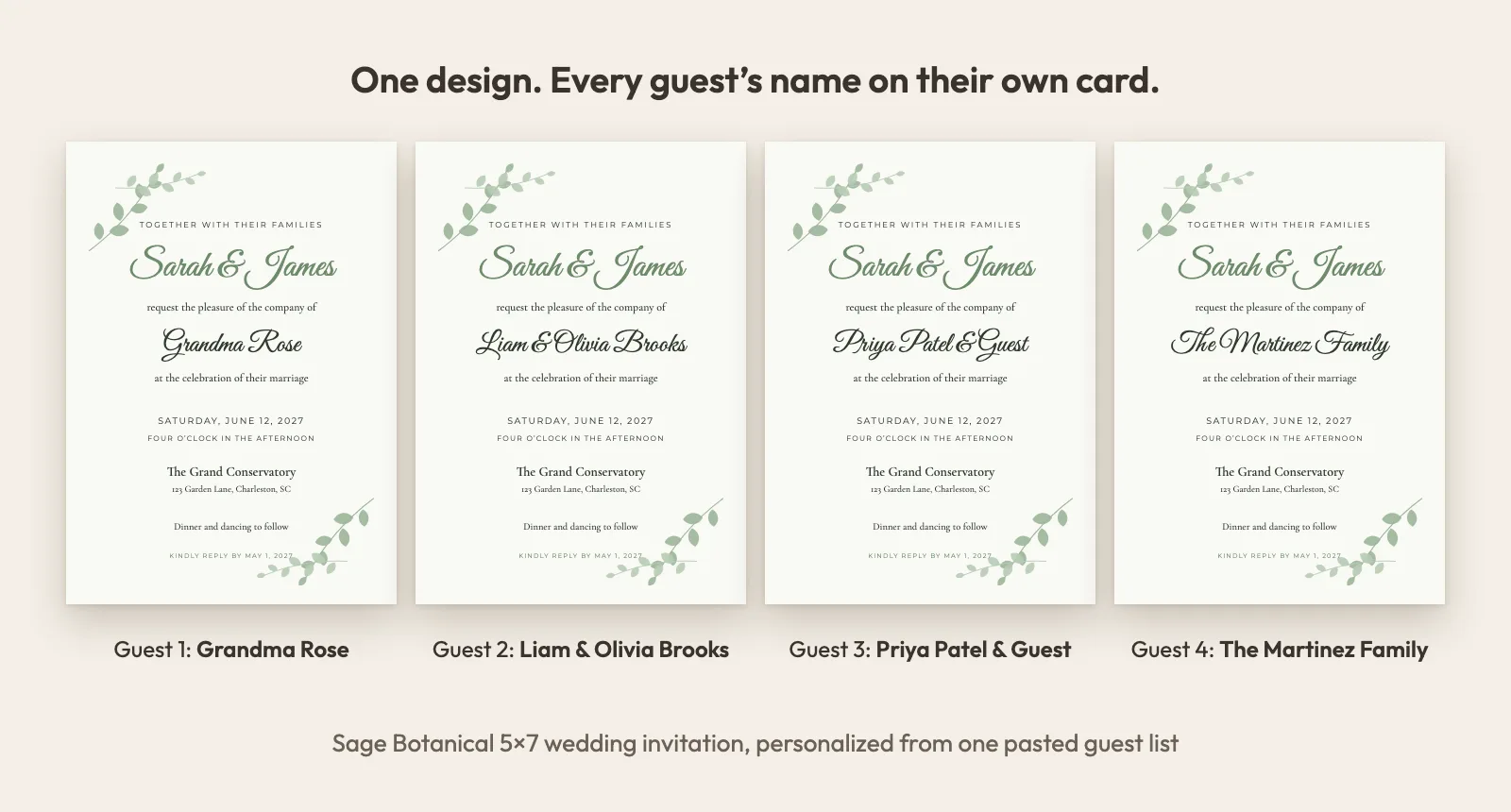
- Sage Botanical (wedding): Hand-drawn style sage leaves framing a soft, natural invitation. Style: greenery, botanical, sage, garden. — https://invitebatch.com/templates/wedding/sage-botanical-wedding-invitation
- Blush Watercolor (wedding): Soft blush watercolor washes for a romantic, airy invitation. Style: romantic, blush, pink, watercolor. — https://invitebatch.com/templates/wedding/blush-watercolor-wedding-invitation
- Confetti Pop (birthday): Bright confetti celebration for kids and fun birthday parties. Style: kids, colorful, confetti, party. — https://invitebatch.com/templates/birthday/confetti-pop-birthday-invitation
- Little Cloud (baby-shower): Dreamy clouds and stars in soft blue for a sweet baby shower. Style: baby boy, blue, clouds, stars. — https://invitebatch.com/templates/baby-shower/little-cloud-baby-shower-invitation
- Golden Tassel (graduation): Minimal ivory card with a fine double gold rule and a hand-drawn gold tassel, for a high school or college graduation party. Style: class of 2027, graduation party, minimalist, elegant, ivory, gold, tassel, high school, college, simple. — https://invitebatch.com/templates/graduation/golden-tassel-graduation-invitation
- Preppy Cabana Stripe (graduation): Powder-blue cabana stripes, a scalloped cream panel and a navy satin bow: a crisp, preppy graduation party invitation. Style: class of 2027, graduation party, preppy, stripes, cabana stripe, scalloped, bow, light blue, navy, high school, senior. — https://invitebatch.com/templates/graduation/preppy-cabana-stripe-graduation-invitation
- Varsity Letter (graduation): Crossed felt pennants and a stitched varsity patch with your class year, framed in school colours. Bold and collegiate. Style: class of 2027, graduation party, varsity, collegiate, pennant, school colors, green, gold, high school, senior, sports. — https://invitebatch.com/templates/graduation/varsity-letter-graduation-invitation
- Bold Photo Banner (graduation): A big landscape photo of the grad above an oversized name and a school-colour class year. Works as an announcement or open-house invite. Style: class of 2027, graduation announcement, photo, senior photo, open house, modern, bold, school colors, high school, college. — https://invitebatch.com/templates/graduation/bold-photo-banner-graduation-announcement
- Wildflower Grad (graduation): Soft watercolor wildflowers in blush, butter and lavender with a small sage mortarboard. Made for college and nursing grads. Style: class of 2027, graduation party, floral, watercolor, wildflowers, college, university, nursing, feminine, pastel, sage. — https://invitebatch.com/templates/graduation/wildflower-graduation-invitation
- Doodle Grad Party (graduation): Hand-drawn caps, stars, balloons, a diploma and a stack of books in bright primary colours. Fun and casual for any grad party. Style: class of 2027, graduation party, doodle, hand drawn, fun, colorful, casual, kindergarten, 8th grade, middle school, high school. — https://invitebatch.com/templates/graduation/doodle-party-graduation-invitation
- Diploma Certificate (graduation): A formal diploma-style card: guilloché border, gold rosette corners and a gold seal with navy ribbons. For college, master’s and PhD grads. Style: class of 2027, graduation announcement, formal, diploma, certificate, college, university, masters, phd, law school, navy, gold, traditional. — https://invitebatch.com/templates/graduation/diploma-certificate-graduation-announcement
- Next Chapter Library Card (graduation): A vintage manila library card with ruled lines and red rules, your party details written in a friendly hand. For book lovers turning the page. Style: class of 2027, graduation party, library card, book, next chapter, vintage, retro, teacher, english major, librarian, high school, college. — https://invitebatch.com/templates/graduation/next-chapter-library-card-graduation-invitation
- Navy & Gold Senior Photo (graduation): A tall senior photo in a gold double frame on deep navy, with the class year and school details below. Switch the card to your school colour. Style: class of 2027, graduation party, graduation announcement, senior photo, photo, navy, gold, navy and gold, school colors, high school, college, elegant, formal. — https://invitebatch.com/templates/graduation/navy-gold-senior-photo-graduation-invitation
- Oval Photo Engagement Party (party): An engagement party invitation with your photo in a tall rounded frame on deep green and gold. Style: engagement party, engagement, we’re engaged, photo, couple photo, oval frame, green and gold, emerald, navy, burgundy, dark, elegant, modern. — https://invitebatch.com/templates/party/oval-photo-engagement-party-invitation
- French Vintage Blue Floral (wedding): Fine-line vintage wildflowers in French toile blue frame an open oval wreath, with classic serif names and a script reception line. Style: french, vintage, toile, blue, floral, wildflower, botanical, line art, chinoiserie, elegant, garden. — https://invitebatch.com/templates/wedding/french-vintage-blue-floral-wedding-invitation
- Love Letter Script (wedding): Oversized flowing script names in raspberry ink on butter-cream paper, with a hand-drawn swash and a classic serif date line. Style: script, calligraphy, typography, oversized names, raspberry, red, butter yellow, cream, romantic, modern, love letter. — https://invitebatch.com/templates/wedding/love-letter-script-wedding-invitation
- Cherry Double Rule (wedding): A fine cherry-red double-rule border on ivory with bold serif names, a script venue line and initials in a small oval cartouche. Style: border, double rule, frame, cherry red, red, ivory, classic, timeless, modern classic, monogram, serif. — https://invitebatch.com/templates/wedding/cherry-double-rule-wedding-invitation
- Scalloped Wildflower Cameo (wedding): A printed scalloped sage border around a pink oval cameo ringed with folk tulips, daisies and blue berries, with names inside the oval. Style: scalloped, wavy, folk, folk art, floral, wildflower, pink, sage, green, garden, whimsical, cottage, grandmillennial. — https://invitebatch.com/templates/wedding/scalloped-wildflower-cameo-wedding-invitation
- Burgundy Lace Frame (wedding): Blush lace edging with eyelets and corner rosettes on a deep burgundy band, framing an ivory panel with classic serif and script wording. Style: lace, vintage, burgundy, wine, oxblood, deep red, blush, ivory, romantic, moody, fall, winter, elegant. — https://invitebatch.com/templates/wedding/burgundy-lace-frame-wedding-invitation
- Chartreuse Monogram (wedding): A chartreuse colour-block card with a large script monogram in a fine laurel ring, serif capital names and a script venue line. Style: monogram, initials, chartreuse, lime, green, colour block, color block, modern, preppy, laurel, bold colour. — https://invitebatch.com/templates/wedding/chartreuse-monogram-wedding-invitation
- Blush Lace Frame (wedding): Ivory lace edging with wine eyelets and corner rosettes on a soft blush band, framing an ivory panel with classic serif and script wording. Style: lace, vintage, blush, pink, ivory, wine, romantic, soft, spring, summer, elegant, light. — https://invitebatch.com/templates/wedding/blush-lace-frame-wedding-invitation
- Black Tie (wedding): An ivory card inside a bold black border, with a fine double rule and classic serif capitals. Made for formal, black-tie weddings. Style: black tie, formal, black and white, black and ivory, elegant, classic, serif, minimalist, modern classic, evening, luxury, upscale. — https://invitebatch.com/templates/wedding/black-tie-wedding-invitation
- Eucalyptus Greenery (wedding): Soft watercolor eucalyptus, silver-dollar and willow leaves, sweeping in from two corners of a crisp white card. Fresh, natural greenery. Style: eucalyptus, greenery, sage green, sage, botanical, watercolor, leaves, white, garden, spring, summer, rustic, boho, natural, outdoor. — https://invitebatch.com/templates/wedding/eucalyptus-greenery-wedding-invitation
- Heirloom Monogram (wedding): Cream card with a gold laurel monogram, engraved-style corner flourishes and traditional script. Classic, old-money luxury. Style: monogram, initials, heirloom, old money, classic, traditional, formal, cream, ivory, gold, laurel, crest, script, luxury, timeless, church, black tie. — https://invitebatch.com/templates/wedding/heirloom-monogram-wedding-invitation
- Burgundy & Blush Peony (wedding): A romantic garland of watercolor peonies in burgundy, blush and dusty pink with gold-foil leaves. Lush and elegant for fall, winter or spring. Style: burgundy, blush, dusty pink, dusty rose, peony, peonies, roses, floral, watercolor, gold, romantic, wine, marsala, fall, winter, elegant, garden. — https://invitebatch.com/templates/wedding/burgundy-blush-peony-wedding-invitation
- Venue Sketch (wedding): A framed pen-and-watercolor sketch of a country estate on top. Upload a drawing or photo of your own venue and it prints on every invitation. Style: venue, venue illustration, venue sketch, illustrated, line drawing, watercolor, estate, manor, castle, barn, church, custom venue, destination, classic, elegant, premium. — https://invitebatch.com/templates/wedding/venue-sketch-wedding-invitation
- Floral Chuppah Jewish (wedding): A watercolor chuppah with blush and ivory roses draped across the top frames every word. A traditional Jewish wedding invitation with a soft, romantic feel. Style: jewish, jewish wedding, chuppah, huppah, chuppah wedding, floral chuppah, hebrew, judaica, watercolor, blush, ivory, roses, floral, romantic, garden, traditional, mazel tov. — https://invitebatch.com/templates/wedding/floral-chuppah-jewish-wedding-invitation
- Jerusalem Gold Jewish (wedding): Gold Jerusalem Old City walls, citadel towers and cypress trees inside a gold arch on deep navy. A formal Jewish wedding invitation with a sense of place. Style: jewish, jewish wedding, jerusalem, jerusalem skyline, old city, israel, hebrew, judaica, navy, navy and gold, gold, arch, formal, elegant, evening, traditional, mazel tov. — https://invitebatch.com/templates/wedding/jerusalem-gold-jewish-wedding-invitation
- Star of David Jewish (wedding): A fine gold-foil Star of David above clean, modern lettering on a bright white card with a hairline gold frame. Minimal and timeless. Style: jewish, jewish wedding, star of david, magen david, hebrew, judaica, modern, minimalist, minimal, simple, white, white and gold, gold, clean, elegant, timeless, mazel tov. — https://invitebatch.com/templates/wedding/star-of-david-jewish-wedding-invitation
- Pomegranate & Olive Jewish (wedding): Watercolor pomegranates, one split open, and silvery olive branches in two corners of a warm cream card. Rich, symbolic and full of life. Style: jewish, jewish wedding, pomegranate, olive, olive branch, olive tree, hebrew, judaica, israel, mediterranean, watercolor, botanical, red, burgundy, sage, greenery, fruit, rustic, mazel tov. — https://invitebatch.com/templates/wedding/pomegranate-olive-jewish-wedding-invitation
- Ani L’Dodi Jewish (wedding): “Ani l’dodi v’dodi li” in gold Hebrew letters, with the English line “I am my beloved’s and my beloved is mine” below. Classic cream and gold. Style: jewish, jewish wedding, hebrew, hebrew and english, bilingual, ani ldodi, ani l'dodi, i am my beloved's, song of songs, judaica, cream, ivory, gold, cream and gold, classic, traditional, formal, elegant, mazel tov. — https://invitebatch.com/templates/wedding/ani-ldodi-hebrew-english-jewish-wedding-invitation
- Amalfi Lemon (wedding): Italian beach-club charm: a blue cabana-stripe awning, watercolor lemons and crisp serif names. Style: amalfi, lemon, italian, mediterranean, beach club, coastal, destination, cabana stripe, blue. — https://invitebatch.com/templates/wedding/amalfi-lemon-wedding-invitation
- Editorial Date (wedding): Magazine-style minimalism: an oversized date, handwritten names and lots of quiet white space. Style: modern, minimalist, editorial, typography, oversized date, handwritten, neutral. — https://invitebatch.com/templates/wedding/editorial-date-wedding-invitation
- Wax Seal Monogram (wedding): Deep burgundy stock, ivory lettering and a champagne wax seal pressed with your initials. Style: wax seal, monogram, crest, burgundy, oxblood, moody, romantic, old world, luxury. — https://invitebatch.com/templates/wedding/wax-seal-monogram-wedding-invitation
- Nouveau Window (wedding): A gilded stained-glass window in muted jewel tones, framed by Art Nouveau flourishes. Style: art nouveau, stained glass, renaissance, jewel tones, vintage, gold, romantic, church. — https://invitebatch.com/templates/wedding/nouveau-window-wedding-invitation
- Satin Bow (wedding): Coquette romance: a blush satin bow, scalloped lace edge and tiny pearls. Style: coquette, bow, ribbon, pearls, scalloped, blush, pink, romantic, balletcore, lace. — https://invitebatch.com/templates/wedding/satin-bow-wedding-invitation
- Little Pumpkin (birthday): Heirloom watercolor pumpkins in cream, sage and rust for a cozy fall first birthday. Style: first birthday, 1st birthday, pumpkin, fall, autumn, little pumpkin, one, neutral, watercolor. — https://invitebatch.com/templates/birthday/little-pumpkin-first-birthday-invitation
- Berry Sweet (birthday): Juicy watercolor strawberries and a big serif “ONE” for a berry sweet first birthday. Style: first birthday, 1st birthday, strawberry, berry, berry first, summer, pink, red, girl. — https://invitebatch.com/templates/birthday/berry-sweet-first-birthday-invitation
- Disco Milestone (birthday): A glittering mirror ball on midnight plum for a 21st, 30th, 40th or any big birthday. Style: disco, milestone, 21st, 30th, 40th, 50th, adult, glam, party, mirror ball, last disco. — https://invitebatch.com/templates/birthday/disco-milestone-birthday-invitation
- Little Pumpkin On The Way (baby-shower): A cream heirloom pumpkin tied with a blush satin bow for a fall baby shower. Style: fall, autumn, pumpkin, little pumpkin, neutral, gender neutral, bow, watercolor. — https://invitebatch.com/templates/baby-shower/little-pumpkin-baby-shower-invitation
- Sweet Bow (baby-shower): A soft pink satin bow scattered with tiny pearls for a sweet baby girl shower. Style: baby girl, pink, bow, coquette, pearls, girly, elegant, ribbon. — https://invitebatch.com/templates/baby-shower/sweet-bow-baby-shower-invitation
- A New Chapter (bridal-shower): An open storybook in gold line-art for a library or book-themed bridal shower. Style: book, storybook, library, new chapter, literary, vintage, gold, bookish. — https://invitebatch.com/templates/bridal-shower/new-chapter-bridal-shower-invitation
- Wildflower Fall In Love (bridal-shower): Terracotta, mustard and sage watercolor wildflowers for a warm autumn bridal shower. Style: fall in love, wildflower, terracotta, sage, boho, rustic, fall, autumn, watercolor. — https://invitebatch.com/templates/bridal-shower/wildflower-fall-in-love-bridal-shower-invitation
- Class of 2027 (graduation): Black stock, gold foil mortarboard and an oversized class year for the Class of 2027. Style: class of 2027, graduation, grad party, high school, college, black and gold, senior. — https://invitebatch.com/templates/graduation/class-of-2027-graduation-invitation
- Senior Photo Arch (graduation): Your senior portrait in a tall arch, framed by navy and gold, for a graduation party or announcement. Style: photo, senior photo, graduation announcement, class of 2027, arch, navy, modern. — https://invitebatch.com/templates/graduation/senior-photo-arch-graduation-invitation
- Art Deco New Year (party): Gatsby-style Art Deco sunbursts in gold foil on black for a New Year’s Eve 2027 party. Style: new years eve, nye, 2027, art deco, gatsby, black and gold, champagne, cocktail party. — https://invitebatch.com/templates/party/art-deco-new-years-eve-invitation
- Holiday Gingham (party): Cozy red gingham and glossy holly for Christmas parties, cookie swaps and holiday open houses. Style: christmas party, holiday party, gingham, plaid, holly, red, festive, cookie swap, office party. — https://invitebatch.com/templates/party/holiday-gingham-christmas-party-invitation
- Terracotta Arch (wedding): Warm boho arch in soft terracotta for modern desert and garden weddings. Style: boho, terracotta, arch, modern. — https://invitebatch.com/templates/wedding/terracotta-arch-wedding-invitation
- Navy & Gold (wedding): Deep navy invitation with gold lettering for an evening black-tie feel. Style: navy, gold, black tie, evening. — https://invitebatch.com/templates/wedding/navy-gold-wedding-invitation
- Photo Circle (wedding): Add your engagement photo in a circle above elegant script names. Style: photo, engagement photo, modern. — https://invitebatch.com/templates/wedding/photo-circle-wedding-invitation
- Balloon Party (birthday): Playful balloons in soft pastel colors for any age. Style: balloons, pastel, kids, first birthday. — https://invitebatch.com/templates/birthday/balloon-party-birthday-invitation
- Black & Gold Milestone (birthday): Elegant black and gold for 30th, 40th, 50th and milestone birthdays. Style: adult, milestone, 30th, 40th, 50th, elegant. — https://invitebatch.com/templates/birthday/black-gold-milestone-birthday-invitation
- Sweet Blush (baby-shower): Gentle blush tones with a soft arch for a baby girl shower. Style: baby girl, pink, blush, arch. — https://invitebatch.com/templates/baby-shower/sweet-blush-baby-shower-invitation
---
## Wedding invitations with guest names
Choose an editable wedding invitation template, paste your guest list, and every guest gets an invitation addressed to them by name, printed or sent as a personal link. No copy-pasting names 150 times.
### Printable wedding invitations, personalized for every guest
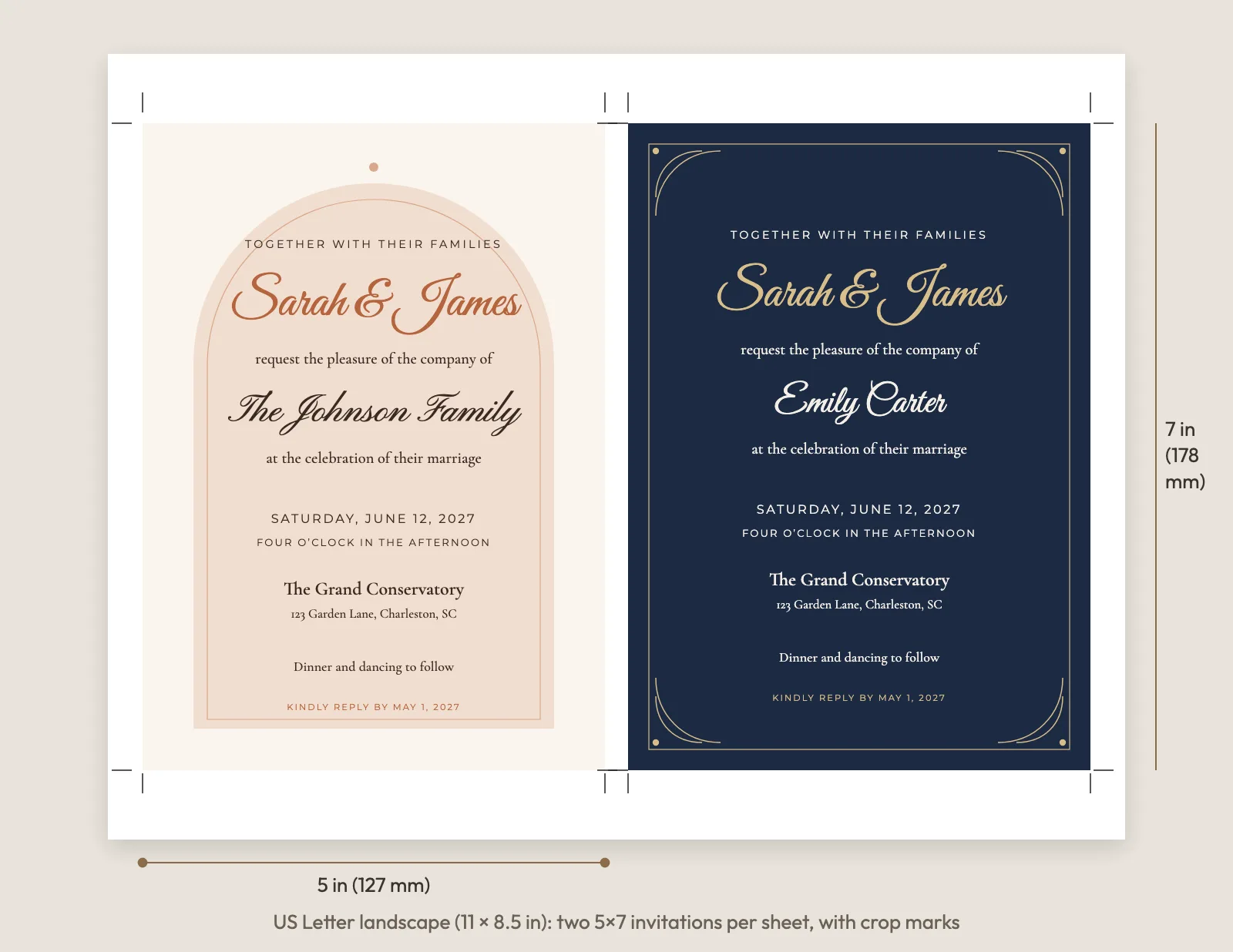
Each design prints at 5x7 inches, the standard wedding invitation size. Download one PDF per guest, a single combined PDF for your print shop, or print sheets with two invitations per US Letter or A4 page with crop marks for clean cutting at home.
### Digital wedding invitations with RSVP
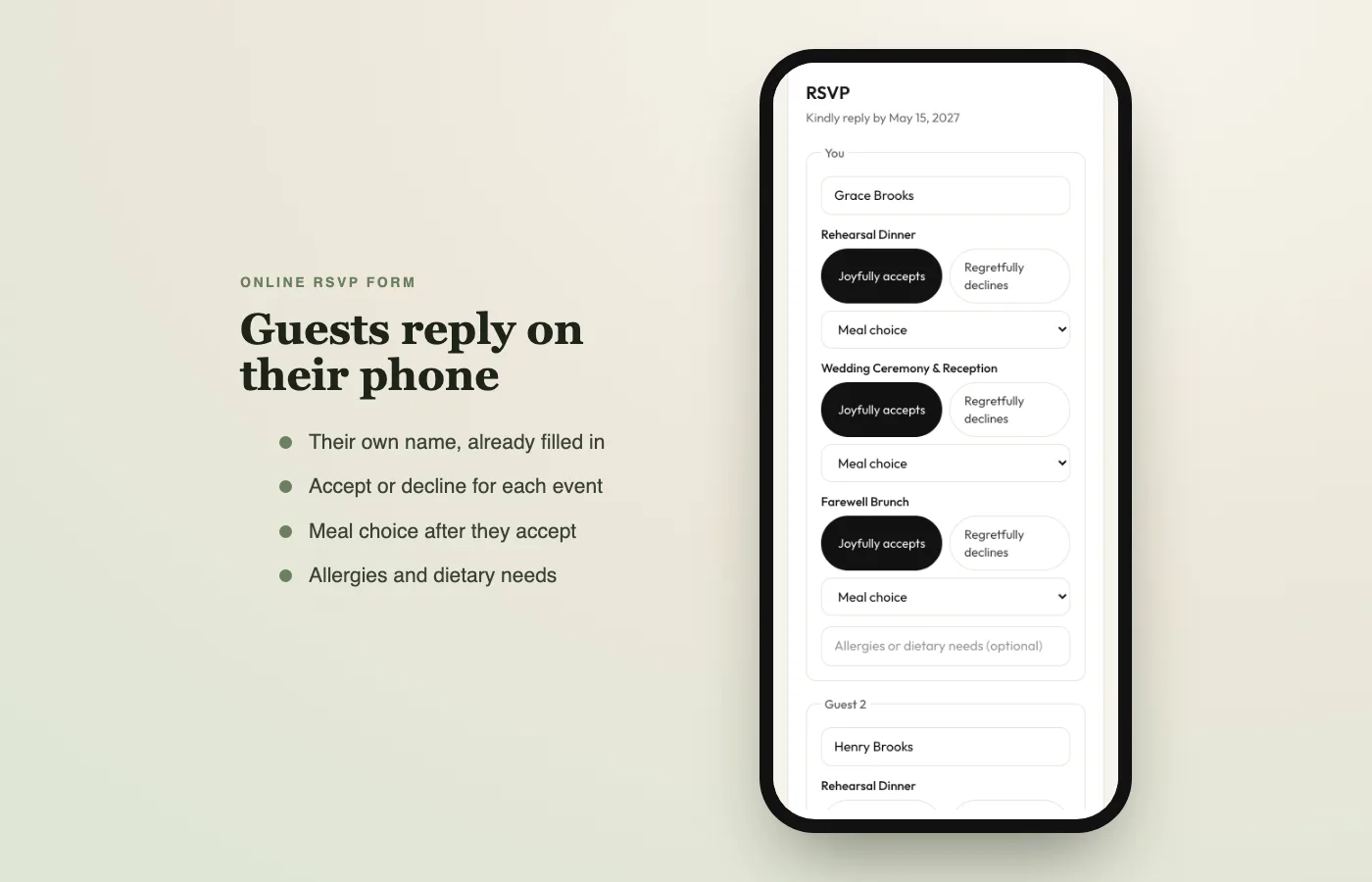
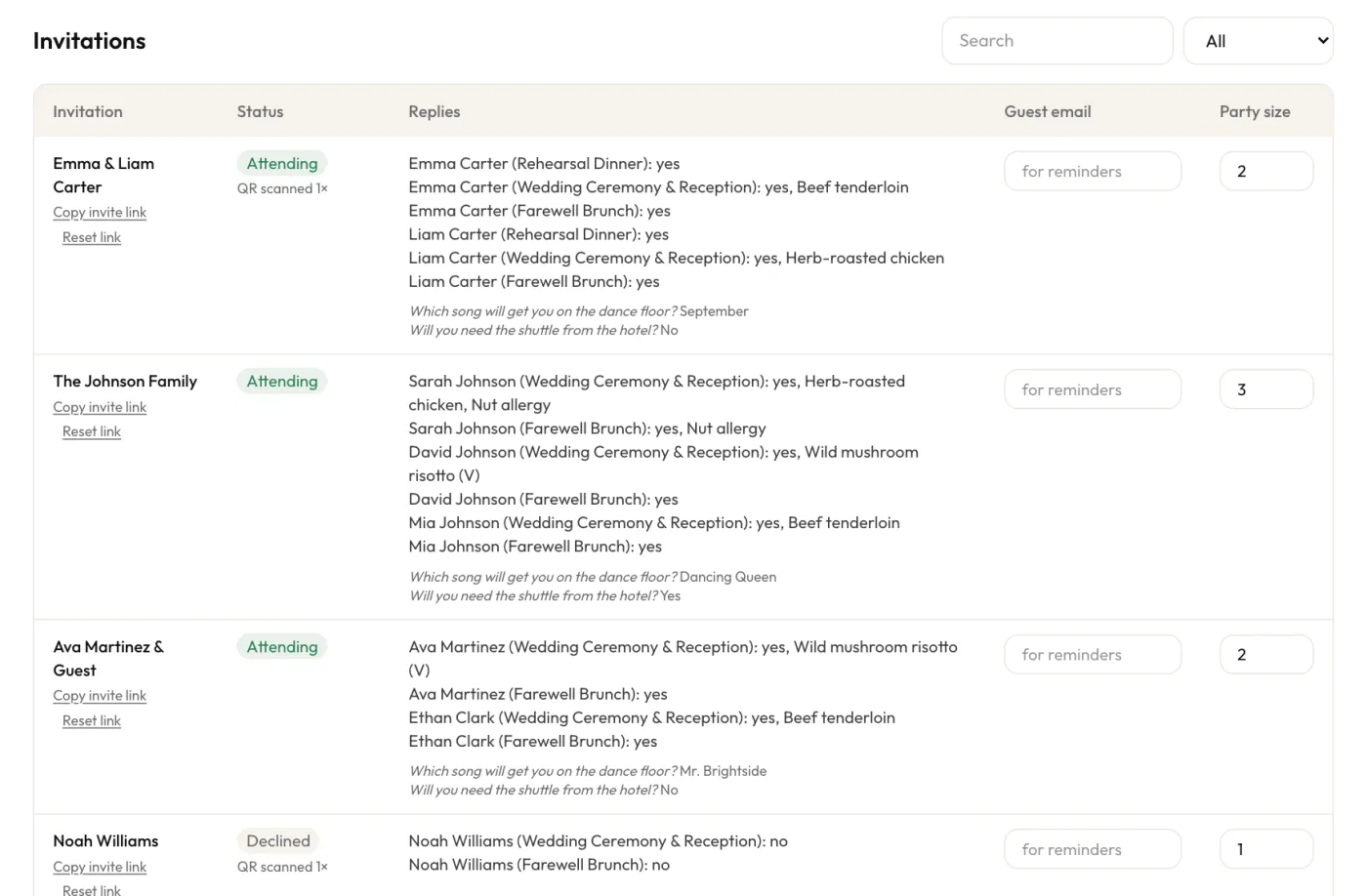
Many couples send paper to older relatives and a digital invitation to everyone else. Every guest gets a private link with their own name on the invitation and a simple RSVP form for each person in the household, with meal choice, dietary needs and your own questions.
### Wedding RSVP tracking without spreadsheets
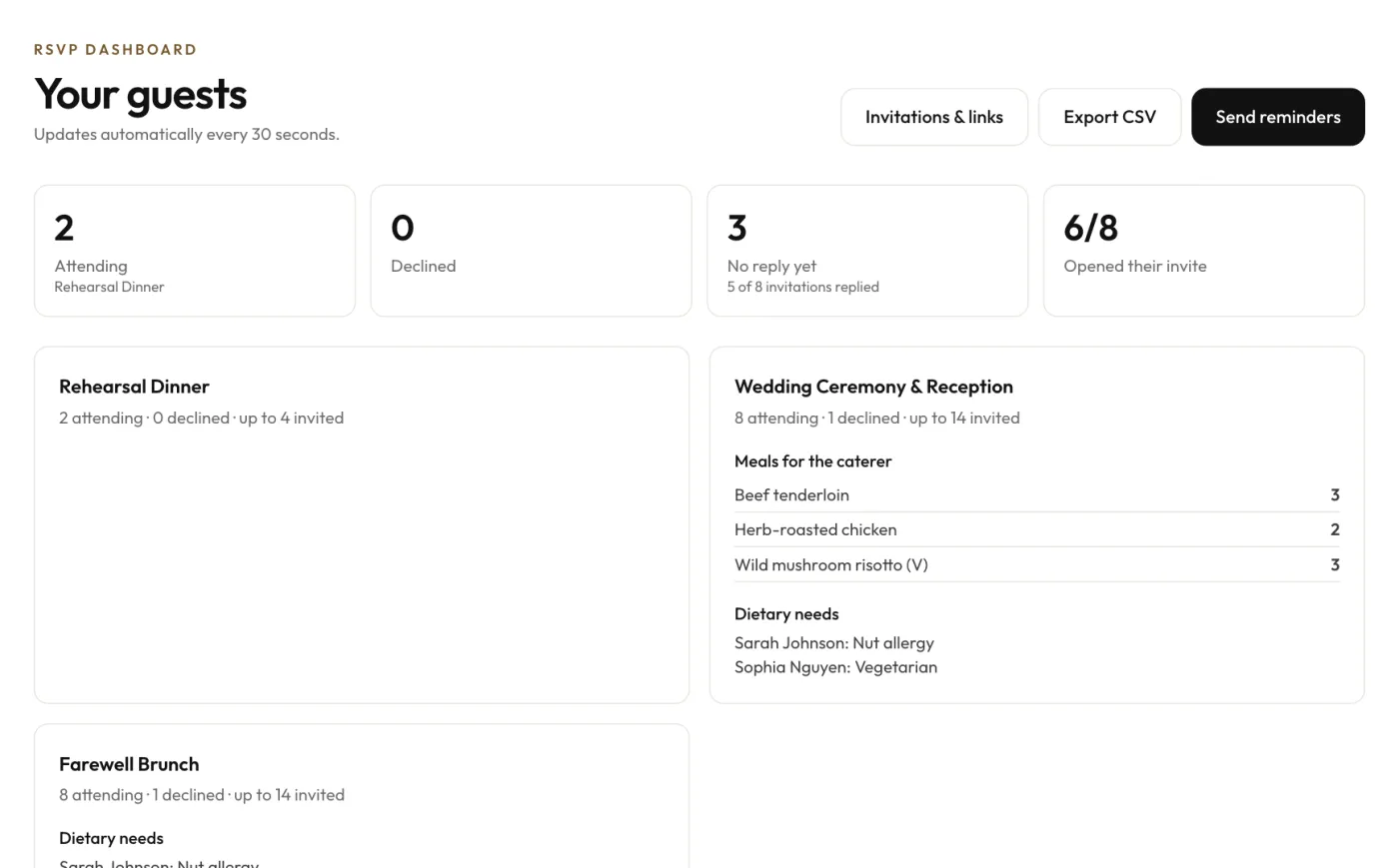
Replies land in your RSVP dashboard as they come in. See who is attending, who declined and who has not opened the invitation yet, get meal counts for your caterer, and send polite reminders in one tap.
### Welcome party, ceremony and brunch in one order
Add up to three events, like a rehearsal dinner, the wedding and a farewell brunch, and choose which guests are invited to each one. Guests only see the events they are invited to.
**What size are the wedding invitations?**
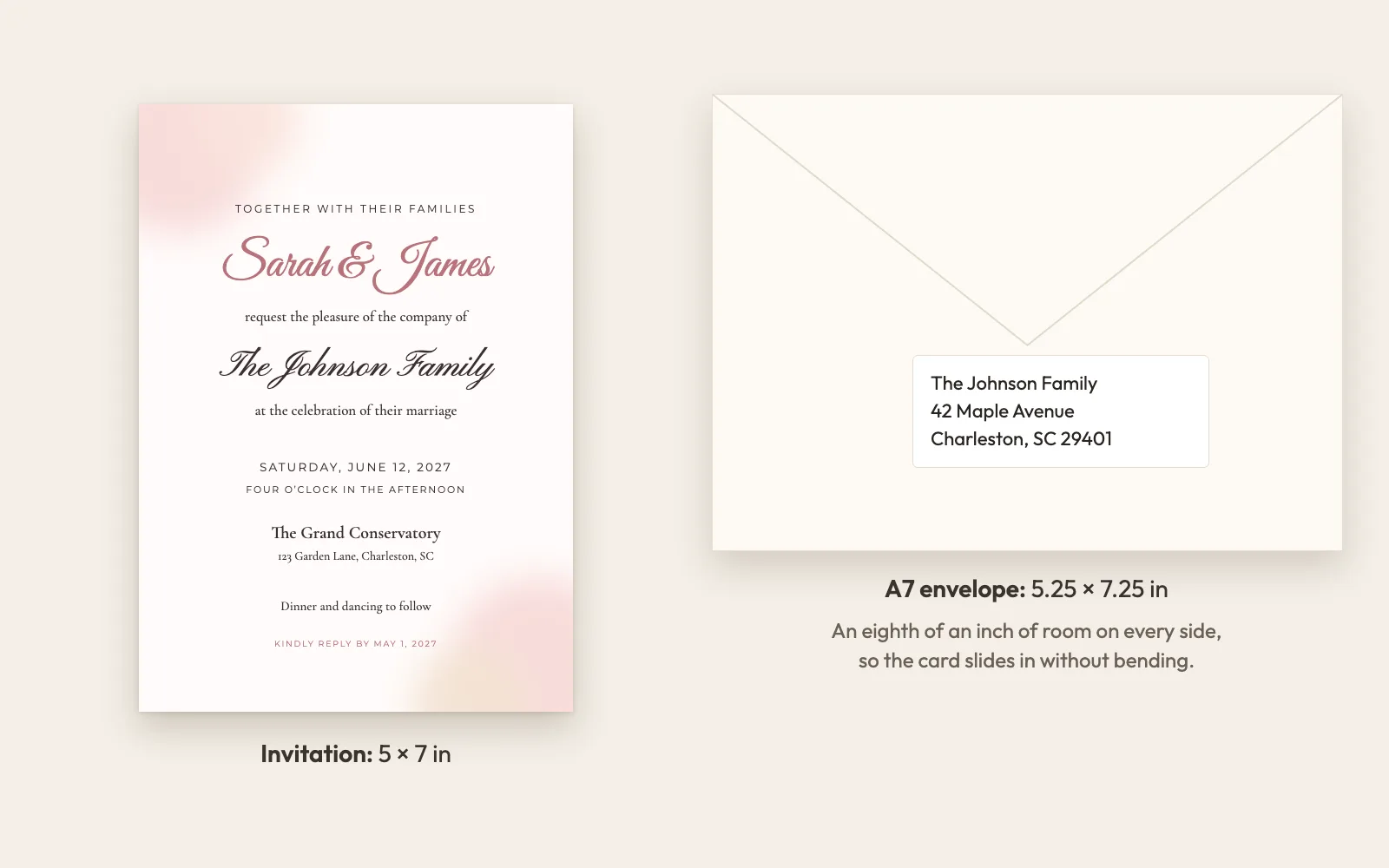
Every design is 5x7 inches, the standard size for wedding invitations and envelopes (A7). Print sheets fit two invitations on US Letter or A4.
**How should I write guest names on wedding invitations?**
Use the names exactly as you would on the envelope: “Emily Carter”, “Sarah & James Smith”, “The Johnson Family” or “John O’Neil & Guest”. One invitation per line.
**Can I add a plus-one?**
Yes. Write “+1” or “& Guest” after the name. That invitation then allows two people to RSVP.
**Can guests choose their meal?**
Yes. Add your meal options and every attending guest picks one. Your dashboard shows the totals for your caterer.
Page: https://invitebatch.com/templates/wedding
---
## Birthday invitations with guest names
From a fifth birthday to a fortieth, put every guest’s name on their invitation. Print them for the class or send personal links to parents on WhatsApp, and see who is coming.
### Kids birthday invitations for the whole class
Paste the class list and every child gets their own invitation. Parents RSVP from their phone in seconds, and you can note allergies before you order the cake.
### Milestone birthday invitations
Elegant black and gold designs for 30th, 40th, 50th and 60th birthdays. Add the venue, dress code and a personal note.
### Send by WhatsApp or text
Each guest’s link shows a preview with their name in WhatsApp and iMessage. No app and no account needed to reply.
**Can I print birthday invitations at home?**
Yes. Download print sheets with two 5x7 invitations per page on US Letter or A4, with crop marks.
**Can parents RSVP for their kids?**
Yes. Each invitation can include more than one person, so parents can reply for siblings too.
**Is there a limit on guests?**
One order covers up to 1,000 invitations for one event.
Page: https://invitebatch.com/templates/birthday
---
## Baby shower invitations with guest names
Soft, modern baby shower invitations with every guest’s name on their card. Print them, send personal links, and know exactly how many guests to expect.
### Printable baby shower invitations
Download print-ready PDFs at 5x7 inches, or print sheets with two invitations per page. Add registry details and a short note.
### Digital baby shower invitations with RSVP
Guests reply from a private link in a few taps. Ask about dietary needs or anything else you want to know.
### What to put on a baby shower invitation
The parent-to-be’s name, who is hosting, the date and time, the address, an RSVP date and the registry. Each guest’s own name goes at the top, so a grandmother, a coworker and a whole family can each get a card addressed to them. Keep the wording short: one line for the theme (“a little pumpkin is on the way”) and one line for practical notes like parking or a book instead of a card.
**Can I add registry information?**
Yes. Use the extra line on the invitation for your registry, or add it as a question on the RSVP form.
**Can someone else host and send the invitations?**
Yes. Whoever places the order gets the RSVP dashboard and can share it with the parents-to-be.
**When should baby shower invitations go out?**
Four to six weeks before the shower, with an RSVP date about one week before it, so the host has time to plan food and favors.
**Do you have gender-neutral baby shower designs?**
Yes. Little Pumpkin is neutral, and on every design you can change the text colors to suit a boy, a girl or a surprise.
Page: https://invitebatch.com/templates/baby-shower
---
## Bridal shower invitations with guest names
Hosting the shower? Pick a design, paste the guest list from the bride, and every guest gets an invitation with their own name. Print them or send personal links, and see who is coming at a glance.
### Book-themed and “new chapter” bridal showers
Library and storybook showers are one of the most-loved themes right now: guests bring a favorite book with a note inside instead of a card. Use the extra line on the invitation to ask for it.
### Easy for the host, not just the bride
The maid of honor, a sister or a friend can place the order. You get the RSVP dashboard and can share the replies with the bride whenever you like.
### Printable or digital, from one order
Print 5x7 invitations for the grandmothers and send a personal link to everyone else. Each link shows the guest’s name and a short RSVP form.
**When should bridal shower invitations go out?**
Four to six weeks before the shower is the usual timing, with RSVPs due about one to two weeks before.
**Can I add registry details?**
Yes. Use the extra line for the registry or a book request, or add a question to the RSVP form.
**Can I ask about food allergies?**
Yes. Turn on the dietary question and replies show up in your dashboard.
Page: https://invitebatch.com/templates/bridal-shower
---
## Graduation invitations 2027 with guest names
High school, college or grad school: put the graduate’s photo on the invitation, paste the family and friends list, and every guest gets an invitation with their own name.
### Class of 2027 graduation party invitations
Black and gold, school colors or a bold photo layout. The year is an editable line, so the same design works for any class.
### Graduation announcements with a senior photo
Upload a senior portrait into the photo design. It prints at 5x7 inches, or goes out as a personal link with a preview in WhatsApp and iMessage.
### Know how many people are coming
Grad parties often run as an open house. RSVPs show headcounts per household, so you know how much food to order.
**Do you have graduation invitations for 2027?**
Yes. Every graduation design is ready for the Class of 2027, for high school, college or grad school, and the year is an editable line if you need a different class.
**When should graduation invitations be sent?**
About three to four weeks before the party, or six weeks for busy May and June weekends.
**Can I add a photo of the graduate?**
Yes. Choose a design with a photo frame and upload a JPG, PNG or WebP photo.
**Can I change the school year?**
Yes. The year and “Class of” line are editable on every graduation design.
Page: https://invitebatch.com/templates/graduation
---
## Holiday and party invitations with guest names
From a holiday open house to a black-tie New Year’s Eve, every guest gets an invitation addressed to them by name. Send it by text or WhatsApp and watch the replies come in.
### New Year’s Eve party invitations
Art Deco black and gold with the new year as the hero. Add a dress code and a midnight toast line.
### Christmas and holiday party invitations
Classic red gingham and holly for family gatherings, office parties and cookie swaps. Ask guests about dietary needs on the RSVP form.
### Office and company holiday parties
Paste the staff list once and every colleague gets an invitation with their own name, sent by email or chat. Add a plus-one question, a dietary question and a second event (for example drinks after the dinner), then export the replies as a CSV for the venue. One order covers up to 1,000 guests, so a whole company costs the same as a small dinner party.
**How far ahead should I send holiday party invitations?**
Three to four weeks ahead in December, because calendars fill up fast.
**Can I send them by text message?**
Yes. Every guest gets a personal link you can share by text, WhatsApp or email.
**What should a holiday party invitation say?**
Who is hosting, the date, start and end time, the address, the dress code and an RSVP date. Mention food (“dinner will be served” or “nibbles and drinks”) so guests know whether to eat first.
**Can guests bring a plus-one?**
You decide per guest. Allow a plus-one on the guest list and that guest can add a name on the RSVP form.
Page: https://invitebatch.com/templates/party
---
## Wedding invitations with each guest’s name. Paste your list, done.
Source: https://invitebatch.com/wedding-invitations-with-guest-names · Updated 2026-10-16 · InviteBatch
To put each guest’s name on a wedding invitation, paste your guest list into InviteBatch (one invitation per line, copied from Excel, Google Sheets or Notes). You get one named invitation per guest as print-ready PDFs plus a personal RSVP link for each. £24.99 one-time, up to 1,000 guests, free preview first.
## Stop typing 100 names into 100 copies
Putting each guest’s name on an invitation usually means hours of copy-paste in Canva or Word, or paying per card. InviteBatch does it in one step: your list in, one named invitation per guest out, plus the RSVPs tracked for you.
## Prices
- **One invitation to download: £5.99.** One name line (for example "Family & Friends"), print-ready PDF, home-print sheets and a phone image. Nothing is shipped. Final sale, the preview is free. Can be upgraded later by paying only the difference.
- **Every guest by name: £24.99 one-time.** Up to 1,000 invitations, a personal link and RSVP per guest, RSVP dashboard and the matching suite. 7-day refund.
- **Printed and delivered:** 7x5 cards with envelopes, posted to the UK, US, Canada and 13 EU countries. Prices: https://invitebatch.com/print
## How should guest names be written on a wedding invitation?
Write each line exactly as you want it printed. One line is one invitation:
- **A single guest:** "Emily Carter" or "Ms. Emily Carter"
- **A couple:** "Sarah & James Smith" or "Mr. and Mrs. James Smith"
- **A family:** "The Johnson Family" (the RSVP form lets every member reply)
- **A guest with a plus-one:** "David Lee & Guest" or "David Lee +1"
Formal titles are optional. Most modern couples use first and last names. Our guide on [how to address wedding invitations](https://invitebatch.com/blog/how-to-address-wedding-invitations) covers every case, including doctors, unmarried couples and children.
## Can I use my guest list from Excel or Google Sheets?
Yes. Select the name column and paste it. If first and last names are in separate columns, paste both: they are joined into one name. An address column next to the names is ignored on the invitation. Lists copied from Notes or a WhatsApp chat work too, including numbers and bullets.
Before anything is made, the list is tidied: capitalization is fixed, exact duplicates are removed and look-alike names ("Jon Smith" and "John Smith") are flagged so you can check them.
## Print them, send them, or both
Every order includes both:
- **Print-ready PDFs:** one PDF per guest (ZIP), one combined PDF for a print shop, and print sheets with two 5x7 invitations per US Letter or A4 page with crop marks. See [how to print 5x7 invitations at home](https://invitebatch.com/blog/how-to-print-wedding-invitations-at-home).
- **A personal link per guest** for WhatsApp, text or email, with their name on the invitation and an RSVP form. See [digital wedding invitations](https://invitebatch.com/digital-wedding-invitations).
Many couples print for older relatives and send links to everyone else.
## FAQ
**Can I get a wedding invitation with the guest name printed on it?**
Yes. Every guest gets their own wedding invitation with their name printed on the card, sized to fit the design, for example “Dear Emily Carter” or “The Johnson Family”. You paste the whole guest list once instead of editing each copy.
**Do you print and mail the invitations?**
No. You get print-ready PDFs to print at home or at any print shop (US Letter or A4, two 5x7 cards per page with crop marks), plus a personal digital invitation link for each guest. Nothing is shipped.
**How do I add the guest names?**
Paste your list, one invitation per line, exactly as the name should be printed ("The Johnson Family", "Sarah & James Smith"). Copy it straight from Excel, Google Sheets, Notes or a WhatsApp message. We remove duplicates and flag likely typos.
**Can I see every invitation before I pay?**
Yes. The full preview of every card with your real names is free (with a watermark). You only pay £24.99 when you download.
**What if I add guests or find a typo later?**
Edits are free for 7 days after you buy: fix names, add late guests and download again.
**Do my guests need an app or account to RSVP?**
No. Each guest opens their personal link and replies in a few taps, with meal choices and dietary needs if you ask for them. You see the answers live in your RSVP dashboard.
**What if I am not happy?**
Email us within 7 days of your order for a full refund.
---
## Wedding invitation mail merge, without fighting Word or Canva.
Source: https://invitebatch.com/wedding-invitation-mail-merge · Updated 2026-10-19 · InviteBatch
A wedding invitation mail merge puts each guest’s name from a list onto a copy of the invitation. InviteBatch does it without Word or Canva Pro: paste your list (from Excel, Google Sheets or Notes) or import a .csv, and download one PDF per guest, a combined print file and print sheets, plus a personal RSVP link per guest. £24.99 one-time.
## Mail merge for invitations is harder than it should be
Word mail merge breaks the layout, Canva bulk create needs a perfectly formatted spreadsheet, and both leave you checking 100 files by hand. InviteBatch is built for exactly this: households, couples and "+1"s are understood, duplicates are caught, and you see every card before you pay.
## Prices
- **One invitation to download: £5.99.** One name line (for example "Family & Friends"), print-ready PDF, home-print sheets and a phone image. Nothing is shipped. Final sale, the preview is free. Can be upgraded later by paying only the difference.
- **Every guest by name: £24.99 one-time.** Up to 1,000 invitations, a personal link and RSVP per guest, RSVP dashboard and the matching suite. 7-day refund.
- **Printed and delivered:** 7x5 cards with envelopes, posted to the UK, US, Canada and 13 EU countries. Prices: https://invitebatch.com/print
## What does one order include?
- **One PDF per guest:** A ZIP with a print-ready 5x7 PDF named after each guest, for reprinting a single card.
- **Combined print file:** Every guest’s invitation in one PDF, the easiest file for a print shop or online printer.
- **Print sheets with crop marks:** Two 5x7 invitations per US Letter or A4 page, for printing at home on card stock.
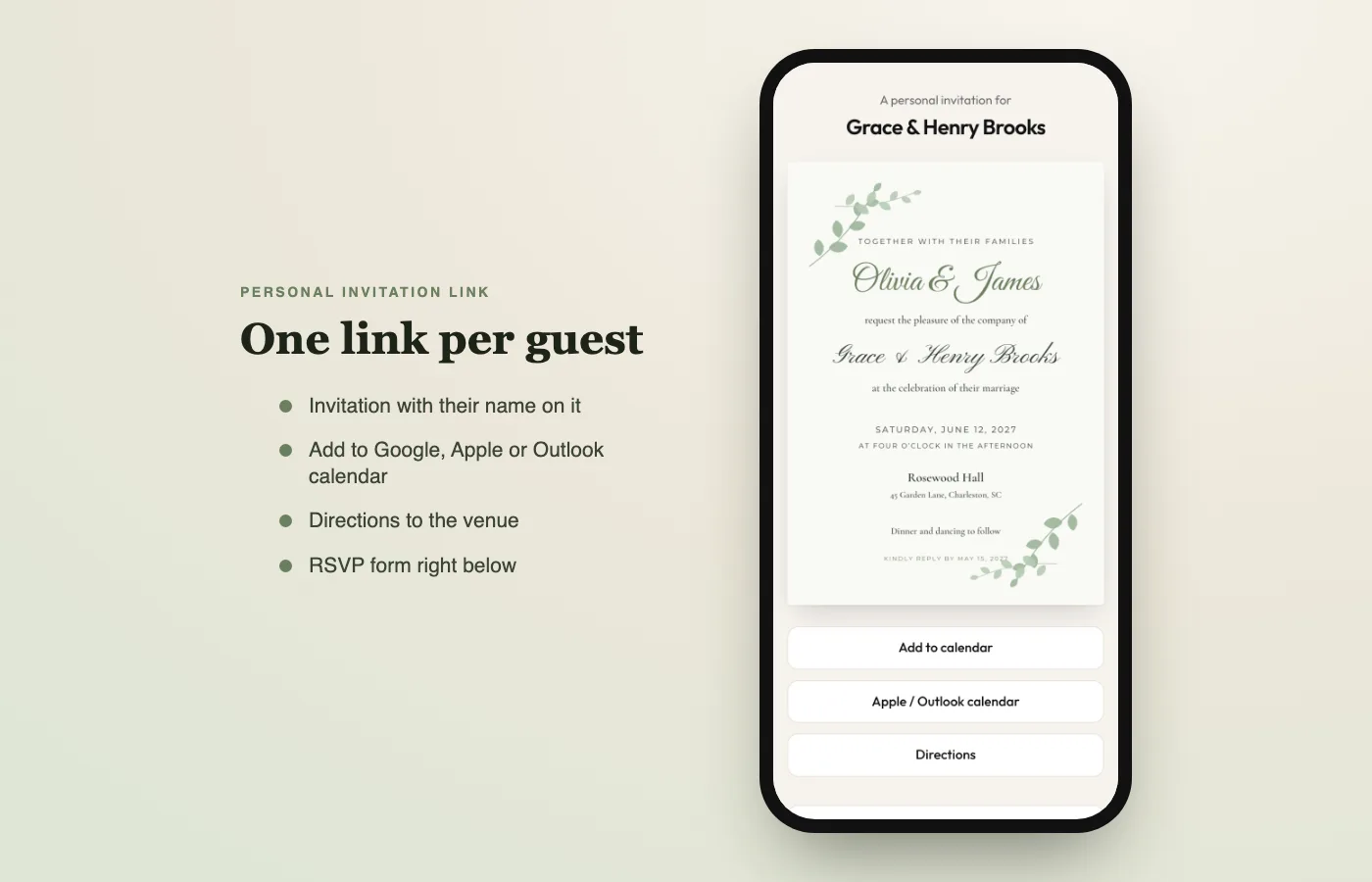
- **A personal link per guest:** Send by WhatsApp, text or email. The link preview shows the guest’s own name.
- **RSVP dashboard:** Per-person replies, plus-ones, meal choices, dietary needs, reminders and CSV export.
- **RSVP cards with a QR code:** Each printed card carries the guest’s own QR code that opens their RSVP form.
- **Envelopes and address labels:** A7 envelopes with your return address and Avery 5160 (Letter) or L7160 (A4) labels.
- **Venue map card and thank-you cards:** A map card with QR directions, and thank-you cards with each guest’s name.
## Word mail merge vs Canva bulk create vs InviteBatch
| Feature | Word mail merge | Canva bulk create | InviteBatch |
|---|---|---|---|
| Setup | Data source + merge fields | Canva Pro + CSV upload | Paste your list |
| Messy lists (capitals, duplicates, +1s) | Fix by hand | Fix by hand | Cleaned automatically |
| Long names | Fix by hand | Fix by hand | Auto-fitted to the design |
| Wedding designs | Bring your own | Large library | Wedding designs built for names |
| Print sheets with crop marks | Set up yourself | Set up yourself | Included (Letter & A4) |
| Personal RSVP link per guest | No | No | Included |
| Envelopes + address labels | Separate merge | Separate design | Included (A7, Avery 5160 / L7160) |
| Cost | Microsoft 365 | Canva Pro subscription | £24.99 one-time |
Word and Canva are great general tools, and if you already know mail merge they work. InviteBatch is faster when the only thing that changes per card is the guest’s name.
## How do you merge guest names into an invitation?
An invitation merge takes one design and a list of names, and makes one copy of the invitation per name. In Word that means a mail merge: a data source (your spreadsheet), a merge field where the name goes, then "Finish & Merge". In Canva it means bulk create with a CSV.
With InviteBatch there is nothing to set up:
1. **Pick a wedding invitation design** and fill in your details.
2. **Paste your guest list**, one invitation per line, exactly as each name should be printed.
3. **Check the merged invitations** in the free preview, every card with its real name.
4. **Download** one PDF per guest, a combined PDF and print sheets.
## How do you mail merge invitations from Excel or Google Sheets?
Select the column with your guests’ names in Excel, Google Sheets or Numbers, copy it, and paste it into the guest list box. That is the whole merge.
- **First and last name in two columns?** Copy both columns together: each row is joined into one name ("Emily" + "Carter" becomes "Emily Carter").
- **Address in the next column?** It is left off the invitation. Addresses are pasted separately for envelopes and labels.
- **A header row** like "Name" or "Guest list" is skipped.
- **A .csv or .txt export** can be imported as a file instead of pasting.
You don’t need a Google Docs add-on or a Word data source, and nothing is connected to your Google account.
## What format should my guest list be in?
No special format. One line per invitation, written the way it should be printed. Copy a column from Excel or Google Sheets, or paste first-name and last-name columns together: they are joined into one name. You can also import a .csv or .txt file. Up to 1,000 lines per order.
Before anything is made, the list is tidied: capitals are fixed ("emily CARTER" becomes "Emily Carter"), numbers and bullets from Notes or WhatsApp are removed, exact duplicates are dropped and look-alike names ("Jon Smith" and "John Smith") are flagged so you can check them. "+1" becomes "& Guest".
## How to print personalized invitations in bulk
You get three print files, so you can choose the cheapest way to print:
1. **Combined PDF:** every guest’s invitation in one file, the easiest file to send to a print shop or online printer.
2. **Print sheets:** two 5x7 invitations per US Letter or A4 page with crop marks, for printing at home on card stock.
3. **One PDF per guest (ZIP):** for reprinting a single card after a change.
Tip: print one test sheet first to check colors and card thickness. Our guide to [printable 5x7 wedding invitations](https://invitebatch.com/blog/printable-5x7-wedding-invitations-with-guest-names) covers paper and printers.
## Can I mail merge addresses onto envelopes and labels?
Yes. After your order, paste your list of names with mailing addresses: each address is matched to the guest with the same name. Or switch on address collection and guests add their own address when they RSVP.
You then print:
- **A7 envelopes** (7.25 x 5.25 in) with the guest’s address and your return address, one per page, for printers with an envelope feed.
- **Address labels** on Avery 5160 (US Letter, 30 per sheet) or Avery L7160 (A4, 21 per sheet).
The page shows which guests still have no address, so nobody is missed.
## Can I mail merge invitations for other events?
Yes. The same merge works for every design on InviteBatch: [birthday invitations](https://invitebatch.com/templates/birthday), [graduation announcements and party invitations](https://invitebatch.com/templates/graduation), [baby shower invitations](https://invitebatch.com/templates/baby-shower), [bridal shower invitations](https://invitebatch.com/templates/bridal-shower) and [party invitations](https://invitebatch.com/templates/party). Paste the guest list, and each guest gets their own named invitation and RSVP link.
## FAQ
**What is an invitation merge?**
An invitation merge (or mail merge) puts each name from a guest list onto its own copy of the same invitation, so you get one personalized invitation per guest without editing each one by hand.
**Do I need Excel or a CSV file?**
No. Paste names straight from Excel, Google Sheets, Notes or WhatsApp, one invitation per line. You can also import a .csv or .txt file.
**Can I mail merge from Google Sheets?**
Yes. Copy the name column (or the first-name and last-name columns together) in Google Sheets and paste it. No add-on and no Google account connection is needed.
**How is this different from Canva bulk create?**
No spreadsheet formatting, no connecting data fields, no exporting page by page. You get one PDF per guest, an all-in-one PDF and print sheets in one download, plus a personal invitation link and RSVP tracking for every guest, which Canva does not do.
**How many invitations can I merge?**
Up to 1,000 guest lines per order, all for £24.99 one-time. There is no per-card fee. Only need one card for everyone? Keep one line and it is £5.99 to download.
**Can I merge addresses onto envelopes and labels?**
Yes. After ordering, paste names with addresses (or let guests add theirs when they RSVP) and print A7 envelopes or Avery 5160 / L7160 address labels.
**How do I print them all at once?**
Download the combined PDF (every guest in one file) or the print sheets with two 5x7 invitations per US Letter or A4 page with crop marks.
**Do you print and mail the invitations?**
No. You print at home or at any print shop (US Letter or A4), or send each guest their personal link. Nothing is shipped.
**Can I check the merge before paying?**
Yes. The full preview of every card with your names is free (with a watermark). You only pay £24.99 when you download.
**Can I fix a name after downloading?**
Yes, edits are free for 7 days: fix names, add guests and download again.
**What if it doesn’t work for me?**
Email us within 7 days of your order for a full refund.
---
## Personalized wedding invitations, one for every guest.
Source: https://invitebatch.com/personalized-wedding-invitations · Updated 2026-10-08 · InviteBatch
Personalized wedding invitations from InviteBatch carry each guest’s name, plus your own wording, fonts and colors. Paste your guest list once to make them in bulk (up to 1,000). You get printable PDFs (US Letter or A4) and a personal digital invitation with RSVP for every guest. £24.99 one-time, free preview, no account.
## Personalized usually means one at a time. Not here.
Most personalized invitations are made per card: edit a name, export, repeat. Or you pay per printed card. InviteBatch personalizes the design once and every guest’s name in bulk, so 150 personalized invitations take as long as one.
## Prices
- **One invitation to download: £5.99.** One name line (for example "Family & Friends"), print-ready PDF, home-print sheets and a phone image. Nothing is shipped. Final sale, the preview is free. Can be upgraded later by paying only the difference.
- **Every guest by name: £24.99 one-time.** Up to 1,000 invitations, a personal link and RSVP per guest, RSVP dashboard and the matching suite. 7-day refund.
- **Printed and delivered:** 7x5 cards with envelopes, posted to the UK, US, Canada and 13 EU countries. Prices: https://invitebatch.com/print
## What are personalized wedding invitations?
A personalized wedding invitation is made for one wedding, and often for one guest. There are two levels of personalization:
1. **Your wedding’s details:** your names, date, venue, wording, colors and fonts.
2. **The guest’s name on the card:** "Emily Carter, together with their families…" or "The Johnson Family". This used to mean calligraphy or hand-editing every file.
InviteBatch does both: you personalize the design once, and every guest gets an invitation with their own name.
## What you can personalize
- **Guest names** on every invitation, sized to fit the design (long names and families included)
- **All wording:** headline, your names, date, time, venue, address, dress code, RSVP line
- **Fonts and colors** from a curated set that suits each design
- **Monogram and big date** on designs that have them
- **Events:** up to 3 (for example ceremony, reception, rehearsal dinner), each guest invited only to theirs
- **The matching suite:** RSVP cards with a personal QR code, a venue map card with QR directions, envelopes, Avery address labels and thank-you cards with each guest’s name
Browse the [wedding designs](https://invitebatch.com/templates/wedding) to see what each one includes.
## How to make bulk personalized wedding invitations (100+ guests)
1. **Pick a design** and fill in your details.
2. **Paste your whole guest list.** One line per invitation, copied from Excel, Google Sheets, Notes or WhatsApp. Duplicates are removed and similar names are flagged.
3. **Check every card** in the free preview, with every real name.
4. **Pay £24.99 once and download** all of them: no per-card price, up to 1,000 guests.
The more guests you have, the less each invitation costs. If you’re used to Word or Canva, see [wedding invitation mail merge](https://invitebatch.com/wedding-invitation-mail-merge).
## Printable personalized wedding invitations
Every order includes print-ready files:
- **5x7 invitations**, two per US Letter or A4 page, with crop marks
- **One combined PDF** to send to a print shop or online printer
- **One PDF per guest** in a ZIP, to reprint a single card
Print at home on 80–110 lb cover (216–300 gsm) card stock, or upload the combined PDF to a local print shop. The step-by-step guide: [printable 5x7 wedding invitations with guest names](https://invitebatch.com/blog/printable-5x7-wedding-invitations-with-guest-names).
## Personalized digital invitations and RSVP
Each guest also gets a private link. When you send it on WhatsApp or iMessage, the preview already shows their name ("Emily, you’re invited"). The page shows their invitation, add-to-calendar, directions and an RSVP form for their household, with meal choices and dietary needs. More on [digital wedding invitations](https://invitebatch.com/digital-wedding-invitations) and [online RSVP tracking](https://invitebatch.com/wedding-rsvp).
## How much do personalized wedding invitations cost?
Printed personalized invitations from stationers are usually priced per card, plus shipping, so the cost grows with your guest list. Digital invitation services often price by guest count.
InviteBatch is one flat price: **£24.99 for up to 1,000 guests**, including printable PDFs, digital invites, RSVP tracking and the stationery suite. You pay for printing separately if you print. See the [honest comparison](https://invitebatch.com/compare) with other options.
## FAQ
**Can each wedding invitation have a different guest name?**
Yes, that is what InviteBatch is built for. Paste your guest list and every invitation is made with that guest’s name, sized to fit the design.
**How many personalized invitations can I make?**
Up to 1,000 per order, for one price of £24.99. There is no per-card fee. One card for everyone (no names) is £5.99 to download, and printed cards are posted from the same design.
**Are the invitations printable?**
Yes. You get one PDF per guest, a combined PDF for print shops and print sheets with two 5x7 invitations per US Letter or A4 page with crop marks.
**Can I personalize the wording, fonts and colors?**
Yes. Every line of text is editable, and each design has a curated set of fonts and colors that suit it.
**Do you ship printed invitations?**
No. InviteBatch is digital: you print at home or at a print shop, or send each guest their personal link.
**Can I see the invitations before paying?**
Yes. The full watermarked preview with every guest name is free. You pay only when you download, and you can get a full refund within 7 days.
---
## Jewish wedding invitations, with every guest’s name on their card.
Source: https://invitebatch.com/jewish-wedding-invitations · Updated 2026-10-18 · InviteBatch
InviteBatch Jewish wedding invitations are 5x7 designs with Jewish motifs (a floral chuppah, the Jerusalem skyline, the Star of David, pomegranates and olives, and “Ani l’dodi v’dodi li” in Hebrew letters). You edit the English wording, add the Hebrew date, paste your guest list, and download printable PDFs plus a personal RSVP link for each guest. £24.99 one-time, free preview.
## Beautiful Jewish invitations, without addressing 150 cards by hand
Jewish wedding invitations carry a lot: both families, the Hebrew date, Kabbalat Panim and the chuppah time. InviteBatch keeps that wording in one place and prints each guest’s name on their own invitation, so the whole guest list is done in minutes.
## Prices
- **One invitation to download: £5.99.** One name line (for example "Family & Friends"), print-ready PDF, home-print sheets and a phone image. Nothing is shipped. Final sale, the preview is free. Can be upgraded later by paying only the difference.
- **Every guest by name: £24.99 one-time.** Up to 1,000 invitations, a personal link and RSVP per guest, RSVP dashboard and the matching suite. 7-day refund.
- **Printed and delivered:** 7x5 cards with envelopes, posted to the UK, US, Canada and 13 EU countries. Prices: https://invitebatch.com/print
## What do you write on a Jewish wedding invitation?
A Jewish wedding invitation usually names the hosts (often both sets of parents), the couple, the date in both the English and the Hebrew calendar, the time of the chuppah, the venue, and what follows. Many couples also list the Kabbalat Panim (the reception before the ceremony) so guests arrive early.
A traditional example:
> Together with their parents Rachel & David Cohen and Miriam & Joseph Levy, **Hannah and Benjamin** joyfully invite **[guest name]** to celebrate their marriage under the chuppah. Sunday, June 20, 2027 · 15 Sivan 5787 · Five o’clock in the evening. The Glasshouse at Willow Park. Kabbalat Panim · Chuppah · Dinner and dancing to follow.
Every line on our designs is editable, so you can use formal wording (“request the honour of your presence”), modern wording (“joyfully invite”) or your own. More examples are in our [wedding invitation wording guide](https://invitebatch.com/blog/wedding-invitation-wording).
## Whose names go first on a Jewish wedding invitation?
Traditionally the hosts come first. On a Jewish invitation that is usually **both sets of parents**, with the bride’s parents listed first, then the groom’s. Couples hosting their own wedding often write “Together with their families” instead. Between the couple’s names, most Jewish invitations use “and” rather than an ampersand, traditionally with the bride’s name first. If a parent has passed away, a common form is “the late” before the name.
## Should a Jewish wedding invitation include the Hebrew date?
Yes, most do. Write it under the English date, for example “Sunday, June 20, 2027 · 15 Sivan 5787”. Check the conversion with a Hebrew date converter (such as hebcal.com) and remember that the Hebrew day begins at sunset, so an evening ceremony after nightfall falls on the next Hebrew date.
Our editor sets the wording in English letters, so the Hebrew date is written in English (“15 Sivan 5787”). The **Ani L’Dodi** design also carries the verse “אני לדודי ודודי לי” (Song of Songs 6:3) in gold Hebrew letters as part of its artwork.
## Which dates should you avoid for a Jewish wedding?
Jewish weddings are not held on Shabbat (Friday sunset to Saturday nightfall) or on major festivals. Many communities also avoid most of the Omer, the seven weeks between Passover and Shavuot (Lag BaOmer is a popular exception), and the Three Weeks in summer before Tisha B’Av. Customs differ, so confirm the date with your rabbi before you print.
That is why **Sunday** is the most popular day for Jewish weddings, and why Saturday-night weddings start after Shabbat ends. Our sample wording uses a Sunday date for the same reason.
## Which symbols are used on Jewish wedding invitations?
The most common are the **chuppah** (the wedding canopy), the **Star of David**, the **Jerusalem** skyline, the **pomegranate** and **olive branch**, and verses from the Song of Songs. Each of our designs is built around one of them:
- [Floral Chuppah](https://invitebatch.com/templates/wedding/floral-chuppah-jewish-wedding-invitation): a watercolor chuppah draped in blush and ivory roses.
- [Jerusalem Gold](https://invitebatch.com/templates/wedding/jerusalem-gold-jewish-wedding-invitation): the Old City walls and towers in gold, under a gold arch on navy.
- [Star of David](https://invitebatch.com/templates/wedding/star-of-david-jewish-wedding-invitation): a fine gold Star of David on a modern white card.
- [Pomegranate & Olive](https://invitebatch.com/templates/wedding/pomegranate-olive-jewish-wedding-invitation): watercolor pomegranates and olive branches on cream.
- [Ani L’Dodi](https://invitebatch.com/templates/wedding/ani-ldodi-hebrew-english-jewish-wedding-invitation): the Hebrew verse in gold with the English line “I am my beloved’s and my beloved is mine”.
## How do you put each guest’s name on the invitation?
1. **Pick a design** above and write your wording once.
2. **Paste your guest list**, one invitation per line, exactly as each name should be printed (“Mr. & Mrs. Aaron Goldberg”, “Rabbi Yosef Mizrahi and family”).
3. **Check every card** in the free preview with the real names.
4. **Download** one PDF per guest, an all-in-one PDF and print sheets (US Letter or A4), and send each guest a personal link with RSVP by WhatsApp, text or email.
Up to 1,000 guests for £24.99, one time.
## FAQ
**Can I write the invitation in Hebrew?**
Not yet. The editable wording is set in English letters, so names and the Hebrew date are written in English (for example “15 Sivan 5787”). The Ani L’Dodi design has a Hebrew verse in gold as part of its artwork.
**Can the RSVP cover the Kabbalat Panim and the reception separately?**
Yes. The online RSVP can ask about up to three events, so guests can answer for the ceremony and the reception separately, with meal choices and dietary needs if you ask for them.
**Do these work for interfaith and modern Jewish weddings?**
Yes. Every line is editable, so you can use traditional, modern or interfaith wording and leave out anything that does not fit your ceremony.
**What size are the invitations and how do I print them?**
Each invitation is 5x7 inches. You get one PDF per guest, an all-in-one PDF for a print shop, and print sheets with two invitations per US Letter or A4 page with crop marks.
**How much do Jewish wedding invitations cost on InviteBatch?**
£24.99 one-time for up to 1,000 guests, including printable PDFs, a personal digital invitation for every guest and RSVP tracking. One invitation to download and print at home is £5.99. The preview is free.
**Do you print and mail the invitations?**
No. You print at home or at any print shop, or send each guest their personal link. Nothing is shipped.
**What if I am not happy?**
Email us within 7 days of your order for a full refund.
---
## Your wedding venue, drawn in pen and ink, on every guest’s invitation.
Source: https://invitebatch.com/venue-sketch-wedding-invitations · Updated 2026-10-29 · InviteBatch
InviteBatch venue sketch wedding invitations are 5x7 designs that carry a black-ink drawing of your own wedding venue. You upload one photo of the building, check a free watermarked preview with a pencil sketch, and after payment the photo is redrawn as a pen-and-ink illustration (cars, people and sky left out). One card to download is £5.99; every guest by name with RSVP is £24.99; printed cards are posted to the UK, US, Canada and the EU.
## The heirloom look, without commissioning an illustrator
A drawing of the venue is the detail guests keep: it tells them where, and it frames the day like an engraving. Commissioning one usually means an artist, a deposit and weeks of waiting. Here you upload a photo, see your card right away, and the finished drawing is made in seconds once you order.
## Prices
- **One invitation to download: £5.99.** One name line (for example "Family & Friends"), print-ready PDF, home-print sheets and a phone image. Nothing is shipped. Final sale, the preview is free. Can be upgraded later by paying only the difference.
- **Every guest by name: £24.99 one-time.** Up to 1,000 invitations, a personal link and RSVP per guest, RSVP dashboard and the matching suite. 7-day refund.
- **Printed and delivered:** 7x5 cards with envelopes, posted to the UK, US, Canada and 13 EU countries. Prices: https://invitebatch.com/print
## What does one order include?
- **Your own venue:** Any building: a country house, town hall, hotel, barn, church, castle or your parents’ garden. Upload one clear photo.
- **Free preview first:** See the full card with a pencil sketch of your photo before you pay. Previews are watermarked.
- **Pen-and-ink drawing after payment:** Your photo is redrawn as a fine black-ink illustration, with cars, people, signs and sky left out. You get up to 3 drawings per order: the first one plus 2 redraws if you want a different result.
- **Every guest by name:** Each guest’s name is set on their own invitation, with a personal link and RSVP (£24.99, up to 1,000 invitations).
- **Print or post:** Print-ready 5x7 PDFs and home-print sheets, or order printed cards with envelopes, posted to the UK, US, Canada and 13 EU countries.
## How do venue sketch wedding invitations work?
1. **Open the [Grand Venue Sketch](https://invitebatch.com/templates/wedding/grand-venue-sketch-wedding-invitation) design** and write your wording: your names, the date, the venue and its address.
2. **Upload a photo of your venue.** The preview turns it into a pencil sketch straight away, so you see the full card with your own building on it. Nothing is drawn by AI yet and the preview stays watermarked.
3. **Add your guest list** (or choose one card for everyone) and pay.
4. **Your venue is redrawn in pen and ink.** On your order page the photo becomes a black-ink illustration in about 10 seconds and goes onto every invitation. Not happy with it? Ask for a redraw: up to 3 drawings per order. During the edit window you can still fix any wording for free.
5. **Download or print.** Print-ready PDFs, home-print sheets and a phone image, or have the cards printed and posted.
## Which venue photo gives the best drawing?
- **Straight on, in daylight.** A front view with the whole building in frame works best. Steep angles and night shots lose detail.
- **The building, not the party.** Cars, people, signs and sky are left out of the drawing, but a clear view of the facade still gives the cleanest lines.
- **Your own photo, or one you may use.** Take it on a venue visit or ask the venue for one you are allowed to use. Many venues send couples photos for exactly this.
- **One building.** A single facade reads better on a 5x7 card than a wide panorama.
## What wording suits a venue sketch invitation?
Classic wording sits best with an engraved look. The sample on our design reads:
> **Eleanor and James** invite **[guest name]** to celebrate their wedding. **Wrenfield House**, The Avenue, Wrenfield, Oxfordshire. Saturday, 12 June 2027, at half past two in the afternoon. Reception to follow. Kindly reply by 1 May 2027.
Write the couple’s names as “Name & Name” and the design sets them as two lines of engraved capitals with a script “and” between them. Every line is editable, so formal wording (“request the pleasure of your company”) or parents as hosts work too. More examples: [wedding invitation wording guide](https://invitebatch.com/blog/wedding-invitation-wording).
## Is it a luxury invitation if I print it myself?
The design is built for heavy, uncoated paper: black ink on an ivory card is the look of engraved stationery. For the most formal finish, have it printed on thick 7x5 card with envelopes: with your own venue, order the one-card download first, then choose “Get it printed” on your order page so the pen-and-ink drawing goes to print. You can also take the PDF to a local printer and ask for 300–350 gsm (110–130 lb) ivory or white card. Matching thank-you cards are part of the every-guest order.
## FAQ
**Is the venue drawing done by hand?**
No. The free preview uses an automatic pencil effect, and after payment your photo is redrawn as a pen-and-ink illustration by an AI image model. It keeps your building’s shape, windows and towers and leaves out cars, people and sky. If you want a different result, you can ask for a redraw (up to 3 drawings per order).
**Why is the pen-and-ink drawing only made after payment?**
Each drawing is made fresh for your photo and has a real cost, so it is made for paying customers. The preview shows the same card with a pencil sketch of your photo, so you can check the layout and wording first.
**Can I use a photo of any venue?**
Yes, any building you are allowed to photograph or use a photo of: your own picture from a visit, or one the venue gave you. Please do not upload another photographer’s or stationer’s artwork.
**What if I don’t have a photo yet?**
The design comes with its own pen-and-ink drawing of a classic country house, and you can order with that. Your own venue photo has to be added in the editor before you order: it cannot be added afterwards on the order page.
**How much do venue sketch invitations cost?**
One invitation to download and print, with your venue drawing: £5.99. Every guest by name, with a personal link and RSVP: £24.99 for up to 1,000 invitations. Printed cards with envelopes are priced per card on the print page.
**Can you print and post them?**
Yes. Printed 7x5 cards with envelopes are posted to the UK, US, Canada and 13 EU countries. With your own venue photo, order the one-card download first and choose “Get it printed” on your order page, so the pen-and-ink drawing is what gets printed. You can also print the PDF at home or at any print shop.
**Can I change the ink colour?**
The text can be set in black, navy, forest green, burgundy or warm brown. The drawing stays black ink.
---
## Contact us
Page: https://invitebatch.com/contact
The fastest way to reach InviteBatch is the contact form at /contact or an email to support@invitebatch.com. We help with designs, guest lists, printing, RSVPs, orders and refunds, and reply within one business day.
- **Email:** support@invitebatch.com
- **Reply time:** within one business day
- **Refunds:** full refund within 7 days
Include your order number (it starts with "IB-") for a faster answer. Never share your private order links.
InviteBatch is a product of CILIALIGHT LTD (UK company number 16145887). Postal address: 71-75 Shelton Street, Covent Garden, London, WC2H 9JQ, United Kingdom.
---
## Privacy Policy
Page: https://invitebatch.com/privacy
This policy explains how **CILIALIGHT LTD** ("InviteBatch", "we") handles personal data. We are the data controller for customer data. Contact: support@invitebatch.com, 71-75 Shelton Street, Covent Garden, London, WC2H 9JQ, United Kingdom.
## What we collect
**From customers (the person who orders):**
- email address and payment confirmation details from Stripe or PayPal (we never see or store your full card number);
- your event details, design choices, optional photo and guest list;
- whether you agreed to receive occasional offers;
- for printed orders, your delivery name, address and optional phone number. We save these, with your email and order choices, as you type them at checkout, even if you don't finish paying;
- if you choose to give them in the print studio, your email, phone number and the best time to call you;
- technical records needed to deliver and protect your order (IP address, device type, rough country, the page you uploaded from, download and email delivery times).
**About guests (people on your guest list):**
- the names you enter, and the replies guests give on their invitation page (attendance, meal choice, dietary notes, answers to your questions, an optional message and optional email).
Dietary notes can reveal health or religious information. Guests choose whether to share them, and they are shown only to the host who ordered the invitations.
## Why we use it
- to create and deliver your invitations, RSVP pages and dashboard (performance of our contract with you);
- if you give your email and start an order but don't finish paying, to send you one reminder about that order with a link to complete or cancel it (legitimate interests; we send no further reminders about it);
- if you start a printed order but don't finish, to contact you once to ask if you need help with that order (legitimate interests; never for marketing, and you can ask us to delete your details at any time);
- to call you about your printed order, only if you ask us to;
- to prevent fraud and abuse and to handle refunds and payment disputes (legitimate interests and legal obligations);
- to send you occasional offers, only if you opted in or are an existing customer who did not opt out (you can unsubscribe at any time).
We do not sell personal data and we do not use your guest list for marketing.
## Who we share it with
Only service providers that help us run InviteBatch: Cloudflare (hosting, storage, security), Stripe and PayPal (payments), Resend (email delivery) and, if you choose "Save to Google Drive", Google (the file is sent directly from your browser to your own Drive).
**WhatsApp:** if you choose to message us on WhatsApp, WhatsApp (Meta) handles the chat under its own terms, and we see your number and what you send. We use them only to help you. Our button counts taps per day and does not record who tapped.
**Contact form:** when you write to us through the contact page, we keep your name, email address, topic, order number (if you give one), message and rough country (from your connection, not your exact location) in our database so we can answer you. A copy is emailed to our support inbox (sent through Resend) and a short alert goes to our team's private Telegram chat. We use it only to reply to you, never for marketing, and delete it automatically after 180 days.
**InviteBatch for ChatGPT (our ChatGPT app):** if you ask InviteBatch to print an invitation inside ChatGPT, ChatGPT (OpenAI) sends us only the image you chose and the card size, quantity, finish, delivery speed and country you asked for. We do not receive your name, email address, chat history or ChatGPT account details. We keep the image for 5 hours so our print page can open it for you, then it is deleted automatically; if you go on to order, it is handled like any other printed order. We use it only to price and prepare your print order, never to train AI or for marketing. A short alert with the card size and quantity (no image and no personal data) goes to our team's private Telegram chat. OpenAI handles your conversation under its own privacy policy.
**Wedding map maker and map cards:** the map is drawn in your browser. Map images load directly from OpenFreeMap (openfreemap.org), which, like any website, receives your IP address and the map area you view; your names and text are not sent to them. If you buy a map card, we save its design (pin, style, names, date, venue and address) with your order, so your private page can make your files again. Venue searches go through our server to Photon (photon.komoot.io, Germany), the OpenStreetMap search service, so your IP address is not shared with them; we only pass your rough region (about 100 km) so nearby venues come first, and we don't store what you searched. We count tool use (opened, downloaded) without cookies and without any venue or name.
**Home page and template gallery previews:** when you paste a guest list or type names on the home page or the templates page, the invitations are drawn in your browser and nothing you type is sent to us. The list is kept in your browser's session storage only so the editor can open with it, and your browser deletes it when you close the tab. Designs you save to your shortlist on the templates page are remembered in your browser's local storage only, and you can remove them at any time. We count whether the preview was used and whether you continued to the editor, without cookies and without any names. Some providers are based in the United States; transfers are covered by appropriate safeguards such as the UK International Data Transfer Addendum or Standard Contractual Clauses.
## How long we keep it
Order and guest data is kept for 24 months after your event so you can return to your RSVPs and re-download your files, then deleted. Payment records are kept for 6 years for tax and accounting. Photos and designs you upload are deleted automatically 5 hours after upload if you don't pay for an order (if you have already pressed Pay, we keep them until that payment link closes, at most 48 hours). After you pay, we keep your files with your order so it can be printed, reprinted or re-downloaded. Details typed in the print studio or at a printed-order checkout that was not paid are deleted automatically after 30 days. You can ask us to delete your order earlier.
## Cookies and analytics
- **Essential storage:** remembering your draft on your own device, and your cookie choice. No consent needed.
- **Cloudflare Web Analytics:** privacy-friendly page statistics that use no cookies.
- **Campaign cookie (`ib_attr`, 90 days):** when you arrive from one of our links (for example a Pinterest Pin or a Google ad), this first-party cookie remembers which link or ad click it was and a random visit ID, so we can see which content helps couples and leads to orders. It never contains your name, email or payment details and is not shared with Pinterest or any advertiser. Visitors in the UK, the EU/EEA and Switzerland are asked first: it is only set if you click "Accept". Elsewhere it is on by default and you can switch it off with "Reject" in the cookie bar or by clearing your cookies. Visits from our links are also counted on our server without any cookie.
- **Google Ads conversion measurement:** we advertise on Google. When you are allowed (same rule as the campaign cookie), the Google tag loads so Google can tell us which ads lead to orders. On the order page it reports that a purchase happened (order number, amount, currency) and, for "enhanced conversions", your email address as a one-way SHA-256 hash, never in plain text. Your private order link is never sent to Google. We use Google Consent Mode: nothing is shared before you are allowed, and "Reject", or a browser that sends the Global Privacy Control signal, keeps it off. Change your choice any time with "Privacy choices" at the bottom of every page. Google's use of this data: https://policies.google.com/technologies/partner-sites
- **Google Analytics 4:** counts page views and how visitors use the site (pages, scrolls, clicks on outbound links), so we can see which pages help couples. It uses Google cookies (`_ga`, up to 2 years) and follows the same rule as the campaign cookie: in the UK, the EU/EEA and Switzerland it only loads after you click "Accept"; elsewhere it is on by default and "Reject" or the Global Privacy Control signal turns it off. IP addresses are anonymized. It never runs on your private order, dashboard or guest invitation pages, and it never receives your name, email or guest list. Google's use of this data: https://policies.google.com/technologies/partner-sites
- **Microsoft Clarity:** shows us, in aggregate, where visitors click and scroll and records anonymised replays of visits so we can find confusing or broken parts of the site. Text you type and other sensitive content are masked by Clarity before anything leaves your browser. It uses Microsoft cookies (`_clck`, `_clsk`, up to 1 year) and follows the same rule as the campaign cookie: in the UK, the EU/EEA and Switzerland it only loads after you click "Accept"; elsewhere it is on by default and "Reject" or the Global Privacy Control signal turns it off. It never runs on your private order, dashboard or guest invitation pages. Microsoft's privacy statement: https://privacy.microsoft.com/privacystatement
- **Meta Pixel:** not used today. If we turn it on, it follows the same rule as the campaign cookie.
- **Saved previews:** if you use "Email me my preview" or "copy a link", we store your design and the guest names you typed for 60 days so the link works on another device, and send the link to the email you gave once. We don't use that email for anything else.
## Your rights
Under UK GDPR (and similar laws in the US and Canada) you can ask to access, correct, export or delete your data, and to object to marketing. Email support@invitebatch.com. You can also complain to the UK Information Commissioner's Office (ico.org.uk).
## Security
Private pages use long random links, payments are handled by Stripe or PayPal, and data is encrypted in transit. No system is perfectly secure, so please keep your private links private.
---
## Refund Policy
Page: https://invitebatch.com/refunds
Plain rules, no small print. Which rule applies depends on what you bought.
## One-invitation downloads (£5.99): final sale, no refunds
Like Etsy and other instant-download shops, we don't refund one-invitation downloads. The file is yours the moment you pay and can't be given back, so we show you the whole card free before you buy. Please check every word, the date and the spelling in the preview first.
- **Faulty file?** If the file won't open, prints wrongly or doesn't match the preview you approved, email **support@invitebatch.com** with your order number. We fix it or refund you. That is your legal right and we keep to it.
- **Typo you made?** Use the free edits on your order page for 7 days and download again.
- **Need more guests?** A download covers one card. Open your order page and choose “Need more guests?”: you pay only the difference to £24.99, keep your design and get a card per guest. That upgrade payment has the 7-day refund below; the original download stays a final sale.
## Wedding map cards: final sale, no refunds
You see the whole card, in every style, free before you buy, and the files are yours the moment you pay. If a file is faulty or you spot a typo, your private order page lets you fix the wording and download again, or email **support@invitebatch.com** and we will sort it out. Your legal rights are not affected.
## Every guest by name (£24.99): 7-day refund
If you are not happy, email **support@invitebatch.com** within **7 days** of your purchase with your order number, and we refund you in full. No complicated forms.
- Refunds go back to the card or PayPal account you paid with, usually within 5–10 business days depending on your bank.
- When a refund is issued, your download page, RSVP dashboard and guest invitation links stop working.
- Before asking for a refund, check whether a free edit solves the problem: for 7 days you can fix names, add guests and change details at no cost.
## What we can't refund
We can't refund printing you paid for elsewhere, so please check your preview carefully before printing in large quantities.
## Your legal rights
Our invitations are digital content provided immediately at your request, so the statutory 14-day cancellation period does not apply once your files are available (you confirm this at checkout). The refund promise above is in addition to your legal rights, which always apply if anything is faulty.
## Printed invitations (printed and delivered by us)
Printed invitations are made to order from your design and the proof you approve, so they can't be returned or cancelled for a change of mind once printing has started (personalised and custom-made goods are exempt from the 14-day cancellation period).
- **Damaged, faulty or misprinted?** Email **support@invitebatch.com** within 14 days of delivery with your order number and a photo. We reprint the affected cards free, or refund them, at your choice. You don't need to send anything back.
- **Lost in the post?** If tracking shows no delivery 10 working days after dispatch, we reprint or refund.
- **Mistakes on the approved proof** (spelling, dates, names) are not a fault, so please check the proof carefully: our proof check flags common mistakes before you pay.
- **Changes:** email us straight away. We can change or cancel an order only before it goes to print.
- **Where we deliver:** the UK, the United States, Canada and 13 EU countries. You see the delivery options, dates and the full price before you pay. US and Canadian orders may have import charges collected on delivery. See [Shipping & Delivery](/shipping).
---
## Terms of Service
Page: https://invitebatch.com/terms
These terms apply to your use of InviteBatch (the "Service"), operated by **CILIALIGHT LTD**, a company registered in England and Wales (company number 16145887), registered office: 71-75 Shelton Street, Covent Garden, London, WC2H 9JQ, United Kingdom. Contact: support@invitebatch.com.
By placing an order you agree to these terms. Please read them together with our [Privacy Policy](/privacy) and [Refund Policy](/refunds).
## 1. What we provide
InviteBatch lets you choose an invitation design, add your event details and guest list, and receive:
- print-ready PDF files with each guest's name on their invitation;
- a personal digital invitation page for each guest, with an RSVP form;
- an RSVP dashboard for the person who placed the order.
The preview is free. You pay a one-time fee per order: currently £5.99 for one invitation (a download with one name line) or £24.99 for one invitation per guest. One order covers one event (with up to 3 related events, such as a welcome party and a brunch) and up to 1,000 invitations. One-invitation downloads are a final sale (see our [Refund Policy](/refunds)).
## 2. Your order and immediate access
Our products are digital content and digital services that are made available immediately after payment. At checkout you ask us to provide them straight away and acknowledge that, under the UK Consumer Contracts Regulations, you lose your statutory 14-day cancellation right once the content is made available. This does not affect our voluntary [refund policy](/refunds) or your statutory rights if something is faulty.
## 3. Free edits
For 7 days after payment you can correct names, add or remove guests and change event details at no extra cost, and download your files again. A different event or a different design for another occasion requires a new order.
## 4. Your content
You are responsible for the names, text and photos you add. Only upload photos you have the right to use, and only add guest details you are allowed to share with us. You keep all rights to your content and give us permission to store and display it only to provide the Service (for example, to show each guest their invitation).
## 5. Our designs
The designs, fonts and software remain the property of InviteBatch or its licensors. You may print and share the invitations you create for your own personal event. You may not resell the designs, the template files or the generated files as templates, or use the Service to create invitations for resale without our written permission.
## 6. Private links
Your order page, RSVP dashboard and each guest's invitation page are reached through private links. Anyone with a link can view that page, so share links only with the intended people. We are not responsible for links you share publicly.
## 7. Acceptable use
Do not use the Service for unlawful, abusive or fraudulent content, to send unsolicited messages, or to attempt to access other customers' data. We may suspend orders that break these rules.
## 8. Availability and liability
We work hard to keep the Service available and your files correct, and we check every design before release. Please review your preview carefully before printing in large quantities; we cannot refund printing costs. To the extent permitted by law, our total liability for any order is limited to the amount you paid for it. Nothing in these terms limits liability that cannot be limited by law.
## 9. Changes
We may update these terms. The version that applied when you placed your order (version 2026-10-06) continues to apply to that order.
## 10. Law
These terms are governed by the laws of England and Wales. If you live elsewhere in the UK, US or Canada, you keep any consumer protections that the law of your home country gives you.
---
## How InviteBatch compares
Page: https://invitebatch.com/compare
Every price below comes from each company's own pricing or help page, checked on **2 November 2026**. Competitor prices are US list prices in US dollars before tax or promotions. InviteBatch prices are live and shown in your currency. We sell one of the options on this page, so we also say plainly when another one is the better pick.
## What does each option cost for 50, 100, 150 and 250 guests?
Digital invitations with RSVP, one event, the cheapest way to send to that many guests:
| Service | 50 guests | 100 guests | 150 guests | 250 guests | How it is priced |
|---|---|---|---|---|---|
| **InviteBatch Digital** | £69 | £69 | £69 | £69 | One price, up to 1,000 guests |
| **InviteBatch (printable + RSVP links)** | £24.99 | £24.99 | £24.99 | £24.99 | One price, up to 1,000 guests |
| Greenvelope | US$59 | US$99 | US$249 | US$249 | Tiers: up to 20 / 60 / 100 / 250 guests |
| Evite Premium | US$68.99 | US$99.99 | US$99.99 | US$99.99 | Tiers: up to 12 / 30 / 75 / 750 guests |
| Paperless Post | Coins per guest | Coins per guest | Coins per guest | Pro: US$250 a year | Free designs, or Coins per guest for premium |
| Joy | Free | Free | Free | Free | Free digital invitations, paid paper |
| Zola | Free website + RSVP | Free website + RSVP | Free website + RSVP | Free website + RSVP | Paid printed invitations |
Tier prices jump at the limit: 101 guests on Greenvelope costs the same as 250, and 76 guests on Evite costs the same as 750. Count households, not people, if the service lets you send one invitation per household. Greenvelope counts every person, so a family of four is 4.
## Greenvelope vs Paperless Post vs Evite: which is best for a wedding?
- **Greenvelope** is the premium digital choice: an animated envelope addressed to each guest by name, wax seals, liners, background music, delivery by email or text, RSVP with meal choices and reminders, and no ads. It is the most expensive above 100 guests.
- **Paperless Post** has the strongest designer and brand catalogue, with free designs to start. Premium cards, envelopes and liners add Coins per guest, so the price grows with your list.
- **Evite** is the party specialist. Premium costs one price per guest tier, and the top tier covers up to 750 guests for US$99.99, which is good value for big lists.
- **InviteBatch** puts each guest's name on the invitation itself, not only on the envelope, and gives every guest a private link with their own RSVP form. One price covers the whole list: £69 for the digital invitation website, or £24.99 for printable PDFs plus RSVP links.
## Paperless Post vs Evite
Pick **Paperless Post** for a formal wedding look and designer stationery brands. Pick **Evite** for a birthday, shower or casual party, or if your list is big and you want one tier price. Both charge more for premium designs. If the thing you want is every guest's name on their own invitation, neither does that as the main feature, and InviteBatch does it for £24.99 flat.
## How much does Greenvelope cost in 2026?
From Greenvelope's pricing page ("current as of July 2026"):
- **Single mailing (one-time):** US$19 up to 20 guests, US$59 up to 60, US$99 up to 100, US$249 up to 250. Bigger lists are priced by their calculator.
- **Annual membership (unlimited mailings for a year):** US$125 up to 50 guests per mailing, US$225 up to 150, US$565 up to 500.
- Every plan includes all designs, RSVP tracking, reminders and no ads. Text messages are capped, and more can be bought.
## How much does Evite Premium cost?
From Evite's help page, per invitation:
- **Silver:** US$17.99, up to 12 guests
- **Gold:** US$36.99, up to 30 guests
- **Platinum:** US$68.99, up to 75 guests
- **Diamond:** US$99.99, up to 750 guests
- **Evite Pro:** US$249.99 a year, unlimited invitations of up to 2,500 guests each
## How much does Paperless Post cost?
Paperless Post has free designs. Premium designs are paid in Coins, multiplied by your guest count: a premium card is **2 Coins per recipient**, and an envelope, liner, backdrop or stamp is **1 Coin each**. Extras such as guest surveys, a custom URL or password protection are 200 Coins per event. **Paperless Pro** is **US$250 a year for 250 guests**, and going up to 500 guests costs **US$150 more**. Subscriptions are not refundable.
## What about free options: Joy and Zola?
**Joy** and **Zola** give you a free wedding website with online RSVP. They earn money from registries and printed stationery. Joy also offers free digital invitations. They are the best choice if you mainly want a website, a registry and photos in one place. Their invitations are not built around putting each guest's name on the card, so many couples keep the free website and use InviteBatch for the named invitations.
## Printed invitations: InviteBatch vs Minted, Zola and Joy
| | InviteBatch print | Minted | Zola / Joy paper |
|---|---|---|---|
| Design | Any design: ours, Canva or your own file | Minted's designer catalogue | Their own catalogue |
| Price | from £2.01 a card at 100 cards, from 1 card, delivery shown before you pay | Paid per card, foil and letterpress cost more | Paid per card |
| Guest names | One design on every card. For a name on each card, print the per-guest PDFs from the £24.99 plan at home or a print shop | Free recipient addressing on envelopes | Free envelope addressing (Zola), free recipient and return address printing (Joy) |
| Prints and ships from | UK, US, Canada and 13 EU countries | US company | US companies |
Pick **Minted** for foil, letterpress and premium paper. Pick **InviteBatch print** if you already have a design (for example from Canva), live in the UK or Europe, or want a few cards with no minimum. See [printed invitations](/print) and [delivery times and prices](/shipping).
## Canva Bulk Create or Word mail merge vs InviteBatch
| | Word mail merge | Canva Bulk Create | InviteBatch |
|---|---|---|---|
| Cost | Microsoft 365 | Canva Pro subscription | £24.99 one-time |
| Setup | Data source + merge fields | Spreadsheet upload | Paste your list |
| Couples, families, "+1" | Fix by hand | Fix by hand | Understood automatically |
| Long names | Fix by hand | Fix by hand | Auto-fitted to the design |
| Personal RSVP link per guest | No | No | Included |
| Envelopes and address labels | Separate merge | Separate design | Included |
Canva is the better tool if you want to design something completely from scratch. InviteBatch is faster when the only thing that changes per card is the guest's name. More in [wedding invitation mail merge](/wedding-invitation-mail-merge).
## When is InviteBatch the right choice?
- You want **each guest's name on their invitation**, not only on the envelope.
- You have **a big list** and want one price instead of paying per guest or per tier.
- You want **paper and digital from the same order**: printable PDFs, a private RSVP link per guest, or printed cards posted to you.
- You send by **WhatsApp**, and want the link preview to show the guest's own name.
- You don't want an account, a subscription or ads for your guests.
## When is another option a better choice?
- **Greenvelope:** you want animated envelopes with music and text delivery, and a list under 100.
- **Paperless Post:** you want a named designer brand, or a free design for a small party.
- **Evite:** a casual party with a big list, where Diamond's US$99.99 covers 750 guests.
- **Joy or Zola:** you mainly need a free wedding website and registry.
- **Minted:** you want foil, letterpress or premium paper.
- **Canva:** you want full design freedom.
## Sources
Checked 2 November 2026 on each company's own site: Greenvelope pricing (greenvelope.com/pricing, "current as of July 2026"), Evite Premium pricing (support.evite.com), Paperless Post pricing (paperlesspost.com/pricing), Joy wedding invitations (withjoy.com), Zola wedding invitations (zola.com), Minted wedding invitations (minted.com) and Canva (canva.com/pricing). Prices change often. Tell us at support@invitebatch.com if one is out of date and we will correct it.
**Is Greenvelope or Evite cheaper for 100 guests?**
Greenvelope's single mailing is US$99 for up to 100 guests and Evite Premium is US$99.99 (Diamond, up to 750 guests), so they cost about the same at 100. Above 100 guests Evite stays at US$99.99 while Greenvelope moves to its US$249 tier (up to 250 guests). InviteBatch's digital invitation is £69 once for up to 1,000 guests.
**How much does Greenvelope cost?**
Greenvelope's own pricing page (current as of July 2026) lists one-time single mailings at US$19 for up to 20 guests, US$59 for up to 60, US$99 for up to 100 and US$249 for up to 250. Annual memberships with unlimited mailings are US$125, US$225 and US$565 a year for up to 50, 150 and 500 guests per mailing.
**How much does Evite Premium cost?**
Evite's support page lists Premium per invitation by guest count: Silver US$17.99 (up to 12 guests), Gold US$36.99 (up to 30), Platinum US$68.99 (up to 75) and Diamond US$99.99 (up to 750). Evite Pro is US$249.99 a year for unlimited invitations of up to 2,500 guests each.
**How much does Paperless Post cost?**
Paperless Post has free designs, and charges for premium designs in Coins per guest: a premium card is 2 Coins per recipient plus 1 Coin each for an envelope, liner, backdrop or stamp. Paperless Pro is US$250 a year for 250 guests, and moving up to 500 guests costs US$150 more.
**Paperless Post vs Evite, which is better for a wedding?**
Paperless Post is better for a formal wedding look, with designer cards and envelopes, but premium designs are paid per guest. Evite is built for parties and charges one price per guest-count tier. If you want each guest's name on the invitation and one flat price, InviteBatch costs £24.99 for up to 1,000 guests.
**What is the cheapest way to put each guest's name on wedding invitations?**
With InviteBatch you paste your guest list once and get one invitation per guest with their name on it: print-ready PDFs plus a personal RSVP link for each guest, £24.99 one-time for up to 1,000 guests. Doing the same in Canva needs Canva Pro for Bulk Create, and in Word it needs a mail merge you check card by card.
**Can I use Joy or Zola together with InviteBatch?**
Yes. Many couples keep a free Joy or Zola wedding website for the registry and photos, and use InviteBatch for the invitations with each guest's name. Put your website link in the invitation wording.
**Are these prices current?**
We checked each company's own pricing or help pages on 2 November 2026. Competitor prices are their US list prices in US dollars, before any sale or tax. They can change at any time, so check the company's site before you buy.
---
## Digital & electronic wedding invitations with RSVP and every guest's name
Page: https://invitebatch.com/digital-wedding-invitations
## What is a personalized digital wedding invitation?
It's an invitation each guest receives as **their own private link**, with their name on the invitation. When you send it on WhatsApp or iMessage, the link preview already says "Emily, you're invited". Opening it shows the full invitation, **add to calendar** (Google, Apple or Outlook), **directions** to your venue and an **RSVP form** for their household.
It's the opposite of a mass email: every guest feels personally invited, and you know exactly who has replied. If you've been duplicating a Canva design once per guest, see [how to put guest names on digital wedding invitations](/blog/how-to-put-guest-names-on-digital-wedding-invitations) for every method compared. Electronic wedding invitations, digital invitations, online invitations and e-invites all mean the same thing: an invitation guests open on their phone or computer instead of in the mail.
## How do electronic wedding invitations with RSVP work?
Each guest gets a personal link. They open it in any browser, reply for everyone in their household, and the answer lands in your **RSVP dashboard** straight away. No app, no account, no reply cards to post back.
In the dashboard you can:
- See **who's coming**, your live headcount and each guest's **meal choice and dietary needs**
- Spot guests who **opened their invitation but haven't replied**
- **Send reminder emails** to everyone who hasn't replied with one button, or resend a link on WhatsApp
- **Export to CSV** for your caterer, venue or seating plan
Read more about [how to track wedding RSVPs online](/wedding-rsvp).
## What can guests answer on an electronic RSVP?
- **Attending or not**, for each person in the household and for each event (up to 3, for example ceremony, reception and welcome drinks)
- **Plus-ones**, with their names
- **Meal choice** and **dietary needs**
- **Up to 3 questions of your own**, such as a song request or "Do you need the shuttle?"
Need help with the wording? See our [wedding RSVP wording examples](/blog/wedding-rsvp-wording).
## How do I send digital wedding invitations by WhatsApp or text?
1. **Choose a design** and add your names, date and venue.
2. **Paste your guest list.** One line per invitation: "Emily Carter", "Sarah & James Smith", "The Johnson Family".
3. **Check every invitation** in the free preview.
4. **Send.** After checkout, tap **WhatsApp** or **Text** next to each guest: a short, warm message with their link is already written. Or copy the link into an email.
## What do guests see when they open the link?
- Their invitation, full screen, with **their name** on it
- Date, time and venue for each event they're invited to (up to 3, for example ceremony, reception and rehearsal dinner)
- **Add to calendar** and **directions** buttons
- An **RSVP form** for each person in their household: attending or not, meal choice, dietary needs and up to 3 questions of your own
No app, no account, no ads.
## Digital vs printed wedding invitations: which should I choose?
| Feature | Digital | Printed | InviteBatch (both) |
|---|---|---|---|
| Guest's name on the invitation | Usually not | By hand or per-card fee | Yes, every guest |
| RSVP | Online | Reply card by mail | Online + QR code on paper |
| Postage | None | Per envelope | Only for paper guests |
| Fix a typo after sending | Easy | Reprint | Free for 7 days |
| Price for 100 guests | Often priced per guest | Per card + shipping | £24.99 one-time |
Most couples don't have to choose: send links to most guests and print a handful for grandparents. One order includes both.
## How do I word a digital wedding invitation message?
Keep it short, warm and personal:
> Hi Emily! We're getting married and would love for you to be there. Here is your personal invitation and RSVP: [link]
We write this message for every guest, ready to send. For more ideas see [wedding RSVP deadline and reminder timing](/blog/when-to-send-wedding-invitations-and-rsvp-deadline).
## Are electronic wedding invitations with RSVP free?
Some are, usually with ads on the guest page, a per-guest price or paid upgrades for RSVP tracking and premium designs. InviteBatch is £24.99 one-time for up to 1,000 guests: personal links, RSVP tracking with meals and reminders, no ads, plus print-ready PDFs for anyone who wants paper. See how it [compares with Greenvelope, Evite, Paperless Post and Joy](/compare).
## Is it OK to send wedding invitations digitally?
Yes. Digital invitations are now a normal choice for weddings, and they're the easiest option for destination weddings and guests abroad. For a formal wedding, many couples still send paper to older relatives: the print-ready PDFs in your order make that easy, and each printed RSVP card can carry the guest's own **QR code** that opens their RSVP page.
## Digital and printed in one order
Your order includes print-ready PDFs too: one per guest, an all-in-one PDF for print shops, and two-per-page print sheets for US Letter or A4. One price, £24.99, for up to 1,000 guests. Want every personalization option? See [personalized wedding invitations](/personalized-wedding-invitations).
**Are digital wedding invitations appropriate?**
Yes. Digital invitations are now common for weddings, especially for guests under 50 and for destination weddings. Many couples mix printed invitations for older relatives with digital invitations for everyone else, and InviteBatch includes both in one order.
**How do I send digital wedding invitations?**
After checkout you get a list of personal links, one per guest. Tap WhatsApp or Text next to each guest to send a ready-written message, or copy the link into an email.
**Do guests need an app or an account?**
No. Guests open their link in any phone or computer browser, see their invitation and reply. No app, no sign-up and no ads.
**Can I send digital and printed invitations for the same wedding?**
Yes. Every order includes print-ready PDFs (one per guest, a combined PDF and Letter/A4 print sheets) and a personal digital link for every guest, so you can choose per guest.
**What happens if I need to change the date or venue?**
Edit your details within 7 days of your order and every guest's link shows the update. You can also download the PDFs again.
**How much do digital wedding invitations cost?**
InviteBatch is £24.99 one-time for up to 1,000 guests, including RSVP tracking and printable PDFs. There is no per-guest fee and no subscription.
**How do I track RSVPs from electronic wedding invitations?**
Every reply appears in your RSVP dashboard as soon as the guest sends it, with headcount, meal choices and dietary needs. You also see who opened their invitation but hasn't replied yet, and you can export everything to CSV.
**Can I send RSVP reminders to guests who haven't replied?**
Yes. Add guest emails in your RSVP dashboard and press Send reminders to email everyone who hasn't replied, or resend a guest's personal link on WhatsApp or text from your Invitations page.
**Will my guests see ads?**
No. Guest pages have no ads and need no account.
---
## Frequently asked questions
Page: https://invitebatch.com/faq
Quick answers to the questions we hear most. Still stuck? [Contact us](/contact).
**What does InviteBatch do?**
You choose a design, add your event details and paste your guest list. We create one invitation per guest with their name on it, as print-ready PDFs and as a personal digital invitation link with an RSVP form.
**How much does it cost?**
£24.99 one-time per event, for up to 1,000 invitations. The preview is free and there is no subscription.
**What paper size should I use?**
Invitations are 5x7 inches. Print sheets fit two per US Letter or A4 page with crop marks. Use 80–110 lb (216–300 gsm) cardstock for a premium feel.
**Do guests need an app or an account to RSVP?**
No. Guests open their personal link and reply in a few taps on any phone or computer.
**Can I invite some guests to only some events?**
Yes. Add up to 3 events and choose which events each invitation includes from your dashboard.
**Can I change things after paying?**
Yes. For 7 days you can fix names, add guests and change details for free.
**Is my guest list private?**
Yes. Your guest list is only visible through your private links. Guest pages are hidden from search engines and we never use your guests' data for marketing.
**What is your refund policy?**
If you're not happy, email us within 7 days for a full refund.
---
## Online wedding RSVP tracking
Page: https://invitebatch.com/wedding-rsvp
Chasing RSVPs by text and spreadsheet is the least fun part of planning a wedding. With InviteBatch every guest gets a **personal invitation link** with their name on it and a simple RSVP form, and every answer lands in your dashboard automatically.
## How do you track wedding RSVPs?
**Keep one master list** with a row for every invitation and, for each person on it, a status (attending, declined, no reply yet), their meal choice and any dietary needs. Whatever tool you use, every reply should end up in that one list, so you always know your headcount and who to remind. There are three common ways to do it:
1. **A spreadsheet** (Excel or Google Sheets). Free and flexible, but you type every reply in by hand from mailed cards, texts and calls, and it's easy to miss one.
2. **A shared online form** (one link for everyone). Replies arrive automatically, but guests type their own names, so you get spelling variations, duplicates and no clear list of who hasn't answered.
3. **Personal RSVP links** (one link per invitation). Each guest replies on their own invitation, so you know exactly who answered, for each person in the household, and who is still missing. This is how InviteBatch works.
Track replies as they arrive, check the list a week before your [RSVP deadline](/blog/when-to-send-wedding-invitations-and-rsvp-deadline), and remind only the guests marked "no reply".
## How it works
1. **Choose a design** and add your wedding details.
2. **Paste your guest list.** One line per invitation: "Emily Carter", "Sarah & James Smith", "The Johnson Family".
3. **Send each guest their link** on WhatsApp, by text or by email. The link preview shows their own name.
4. **Watch replies arrive.** See who is attending, who declined and who hasn't opened their invitation yet.
## What guests can answer
- Attending or not, **for each person** in the household
- **Meal choice** from your options (for example chicken, fish, vegetarian)
- **Allergies and dietary needs**
- Up to **3 questions of your own**, like "Do you need a shuttle from the hotel?"
- A message for the couple
## Built for real weddings
- **Plus-ones:** write "+1" or "& Guest" after a name and that invitation allows two people.
- **Families:** "The Johnson Family" can reply for everyone in the household.
- **Several events:** invite everyone to the wedding but only close family to the rehearsal dinner.
- **Reminders:** email guests who haven't replied, at most once every three days, so nobody gets spammed.
- **Export:** download a CSV with every reply for your planner, caterer or seating chart.
## Paper and digital together
Many couples print invitations for grandparents and send links to everyone else. Your order includes both, with every guest's name on their invitation, for one price of £24.99. See how [electronic wedding invitations with RSVP](/digital-wedding-invitations) work for the guests you invite by link, or compare printable RSVP cards and online forms in our [wedding RSVP templates](/blog/wedding-rsvp-templates) guide.
(design: https://invitebatch.com/editor/classic-gold-frame-wedding-invitation)
**How do guests RSVP online?**
Each invitation has its own private link. Guests open it, see their invitation with their name, and answer for each person in their household. No app or account needed.
**Can guests change their RSVP?**
Yes. Guests can open the same link and update their reply at any time before your deadline.
**Can I collect RSVPs for paper invitations too?**
Yes. Print the invitations and send the personal links by text or email, or add a line on the card asking guests to reply online.
**How do I get the totals for my caterer?**
Your dashboard counts attending guests and meal choices per event, and you can export everything to a spreadsheet (CSV).
**What is the best way to track wedding RSVPs?**
Keep one master list with a row per invitation and a status for each guest (attending, declined, no reply), plus meal choice. A spreadsheet works for small weddings; online RSVP with a personal link per guest fills the list in for you and shows who still needs a reminder.
---
## Pocketfold wedding invitation sizes: the main invite and staggered inserts (mm and inches)
Guide: https://invitebatch.com/blog/pocketfold-wedding-invitation-sizes
**The short answer:** for a **5×7″ pocket folder** (the laser-cut tri-fold kind sold on Shein, Amazon and Etsy, about **127×178 mm** per panel), print the **main invitation at 6×4″ (102×152 mm)** to leave a **12–13 mm border** all round so the folder still closes. Make the **three inserts the same width, 102 mm (4″)**, and stagger their heights: **timeline 152 mm, details 132 mm, RSVP 112 mm** (6″, 5.2″, 4.4″). Tallest at the back, shortest at the front, headings in the top 15 mm. **Measure your own folder first**, because listings vary by a few millimetres.
Not sure your folder matches? [Download the free measuring guide (PDF)](/downloads/pocketfold-measurement-guide.pdf): a worksheet plus true-size cut-out templates you can test in your folder before printing anything. If your files are ready, you can [print one test card](/print/test-print-invitation) of each piece first. One 6×4″ card is £8.94 delivered in the UK.
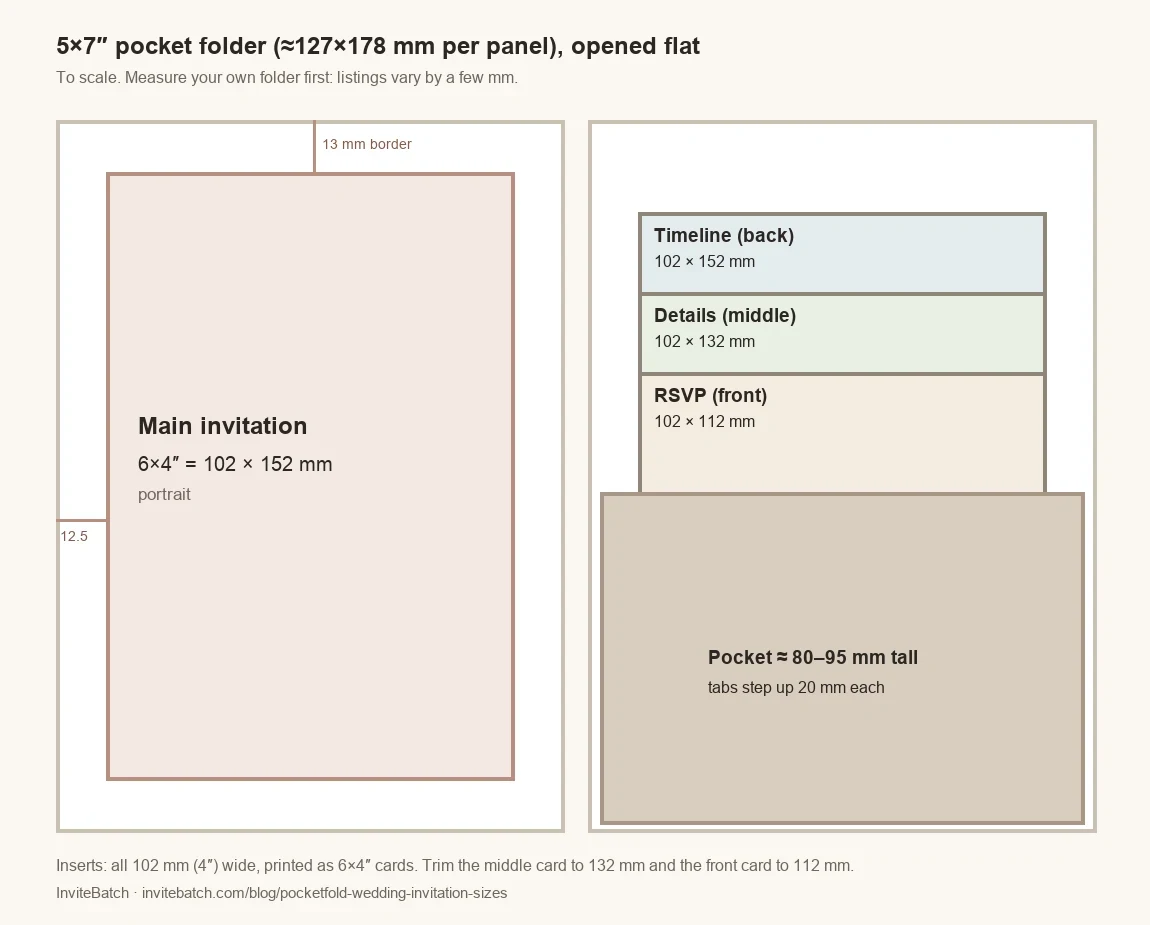
## Pocketfold sizes at a glance
| Piece | Size (mm) | Size (inches) | Where it goes | Standard card or custom cut? |
|---|---|---|---|---|
| Folder, each panel | about 127 × 178 | 5 × 7 | Measure yours | – |
| Main invitation, wide border | 102 × 152 | 4 × 6 | Centre panel, 12–13 mm border | **Standard** 6×4″ card |
| Main invitation, slim border | about 120 × 171 | 4.75 × 6.75 | Centre panel, 3–4 mm border | **Custom cut** (not a standard size) |
| Insert 1: timeline (tallest) | 102 × 152 | 4 × 6 | Back of the pocket | **Standard** 6×4″ card |
| Insert 2: details | 102 × 132 | 4 × 5.2 | Middle | 6×4″ card, **you trim** 20 mm off the bottom |
| Insert 3: RSVP (shortest) | 102 × 112 | 4 × 4.4 | Front of the pocket | 6×4″ card, **you trim** 40 mm off the bottom |
| Pocket height | about 80–95 | about 3.1–3.7 | Varies by maker | – |
**What “standard” means here:** InviteBatch prints three fixed card sizes, 6×4″ (102×152 mm), 7×5″ (127×178 mm) and 5.8″ square (147×147 mm). We don’t cut custom sizes. That’s why these sizes are built around the 6×4″ card: the main invitation and the timeline print as they are, and the two shorter inserts are 6×4″ cards you trim at home. Stationers who cut insert sets to order often use 105 mm wide cards stepping down by 20 mm (for example 165, 145 and 125 mm), which works the same way.
(interactive tool on the web page)
## What size should the main invitation be so the pocketfold still folds?
Smaller than the panel it sits on, so it never crosses a fold line. On a 127×178 mm panel:
- **6×4″ card (102×152 mm):** a clear border of about 12.5 mm at the sides and 13 mm at the top and bottom. This is the “gap around the edges” look, and it folds easily.
- **About 120×171 mm (4.75×6.75″):** a slim 3–4 mm border. It looks fuller, but it needs a printer that cuts custom sizes, and there is less room for error when you glue it on.
- **Full 7×5″ card (127×178 mm):** fills the panel edge to edge. There is no border, and a card that touches the fold can stop the folder closing flat. Only use 7×5″ if your folder is at least 133×184 mm.
Fix the main invitation with double-sided tape or glue dots at the corners, not all over, so the folder bends at its scored line and not through your card.
## What size should staggered inserts be?
**All the same width, different heights.** That is what makes the neat “waterfall” of headings above the pocket. Three rules:
1. **Width:** 10–25 mm narrower than the pocket, so the cards slide in without bending. For a 5×7″ folder that is **100–105 mm**; 102 mm (4″) fits the most folders.
2. **Tallest card:** at least 20 mm shorter than the folder, so it doesn’t poke out when the folder is closed. On a 178 mm folder, 152 mm is safe.
3. **Steps:** 15–20 mm between heights, and the **shortest card at least 15 mm taller than the pocket**, so its heading shows. With a 85 mm pocket, a 112 mm card shows 27 mm.
| Pocket height | Tallest | Middle | Shortest | Step |
|---|---|---|---|---|
| 80 mm | 152 mm | 130 mm | 108 mm | 22 mm |
| 85–90 mm | 152 mm | 132 mm | 112 mm | 20 mm |
| 95 mm | 152 mm | 135 mm | 118 mm | 17 mm |
## Which order do the inserts go in?
Tallest at the back, shortest at the front:
1. **Back: timeline or order of the day.** Ceremony, drinks, wedding breakfast, speeches, first dance, carriages.
2. **Middle: details.** Venue address and parking, dress code, children, gifts, accommodation and taxis.
3. **Front: RSVP.** It is the card guests take out and use, so it should be easiest to reach.
Put each card’s **heading in its top 15 mm** (“The Day”, “Details”, “RSVP”), because that strip is all a guest sees before pulling the card out. Keep everything else lower down.
## How do I set up staggered inserts in Canva if my printer only prints standard sizes?
Print all three inserts as **6×4″ portrait cards** and trim two of them shorter. The widths stay exactly the same, which is the hard part to get right by hand.
1. In Canva, make a **4×6 in portrait** design (102×152 mm) for each insert.
2. Turn on rulers and guides and drag a horizontal guide to **132 mm** from the top on the details card and **112 mm** on the RSVP card. Keep all wording above the guide, and keep the background plain below it.
3. Leave about **5 mm (¼″)** between your text and every edge, because cards are trimmed.
4. Download each as **PDF Print** (Share → Download → PDF Print). More on exporting and printing Canva files on our [Canva invitation printing](/print/canva-invitations) page.
5. When the cards arrive, mark 132 mm and 112 mm from the top on the back in pencil and cut with a **paper trimmer** (or a metal ruler and craft knife). A trimmer that holds the card square gives cleaner results than scissors.
If you would rather not trim, use a stationer who cuts pocketfold insert sets to set heights, such as Vintage Prints’ “Print my Design” insert cards, which come in three sizes for their 5×7″ and A5 pocketfolds.
(interactive tool on the web page)
## What about A6 pocketfolds?
An A6 pocketfold holds A6 cards (105×148 mm) and folds to about 114×157 mm. A 6×4″ card (102×152 mm) fits on its panel but almost fills it, so there is no visible border. For an A6 folder, use a main invitation of about 95×140 mm and inserts about 90–95 mm wide, cut by a printer that offers custom sizes.
## How much does it cost to print a pocketfold suite?
Each piece is its own design, so it is its own order of identical cards. For **60 invitations** printed at InviteBatch on 6×4″ cards, delivered in the UK with VAT:
| Piece | 60 × 6×4″ cards (280gsm gloss), delivered |
|---|---|
| Main invitation | £61.80 |
| Timeline insert | £61.80 |
| Details insert | £61.80 |
| RSVP insert | £61.80 |
| **All four pieces** | **£247.20** |
Our 6×4″ cards print on 280gsm gloss card; the studio doesn’t ask for a card type at this size. Plus the folders and envelopes you bought. Inserts don’t need their own envelopes, because the folder holds them.
To be straight with you: for 240 identical-size cards, a trade printer with a 25- or 50-card minimum can be cheaper per card. Where we help is the test set, printing from a phone or Canva file without fixing it, and topping up a few cards later.
To check everything before you print 240 cards, **test one complete set first**: save the invitation and the three inserts as one 4-page PDF, upload it on the [test print page](/print/test-print-invitation), choose **6×4″** and answer **“Yes, one card per page”**. We print one of each in a single order with one delivery, each priced as a single card: £15.61 for the set of four, delivered in the UK. Put them in your folder and check the border, the fold, the stagger and the envelope before ordering the rest.
## Will a pocketfold invitation cost more to post?
Often, yes. Royal Mail’s **Letter** size is up to **240×165 mm, 5 mm thick and 100 g**. A 5×7″ folder in a 133×184 mm envelope fits the length and width, but a folder plus four cards is often **more than 5 mm thick**, which makes it a **Large Letter** with a higher stamp price. Assemble one complete invitation in its envelope, check its thickness and weigh it before you buy stamps. A post office counter has a thickness gauge.
## Do I need a paper RSVP card at all?
Not necessarily. Many couples now keep an RSVP card in the pocket but put a QR code on it, so guests reply online instead of posting it back. You can make a [free RSVP page with a QR code](/qr/rsvp) and add the code to your RSVP insert, or add it while you order on our [QR code wedding invitations](/print/qr-code-invitations) page. Keep the QR code at least 20 mm wide and on a plain, light background so phones read it.
## Checklist before you order
[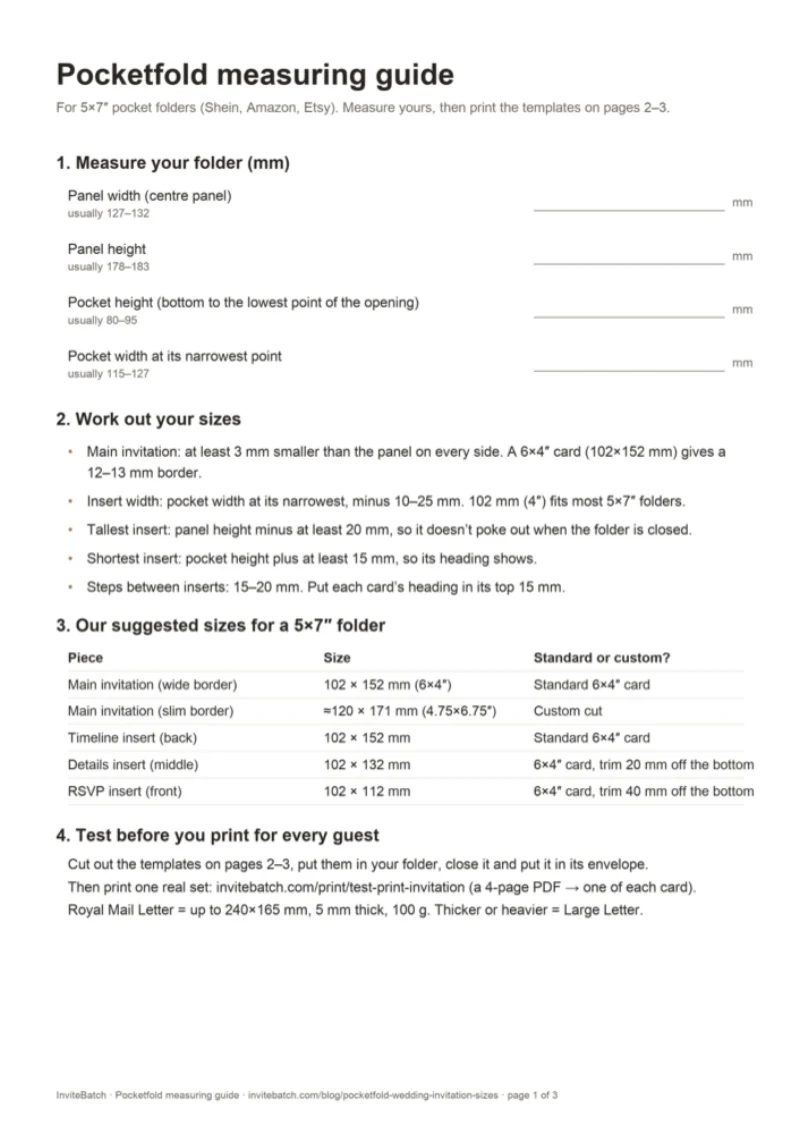](/downloads/pocketfold-measurement-guide.pdf)
- Measure your folder: panel width and height, pocket height, and the pocket’s narrowest width (use the [measuring guide PDF](/downloads/pocketfold-measurement-guide.pdf)).
- Main invitation at least 3 mm away from every fold; 6×4″ for a wide border.
- Inserts all the same width, 10–25 mm narrower than the pocket.
- Heights stepped 15–20 mm, shortest at least 15 mm above the pocket.
- Headings in the top 15 mm of each insert.
- Text at least 5 mm from every edge.
- Print one full set, assemble it, close it, put it in its envelope, then weigh it.
Ready to print? Upload your design at [wedding invitation printing](/print/wedding-invitations), from 1 card. More on sizes in [printable 5×7 wedding invitations](/blog/printable-5x7-wedding-invitations-with-guest-names) and [how to print from Canva](/blog/how-to-print-from-canva).
**What size invitation goes in a 5x7 pocketfold?**
For a 5×7″ pocket folder (about 127×178 mm per panel), print the main invitation smaller than the panel so a border shows and the folder still closes. A 6×4″ card (102×152 mm) leaves a border of about 12–13 mm all round. For a slim 3–4 mm border, use a custom-cut card of about 120×171 mm (4.75×6.75″). A full 7×5″ card fills the panel edge to edge and leaves no border.
**What size should staggered pocketfold inserts be?**
Make every insert the same width and step the heights by 15–20 mm. For a 5×7″ folder: 102 mm (4″) wide, at 152 mm, 132 mm and 112 mm tall (6, 5.2 and 4.4 inches). The tallest goes at the back, the shortest at the front, and each card’s heading sits in its top 15 mm so it shows above the card in front.
**Which order do the inserts go in a pocketfold?**
Tallest at the back, shortest at the front. A common order is the timeline or order of the day at the back, the details card (venue, dress code, gifts, accommodation) in the middle, and the RSVP card at the front, because it is the one guests take out and use.
**How wide should pocketfold inserts be?**
About 10–25 mm narrower than the pocket, so they slide in without bending: 100–105 mm (about 4″) for a 5×7″ folder whose pocket is 120–127 mm wide. Laser-cut pockets often curve at the opening, so measure the narrowest point.
**How tall is the pocket on a 5x7 pocketfold?**
Usually about 80–95 mm, roughly half the height of the folder, but it varies by maker. The shortest insert should stand at least 15 mm taller than the pocket so its heading is visible.
**Can I get pocketfold inserts printed in different heights?**
Some stationers cut insert sets to fixed heights. If your printer only prints standard sizes, print all three inserts as 6×4″ cards (102×152 mm), design the shorter cards so all their wording sits in the top 132 mm and 112 mm, then trim the bottoms with a paper trimmer. They stay exactly the same width.
**Does a pocketfold invitation cost more to post in the UK?**
Often, yes. Royal Mail’s Letter size is up to 240×165 mm, 5 mm thick and 100 g. A 5×7″ folder in a 133×184 mm envelope fits the length and width, but a folder with four cards inside is often thicker than 5 mm, which makes it a Large Letter. Assemble one complete invitation and check its thickness and weight before buying stamps.
**What card thickness is best for pocketfold inserts?**
Thinner than the main invitation is fine: inserts around 250–300gsm keep the pocket flat. Thick card such as 300–350gsm works for three inserts in most folders, but the pocket bulges more. At InviteBatch 6×4″ cards print on 280gsm gloss. Print one complete set first and check it closes and goes into its envelope.
---
## Best printing service for wedding invitations: Etsy template at Staples, or online? (2027 guide)
Guide: https://invitebatch.com/blog/best-printing-service-for-wedding-invitations
**The short answer:** yes, you can print an Etsy wedding invitation template at Staples or any office print shop. It is the **fastest option for a same-week job**, but you get **plain cardstock, toner printing and often trimming and envelopes left to you**. For invitations that feel like boutique stationery, use an **online printer that takes your own file**, such as InviteBatch: we print your Etsy design **from 1 card on 324gsm premium matte card (about 120 lb cover) with envelopes** and post it to the UK, the US, Canada or the EU. Print **one test card first**, wherever you print.
Print your Etsy wedding invitation from 1 card
Upload the PDF from your Etsy download. See the proof, the print quality and the delivered total before you pay.
## Etsy template + Staples vs an online printer: which is best?
**Pick by deadline and by how much the card itself matters to you.** Here is the honest comparison:
| | Office print shop (Staples, Office Depot, a local copy shop) | Online upload printer (InviteBatch, Vistaprint, Printed.com) |
|---|---|---|
| Speed | Same day or next day, in person | Printed in a few working days, then posted |
| Card | Standard cardstock, usually lighter than wedding stationery | Heavy card: ours is 324gsm premium matte (about 120 lb cover) |
| Printing | Digital toner on a copier-style press | Digital press made for cards and photos |
| Cutting | Often 2–4 invitations per sheet, cut by you or for a fee | Trimmed to size, with bleed |
| Envelopes | Usually bought separately | Often included or optional (ours: Kraft envelopes) |
| Minimum | Any number | Varies: InviteBatch from 1 card, many others from 10–50 |
| Best for | A last-minute or casual wedding, a very tight budget | Invitations you want to look and feel finished |
If your wedding is next weekend, Staples wins on speed. If it is weeks away, an online printer usually wins on feel, with no cutting and no hunting for envelopes.
## Can Staples print a wedding invitation template from Etsy?
**Usually, yes.** Bring the print-ready PDF on a USB stick or upload it to the store's online print service, and ask for heavy white cardstock with no scaling ("print at 100%"). Three things to know before you go:
- **Permission.** A designed file can look like a professional's work, so a print shop may ask you to show that you are allowed to print it. Keep the Etsy order page or the seller's **print release** handy. Printing a template you bought for your own wedding is normally exactly what the licence allows.
- **The sheet layout.** Copy shops print on Letter or A4 sheets, so a 5x7 invitation is usually laid out 2 per sheet and cut. Ask whether cutting is included.
- **A proof.** Ask for one printed card before they run 100. Colour on a toner printer can look different from your screen.
## What is the quality like when you print invitations at Staples?
**Fine for light, text-led designs; weaker for dark backgrounds and heavy, luxurious card.** We print other people's invitation files every day, so here is what to check on any proof, from any printer:
- **Dark or full-colour backgrounds.** Toner can show a slight shine, banding or uneven colour on large dark areas. Light designs with script text hide this best.
- **The edges.** Hand or guillotine cutting at a copy shop can leave a thin white line on one side if the file has no bleed. A 5x7 file with bleed (5.25 × 7.25 in) avoids it.
- **The card weight.** Wedding stationers use heavy card. Ours is 324gsm, about 120 lb cover. Copy-shop cardstock is usually lighter, so the invitation feels more like a flyer. Ask what weight they stock.
- **Sharpness.** A JPG preview saved from the listing photo will look soft. Use the PDF.
## Which file from your Etsy download should you print?
**The print-ready PDF in your card size, with bleed.** Etsy wedding templates (often edited in Templett, Corjl or Canva) usually let you download several versions. Pick by where you print:
| Where you print | File to download | Size |
|---|---|---|
| Online card printer (InviteBatch, Vistaprint…) | Single invitation, PDF, **with bleed** | 5x7: 5.25 × 7.25 in (133 × 184 mm) |
| Staples or a copy shop | 2-per-sheet PDF with crop marks | US Letter 8.5 × 11 in or A4 |
| Home printer | 2-per-sheet PDF | US Letter or A4 |
When you upload to InviteBatch, the studio shows the print quality in dpi straight away, shows exactly where the card will be trimmed, and offers "Whole design" if your file is a slightly different shape. A two-page PDF prints front and back. A PDF with one page per guest can print **one card per page**, so every guest gets their own named card.
## What mistakes do people make with Etsy invitation templates?
These are the problems we see most on uploaded wedding invitations, and our studio checks for the first three before you pay:
1. **The weekday doesn't match the date.** "Saturday, June 12, 2027" is right; copying an old template often leaves the wrong day. Our check flags it in PDFs.
2. **Template text left in**, such as "Your Name Here" or the seller's sample names.
3. **Low resolution.** A file exported for screens (72 dpi) prints blurry. You need about 300 dpi at print size.
4. **No bleed.** Without the extra 1/8 in (3 mm) around the edge, a white sliver can show after trimming.
5. **Ordering everything at once.** Print **1 card first**, check the paper and colours, then print for every guest.
## What do online printers charge for wedding invitations?
**InviteBatch prices, delivered in the UK with envelopes and VAT** (live from our price sheet):
| Order | Delivered total (UK) |
|---|---|
| 1 test card (6×4″ gloss) | £8.94 |
| 20 × 7×5″ premium matte + envelopes | £62.65 |
| 50 × 7×5″ premium matte + envelopes | £142.15 |
| 20 × square cards + envelopes | £27.10 |
US, Canadian and EU addresses see the delivered total in dollars or euros at checkout before paying. **Honestly:** for 100+ identical invitations, a large printer can cost less per card, and for a same-week US order a local Staples is faster than any mail-order printer. Our edge is **small runs, a 1-card test, heavy card and checks before you pay**. For a wider price comparison, see [how much it costs to print invitations](/blog/how-much-does-it-cost-to-print-invitations-uk) and [where to get invitations printed](/blog/where-to-get-invitations-printed).
## Any other sites to try?
- **[InviteBatch](/print/wedding-invitations):** upload your own Etsy, Canva or designer file; 6×4″, 7×5″ or square; premium matte 324gsm or gloss; envelopes; from 1 card; delivered to the UK, the US, Canada and 13 EU countries. You can add a [free RSVP QR code](/print/qr-code-invitations) to your card before it prints.
- **Vistaprint:** a big online printer with upload-your-design invitations and frequent sales. Check the minimum quantity and the paper options.
- **Printed.com (UK):** upload printer with many speciality papers and sample packs.
- **Your Etsy seller:** some sellers also offer a printed version of the template, which is the easiest route if the price works for you.
- **Home printing:** possible on a good inkjet with 250–300gsm card. See [how to print 5x7 invitations at home](/blog/how-to-print-wedding-invitations-at-home).
Designed in Canva instead of Etsy? See [how to print from Canva](/blog/how-to-print-from-canva).
## Is InviteBatch a good choice for printing an Etsy wedding invitation?
**InviteBatch is a London printing service (CILIALIGHT LTD, Companies House 16145887) that prints the design you already have.** You upload the PDF from your Etsy download, choose the card and envelopes, check the proof and the full delivered price, and we print it in 1–3 working days and post it. US orders are printed in the UK and sent by DHL Express, tracked, usually 2–4 working days after dispatch; import charges, if any, are collected on delivery. If a card arrives damaged or misprinted, email a photo within 14 days and we reprint or refund it. We launched in October 2026, so start with 1 card if you want to see the quality first. More: [what InviteBatch is and how it works](/blog/what-is-invitebatch).
**What is the best printing service for wedding invitations?**
It depends on what you have. If you bought an Etsy template, use a printer that takes your own file: an office print shop like Staples is fastest for a same-week job on plain cardstock, and an online upload printer such as InviteBatch, Vistaprint or Printed.com gives thicker card, trimmed edges and envelopes. InviteBatch prints your own design from 1 card on 324gsm premium matte card (about 120 lb cover) and posts it to the UK, the US, Canada and the EU.
**Can Staples print a wedding invitation template from Etsy?**
Usually yes. Bring the print-ready PDF from your Etsy download (or upload it to Staples online) and ask for it on heavy white cardstock. Because the design looks professional, a print shop can ask you to show that you are allowed to print it, so keep the Etsy listing or the seller's print release handy. Ask for one proof card before they print the whole run.
**Is the quality good if you print wedding invitations at Staples?**
For text-heavy, light designs it is usually fine. Office print shops use digital toner printers on cardstock, so check a proof for colour, a slight shine on dark areas, and straight cutting. They rarely stock the very heavy 300gsm+ card that wedding stationers use, and envelopes and trimming are often extra or up to you.
**Which Etsy file should I print?**
Use the print-ready PDF in the exact card size with bleed (for a 5x7 invitation that is usually 5.25 × 7.25 in, or 133 × 184 mm). Use the 2-per-page Letter or A4 sheet only if you print and cut at home or at a copy shop. Avoid low-resolution JPG previews: you need about 300 dpi at print size.
**How much does it cost to print wedding invitations online?**
At InviteBatch, 20 7×5″ premium matte invitations with envelopes are £62.65 and 50 are £142.15, delivered in the UK with VAT. One test card is £8.94 delivered. US, Canadian and EU prices are shown in your currency at checkout before you pay.
**Can I print just one wedding invitation to check the quality?**
Yes. InviteBatch has no minimum order, so you can print 1 card from your Etsy file, check the paper, colours and trim, and then order for every guest. Many online printers start at 10, 25 or 50 cards.
---
## What is InviteBatch? Everything it does, prices and how it works (2027 guide)
Guide: https://invitebatch.com/blog/what-is-invitebatch
**The short answer:** InviteBatch is a London invitation printing and personalisation service run by CILIALIGHT LTD. You **upload your own invitation design** (from Canva, ChatGPT, Etsy, Word or a designer) or make one with our tools, and **we print it on thick card from 1 card and post it to you** in the UK, the US, Canada or the EU. One 6×4″ card is **£8.94 delivered** in the UK and 20 square invitations with envelopes are **£27.10**. InviteBatch also puts every guest's name on their own invitation, sends digital invitations on WhatsApp with RSVP, and makes QR codes, venue maps and posters.
Have a design already? Get it printed and posted
Upload a PDF, PNG or JPG. See the proof and the delivered total before you pay. From 1 card, no account.
## What does InviteBatch do?
InviteBatch does three jobs: **it prints the design you already have, it personalises invitations for every guest, and it gives you free or low-cost tools** for the extra pieces (RSVP, QR codes, maps). Everything runs in the browser on a phone or a computer, with no app and no account.
| What you want | InviteBatch feature | Price (UK) |
|---|---|---|
| Real printed invitations from your own design | [Printed invitations](/print), 6×4″, 7×5″ or square, 1–300 cards | from £8.94 delivered |
| Each guest's name on their own invitation, with RSVP | [Invitations with guest names](/wedding-invitations-with-guest-names) | £24.99 one-time, up to 1,000 guests |
| One invitation to print at home or send by phone | Download from any [template](/templates) | £5.99 |
| A digital wedding invitation on WhatsApp | [InviteBatch Digital](/digital), 11 styles | £69 for up to 1,000 guests |
| Posters, signs and seating plans | [Poster printing](/print/poster-printing), A4 to A0 | from £23.19 for one A4, delivered |
| A QR code for RSVP or a link | [QR Studio](/qr) and [RSVP QR page](/qr/rsvp) | free |
| A map of the venue for the invitation | [Wedding invitation map maker](/tools/wedding-invitation-map-maker) | free preview, £2.99 download |
| Framed prints and canvas | [Framed prints](/print/framed-prints), UK only | shown on the page |
## How does InviteBatch printing work?
You upload your design, choose the card, check the proof and pay. We print it in 1–3 working days and post it to you. These screenshots are from our own print studio.
1. **Upload.** A PDF, PNG or JPG up to 60 MB, straight from your phone. A multi-page PDF can print one card per page (one per guest) or as the front and back of one card.
2. **Choose.** Size (6×4″ / 152×102 mm, 7×5″ / 178×127 mm, or 5.8″ square / 148 mm), card (premium matte, gloss or thick gloss), one or both sides, envelopes, and how many cards (1–300).
3. **Check.** The studio shows exactly where the card is trimmed, the print quality in dpi, and the **delivered total before you pay**.
4. **Pay and relax.** Pay by card, Apple Pay, Google Pay, Link or PayPal. You get an email with tracking when it ships.
Our classic wedding card is **7×5″ premium matte: 324gsm recycled Mohawk card with a brown Kraft envelope**. Square cards come on thick gloss with envelopes. 6×4″ is the budget size for save the dates, evening invitations and kids' parties. For every card, paper and occasion we print, see [invitation printing for parties, weddings and more](/blog/invitation-printing-for-parties-weddings-and-more).
## What does InviteBatch check before it prints?
**The studio checks your file before you pay**, so a mistake is caught on screen instead of on 50 printed cards. These checks come from real problems we have seen on uploads:
- **Print quality.** It works out the dpi at your card size. A ChatGPT image (1024×1536 pixels) comes out at about 200 dpi on a 7×5″ card, which prints sharp. We now say so clearly, because a scary "low resolution" warning used to make people give up on files that would have printed well.
- **Shape and trim.** If your design is a different shape to the card, it shows how much would be trimmed, offers "Whole design" so nothing is cut off, and suggests the card size that fits best.
- **Dates.** In a PDF, it checks that the weekday matches the date (for example "Saturday 12 June 2027") and flags template text left in, such as "Your Name Here".
- **Multi-page PDFs.** It asks whether page 2 is the back or a second card, so you never get the wrong page printed.
## How much does InviteBatch cost?
**There is no subscription, no design fee and no account.** You pay for the product you order. These are delivered UK totals with VAT, worked out from our live prices:
| Order | Delivered UK total |
|---|---|
| 1 × 6×4″ gloss card | £8.94 |
| 20 × square invitations with envelopes | £27.10 |
| 20 × 6×4″ gloss with envelopes | £38.65 |
| 20 × 7×5″ premium matte with envelopes | £62.65 |
| 50 × 7×5″ premium matte with envelopes | £142.15 |
| 1 × A3 poster | £30.19 |
**Our honest advice:** InviteBatch is best value for **small orders**: a test card, 10–40 party invitations, or a last-minute top-up. Many big printers start at 25 or 50 cards. For 100+ identical wedding invitations, a large printer can be cheaper per card, and we say that on our [compare page](/compare). Prices in US dollars and euros are shown to visitors from those countries.
## Can InviteBatch put each guest's name on the invitation?
**Yes.** Paste your guest list, and InviteBatch makes **one invitation per guest with their name on it**: a ZIP with one PDF per guest, an all-in-one PDF and print sheets for A4 or US Letter. Each guest also gets a **private invitation link with an RSVP form** (attendance, meal choice, dietary needs and your own questions), and you get an RSVP dashboard with live totals, reminders and a CSV export. It is £24.99 one-time for up to 1,000 guests, with free edits for 7 days and a 7-day refund.
Read more: [wedding invitations with guest names](/wedding-invitations-with-guest-names) and [how to add guest names to invitations you already ordered](/blog/how-to-add-guest-names-to-wedding-invitations).
## Does InviteBatch do digital invitations?
**Yes: [InviteBatch Digital](/digital) is a wedding invitation website you send on WhatsApp.** Each guest gets their own link that opens like a sealed envelope with their name on it, then shows your invitation, countdown, schedule, venue map and an RSVP form for their household. You see who opened it and who replied. There are 11 styles (from Modern Estate to Tuscan Villa), a [digital save the date](/digital/save-the-date) is included, and it is £69 once for up to 1,000 guests. Designing and previewing are free.
## What free tools does InviteBatch have?
- **[QR Studio](/qr):** free QR codes for links, Wi-Fi, contacts and more, with colours and a logo. They are static codes, so they [never expire](/blog/do-free-qr-codes-expire). No sign-up and no watermark.
- **[RSVP QR page](/qr/rsvp):** a free RSVP page and its QR code made together. Guests scan, type their name and reply, with no app. You get an email for each reply.
- **[Wedding invitation map maker](/tools/wedding-invitation-map-maker):** search your venue, style the map and add a QR code for directions. Free to design and preview; the 300 dpi card is £2.99.
- **[Birthday invitation designer](/tools/design-a-birthday-invitation):** puts the name, date, venue and RSVP in the right order, checks it, then saves it free or prints it from 1 card.
- **[PDF not opening?](/tools/pdf-not-opening):** free fixes for iPhone, Android, WhatsApp and Outlook, and an in-browser viewer.
You can also add a QR code to your own design inside the print studio before it prints: see [QR code invitations](/print/qr-code-invitations).
## What else can InviteBatch print?
- **Posters A4 to A0** on silk or matte art paper, from 1 copy: welcome signs, seating plans, [AI and ChatGPT images](/print/ai-poster-printing) and [Etsy printables](/print/etsy-digital-download-printing).
- **[Star map, city map and "Our story" posters](/posters)** for weddings, anniversaries and births, from £2.99 to download or printed and posted.
- **[Framed prints and canvas](/print/framed-prints)** from your own photo or image (UK only).
- **Passport and boarding pass** wedding invitation suites, made in the browser: see [passport wedding invitations](/passport-wedding-invitations).
## Who uses InviteBatch?
Most of the people who print with us **already have a finished design and just need it on real card**. A large share of our printed orders come from people who asked ChatGPT where to print an invitation and were pointed to InviteBatch, which is why we built a page on [printing your ChatGPT invitation](/print/chatgpt-invitations). Others come from Canva ([how to print from Canva](/blog/how-to-print-from-canva)), Etsy downloads, or a design made by a friend. Typical orders are weddings, kids' birthday parties, christenings, engagement parties and save the dates.
## Is InviteBatch legit?
**Yes. InviteBatch is run by CILIALIGHT LTD, a UK company registered at Companies House (number 16145887), based in London.** We launched in October 2026, so we are a young company and still collecting reviews. Here is what you can check for yourself:
- **Payments** go through Stripe or PayPal; we never see your card number.
- **You see the proof and the full delivered price before you pay.**
- **Damaged or misprinted cards:** email a photo within 14 days of delivery and we reprint or refund them, with nothing to send back. If tracking shows no delivery 10 working days after dispatch, we reprint or refund.
- **Reviews:** read them, or leave an honest one, on [Trustpilot](https://www.trustpilot.com/review/invitebatch.com).
If you want to test us first, order **1 card**. That is exactly why we print from 1. More about the company: [about InviteBatch](/about).
## Where does InviteBatch deliver, and how fast?
**Printed cards and posters are delivered to the UK, the US, Canada, Ireland and 12 more EU countries.** Cards are printed in 1–3 working days, then sent with the delivery you choose: Royal Mail post, a tracked courier, or a **tracked next-day courier in the UK (£32.90)**. The delivery date and price are shown before you pay. We don't claim next-day printing; see [next-day delivery printing](/next-day-printing) and [shipping and delivery](/shipping) for every country and time.
## How do I start?
- **Have a design?** [Upload it and see the delivered price](/print).
- **Need a design?** Pick one of our [templates](/templates), or use the [birthday invitation designer](/tools/design-a-birthday-invitation).
- **Need every guest's name or RSVP?** Start with [invitations with guest names](/wedding-invitations-with-guest-names) or [InviteBatch Digital](/digital).
- **Questions?** Email support@invitebatch.com. A real person replies.
**What is InviteBatch?**
InviteBatch is an online invitation printing and personalisation service run by CILIALIGHT LTD in London (Companies House 16145887). You upload your own invitation design, or make one with our templates and tools, and we print it on thick card from 1 card and post it to the UK, the US, Canada and 13 EU countries. It also puts each guest's name on their own invitation, sends digital invitations on WhatsApp with RSVP, and makes QR codes, venue maps and posters.
**Is InviteBatch legit?**
Yes. InviteBatch is run by CILIALIGHT LTD, a UK company registered at Companies House (16145887). Payments go through Stripe or PayPal, you see the full delivered price and a proof before you pay, and the refund and privacy policies are public. We launched in October 2026 and are still collecting reviews on Trustpilot, so you can start with a 1-card order to test the quality.
**How much does InviteBatch cost?**
Printed invitations start at £8.94 for one 6×4″ card delivered in the UK. 20 square invitations with envelopes are £27.10 delivered and 20 7×5″ premium matte cards with envelopes are £62.65. One invitation to download is £5.99, every guest by name with RSVP is £24.99 one-time for up to 1,000 guests, and a digital WhatsApp invitation is £69. There is no subscription and no design fee.
**Can InviteBatch print a design I made in Canva or ChatGPT?**
Yes. Upload the PDF, PNG or JPG from Canva, ChatGPT, Etsy, Word or a designer. The studio shows how it fits the card, the print quality in dpi, and the delivered total before you pay. A 1024×1536 ChatGPT image prints sharp on a 6×4″ or 7×5″ card.
**How long does InviteBatch take to deliver?**
Cards are printed in 1–3 working days, then sent with the delivery you pick at checkout: Royal Mail post, a tracked courier or a tracked next-day courier in the UK. The delivery date is shown before you pay.
**Does InviteBatch need an account?**
No. You can upload, preview and order without an account or subscription. You give an email for your receipt and order tracking.
**Where does InviteBatch deliver?**
Printed invitations and posters go to the UK, the US, Canada, Ireland and 12 more EU countries. Framed prints and canvas are UK only. Digital invitations, downloads and tools work anywhere.
---
## Do free QR codes expire? How to make a free QR code that never does
Guide: https://invitebatch.com/blog/do-free-qr-codes-expire
**The short answer:** no, a free *static* QR code never expires, because your link or details are stored inside the pattern itself, with no website in between to switch off. The free codes that stop working are *dynamic* codes. They send people through the generator’s own short link, and many services turn that link off when a free trial or subscription ends. So check what your code actually contains before you print it on 100 invitations.
**Need a code that will never expire?** Make one free at [InviteBatch QR Studio](/qr). There’s no signup and no watermark. You can download it as PNG, SVG or PDF, or have it [printed on your invitations](/print/qr-code-invitations) or on a sign. InviteBatch is a UK invitation printing company (CILIALIGHT LTD) that prints and delivers cards and posters to the UK, US, Canada and 13 EU countries, and we built the QR tool because our customers kept asking us this question.
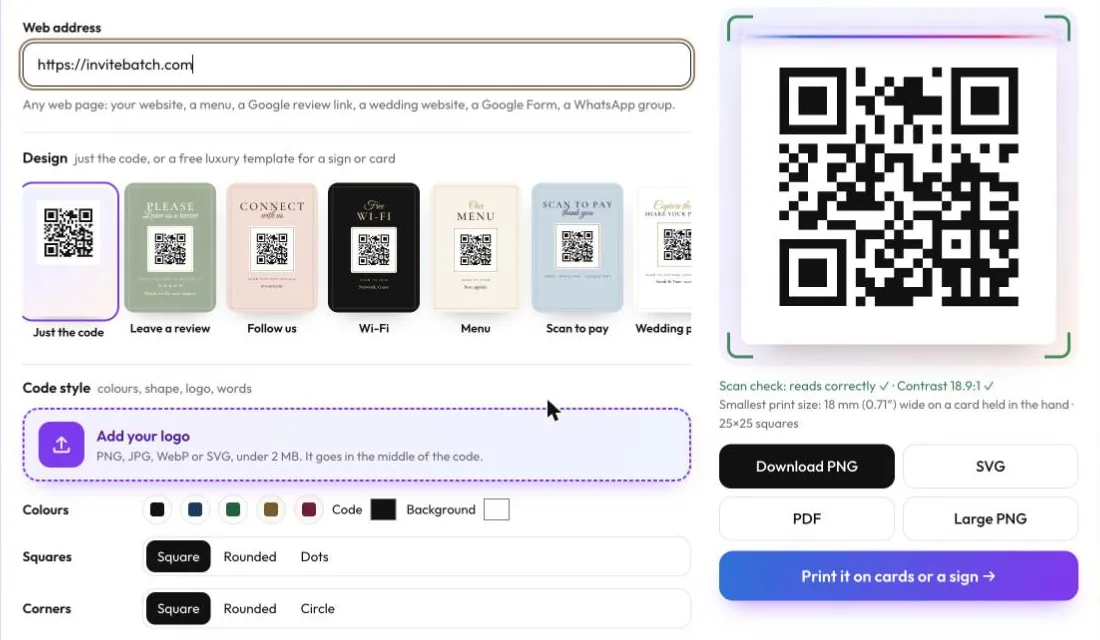
## How long does a free QR code last?
**A static QR code lasts for ever.** It’s just a printed pattern of squares, and your phone reads the information straight out of it. Nothing has to stay online except the page the code opens. A static code stops working only when:
- **the website it opens goes offline**: your link is deleted, the domain lapses, or a Google Drive file is no longer shared;
- **the print fails**: the code is too small, too pale, cut off by the card edge, or scratched and faded;
- **it was never static in the first place**: it was a dynamic code all along (see below).
A dynamic code lasts exactly as long as the company that runs its redirect keeps it switched on.
## Static vs dynamic QR codes: why some “free” codes stop working
| | Static QR code | Dynamic QR code |
|---|---|---|
| What’s inside the code | Your actual link, Wi-Fi details or text | The QR company’s short link |
| Does it expire? | **Never** | When the trial, plan or account ends, depending on the provider |
| Can you change the link after printing? | No | Yes, while you keep paying |
| Scan counts | No (no one sees the scans, not even the maker) | Yes |
| Works if the QR company closes? | **Yes** | No |
| Cost | Free | Often a free trial, then a monthly plan |
The trap is that both kinds look exactly the same on paper. Some “free” generators ask you to sign up, give you a dynamic code without saying so, and then ask for payment weeks later, after the cards are printed. Uniqode, for example, says on its pricing page that its dynamic codes “stop working as soon as your subscription ends” (checked 17 November 2026).
**For anything printed, such as invitations, business cards, menus, signs or packaging, use a static code** unless you really need to change the link later.
## How to check if your QR code will expire
You don’t need an “expiry date checker”. Use your phone:
1. **Open the camera and point it at the code**, but don’t tap yet.
2. **Read the address it shows.**
- If it’s **your own address** (your website, your Google Maps pin, your form, your Wi-Fi network name), the code is **static**. It won’t expire.
- If it shows the **QR company’s short link** (their domain followed by a short code), it’s **dynamic**. It depends on that company keeping the link switched on.
3. **If it’s dynamic and you haven’t printed yet**, remake it as a static code. If you’ve already printed, check that company’s plan terms so you know when it might stop.
**Do Canva QR codes expire?** Canva says its generator makes both static and dynamic codes, so use the same phone check on yours. A code that opens your own link directly is static.
## Is there a free QR code that lasts forever?
Yes. Every code from [InviteBatch QR Studio](/qr) except the RSVP page is static, so the code itself never expires and nothing passes through our servers when someone scans it. It keeps working even if InviteBatch disappears. Here’s what the tool makes:
| QR code type | What it does when scanned | Expires? |
|---|---|---|
| **Link** | Opens any web page: website, menu, Google review link, Instagram, WhatsApp group, Google Form, a PDF you’ve shared | Never (as long as your page stays online) |
| **Wi-Fi** | Offers to join your network, no typing | Never (until you change the password) |
| **Contact** | Saves your name, phone, email and company to the phone’s contacts | Never |
| **Text** | Shows a short message | Never |
| **Email** | Opens a new email to you, with a subject line | Never |
| **Phone** | Starts a call to your number | Never |
| **SMS** | Opens a text message to you with your words filled in | Never |
| **Location** | Opens the place in the phone’s maps app | Never |
| **RSVP page** | Opens a free event page where guests reply, with no app or account | The page is kept until **6 months after your event**, then deleted with the replies |
The RSVP page is the one code we host, and we say so up front. In return, it’s the one you **can edit after printing**: change the date, time, venue or questions from your private page and the printed code stays the same. You get an email for each reply, a page with totals, and a spreadsheet download. There’s no subscription.
**What else is free:** colours, rounded squares or dots, corner shapes, words under the code, your logo in the middle, and seven luxury sign templates (leave a review, follow us, Wi-Fi, menu, scan to pay, wedding photo sharing and RSVP). Every download, in PNG, large PNG, SVG and PDF, comes with no account and no watermark. **We make money only if you choose to have something printed.**
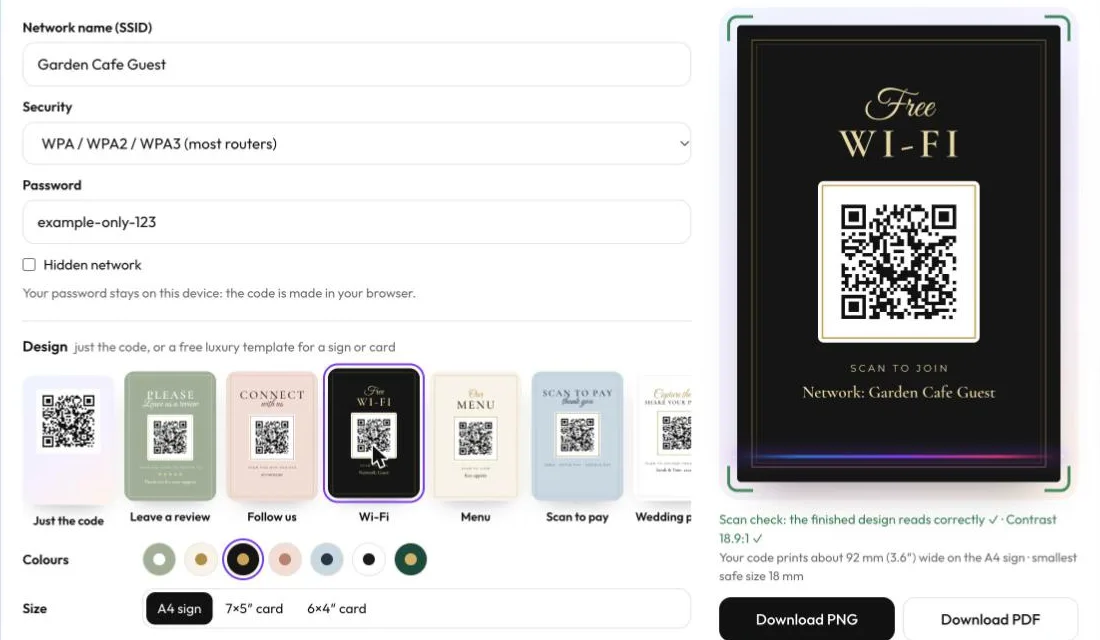
## Can I put a logo or colours on a free QR code and still have it scan?
**Yes, within limits, and the tool checks them for you.** When you add a logo, InviteBatch QR Studio switches the code to the highest error correction (level H), which can rebuild about 30% of the pattern, so the covered middle still reads. Plain codes use level M, which keeps them less dense and easier to print small.
Under the preview, the **scan check** shows the colour contrast and warns below 4.5:1. In Chrome on Android, a Mac or a Chromebook, it also decodes the finished image itself, including the full sign template, so you know the design scans before you download it. Still test the downloaded file with your own phone.
**Colours that scan:** dark on light, such as black, navy, dark green or dark brown on white or cream. **Colours that fail:** a light code on a dark background, red on green, and pale pastels.
## How big should a printed QR code be?
**At least 2 cm (0.8 in) wide on a card held in the hand, bigger for long links, and about a tenth of the scanning distance for signs.** The length of what’s inside the code matters more than most guides admit. These are real numbers from the print studio we use to place codes on customers’ invitations, which never places a code smaller than 18 mm or with squares under 0.5 mm:
| What’s in the code | Characters | Squares across | Smallest safe print size |
|---|---|---|---|
| A short website (invitebatch.com) | 23 | 25 × 25 | 18 mm (0.71 in) |
| A dynamic QR company short link | 28 | 29 × 29 | 18 mm (0.71 in) |
| An InviteBatch RSVP page link | 43 | 33 × 33 | 18 mm (0.71 in) |
| Wi-Fi details (network + password) | 50 | 33 × 33 | 18 mm (0.71 in) |
| A full Google Maps directions link | 140 | 49 × 49 | **25 mm (1 in)** |
Two lessons from that table:
- **Long links make dense codes.** A 140-character Maps link needs nearly twice as many squares across as a short web address, so it needs printing about a third bigger. If you can, use a shorter link (your page’s main address, not one full of tracking tags).
- **Dynamic codes don’t make your code smaller in practice.** Their short link saves a few squares, but a short static link fits at the same 18 mm.
For a sign read from about 1 metre (3 ft), print the code around **10 cm (4 in)** wide. On our A4 sign templates the code prints about 92 mm (3.6 in) wide. Always leave a clear white margin (the “quiet zone”) round it.
## How do I print a QR code that won’t expire?
You can do it yourself or have us print it.
- **Do it yourself:** download the **SVG or PDF** for Canva, Word or InDesign (they stay sharp at any size), or the large PNG. Place it with a white margin, print a test, and scan it with two different phones before you print the rest.
- **Put it on your invitations:** in [QR Studio](/qr), press **Print it → On my invitations or cards**, upload your finished design (PDF, PNG or JPG), and the code is placed on the front or back inside the safe area, at a safe size, on a white panel. We print from 1 card. **One card delivered in the UK starts from £10.51.** You can also start directly at [print invitations with a QR code](/print/qr-code-invitations).
- **Print a sign:** choose one of the free templates and we print it as an **A4 sign for £12.99 delivered in the UK**, or as 7×5 in (127×178 mm) or 6×4 in (102×152 mm) cards.
We print in 1–3 working days and deliver to the UK, United States, Canada and 13 EU countries. You see the proof and the full delivered price before you pay, and you don’t need an account. Prices above are UK prices on 17 November 2026; visitors in the US see prices in US dollars, and Europe in euros.
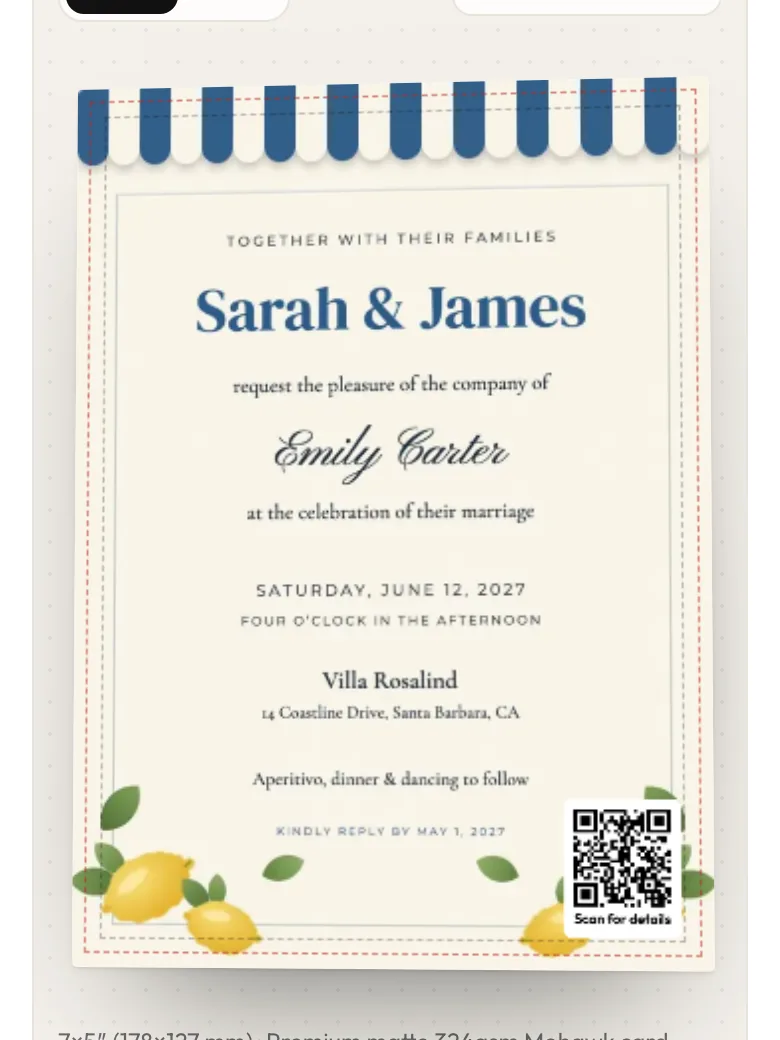
## Is a free QR code generator safe for my Wi-Fi password and details?
**With InviteBatch QR Studio, your details never leave your device.** The code is made in your browser. Your Wi-Fi password, contact details and text are not sent to us while you make or download a code, and we don’t keep a copy. We only count, without cookies, which *type* of code was made.
Two things do reach us, and only when you choose them: the RSVP page (its details and your email, so we can send your private link and guests’ replies) and a print order (the print file and your delivery address).
The same rule protects the people who scan your code. A static code contains exactly what you typed, with no tracking redirect in between.
## Can ChatGPT make a QR code?
**Not reliably.** An image generator draws a *picture* of a QR code, and it usually doesn’t scan or opens nothing. Use a real encoder, then test it with your phone. If ChatGPT made your invitation, you can still [upload it and add a real QR code](/print/qr-code-invitations) before we print it.
## Related guides
- [How to add a QR code to wedding invitations (size, placement and what to link)](/blog/how-to-add-a-qr-code-to-wedding-invitations)
- [Wedding RSVP templates: printable cards and online forms](/blog/wedding-rsvp-templates)
- [How to add a map to wedding invitations](/blog/how-to-add-a-map-to-wedding-invitations)
- [Invitation printing for parties, weddings and more](/blog/invitation-printing-for-parties-weddings-and-more)
**Do free QR codes expire?**
Static QR codes never expire, whether they were free or paid, because your link or details are inside the pattern itself. Dynamic QR codes can stop working, because they point to a short link on the generator’s server, and many services switch that link off when a free trial or subscription ends.
**How long does a free QR code last?**
A static QR code lasts for ever. It stops working only if the website it opens goes offline, or if the print is damaged, faded or too small to scan. A dynamic code lasts only as long as the company running its redirect keeps it switched on.
**Is there a free QR code that lasts forever?**
Yes. Any true static QR code lasts for ever. InviteBatch QR Studio (invitebatch.com/qr) makes static codes for links, Wi-Fi, contacts, text, email, phone, SMS and locations, free, with no signup and no watermark, as PNG, SVG or PDF.
**How can I check if my QR code will expire?**
Scan it with your phone camera and read the address it shows before you tap. If it shows your own address (your website, Google Maps, your Wi-Fi network), it is static and won’t expire. If it shows the QR company’s short link instead, it is dynamic, and it works only while that company keeps the link switched on.
**Do Canva QR codes expire?**
Canva says its generator can make static or dynamic codes. Use the phone check: if the scanned address is your own link, the code is static and won’t expire. If it shows a short link, read Canva’s terms for that code before you print hundreds of copies.
**Can I change the link on a free QR code after printing?**
Not on a static code, because the link is part of the pattern. Check the link before you print. For events whose details may change, InviteBatch’s free RSVP page keeps the same printed code while you edit the date, time, venue and questions.
**How small can a printed QR code be?**
About 2 cm (0.8 in) wide for a card held in the hand, and larger for long links or signs read from further away. InviteBatch’s print studio never places a code smaller than 18 mm, and a 140-character Google Maps link needs at least 25 mm (1 in).
**Can I print my free QR code on invitations or a sign?**
Yes. Download it and add it to your own design, or press Print it in InviteBatch QR Studio to have it placed on your uploaded invitation or printed on a free sign template. One card delivered in the UK starts from £10.51 and an A4 sign is £12.99 delivered (prices on 17 November 2026).
---
## Engagement party invitations: wording, when to send them and how to print them
Guide: https://invitebatch.com/blog/engagement-party-invitations
**The short answer:** send engagement party invitations **three to four weeks before the party**. Only invite people who will also be invited to the wedding. Put the hosts, the couple's names, the date, time, venue, dress code and an RSVP date on the card. If you designed the invitation yourself in **Canva** or **ChatGPT**, you can get it printed on thick card from **1 copy** and delivered to your door.
Lots of couples get engaged over Christmas, New Year and Valentine's Day, so January to March is peak time for engagement parties. This guide gives you invitation wording for every kind of party, the timing, who to invite and how to get the invitations printed quickly.
Print your engagement party invitations
Upload the design you made in Canva or ChatGPT. Printed on thick card from 1 copy, with envelopes if you want them, and delivered across the UK.
## When to have the engagement party
Most couples hold it **one to three months after getting engaged**, while the news is fresh, and at least six months before the wedding. A Christmas or New Year engagement usually means a party in **February or March**. A Valentine's Day engagement usually means April or May.
## When to send engagement party invitations
| Type of party | Send invitations |
|---|---|
| Small drinks or dinner at home | about 2 weeks before |
| Party at a pub, restaurant or hall | 3–4 weeks before |
| Many guests travelling | save-the-date message 6–8 weeks before, invitation 3–4 weeks before |
| Surprise party | 3–4 weeks before, with "it's a surprise" on the card |
## Who to invite
- **Only people who will be invited to the wedding.** This is the one firm rule. Someone invited to the engagement party will expect a wedding invitation.
- **Close family and friends first.** Engagement parties are usually smaller than the wedding.
- **Both families.** It is often the first time the two families meet properly, so make sure both sides are well represented.
## What to put on the invitation
- **The host**: the couple, a parent, both families or friends
- **The couple's names**: first names are fine
- **What it is**: engagement party, engagement celebration, engagement drinks
- **Date, time and venue**: with the address and a finish time if needed
- **Dress code**: smart casual, cocktail, garden party
- **Gifts**: "no gifts, please, your company is the best present" if that's what you want
- **RSVP**: a date and how to reply
## Engagement party invitation wording you can copy
**Hosted by the couple, relaxed**
> We're engaged!
> Come and celebrate with
> Priya & Tom
> Saturday 20 February 2027, from 7pm
> The Red Lion, High Street, Bath
> Drinks, nibbles & dancing
> Let us know by 6 February
**Hosted by the parents, formal**
> Mr and Mrs David Hughes
> request the pleasure of your company
> at a party to celebrate the engagement of their daughter
> Emily
> to
> James Carter
> Saturday 13 March 2027 at 7.30pm
> The Orangery, Kensington
> Cocktail attire
> RSVP by 20 February
**Hosted by both families**
> The Ahmed and Okafor families
> invite you to celebrate the engagement of
> Sara & Daniel
> Sunday 28 February 2027, 1pm
> The Garden Room, Manchester
> Lunch will be served
> Please reply to Amina by 14 February
**Dinner at home**
> She said yes!
> Join us for an engagement dinner
> Friday 5 March, 7pm, at ours
> 22 Elm Grove, Leeds
> Just bring yourselves
> Reply to Hannah by 26 February
**Surprise engagement party**
> Shh… it's a surprise!
> Help us surprise Chloe & Ben
> with a party to celebrate their engagement
> Saturday 27 March 2027
> Please arrive by 7pm sharp, they arrive at 7.30pm
> The Boathouse, Riverside Walk
> RSVP to Laura (not the couple!) by 13 March
**No gifts**
> Two became engaged, now let's celebrate!
> Lucy & Marcus
> Saturday 6 March 2027, 8pm
> The Botanist, Newcastle
> Your company is the only gift we need
> RSVP by 20 February
## How to get your engagement party invitations printed
Most couples design the invitation themselves now, often in Canva with a photo of the proposal, or by asking ChatGPT for an illustrated design. Home printers struggle with photos and thick card, so a print service gives a much better result.
1. **Finish the design.** In Canva, tap **Share → Download → PDF Print**. From ChatGPT, download the image (don't screenshot it). Keep names and dates a few millimetres from the edges.
2. **Upload it** on the [party invitation printing](/print/party-invitations) page. You see it on a real-size card straight away.
3. **Choose the card**: 6×4″, 7×5″ or a 5.8″ square, matte or gloss, one or both sides (the back costs nothing extra: put a photo or the RSVP details there).
4. **Choose how many**: any number from 1. An engagement party is often 20–50 people, and you don't have to buy a pack of 100.
5. **Add envelopes** and your address, and pay. Cards are printed in 1–3 working days and posted with the delivery you choose.
For guide prices delivered in the UK, 20 square cards cost **£27.10** and 20 6×4″ cards with envelopes cost **£38.65**. Want one card first to check the colours? One 6×4″ card is **£8.94**. Our guides to [printing from Canva](/blog/how-to-print-from-canva) and [printing a ChatGPT image](/blog/how-to-print-a-chatgpt-image-or-phone-photo) have more tips.
## Paper or digital engagement party invitations?
Both are fine. A **printed card** feels special, suits older relatives, and often becomes a keepsake next to the wedding invitation later. A **digital invitation** on WhatsApp is quicker and free to send. Many couples send a quick message to save the date, then post a printed invitation to close family.
## After the engagement party: what comes next
- **Save the dates**: send them 6–8 months before the wedding. See [when to send save the dates](/blog/when-to-send-save-the-dates).
- **Wedding invitations**: send them 6–8 weeks before the day. See [when to send wedding invitations](/blog/when-to-send-wedding-invitations).
- **Printing them**: the same upload-and-print service works for save the dates and [wedding invitations](/print/wedding-invitations).
**How far in advance should you send engagement party invitations?**
Send engagement party invitations three to four weeks before the party, or about two weeks for a small, relaxed get-together. If many guests travel, send a quick message to save the date first, six to eight weeks ahead.
**When should you have an engagement party?**
Most couples hold it within one to three months of getting engaged, and at least six months before the wedding. Couples who get engaged over Christmas and New Year often have their party in February or March.
**Who should be invited to an engagement party?**
Only people you plan to invite to the wedding. Inviting someone to the engagement party but not the wedding can cause hurt, so keep the list to close family and friends who are certain to be on the wedding guest list.
**What do you write on an engagement party invitation?**
Who is hosting, the couple's names, the words engagement party or celebration, the date, time and venue, the dress code, and how and by when to reply. Add 'no gifts, please' if you don't want presents.
**Who traditionally hosts an engagement party?**
Traditionally the bride's parents hosted, but today it is just as often the groom's family, both families together, friends, or the couple themselves. Whoever hosts is named first on the invitation.
**Can I print engagement party invitations I designed myself?**
Yes. Download your design from Canva as a PDF Print file, or save the image ChatGPT made, then upload it. At InviteBatch you can print from 1 card; 20 square cards cost £27.10 delivered in the UK.
**Do engagement party invitations need envelopes?**
If you post them or hand them out, yes: envelopes keep the card clean and feel more special. If you only share the invitation on WhatsApp or by email, you don't need printed cards at all.
---
## Burns Night invitations: wording, when to send them and how to get them printed
Guide: https://invitebatch.com/blog/burns-night-invitations
**The short answer:** Burns Night is on **25 January** (a Monday in 2027). Send the invitations **two to three weeks before**, which means the first week of January. Put the date, time, address, dress code, what to bring and an RSVP date on the card. If you made the invitation in **Canva**, bought a template on **Etsy** or had **ChatGPT** draw it, you can get it printed on thick card from **1 copy** and posted to you.
Burns Night celebrates the birthday of Robert Burns, Scotland's national poet, with haggis, whisky, poems and songs. A Burns supper can be six friends round a kitchen table or two hundred people in a club hall. Either way, the invitation sets the tone. Below is wording you can copy, what to include, a running order for the night and how to get your design printed in time.
Print your Burns Night invitations
Upload your Canva, Etsy or ChatGPT design from your phone. Printed on thick card from 1 copy, with envelopes if you want them, and posted to your door in the UK.
## When is Burns Night 2027?
Burns Night is always on **25 January**, Robert Burns's birthday (he was born in Alloway, Ayrshire, in 1759). In 2027, 25 January is a **Monday**. Many hosts move the supper to the nearest weekend:
| Option | Date | Send invitations by |
|---|---|---|
| The weekend before | Saturday 23 January 2027 | about Saturday 2 January |
| Burns Night itself | Monday 25 January 2027 | about Monday 4 January |
| The weekend after | Saturday 30 January 2027 | about Saturday 9 January |
For a ticketed club, society or work Burns supper, send the invitations four to six weeks ahead, in early December, so people can book.
## What to put on a Burns Night invitation
Keep it short. A guest should know at a glance:
- **Who is hosting**: "Fiona and Callum invite you to…"
- **What it is**: Burns Night, Burns Supper or a Burns Night ceilidh
- **The date and start time**: and a finish time if it's a school night
- **The address**: with parking or transport notes for a hall or venue
- **The dress code**: "tartan welcome", "kilts encouraged" or "come as you are"
- **What to bring**: a bottle of whisky, a dish, a poem to read or a song to sing
- **Food notes**: say if there is a vegetarian haggis, so guests can tell you about diets
- **How and when to reply**: a date, plus a phone number, email or WhatsApp
## Burns Night invitation wording you can copy
**Classic Burns supper**
> Fiona & Callum
> request the pleasure of your company
> at a Burns Supper
> Saturday 23 January 2027 at 7pm
> 14 Kelvin Road, Glasgow
> Haggis, neeps & tatties · Tartan welcome
> Please reply by 10 January
**Relaxed supper with friends**
> Haggis, whisky & a wee bit of poetry
> Join us for Burns Night
> Monday 25 January, 7.30pm, at ours
> Bring a bottle and your best Scottish accent
> Let us know by 15 January
**With a nod to Burns**
> "Should auld acquaintance be forgot…"
> Not this year!
> Come and raise a glass to Rabbie Burns
> Saturday 30 January 2027 · 7pm
> The Village Hall, Main Street
> Ceilidh from 9pm · Kilts optional
> RSVP to Morag by 16 January
**Club, society or work Burns supper**
> The Riverside Golf Club
> Annual Burns Supper
> Saturday 23 January 2027
> Reception 6.30pm · Piping in of the haggis 7.15pm
> Highland or black tie
> Tickets £45, including a three-course dinner and whisky tasting
> Book by 8 January with the club office
**Kids or family Burns Night**
> Wee ones welcome!
> Family Burns Night tea
> Sunday 24 January, 4pm
> Haggis (and fish fingers) · Scottish dancing · Tartan dress-up
> Reply to Ailsa by 17 January
## Running order for the night (put it on the back or the menu)
A traditional Burns supper follows the same order every year. Printing it on the back of the invitation, or on a menu card, helps guests who have never been to one.
1. **Guests arrive**: a dram or a drink as people gather.
2. **Welcome and the Selkirk Grace**: the host welcomes everyone and says the short grace.
3. **Piping in the haggis**: everyone stands as the haggis is carried in, often behind a piper.
4. **Address to a Haggis**: Burns's poem is read to the haggis, which is cut open at the line about the knife.
5. **The meal**: haggis, neeps (turnip or swede) and tatties (potatoes), often with soup before and cranachan after.
6. **The Immortal Memory**: the main speech about Burns's life and work.
7. **Toast to the Lassies, and the Reply**: a light-hearted toast and a witty answer.
8. **Songs and poems**: guests read or sing their favourite Burns.
9. **Auld Lang Syne**: everyone stands, links arms and sings to close the night.
## Getting your Burns Night invitations printed
Most people now make the invitation themselves, in Canva, from an Etsy template or by asking ChatGPT for a tartan and thistle design. Printing it at home on thin paper rarely looks good. A print service gives you thick card, clean edges and envelopes.
**From Canva:** open the design, then tap **Share → Download → PDF Print**. Keep the text a few millimetres away from the edges. Our guide to [printing from Canva](/blog/how-to-print-from-canva) has the full steps.
**From an Etsy template:** edit it with the link the seller gave you (usually Canva or Corjl), then download the finished file as a PDF or high-quality JPG.
**From ChatGPT:** download the image (don't screenshot it). A ChatGPT image prints sharp on 6×4″ and 7×5″ cards. See [printing a ChatGPT invitation](/print/chatgpt-invitations).
Then upload the file on the [party invitation printing](/print/party-invitations) page:
- Choose **6×4″**, **7×5″** or a **5.8″ square** card, and matte or gloss.
- Order **any number from 1**: good for a small supper of eight, where most printers make you buy 25 or more.
- Add envelopes if you are posting or handing them out.
- 20 square cards cost **£27.10** delivered in the UK, and 20 6×4″ cards with envelopes cost **£38.65**.
**Timing:** cards are printed in 1–3 working days, then sent with the delivery you choose, up to a tracked next-day courier. Printers are busy before Christmas and close for some days over the holidays, so **order before Christmas, or in the first days of January at the latest**. If you've left it late, see [fast invitation printing](/print/fast-invitation-printing).
## Menu cards, place cards and a poster
Use the same design for the rest of the table:
- **Menu cards:** one 6×4″ or 7×5″ card per place setting, with the running order on the back.
- **Place cards:** small cards with each guest's name. Upload one page per guest as a multi-page PDF.
- **A wall poster of Address to a Haggis or the running order:** an A4 print is £23.19 delivered, and A3 is £30.19. See [poster printing](/print/poster-printing).
## Can I send a digital Burns Night invitation instead?
Yes, and for a relaxed supper among friends a WhatsApp message is fine. Paper invitations are worth it for a club or formal supper, for older guests, and when you want the card on the fridge as a reminder. Many hosts do both: a quick message to save the date, then a printed card.
**When is Burns Night?**
Burns Night is on 25 January, the birthday of the Scottish poet Robert Burns (born 1759). In 2027 it falls on a Monday, so many people hold their Burns supper on the weekend before or after, on Saturday 23 or Saturday 30 January.
**What do you write on a Burns Night invitation?**
The host's name, the words Burns Night or Burns Supper, the date and time, the address, the dress code (for example tartan welcome), what guests should bring if anything (a bottle of whisky, a poem or a song), and how and by when to reply.
**When should you send Burns Night invitations?**
Send them two to three weeks before the supper, so in the first week of January for a supper on or around 25 January. For a big club or work Burns supper with tickets, send them four to six weeks before, in early December.
**What is the running order of a Burns supper?**
A traditional Burns supper runs: guests arrive, the Selkirk Grace, the piping in of the haggis, the Address to a Haggis, the meal, the Immortal Memory speech, the Toast to the Lassies and the Reply, more songs and poems, then everyone stands and sings Auld Lang Syne.
**Can I print a Burns Night invitation I made in Canva or bought on Etsy?**
Yes. Download it from Canva as a PDF Print file (or download the file from your Etsy order), then upload it to a printer. At InviteBatch you can print from 1 card; 20 square cards cost £27.10 delivered in the UK.
**How long does printing Burns Night invitations take?**
InviteBatch prints in 1–3 working days, then sends the cards with the delivery you choose, up to a tracked next-day courier. Printers are busy and close for some days over Christmas and New Year, so order before Christmas or as early as possible in January.
**What should I do with the menu?**
Print the menu as a matching card for each place setting, or one A4 poster for the wall. Upload the menu as a separate design: 6×4″ and 7×5″ cards suit place settings, and an A4 or A3 print suits a wall or easel.
---
## How to fill out a wedding RSVP card (what the “M” means, with examples)
Guide: https://invitebatch.com/blog/how-to-fill-out-a-wedding-rsvp-card
**The short answer:** write your name (or names) on the **“M” line** exactly as they appear on your invitation, tick **accepts** or **declines**, write **how many of the invited guests are coming**, choose a **meal for each person** if asked, add a short note, and **post it back in the stamped envelope before the reply-by date**. The “M” is the start of Mr, Mrs, Ms, Miss or Mx, so you finish the word and add your name.
Wedding RSVP cards look formal, but filling one in takes a minute. Below are filled-in examples for every situation, from couples and families to plus-ones and declining politely.
## What does the “M” mean on an RSVP card?
The **M** is the first letter of a title. You finish the title and write your name after it:
- **M**r. James Carter
- **M**rs. Sarah Carter
- **M**s. Emma Lewis
- **M**r. and **M**rs. James Carter
- **M**x. Alex Morgan
If finishing the M feels fussy, just write your names after it, for example **“James and Sarah Carter”**. Couples won’t mind either way. What matters is that they can read who is replying.
## How do you fill out a wedding RSVP card, step by step?
1. **Write your name or names on the M line.** Use the names on your invitation envelope. Only include people who were invited.
2. **Tick, circle or write your answer.** Most cards say “Joyfully accepts / Regretfully declines”, “Will attend / Will not attend” or something playful like “Can’t wait / Will toast from afar”.
3. **Write the number attending** if there is a line for it. Never write more than the number of seats the couple has given you.
4. **Choose a meal for each person** if there is a menu. Write initials next to each choice so the caterer knows who ordered what.
5. **Add dietary needs** on the notes line (for example “E.L. vegetarian, nut allergy”).
6. **Add a short note** if there is space. Two lines is plenty.
7. **Post it back** in the stamped, addressed envelope before the **reply-by date**. If the card offers a website or QR code instead, reply online.
## Wedding RSVP card examples, filled in
**A couple, both attending:**
> M **r. and Mrs. James Carter**
>
> ✔ Joyfully accepts
>
> Number attending: **2**
>
> Beef: **J.C.** Fish: **S.C.**
**One guest, attending:**
> M **s. Emma Lewis**
>
> ✔ Will attend
>
> Meal: Vegetarian
**A family with children:**
> M **r. and Mrs. Patel, Aria and Dev**
>
> ✔ Joyfully accepts
>
> **4** of **4** will attend
>
> Note: Aria and Dev would love the children’s menu, thank you!
**A guest bringing an invited plus-one (“and guest”):**
> M **s. Emma Lewis and Mr. Tom Hart**
>
> ✔ Joyfully accepts
>
> **2** of **2** will attend
**Declining:**
> M **r. James Carter**
>
> ✔ Regretfully declines
>
> Note: So sorry to miss it. Wishing you both a wonderful day!
**Only one of two invited guests can come:**
> M **r. and Mrs. James Carter**
>
> ✔ Joyfully accepts
>
> **1** of **2** will attend
>
> Note: Sarah is so sorry to miss it. James can’t wait!
## What does “__ of __ will attend” mean?
The couple has already filled in the second blank with **how many seats they reserved for you**. Write how many of those people are coming in the first blank. “2 of 2 will attend” means everyone is coming, and “1 of 2” means one person can’t make it. If the card says “We have reserved 2 seats in your honour”, the same rule applies: don’t add more people.
## Can you add a plus-one or children who weren’t named?
No. The names on the envelope (and the number of seats on the card) are who is invited. If the invitation says only your name, don’t write in a guest. If your children aren’t named, the wedding is probably adults only. If you are unsure, ask the couple privately rather than adding names to the card.
## What should you write in the note on an RSVP card?
Keep it short and warm. Ideas you can copy:
- “Can’t wait to celebrate with you both!”
- “We wouldn’t miss it for the world.”
- “Save us a spot on the dance floor!”
- “So happy for you. See you on the big day!”
- (Declining) “So sorry we can’t be there. Sending all our love for the day.”
- (Declining) “We’ll be raising a glass to you from afar.”
## What does R.S.V.P. mean?
**R.S.V.P.** stands for the French **“répondez s’il vous plaît”**, meaning **“please reply”**. It asks you to say yes or no by the date given, **whether or not you are coming**. A few related phrases:
- **“Kindly reply by…”** or **“The favour of a reply is requested by…”**: the same as RSVP.
- **“Regrets only”**: reply only if you **can’t** come. Common for parties, rare for weddings.
- **“Please reply online”**: use the website, QR code or personal link instead of posting a card.
## When should you send back a wedding RSVP card?
**As soon as you know**, ideally within one or two weeks of getting the invitation, and always **before the reply-by date**. Most couples set the deadline three to four weeks before the wedding, because the caterer and venue need final numbers. If you miss the date, text or call the couple straight away with your answer rather than posting a late card.
## What if you lost the RSVP card or envelope?
Message the couple (text, email or the wedding website) with the same details the card asks for: your names, yes or no, how many are coming and meal choices. Don’t skip replying just because the card is gone.
## Making RSVP cards for your own wedding?
If you’re the couple, make the card easy to fill in and you’ll chase fewer guests:
- Pre-fill the number of seats (“We have reserved __ seats in your honour”) so nobody adds extra people.
- Put the **reply-by date** at the top, three to four weeks before the wedding.
- Add a **QR code** so guests can reply from their phone instead of posting the card.
- Use a **6x4-inch or 5x3.5-inch** card with a stamped, addressed envelope.
Wording ideas are in our [wedding RSVP wording examples](/blog/wedding-rsvp-wording), and deadlines are in [when wedding RSVPs are due](/blog/when-to-send-wedding-invitations-and-rsvp-deadline).
Get your RSVP cards printed
Upload your RSVP card design (PDF, PNG or JPG from Canva or anywhere) and we print it on 6×4″ card and post it to you: 20 cards with envelopes cost £38.65 delivered in the UK, VAT included. See the delivered total before you pay, from 1 card.
## Related guides
- [Wedding RSVP wording: 25 examples](/blog/wedding-rsvp-wording)
- [Wedding RSVP deadline: when RSVPs are due](/blog/when-to-send-wedding-invitations-and-rsvp-deadline)
- [Wedding RSVP templates: cards and online forms](/blog/wedding-rsvp-templates)
- [How to write guest names on wedding invitations](/blog/how-to-address-wedding-invitations)
**How do you fill out a wedding RSVP card?**
Write your name or names on the “M” line as they appear on your invitation, tick accepts or declines, write how many of the invited guests are coming, choose a meal for each person if asked, add a short note if there is space, and post the card back in the stamped envelope before the reply-by date.
**What does the M mean on an RSVP card?**
The “M” is the first letter of a title: Mr, Mrs, Ms, Miss or Mx. You finish the word and add your name, for example “M r. and Mrs. James Carter” or “M s. Emma Lewis”. If that feels fussy, just write your names after the M, such as “James and Sarah Carter”. Both are correct.
**What do you write on an RSVP card if you are not attending?**
Write your name on the M line, tick “regretfully declines” (or write 0 in the number attending), leave the meal choices blank, and add a short kind note such as “So sorry to miss it. Wishing you both a wonderful day!” Still send it back by the deadline.
**How do you fill out an RSVP card with a plus-one?**
If your invitation says “and guest”, write your name and your guest’s full name on the M line (for example “Ms. Emma Lewis and Mr. Tom Hart”), count both people in the number attending, and choose a meal for each. If the invitation names only you, don’t add a guest.
**What does “__ of __ will attend” mean on an RSVP card?**
The couple has filled in the second number with how many seats they reserved for you. Write how many of those people are coming in the first blank. For example, “2 of 2 will attend”, or “1 of 2 will attend” if your partner can’t come.
**What does R.S.V.P. mean on a wedding invitation?**
R.S.V.P. stands for the French “répondez s’il vous plaît”, meaning “please reply”. It means the couple needs a yes or no from you by the date given, whether or not you are coming. “Regrets only” means reply only if you can’t come.
**How soon should you send back a wedding RSVP card?**
As soon as you know, ideally within one or two weeks of receiving the invitation, and always before the reply-by date (usually three to four weeks before the wedding). Couples need final numbers for the caterer and seating plan.
**Can you RSVP to a wedding online instead of mailing the card?**
Only if the invitation offers it, with a website, QR code or personal link. If it does, reply online and you don’t need to post the card. If the only option is the card, post it, and if you lost it, text or call the couple with your answer.
---
## Wedding photos as a plus-size bride on a budget: honest options from £0 to £700 (UK)
Guide: https://invitebatch.com/blog/plus-size-bride-wedding-photos-on-a-budget
**The short answer:** don’t give up on photos. You don’t need a full day or a £2,000 photographer. **One or two hours of short coverage costs around £450–£750 in the UK**, and a kind photographer who directs you well matters far more than your dress size. If a photographer really isn’t possible, a friend with a shot list plus a shared guest album still gives you lovely memories. This guide covers how to find the right person, what to ask, how to feel better in front of the camera, and what to do if you skip a photographer.
If you’re a bigger bride on a small budget, it’s easy to scroll through local portfolios, see no one who looks like you, and start thinking photos aren’t meant for you. They are. Here’s how to get them without blowing your budget.
## Why you don’t see plus-size brides in local portfolios
It’s not proof that the photographer can’t photograph you well. Portfolios are small and picked by hand. They show:
- **The couples who booked them**, often over just a few seasons.
- **The couples who agreed to be shared.** Many people say no to having their photos online.
- **What the photographer thinks will sell**, which is often a narrow look copied from wedding magazines.
So a gap in the portfolio is a reason to **ask**, not a reason to give up. Good photographers have shot every body type. They just haven’t put those photos on their homepage.
## How to find a photographer who will photograph you well
**1. Ask for a full gallery, not highlights.** A full gallery of 300–500 photos shows how they handle real people, bad light and family groups. Ask: *“Could I see a full gallery from a recent small wedding?”*
**2. Ask the direct question.** It feels awkward, but it saves time. Something like:
> “I’m a plus-size bride and a bit nervous in front of the camera. Have you photographed brides around a UK 16–20 before, and could I see a few examples? I’d love to know how you help people feel relaxed.”
Their reply tells you everything. You want warmth, examples and a plan, not a vague “everyone looks great!”
**3. Look outside wedding portfolios.** Check their family, portrait and couples work, and their Instagram. Many photographers show more variety there.
**4. Look for body-positive photographers near you.** Search “inclusive wedding photographer” or “body positive photographer” plus your town. Some are not big-city specialists and charge normal local rates.
**5. Book a short meet or call.** Ten minutes on video tells you if you feel at ease with them. If you do, it will show in your photos.
## What £700 really buys in UK wedding photography
| Budget | What you can usually get | Good for |
|---|---|---|
| **£0–£100** | A friend with a camera or phone, a shared guest album, disposable cameras | Very small weddings, tight budgets |
| **£150–£350** | A newer photographer, a student or a second shooter building a portfolio, for 1–2 hours | Registry office ceremony plus portraits |
| **£450–£600** | An established photographer for about 1 hour, or 2 hours on a weekday | Ceremony, family groups, 15–20 minutes of couple photos |
| **£600–£750** | An established photographer for about 2 hours, sometimes on a weekend | Ceremony, drinks, groups and relaxed couple photos |
These are typical UK prices for small weddings. Prices vary by area, so always get quotes. For comparison, Bridebook’s 2026 Wedding Report puts the average UK wedding photographer at about £1,484, and that average is pulled up by full-day packages.
**Ways to stretch £700:**
- **Pick a weekday or off-season date.** Many photographers knock 10–30% off Monday to Thursday weddings and November to March dates.
- **Ask for “ceremony and portraits only”.** Skip getting-ready and the evening party. Those hours cost the most and are the photos you said you don’t need.
- **Ask about mini or registry office packages.** Many photographers have a 1-hour package they don’t advertise.
- **Consider a newer photographer.** Someone building their portfolio may charge half price. Ask for a full gallery, a written contract, and what happens if they’re ill.
**Whoever you book, check these:** a written contract, a date when you’ll get your photos, how many edited photos you’ll get, and that they back up the files.
## What to photograph in 1–2 hours
With short coverage, a plan matters more than time. Give your photographer a list like this:
1. **Arrival**: you walking in, guests seeing you.
2. **The ceremony**: vows, rings, the kiss, signing the register.
3. **Walking out**: confetti or bubbles, everyone cheering.
4. **Family groups**: 4–6 groups at most, with a list of names. A loud friend can round people up.
5. **The two of you**: 15–20 minutes, ideally somewhere quiet with soft light.
6. **Guests and details**: hugs, laughter, the cake, the table.
Most of the photos you will love are on this list, and an experienced photographer can get through it in an hour.
## “I’m not photogenic”: how to look and feel your best
Nearly everyone feels this way. Photos that feel natural come from good direction and feeling relaxed, not from being a certain size. These tips help:
- **Do a short practice shoot first.** Even 20 minutes in a park with your photographer (or a friend) gets the nerves out. Some photographers include one free.
- **Tell your photographer what worries you.** Your arms, chin, tummy, whatever it is. A good photographer will quietly angle and light around it without making a fuss.
- **Camera slightly above eye level.** This is the most flattering angle for almost everyone.
- **Angle your body, not square on.** Turn about 45° to the camera and put your weight on your back leg.
- **Give your arms a little space.** A hand on your partner’s chest or a gentle hold of your bouquet beats arms pressed to your sides.
- **Chin forward and slightly down.** It feels odd, but it looks great on camera.
- **Move.** Walking towards the camera, a twirl, or whispering something silly to your partner gives real smiles.
- **Choose soft light.** Open shade or an hour before sunset is far kinder than midday sun.
- **Wear a dress that fits now.** A structured bodice, straps you trust and the right underwear help you relax, and that shows in the photos.
**On editing:** ask how the photographer retouches. Most do colour and light skin retouching only. If you want more (or definitely don’t), say so before the day.
## Alternatives if you skip a photographer
If you decide a photographer isn’t for you, that’s completely fine. You can still have great memories:
- **A friend with a good camera or a recent phone.** Give them the shot list above and let them enjoy the party after the key moments. Better still, give the job to two friends.
- **A shared guest album.** Make a free shared album (Google Photos or iCloud) and put a QR code on each table so guests can upload their photos. See [how to add a QR code to wedding invitations](/blog/how-to-add-a-qr-code-to-wedding-invitations). The same trick works on a table card.
- **A phone on a tripod.** Set it up to film the ceremony from the back. You can pull still photos from the video later.
- **Disposable cameras.** Fun and nostalgic, roughly £15–£20 each plus developing. Expect some blurry shots, but also some gems.
- **A portrait session on another day.** Book a photographer for 30–60 minutes the week after the wedding, back in your outfits, with no time pressure. It often costs much less than wedding-day coverage.
Many couples combine them: a 1-hour photographer for the ceremony and portraits, plus a guest album for everything else.
## Make the most of your photos after the wedding
Photos only become memories when you can see them. Most wedding photos never leave a phone. Pick your **5–10 favourites** and get them printed:
- **Wall prints.** An A4 photo print is £23.19 delivered in the UK, and A3 is £30.19. See [A4 poster printing](/print/a4-poster-printing) and [A3 poster printing](/print/a3-poster-printing).
- **Photo thank-you cards.** Put your favourite photo on the front and a short thank-you on the back, printed on 6×4″ gloss card from just 1 card. 20 cards with envelopes are £38.65 delivered. [Upload your thank-you card →](/print?product=6x4-gloss-env&cards=20)
- **A QR table card for the guest album.** Design a simple 6×4″ card with the QR code and “Share your photos with us!”, and [print a few for the tables](/print?product=6x4-gloss&cards=10).
Print your favourite wedding photos
Upload any photo from your phone or your photographer’s gallery. A4, A3 or A2 prints, or 6×4″ photo thank-you cards, from 1 copy. UK, US, Canada and EU delivery.
## The honest bottom line
You deserve photos of your wedding as much as anyone. A small budget means **short and focused**, not nothing. Find a photographer who answers your question kindly, book an hour or two, give them a shot list, and let them guide you. Then add a guest album for the bits they miss. In ten years you won’t be looking at your dress size. You’ll be looking at your partner’s face and the people who came to celebrate with you.
## More guides for a small wedding
- [How many wedding invitations to order](/blog/how-many-wedding-invitations-to-order)
- [How to print wedding invitations at home](/blog/how-to-print-wedding-invitations-at-home)
- [How much it costs to print invitations in the UK](/blog/how-much-does-it-cost-to-print-invitations-uk)
- [When to send wedding invitations](/blog/when-to-send-wedding-invitations)
**Should I skip wedding photos if I hate how I look in pictures?**
Most couples who skip photos wish they hadn’t. You don’t need a full day: 1–2 hours of short coverage gets the ceremony, the two of you, and family photos. A kind photographer who directs you well makes a bigger difference than you think. If a photographer isn’t possible, ask a friend to shoot from a shot list and set up a shared album for guests.
**How much does a wedding photographer cost for 1–2 hours in the UK?**
Short coverage for a registry office or small wedding is usually around £450–£750 for 1–2 hours, often less on a weekday. Bridebook’s 2026 report puts the average for all wedding photography at about £1,484, but that average includes full-day packages.
**How do I find a photographer who is good with plus-size brides?**
Ask to see a full wedding gallery, not just the highlights on their website, and ask if they have photographed brides around your size. Portfolios show the couples who booked and agreed to be featured, so a missing body type doesn’t mean the photographer can’t do it. How they reply to the question tells you a lot.
**What are the best poses for a plus-size bride?**
Ask the photographer to shoot from slightly above eye level. Put your weight on your back leg and angle your body about 45° to the camera. Keep a little space between your arms and your body, and push your chin forward and slightly down. Walking, laughing and close-ups with your partner usually look better than stiff, posed photos.
**What can I do instead of hiring a wedding photographer?**
Ask a friend with a good camera or a recent phone and give them a short shot list. Put a QR code on the tables that links to a free shared album so guests upload their photos. You could also book a 30–60 minute portrait session with a photographer on another day. Disposable cameras are fun, but expect some blurry shots.
**Can I get my wedding photos printed after the day?**
Yes. Choose 5–10 favourites and print them as A4 or A3 photo prints for the wall, or as 6×4 thank-you cards for guests. InviteBatch prints from 1 copy, with UK, US, Canada and EU delivery.
---
## Popular birthday invitation sizes: UK & US size chart with envelopes and pixels
Guide: https://invitebatch.com/blog/birthday-invitation-sizes
**The short answer:** the most popular birthday invitation size is **5×7 inches (127×178 mm)**. For UK kids’ parties, **6×4 inches (102×152 mm)** and **A6 (105×148 mm)** are just as common, because they cost less and slip into a book bag. Pick **A5 (148×210 mm)** when you need room for a lot of detail, and a **square card (about 5.5–6 inches)** when you want a modern look. Below you will find every size in inches, millimetres and pixels, the envelope that fits each one, and a free tool that picks the right size for your party.
(interactive tool on the web page)
## Birthday invitation size chart
| Size | Inches | Millimetres | Envelope | Pixels at 300 dpi | Best for |
|---|---|---|---|---|---|
| **5×7** | 5 × 7 | 127 × 178 | A7 (133 × 184 mm) | 1500 × 2100 | Most birthdays, milestone parties |
| **6×4 (4×6)** | 4 × 6 | 102 × 152 | C6 / US A6 | 1200 × 1800 | Kids’ class parties, quick invites |
| **A6** | 4.1 × 5.8 | 105 × 148 | C6 (114 × 162 mm) | 1240 × 1748 | UK kids’ parties |
| **A5** | 5.8 × 8.3 | 148 × 210 | C5 (162 × 229 mm) | 1748 × 2480 | Lots of detail, a big 18th or 50th |
| **Square 5.5″** | 5.5 × 5.5 | 140 × 140 | 5.75″ square | 1650 × 1650 | Modern, first birthdays |
| **Square 6″ / 150 mm** | 6 × 6 | 152 × 152 | 6.5″ / 160 mm square | 1800 × 1800 | Modern, photo invitations |
| **A2 card (US)** | 4.25 × 5.5 | 108 × 140 | A2 (4.375 × 5.75″) | 1275 × 1650 | Small US invites, RSVP cards |
| **DL** | 3.9 × 8.3 | 99 × 210 | DL (110 × 220 mm) | 1169 × 2480 | Itinerary-style, slim invites |
| **Half letter (US)** | 5.5 × 8.5 | 140 × 216 | A9 (5.75 × 8.75″) | 1650 × 2550 | Flyer-style party invitations |
Pixel sizes are the trimmed card at 300 dpi, with no bleed. Most printers want 2–3 mm (about 0.1″) extra on each edge so the colour runs right to the cut.
## The sizes side by side, to scale
6×4″ and A6 are almost the same card. 5×7″ is the step up, and A5 is the largest common invitation.
## 5×7 inches: the most popular birthday invitation size
5×7 inches (127×178 mm) is the standard size for invitations of every kind, and the safest pick for a birthday.
- **Why people choose it:** room for a big name or age, a photo, the date, time, venue, RSVP and a line about gifts or dress code, with no tiny text.
- **Envelope:** A7, 5.25×7.25 inches (133×184 mm). It is easy to find in the UK and US.
- **Postage:** fits a standard letter in the UK and a first-class letter in the US.
- **Design file:** 1500×2100 px at 300 dpi. With our 0.1″ bleed: 1560×2160 px.
- **Canva:** custom size 5×7 in (or 127×178 mm).
Choose 5×7 for milestone birthdays (30th, 40th, 50th, 60th and up), adult parties, posted invitations and anything with a photo. It is also the size of every [InviteBatch birthday template](/templates/birthday).
## 6×4 inches and A6: the kids’ party favourites
6×4 inches (102×152 mm) and A6 (105×148 mm) are postcard size, and they are the most common sizes for UK children’s parties.
- **Why people choose them:** the lowest price per card, they fit in a school book bag, and they need no envelope when you hand them out.
- **Enough room?** Yes, for the child’s name and age, date, time, place and how to RSVP. Put extra details like “bring a swimsuit” on the back.
- **Envelope:** C6 (114×162 mm) fits both. In the US, a 4×6 card goes in an A6 envelope (4.75×6.5 in).
- **Design file:** 6×4″ is 1200×1800 px, A6 is 1240×1748 px. With our bleed, 6×4″ is 1260×1860 px.
6×4″ and A6 are not quite the same: 6×4″ is 4 mm longer and 3 mm narrower. A design made for A6 still prints well on a 6×4″ card. Choose “Whole design” to keep every edge, or “Fill to edge” to trim a sliver. See [where to get birthday party invitations printed](/print/birthday-invitations) for kids’ party and milestone ideas.
## A5: when you have a lot to say
A5 (148×210 mm) is the largest common invitation size, about twice the area of A6.
- **Choose it for:** a big 18th or 21st with a schedule, a party with several venues, or a fun invitation that doubles as a keepsake.
- **Envelope:** C5 (162×229 mm) in the UK, or a 6×9 in envelope in the US. A single A5 card still posts as a UK Letter.
- **Design file:** 1748×2480 px at 300 dpi.
A5 has almost the same shape as 5×7 (1.41 against 1.40), so an A5 design prints well as a 7×5″ card, with only about 1% trimmed.
## Square invitations: the modern choice
Square cards between 5.5 and 6 inches (140–152 mm) look modern and stand out on a fridge or mantelpiece. They suit first birthdays, photo invitations and bold, graphic designs.
- **Envelope:** a square envelope about 0.25–0.5″ (5–10 mm) larger than the card.
- **Postage:** UK, a normal Letter stamp. US, square envelopes are non-machinable, so USPS adds a surcharge.
- **Design file:** 6″ square is 1800×1800 px. Our 5.8″ square card with bleed is 1770×1770 px.
## Other birthday invitation sizes you will see
- **A2 card, 4.25×5.5 in (108×140 mm):** a small US card that goes in an A2 envelope. It is also used for RSVP and thank-you cards. In the UK, “A2” is a poster (420×594 mm), so don’t mix them up when ordering.
- **DL, 99×210 mm:** a slim card that fits a DL envelope (110×220 mm). Good for a party with a timeline, such as a night out or a weekend away.
- **4×9 in (“tea length”):** the US version of a slim card, in a #10 envelope.
- **5.5×8.5 in (half letter):** flyer-style invitations, often printed two per US Letter sheet. Envelope: A9.
## Which size for which birthday?
| Party | Best size | Why |
|---|---|---|
| Kids’ class party | 6×4″ or A6 | Cheapest per card, fits a book bag, no envelope needed |
| 1st birthday | Square or 5×7″ | Shows a photo of the baby, keepsake for family |
| Teen party | 6×4″ or 5×7″ | Bright gloss, or more room for the details |
| 18th or 21st | 5×7″ or A5 | Room for venue, timings and dress code |
| 30th to 90th milestone | 5×7″ with envelope | Posted to family and friends, feels like a proper invitation |
| Surprise party | 5×7″ | Space for “it’s a surprise!” and arrival time |
Not sure? Use the size finder at the top of this page. It gives you the size, the envelope, the file size and how many to order, and links straight to printing.
## Envelope sizes for birthday invitations
| Card | UK envelope | US envelope |
|---|---|---|
| A6 or 6×4″ | C6, 114×162 mm | A6, 4.75×6.5 in |
| 5×7″ | 133×184 mm (“5×7” / A7) | A7, 5.25×7.25 in |
| A5 | C5, 162×229 mm | 6×9 in |
| 4.25×5.5″ | — | A2, 4.375×5.75 in |
| DL | DL, 110×220 mm | #10, 4.125×9.5 in |
| Square 5.5″ / 6″ | 145 mm / 160 mm square | 5.75″ / 6.5″ square |
The rule: the envelope should be about 5–10 mm (0.25″) larger than the card on each side. Any tighter and the card sticks; much looser and it slides around.
**UK postage:** a card in its envelope goes as a Royal Mail **Letter** if it is no bigger than 240×165 mm, no thicker than 5 mm and no heavier than 100 g. Every common birthday size fits, including A5 in a C5 envelope (229×162 mm). The things that push a card up to the dearer **Large Letter** price are thickness and weight: a chunky envelope liner, ribbon, a badge or confetti inside. A single card on 300–350 gsm stock is fine.
## How to make your design the right size
1. **Pick the size first, then design.** Starting at the right size avoids stretched photos and cut-off text.
2. **Use 300 dpi.** Use the pixel sizes in the chart above. Anything over 250 dpi looks sharp, and 150–250 dpi is fine for a party invitation.
3. **Keep text away from the edges.** Leave about 5 mm (0.2″) of space inside the trim, so nothing important gets cut.
4. **Let the background run off the edge.** Extend colours and photos into the bleed so there are no white slivers after cutting.
5. **Export as PDF or a full-size JPG/PNG.** In Canva, choose Share → Download → **PDF Print**. See [how to print from Canva](/blog/how-to-print-from-canva).
**Made your invitation in ChatGPT?** A portrait ChatGPT image is 1024×1536 px. That is exactly the 6×4″ shape and prints at about 256 dpi, which looks sharp. A square image (1024×1024 px) prints on a 5.8″ square card at about 176 dpi. Save the image (don’t screenshot it), then see [how to print a ChatGPT invitation](/print/chatgpt-invitations). The “does my design fit?” box in the tool above checks any image for you.
## Paper: how thick should a birthday invitation be?
- **300–350 gsm** (about 110–130 lb cover) feels like a proper invitation and won’t bend in a book bag.
- **Gloss** makes bright colours and photos pop, ideal for kids’ parties.
- **Matte** looks calm and classy and is easy to write on, ideal for milestones and posted invitations.
- Printing at home on 80–110 lb cardstock works for a handful of cards. For 20 or more, a printer is usually cheaper than ink. See [how much it costs to print invitations](/blog/how-much-does-it-cost-to-print-invitations-uk).
## How many birthday invitations to order
- **Kids’ class party:** one per child invited, plus 2–3 spares for a lost card or a new classmate.
- **Family and friends party:** one per household, not one per person. Couples and families share a card.
- **Milestone party:** your guest list by household, plus 2 spares for the people you remember late.
## Print your birthday invitations at the right size
InviteBatch prints the three most popular birthday sizes on thick card, from just **1 card**, in 1–3 working days, with delivery to the UK, US, Canada and the EU.
| What you order (UK, delivered) | Price |
|---|---|
| 20 × 6×4″ gloss cards with envelopes | £38.65 |
| 20 × 5.8″ square cards with envelopes | £27.10 |
| 20 × 7×5″ premium matte with envelopes | £62.65 |
| 50 × 7×5″ premium matte with envelopes | £142.15 |
Prices include VAT and the cheapest delivery, and update automatically. Outside the UK you see the price in your currency at checkout.
Already have your birthday invitation?
Upload it, pick 6×4″, 7×5″ or square, and see it on a real-size card before you pay. From 1 card, envelopes if you want them.
## No design yet? Start from a 5×7 birthday template
Every InviteBatch birthday design is a print-ready 5×7, and you can put **each guest’s name on their own card**. Edit the wording and colours, paste your guest list, and preview every card free before you pay. You can download one card for £5.99, or get every guest’s card for £24.99, then print them yourself or have them printed.
(design: https://invitebatch.com/editor/balloon-party-birthday-invitation)
(design: https://invitebatch.com/editor/berry-sweet-first-birthday-invitation)
(design: https://invitebatch.com/editor/black-gold-milestone-birthday-invitation)
See all [birthday invitation templates](/templates/birthday), including Confetti Pop, Little Pumpkin and Disco Milestone.
## Related guides
- [Paper and poster sizes UK: A0 to A6 in cm, mm, inches and pixels](/blog/paper-and-poster-sizes-uk)
- [5×7 custom invitations: design, customise and print](/blog/5x7-custom-invitations)
- [Where to get invitations printed in the UK](/blog/where-to-get-invitations-printed)
- [Invitation printing for parties, weddings and more](/blog/invitation-printing-for-parties-weddings-and-more)
**What is the most popular size for a birthday invitation?**
5×7 inches (127×178 mm) is the most popular birthday invitation size overall, and the standard in the US. For UK kids’ parties, 6×4 inches (102×152 mm) and A6 (105×148 mm) are just as common, because they are cheaper and fit in a book bag. Square invitations around 5.5–6 inches are the modern choice.
**What size should a kids’ birthday party invitation be?**
6×4 inches or A6. Both are postcard size, cost the least to print, need no envelope when handed out at school or nursery, and still have room for the name, date, time, place and RSVP. Order one per child plus 2–3 spares.
**Is 5×7 the same as A5?**
No. 5×7 inches is 127×178 mm. A5 is 148×210 mm, about 37% bigger. 5×7 sits between A6 (105×148 mm) and A5. A6 and A5 have almost the same shape as 5×7, so a design made for one of them prints well at 7×5 inches with only about 1% trimmed.
**What size envelope do I need for a 5×7 birthday invitation?**
An A7 envelope, 5.25×7.25 inches (133×184 mm). In the UK it is often sold as a “5×7 envelope” or 133×184 mm. A C6 envelope is too small for 5×7. C6 (114×162 mm) fits A6 and 6×4 cards, and C5 (162×229 mm) fits A5.
**What pixel size should my birthday invitation be for printing?**
At 300 dpi: 6×4″ is 1200×1800 px, 5×7″ is 1500×2100 px, A6 is 1240×1748 px, A5 is 1748×2480 px and a 6″ square is 1800×1800 px. Add a little bleed if your printer asks for it. At InviteBatch a 6×4″ file with bleed is 1260×1860 px and a 7×5″ file is 1560×2160 px.
**Can I print a ChatGPT or Canva birthday invitation at these sizes?**
Yes. A ChatGPT portrait image (1024×1536 px) has the same shape as a 6×4″ card and prints at about 256 dpi, which looks sharp. A square ChatGPT image (1024×1024 px) prints on a 5.8″ square card at about 176 dpi, fine for a party invitation. From Canva, download as PDF Print. Upload either at invitebatch.com/print and check the proof before you pay.
**Do square birthday invitations cost more to post?**
In the UK, no: a 6″ square card in its envelope still fits Royal Mail’s Letter size (up to 240×165 mm, 5 mm thick and 100 g), so it costs the same stamp. In the US, square envelopes are non-machinable, so USPS adds a surcharge on top of the normal first-class stamp.
**How far in advance should I send birthday invitations?**
Hand out kids’ party invitations 2–3 weeks before the party. Send milestone birthday invitations (30th, 40th, 50th, 60th and up) 4–6 weeks ahead, or 8 weeks if guests have to travel. Order printed cards about a week before you plan to hand them out.
---
## How much does it cost to print invitations in the UK? (2026 prices)
Guide: https://invitebatch.com/blog/how-much-does-it-cost-to-print-invitations-uk
**The short answer:** In the United Kingdom, printing invitation cards through online print services typically costs **between 45 pence and £2 per card** for simple, flat designs. For wedding stationery featuring specialty paper or foil finishes, costs can range from **£5 to £15 per card**. The initial price you see is rarely the final cost; shipping fees, envelopes, VAT, and minimum order quantities can nearly double the price for smaller orders. At InviteBatch, **20 square invitation cards, including envelopes, cost £27.10** (this includes delivery within the UK and VAT). For an order of **100 cards, prices start at 49 pence per unit** (plus shipping).
See your exact price in two minutes
Upload your invitation, choose the size and how many cards, and see the delivered total with VAT before you pay. From 1 card.
## How much does it cost to print a single invitation card?
A single card is always the most expensive one you can buy. The print shop must set up the job, cut the card to size, pack it, and ship it. Consequently, a single card, shipping included, often costs between £3 and £6, whereas the same card might cost less than £1 if ordered in a larger quantity.
At InviteBatch, a single 6×4″ card costs **£8.94** (including delivery within the UK). Most customers order a single sample first to check the paper quality and colours before placing an order for the full quantity.
## How much does it cost to print 20, 50, or 100 invitation cards?
The more cards you print, the lower the cost per unit becomes. Below are our prices per card, including VAT; shipping costs are added at checkout. These prices are current as of 14 November 2026.
| Card | 20 cards | 100 cards |
|---|---|---|
| 6×4″ glossy, without envelopes | 59p each | 49p each |
| 6×4″ glossy, with envelopes | 99p each | 69p each |
| Square 5.8×5.8″, with envelopes | 69p each | 69p each |
| 7×5″ glossy, with envelopes | £1.39 each | £1.19 each |
| 7×5″ premium matte, with envelopes | £1.69 each | £1.49 each |
Total price (incl. VAT and the most affordable shipping within the UK):
- 20 square invitation cards with envelopes: **£27.10**
- 20 glossy cards (6×4″) with envelopes: **£38.65**
- 20 premium matte cards (7×5″) with envelopes: **£62.65**
- 50 premium matte cards (7×5″) with envelopes: **£142.15**
This means: 100 simple party invitation cards (6×4″) cost approx. £49 (plus shipping), and 100 wedding invitations (7×5″) on thick, matte cardstock, including envelopes, cost approx. £149 (plus shipping).
## Prices from other UK-based print providers
We conducted research via Google UK on 14 November 2026. The prices listed here represent the starting prices offered by each provider. Some prices exclude VAT, and most do not include shipping costs, therefore always check the final total in your shopping cart.
| Provider | Stated starting price | Things to look out for |
|---|---|---|
| VistaPrint UK | 45p to 70p per card | Free shipping only on orders over £55 |
| Printed.com | From £4.50 or £10 (plus VAT) | Shipping costs: £5.49 to £5.99 |
| Banana Print | £6.95 for 10 cards | Shipping costs: £4.95 |
| instantprint | From approx. £20 for 25 cards (plus VAT) | Shipping costs: £4.99 (free on orders over £75) |
| Helloprint | From £10.49 for 10 cards | Minimum order quantity: 10 cards |
| Snapfish | 32p to 73p per card | Their own designs, photo cards |
| Time Together | £15.40 for 20 cards | Free delivery on orders over £25 |
| ASDA Photo | £3 for a set of 8 | Only available in sets of 8, 24, or 40 |
| InviteBatch | £27.10 for 20 square cards, including delivery | No minimum order; quantities from 1 to 300 cards possible |
Wedding magazines give a wider price range for wedding stationery. According to Hitched, couples often pay around £150 to £200 for 50 wedding invitations from a professional provider. Custom designs featuring letterpress printing or foil finishing can cost between £15 and £30 per card.
## What drives up the cost of printing invitations?
Five factors have the greatest impact on the price:
1. **Quantity.** The initial cards must cover the setup costs. Once you order around 20 cards or more, the price per card drops significantly.
2. **Card size.** The 7×5-inch (approx. 17.8 × 12.7 cm) format is the classic choice for weddings; it is more expensive than the 6×4-inch (approx. 15.2 × 10.2 cm) format, which is often chosen as a budget-friendly option for parties or "save-the-date" cards.
3. **Paper.** Sturdy cardstock with a matte or textured finish is more expensive than standard paper with a glossy finish. Our 7×5-inch "Premium Matte" cardstock, for example, is a 324 gsm recycled paper.
4. **Envelopes.** Some providers include them, while others charge for them separately. 100 envelopes can add £10 to £20 to the total cost.
5. **Extras.** Foil accents, rounded corners, folded cards, wax seals, and double-sided printing all lead to additional costs.
Shipping costs are an often-overlooked factor. For an order totalling £6.95, a shipping fee of £4.95 can increase the overall price by more than 40%. Therefore, always look at the final price including delivery, rather than just the price per card.
## What is the most affordable way to have invitations printed?
For most people, the most cost-effective yet still attractive option is:
- **Glossy 6×4-inch (approx. 15×10 cm) cards**, printed on one side, ordered from a print provider with **no minimum order quantity**.
- **Order exactly the number you need**, plus 2 or 3 extra copies as a buffer. Base your count on one invitation per household, rather than per guest (see [How many wedding invitations should you order?](/blog/how-many-wedding-invitations-to-order)).
- **Skip unnecessary extras.** A simple card with a strong, impactful design often feels more high-end than an inexpensive card overloaded with foil stamping.
- **Use your own design.** Templates from platforms like Canva or Etsy, or those generated via ChatGPT, are either free or very affordable; you then only pay for the printing.
Printing at home often seems like a budget-friendly option, but it rarely is. High-quality paper, colour ink, and "waste" (cards that don't turn out right during the printing process) quickly add up. Furthermore, most home printers cannot print borderless or handle thick cardstock. If you would still like to give it a try, take a look at our article: [How to print wedding invitations at home](/blog/how-to-print-wedding-invitations-at-home).
## How much does it cost to print 100 wedding invitations?
This depends on the option you choose:
- **Uploading your own design to an online print shop:** approximately £70 to £150 for 100 simple cards, including envelopes, plus shipping costs. For example, at InviteBatch, 100 premium matte cards (7×5 inch / approx. 18×13 cm format) including envelopes cost £118.95, or £128.95 delivered by tracked courier (November 2026).
- **Choosing a pre-made design from a large printing provider:** typically £100 to £250, depending on paper quality and finishing options.
- **Using the services of a stationery provider or designer:** often £500 to £1,500 (or more) for 100 pieces, especially when involving elaborate techniques like foil stamping or letterpress, or if the order includes a complete set with RSVP cards.
Keep in mind: 100 guests usually require only 50 to 60 invitations, as couples and families typically share one invitation.
## How to get a firm price in two minutes
1. **Export your design** as a PDF (recommended), PNG, or JPG. In Canva, you can do this by selecting: "Share" → "Download" → "PDF Print."
2. **Upload the file** on our [invitation printing](/print) page. You will see a preview of your card at its actual size, including the trim lines.
3. **Select** the format, the number of cards, whether you want single- or double-sided printing, and the appropriate envelopes.
4. **The total price** (including VAT) will be displayed before you proceed to payment. Pay conveniently via card, Apple Pay, Google Pay, or PayPal.
We print your order within 1 to 3 business days and ship it to you. Within the UK, we offer next-business-day courier delivery (with tracking) for £32.90. We also ship to the USA, Canada and 13 EU countries, including Ireland.
For information on printing options and turnaround times, please see our article: [Where to get invitations printed in the UK](/blog/where-to-get-invitations-printed). You can find an overview of our full range of printing services here: [Invitation printing for parties, weddings, and more](/blog/invitation-printing-for-parties-weddings-and-more).
[Upload your invitation and see the price](/print)
**How much does it cost to print invitations in the UK?**
Simple, flat invitation cards typically cost between 45 pence and £2 each when ordered from online printing services. Wedding invitations featuring specialty paper or foil finishes can range from £5 to £15 per card. At InviteBatch, 20 square invitation cards, including envelopes, cost £27.10, with delivery within the UK and VAT included.
**How much does it cost to print 100 invitations?**
At InviteBatch, 100 glossy 6×4-inch cards start at 49 pence each, while 100 premium matte 7×5-inch cards, including envelopes, cost £2.49 each. These prices include VAT; shipping costs are added at checkout. Other online printers typically charge between £70 and £150 for 100 flat cards, including envelopes.
**How much does it cost to print a single invitation?**
A single card is relatively more expensive than one ordered as part of a larger batch, as the printer still incurs costs for setup, cutting, packaging, and shipping. At InviteBatch, a single 6×4-inch card costs £8.94, delivered within the UK. There is no minimum order quantity.
**What is the most affordable way to have invitations printed?**
Use your own design, opt for single-sided, glossy 6×4-inch cards, and order from a provider with no minimum order quantity. This ensures you only pay for the exact number of cards you need. Always compare the total price, including shipping, as shipping costs can account for more than 40% of the total price for small orders.
**How much does it cost to print 50 wedding invitations?**
At InviteBatch, 50 high-quality, matte wedding invitations (7×5 inches), including envelopes, cost £142.15, with delivery within the UK. According to Hitched, couples often pay between £150 and £200 for 50 invitations when ordering from a specialist stationery provider.
**Is it cheaper to print invitations at home?**
Only if you are printing a very small number of cards. High-quality cardstock, colour ink and wasted materials add up quickly. Furthermore, most home printers cannot print borderless or handle thick cardstock. For a run of 20 or more cards, an online printing service is usually the more economical choice, and the result also looks more professional.
---
## Invitation printing for parties, weddings and more: what we print, prices and how it works (2026)
Guide: https://invitebatch.com/blog/invitation-printing-for-parties-weddings-and-more
**The short answer:** InviteBatch's [invitation printing](/print) service prints **invitations for weddings, birthdays and every kind of party** from your own design. You **upload a PDF, PNG or JPG** (Canva, Etsy, ChatGPT or a designer's file), choose **6×4″, 7×5″ or square** card with **envelopes**, check the proof, and we **print it in 1–3 working days and post it to you**. There is **no minimum**: order 1 card or up to 300. **20 square invitations with envelopes are £27.10 delivered** in the UK, VAT included, and we also deliver to the **US, Canada and the EU**.
Upload your invitation, we print and post it
From 1 card. 6×4″, 7×5″ or square, matte or gloss, envelopes if you want them. The delivered price is shown before you pay.
## What is invitation printing, and how does it work at InviteBatch?
Invitation printing is the step between a finished design on your screen and real cards in your guests' hands. Most people today design their own invitation (in Canva, from an Etsy template, with ChatGPT, or with a designer) and then need someone to print it on proper card. That is exactly what we do.
You don't need a print shop visit, a minimum order or a design account with us. You bring the design, we handle the printing, trimming, envelopes and posting.
1. **Upload your design.** PDF is best; PNG and JPG work too, including photos from an iPhone or Samsung phone.
2. **Choose the size, quantity and card.** 6×4″, 7×5″ or square, one or both sides, matte or gloss, with or without envelopes.
3. **Check the proof and pay.** Your design is shown on a real-size card with the trim line, and the total includes delivery and VAT. Pay by card, Apple Pay, Google Pay or PayPal.
4. **We print and post it.** Printed in 1–3 working days, then sent with the delivery you picked. You can follow it on the [track your order](/track-order) page.
## Which invitations can we print for you?
If you have a design for it, we can print it. These are the invitations people order from us most.
### Wedding invitations
Wedding invitations are where paper quality matters most. Our most popular wedding card is **7×5″ premium matte**: a thick **324gsm recycled Mohawk card** with a soft, non-shiny finish that takes calligraphy fonts and watercolour florals beautifully, and comes with a **brown Kraft envelope**. Twenty of them cost **£62.65 delivered**, and fifty cost **£142.15**.
You can print the **back of the card** too, which is where many couples put the day's timings, a map, the dress code or an RSVP QR code. That saves the cost of separate insert cards.
We also print **save the dates**, **evening invitations**, **RSVP cards**, **thank you cards** and **wedding welcome signs** (as A3 or A2 posters). See [wedding invitation printing](/print/wedding-invitations) for sizes and papers, and our guide on [what goes in a wedding invitation suite](/blog/wedding-invitation-suite).
### Birthday invitations, from kids' parties to 60ths
Birthday invitations are usually smaller orders, a class of 30, or 15 friends for a 40th, so no minimum order matters here. **6×4″ gloss** is bright, good value and easy for children to carry home in a book bag. **Square cards on thick 400gsm gloss** look more grown-up for 18ths, 21sts, 30ths, 50ths and 60ths. Twenty 6×4″ birthday cards with envelopes cost **£38.65 delivered**. See [birthday invitation cards](/print/birthday-invitations).
### Party invitations for every occasion
We print invitations for **engagement parties, baby showers, christenings and baptisms, graduations, anniversaries, Eid and Diwali parties, hen and stag dos, retirement parties, Christmas parties and office events**. Pick the card for the mood: matte for something elegant, gloss for bright colours and photos, square for something different. See [party invitation printing](/print/party-invitations).
### Personalised and photo invitations
Have a photo of the couple, the baby or the birthday girl on the invitation? Upload it as part of your design and we print it edge to edge. **Gloss** makes photos look their richest. Phone photos and AI images print sharp at invitation sizes, and the studio checks the resolution before you pay. Read [how to print a ChatGPT image or phone photo](/blog/how-to-print-a-chatgpt-image-or-phone-photo), or see [personalised invitations](/print/personalised-invitations).
### Canva, Etsy and DIY invitations
Most of our customers design in **Canva** or buy a template on **Etsy**. Download it from Canva as **PDF Print** (or the PDF the Etsy seller sends) and upload it. You don't need to add bleed or crop marks yourself: we show the trim line and fill to the edge. See [print Canva invitations](/print/canva-invitations) and [how to print from Canva](/blog/how-to-print-from-canva).
### Posters, welcome signs and seating charts
The same upload studio prints **A4, A3 and A2 posters** on silk 170gsm paper (and **11×17″ and 18×24″** for US orders), from 1 copy. People use them for **wedding welcome signs, seating plans, table plans, party menus and birthday banners**. One A3 print is £30.19 delivered. See [poster printing](/print/poster-printing).
## What sizes, papers and envelopes can I choose?
| Card | Size | Paper | Envelope | Good for |
|---|---|---|---|---|
| **7×5″ premium matte** | 127 × 178 mm | 324gsm recycled Mohawk matte | Brown Kraft, optional | Weddings, formal events |
| **7×5″ gloss** | 127 × 178 mm | 280gsm gloss | Optional | Photo invitations, bright party designs |
| **6×4″ matte or gloss** | 102 × 152 mm | 324gsm matte or 280gsm gloss | Optional | Kids' parties, save the dates, evening invitations |
| **Square** | 5.8 × 5.8″ | Thick 400gsm gloss | Included | Birthdays, engagement parties, christenings |
| **A4 / A3 / A2 poster** | 210 × 297 mm to 420 × 594 mm | Silk 170gsm | No | Welcome signs, seating plans, menus |
Every card can be printed on **one or both sides**. Not sure which size to pick? [Paper and poster sizes in the UK](/blog/paper-and-poster-sizes-uk) explains them all with real measurements.
## How much does invitation printing cost?
We show the **delivered price**, so the number you see is the number you pay. No set-up fee, no proof fee, no minimum order.
| Order (UK, VAT included, cheapest delivery) | Price |
|---|---|
| 1 × 6×4″ card | £8.94 |
| 20 × square invitations with envelopes | £27.10 |
| 20 × 6×4″ gloss with envelopes | £38.65 |
| 20 × 7×5″ premium matte with envelopes | £62.65 |
| 50 × 7×5″ premium matte with envelopes | £142.15 |
| 1 × A3 poster | £30.19 |
Prices update automatically and the price per card drops as you order more. Visitors outside the UK see prices in **US dollars or euros** and are charged in that currency, with delivery to their country priced before payment.
## How long does it take to get invitations printed?
**Printing takes 1–3 working days.** Then you choose the delivery:
- **Economy post** (Royal Mail 48): usually 2–3 working days, not tracked.
- **Standard post** (Royal Mail 24): usually 1–2 working days, not tracked.
- **Tracked courier**: usually 1–2 working days, tracked.
- **Next-day courier**: tracked, the next working day after dispatch, £32.90.
For a wedding, order at least **2 weeks before** you plan to post the invitations, so you have time to check them and address envelopes. For a party, a week is usually enough. In a rush? See [fast invitation printing](/print/fast-invitation-printing). For timings, read [when to send wedding invitations](/blog/when-to-send-wedding-invitations).
## Where do you deliver printed invitations?
We print and deliver to the **United Kingdom, the United States, Canada and 13 EU countries**: Ireland, France, Germany, the Netherlands, Belgium, Luxembourg, Austria, Denmark, Sweden, Finland, Italy, Spain and Portugal. **EU orders are printed in the Netherlands** with VAT included and no customs charges. **US and Canadian orders** are printed in the UK and sent by courier; any import charges are collected on delivery. You see the delivery options and the full price for your country before you pay. See [international delivery](/print/international-delivery) and our [shipping page](/shipping).
## Why choose InviteBatch for invitation printing?
These are the reasons people pick us over a local print shop or a big online printer.
1. **From 1 card, no minimum.** Order one to check the colours, or exactly 37 for your guest list. No packs of 25 or 50 you don't need.
2. **You keep your own design.** Upload from Canva, Etsy, ChatGPT, Word or a designer. You don't have to rebuild it in our editor.
3. **The delivered price first.** Card, envelopes, delivery and VAT in one number before checkout.
4. **Premium card.** 324gsm recycled Mohawk matte, 280gsm gloss and 400gsm square cards, not thin flyer paper.
5. **A proof you can trust.** Your design on a real-size card with the trim line and safe area. The studio checks the resolution and warns you before you pay if an image will print soft.
6. **Fast.** Printed in 1–3 working days, with a tracked next-day courier option in the UK.
7. **Both sides at no hassle.** Put timings, a map or an RSVP QR code on the back instead of paying for separate inserts.
8. **UK, US, Canada and EU delivery** in your own currency.
9. **Easy payment.** Card, Apple Pay, Google Pay or PayPal, through Stripe and PayPal. We never see your card number.
10. **Real people.** Questions about a file or an order go to [support@invitebatch.com](mailto:support@invitebatch.com), and you can track every order online.
## How do we compare with other ways to print invitations?
| Option | Minimum order | Speed | Price shown | Best for |
|---|---|---|---|---|
| **InviteBatch upload-and-print** | 1 card | 1–3 working days + post | Delivered, before you pay | Your own finished design, any quantity |
| **Local print shop** | Varies | Sometimes same day | Ask in store | Same-day jobs |
| **Large online printer** | Often 10–25+ | Several days + post | After many steps | Foil, letterpress, die-cut shapes |
| **Printing at home** | None | Today | Your ink and card | A handful of cards |
We're honest about our limits: we don't do **foil, letterpress, die-cut shapes or folded cards**. If you need those, a specialist stationer is the better choice. For a fuller comparison, read [where to get invitations printed](/blog/where-to-get-invitations-printed).
## Can each guest get an invitation with their own name?
Yes, with a different InviteBatch tool. The print service prints **one design on every card**. If you'd like every card to say "Dear Aunt Siobhán" or "Mr & Mrs Okafor", use [invitations with guest names](/wedding-invitations-with-guest-names): pick a design, paste your guest list, and you get a print-ready PDF for every guest.
Prefer to send invitations by phone? Our [digital wedding invitations](/digital-wedding-invitations) send a personal link to each guest with online RSVP.
## How do I get my invitation file ready for printing?
- **Export as PDF** if you can. From Canva: Share → Download → **PDF Print**.
- **Keep text away from the edges.** About 2.5 mm is trimmed off each edge, so keep names and dates inside the safe area shown on the proof.
- **Match the shape.** Design a 7×5″ card as 5:7 portrait (or landscape), a square card as square. If the shape is slightly different, the studio fills the gap with your design's own edge colour.
- **Use big enough images.** For a 7×5″ card, 1500 × 2100 pixels is ideal and anything from about 1000 × 1400 still looks sharp in the hand.
- **Check spellings twice.** We print exactly what you upload.
## Ready to print your invitations?
Upload your design, see the delivered price, and we'll print and post it. Weddings, birthdays, christenings, Eid, hen dos, office parties: from 1 card.
[Upload your invitation and see the price](/print)
**What is invitation printing?**
Invitation printing means turning a finished invitation design (from Canva, Etsy, ChatGPT, Word or a designer) into real cards. At InviteBatch you upload a PDF, PNG or JPG, choose the size, card and envelopes, check a proof, and we print the invitations and post them to you, from 1 card up to 300.
**What kinds of invitations can you print?**
Any invitation you have a design for: weddings, save the dates, birthdays (kids' parties to 18ths, 30ths, 40ths and 60ths), engagement parties, baby showers, christenings, graduations, anniversaries, Eid and Diwali parties, hen and stag dos, and office events. We also print A4, A3 and A2 posters and welcome signs.
**How much does it cost to print 20 invitations?**
At InviteBatch, 20 square invitations with envelopes cost £27.10, 20 6×4″ gloss cards with envelopes cost £38.65 and 20 7×5″ premium matte cards with envelopes cost £62.65. These are delivered UK totals with VAT included. You see the exact total before you pay.
**Can I print just one invitation?**
Yes. There is no minimum order. You can order 1 card to check the paper and colours, or any number up to 300 in one order. One 6×4″ card is £8.94 delivered in the UK.
**How long does invitation printing take?**
Most orders are printed in 1–3 working days. Then it goes out with the delivery you choose at checkout: economy or standard Royal Mail post, a tracked courier, or a tracked next-day courier (£32.90) in the UK.
**Which card size is best for wedding invitations?**
7×5″ is the classic wedding size in the UK and US and fits standard envelopes. Our 7×5″ premium matte card is a thick 324gsm recycled Mohawk card with a brown Kraft envelope. Square cards feel more modern, and 6×4″ is the budget choice that suits save the dates and evening invitations.
**Do you deliver outside the UK?**
Yes. We print and deliver invitations to the UK, the US, Canada, Ireland and other EU countries including France, Germany, Spain, Italy and the Netherlands (13 EU countries in all). The delivery price for your country is shown before you pay.
**Can each invitation have a different guest name?**
Our print service prints one design on every card. If you want each guest's name on their own card, use our invitations with guest names tool: you paste your guest list and get a print-ready PDF for every guest, which you can print at home or at a print shop.
---
## How to print a ChatGPT image or a photo from your iPhone or Samsung (cards, invitations and posters)
Guide: https://invitebatch.com/blog/how-to-print-a-chatgpt-image-or-phone-photo
**The short answer:** save the image as a file (don't screenshot it), upload it to a printer, and pick a size that suits it. **A ChatGPT image (usually 1024×1536 px) prints sharp on 6×4″ and 7×5″ cards** but is too small for A4 posters. **A normal iPhone or Samsung photo prints sharp up to A3.** At InviteBatch you upload the file from your phone, see it on a real-size card with the trim line and a quality check, and we print and post it from 1 copy: **20 × 7×5″ invitations with envelopes are £62.65 delivered** in the UK.
Print your ChatGPT design or phone photo
Upload a PNG, JPG or PDF straight from your phone. You see it on a real-size card, we tell you if it's sharp enough, and you see the delivered price before you pay. From 1 copy.
## Which sizes will my file print sharp at?
Print sharpness depends on how many pixels your file has for each inch of paper (dpi). Around **300 dpi is perfect, 180–250 dpi looks sharp on a card in your hand**, and under about 150 dpi starts to look soft. These are the numbers our quality check shows for common files:
| Your file | 6×4″ card | 7×5″ card | 5.8″ square card | A4 print | A3 poster |
|---|---|---|---|---|---|
| ChatGPT image, portrait (1024×1536) | ✓ sharp (~245 dpi) | ✓ sharp (~200 dpi) | ✓ fine (~175 dpi) | ✗ soft (~120 dpi) | ✗ too small |
| Photo sent on WhatsApp (about 1200×1600) | ✓ sharp | ✓ sharp | ✓ sharp | ✗ soft | ✗ too small |
| iPhone or Samsung photo (12 MP, 3024×4032) | ✓ perfect | ✓ perfect | ✓ perfect | ✓ perfect | ✓ sharp (~245 dpi) |
| iPhone screenshot (1179×2556) | ✓ sharp | ✓ sharp | ✓ sharp | ✗ soft | ✗ too small |
**What this means:** ChatGPT invitations are made for cards, not posters. Phone photos are good for almost anything up to A3 (and A2 if it's the original from the camera, not a copy).
When you upload to InviteBatch, the check under your design says it in plain words, for example *"197 dpi, prints sharp at this size"*, and it only warns you when a file really is too small for the size you picked.
## How to print an invitation you made in ChatGPT
### 1. Get the design right in ChatGPT first
- **Ask for a tall portrait image** for a 6×4″ or 7×5″ card, or a **square image** for a square card.
- **Check every word.** AI images sometimes misspell names, swap letters or invent dates. Read the names, the date, the time and the venue out loud before you order. Ask ChatGPT to fix any mistake, or regenerate.
- **Keep text away from the edges.** About 3 mm is trimmed off every side when cards are cut. Ask for "a wide plain border" or "keep all text in the centre".
- If your invitation has a back (RSVP details, a map, a QR code), make it as a second image.
### 2. Save the full image, not a screenshot
- **On a phone:** tap the image to open it, then tap the download / save button. On iPhone it goes into Photos.
- **On a computer:** hover over the image and click the download button. It saves as a PNG.
A screenshot works, but it's a different shape (tall and thin), it can include the clock and battery bar, and you'd have to crop it. The saved file is cleaner and has more detail.
### 3. Upload it and choose the size
1. Open [print your ChatGPT invitation](/print/chatgpt-invitations) on the same phone or computer.
2. Tap **Upload your design** and choose the image.
3. It appears on a real-size card with the **trim line** and **safe area**, so you can see exactly what gets cut.
4. Type how many you need, choose the card (6×4″, 7×5″ or square) and envelopes, and pay.
We print in 1–3 working days and post to the UK, the US, Canada or 13 EU countries, by economy post, tracked delivery or a next-day courier (£32.90 in the UK).
### What about the shape?
A ChatGPT image is a 2:3 shape. A 7×5″ card is 5:7, which is very close but not the same. You have two choices on the upload page:
- **Whole design** (the default when the shape is different): nothing is cut off. The thin gap at the sides is filled with the colours of your design's own edge, so a lilac background stays lilac to the edge of the card instead of getting white strips.
- **Fill to edge**: the design fills the whole card and a sliver is trimmed from the top and bottom. Fine if your text isn't near the edge.
## How to print a photo from your iPhone
1. Open [the print page](/print) in **Safari**.
2. Tap **Upload your design**, then **Photo Library**, and choose the photo.
3. That's it. iPhones save photos as **HEIC**, but Safari sends them as a **JPG** automatically, so you don't need to convert anything.
**Tips for iPhone photos:**
- Use the **original photo**, not one you received on WhatsApp or Messenger. Those apps shrink photos (to about 1600 px), which is fine for cards but too small for posters.
- If the photo is in iCloud and shows a loading circle, wait for it to download before you choose it.
- Edited a photo in the Photos app (crop, filter)? The edited version is what uploads.
- Designed your invitation in Canva on your phone? Download it as **PDF Print** and upload that instead. See [how to print from Canva](/blog/how-to-print-from-canva).
## How to print a photo from a Samsung or other Android phone
1. Open [the print page](/print) in **Chrome** or **Samsung Internet**.
2. Tap **Upload your design** and choose the photo from **Gallery** or **Files**.
Samsung cameras save **JPG** by default, which uploads straight away. If a photo won't open:
- Your camera may be set to **High efficiency pictures (HEIF)**. Turn it off in **Camera → Settings → Advanced picture options**, or open the photo in Gallery, tap **Share** and save it as a JPG first.
- Pictures from WhatsApp are in **Gallery → Albums → WhatsApp Images**, but they're shrunk, so use them for cards rather than posters.
## Printing a poster from your phone
For posters, the **original camera photo** is what you want:
| Poster | Original phone photo (12 MP) | ChatGPT image |
|---|---|---|
| A4 | ✓ perfect | ✗ soft |
| A3 | ✓ sharp | ✗ too small |
| A2 | ✓ good from arm's length | ✗ too small |
One A4 print is £23.19 and one A3 poster is £30.19, delivered in the UK. Paper sizes in cm, mm and pixels are in our [paper and poster sizes guide](/blog/paper-and-poster-sizes-uk).
## What it costs to print (delivered in the UK)
| What | Delivered price |
|---|---|
| 1 × 6×4″ card | £8.94 |
| 20 square invitations with envelopes | £27.10 |
| 20 × 7×5″ invitations with envelopes | £62.65 |
| 50 × 7×5″ invitations with envelopes | £142.15 |
| 1 A4 print | £23.19 |
| 1 A3 poster | £30.19 |
Prices include VAT and the cheapest UK delivery. Outside the UK you see your exact price in your currency at checkout. Not sure how many to order? Use our [invitation calculator method](/blog/how-many-wedding-invitations-to-order).
## Common problems (and quick fixes)
- **"It says my file is too small."** You picked a size bigger than the file can fill. Choose a smaller card, or use the original photo instead of a copy from a chat app. ChatGPT can't make its images bigger, so for an A4 or larger poster use an image upscaler first or make the design in Canva at full size.
- **"The text near the edge will be cut off."** Move the text in (ask ChatGPT to regenerate with a wider border), or choose **Whole design** so nothing is trimmed.
- **"My photo is sideways."** Rotate it in your Photos or Gallery app first, then upload it again.
- **"I want to finish on my computer."** On the upload step, use **Email me my design and price**: we send you your price and a link back to your order.
- **"Can I check it before it prints?"** Yes. The live preview is your proof: the trim line, the safe area and the quality check are all on screen before you pay, and if a card arrives damaged or misprinted we reprint it free.
## Quick checklist before you order
1. Names, date, time and venue spelled correctly (read them out loud).
2. Text at least 3 mm inside the edge.
3. Saved image or original photo, not a screenshot or chat-app copy.
4. Size matches the file (cards for ChatGPT images, posters for original photos).
5. Order a few spare, plus one to keep.
Ready? [Print your ChatGPT invitation](/print/chatgpt-invitations): upload it and see it on a real card in a few seconds.
For everything we print in one place, with sizes, papers and delivered prices, see [invitation printing for parties, weddings and more](/blog/invitation-printing-for-parties-weddings-and-more).
**Can you print an image made in ChatGPT?**
Yes. Save the image from ChatGPT (tap or hover over it and use the download button, don't screenshot it), then upload the file to a printer. ChatGPT images are usually 1024×1536 pixels, which prints sharp on 6×4″ and 7×5″ cards. At InviteBatch, 20 × 7×5″ invitations with envelopes cost £62.65 delivered in the UK.
**Is a ChatGPT image good enough quality to print?**
For cards and invitations, yes. A 1024×1536 image is about 245 dpi on a 6×4″ card and about 200 dpi on a 7×5″ card, which looks sharp in the hand. It is too small for A4 and bigger posters (about 120 dpi on A4), where it starts to look soft.
**What size should I ask ChatGPT to make my invitation?**
Ask for a tall portrait image (it will usually be 1024×1536, a 2:3 shape). That suits 6×4″ and 7×5″ cards. Ask for a square image for a square card. Keep names, dates and text away from the edges, because the outer few millimetres are trimmed off.
**Can I print a photo straight from my iPhone?**
Yes. Open the print page in Safari, tap Upload and choose the photo from your library. iPhones save photos as HEIC, but Safari sends them as a JPG automatically, so you don't need to convert anything. A normal 12-megapixel iPhone photo is sharp even as an A3 poster.
**How do I print a photo from a Samsung phone?**
Open the print page in Chrome or Samsung Internet, tap Upload and choose the photo from Gallery. Samsung phones save JPGs by default. If the upload won't open, your camera may be set to High efficiency pictures (HEIF): turn it off in Camera settings, or share the photo as a JPG first.
**Why does my design have a different shape from the card?**
A ChatGPT image is 2:3 and a 7×5″ card is 5:7, so they are nearly but not exactly the same shape. InviteBatch shows the whole design and fills the thin gap at the sides with the colours of your design's own edge, so nothing is cut off and there are no white strips. You can switch to Fill to edge if you'd rather trim a little.
**Can I print just one?**
Yes. There is no minimum: order 1 card, 1 poster or up to 300. One 6×4″ card is £8.94 and one A4 print is £23.19, delivered in the UK.
---
## How to print from Canva: at home, with Canva Print, or with another printer (UK)
Guide: https://invitebatch.com/blog/how-to-print-from-canva
**The short answer:** in Canva, click **Share → Download → PDF Print**. Then **print the PDF at home**, **order through Canva's own print service**, or **upload the PDF to another printer**. For invitations, cards and flyers, tick **Crop marks and bleed** so the colour goes right to the edge after trimming. At InviteBatch you upload the Canva PDF, see the delivered price, and we print and post it from 1 copy: **20 square invitations with envelopes are £27.10 delivered** in the UK.
Print your Canva design, delivered
Upload the PDF Print file. It appears at real size with the trim line, we flag anything too close to the edge, and you see the delivered price before you pay. From 1 copy.
## Step 1: download your Canva design the right way
1. Open the design and click **Share** (top right).
2. Click **Download**.
3. Under file type, choose **PDF Print**. It keeps text and shapes sharp at any size.
4. For cards, invitations and flyers, tick **Crop marks and bleed**.
5. If you have several pages (for example a front and a back), keep them all in one PDF.
6. Click **Download**.
**While you design:** turn on **File → Settings → Show print bleed**. Stretch background colours and photos to the outer dotted line, and keep text inside the inner safe line.
| What you're printing | Canva file type | Bleed |
|---|---|---|
| Invitations, cards, flyers | PDF Print | Yes, crop marks and bleed |
| Posters, A4/A3/A2 prints | PDF Print (or PNG) | Only if the colour goes to the edge |
| Photos | PNG or JPG | No |
## Way 1: print a Canva design at home
Open the PDF and print at **100% / Actual size**, not "Fit to page", or the size will be wrong. Use card stock your printer can feed (check its maximum gsm), then trim along the crop marks with a craft knife and ruler.
**Good for:** a few cards today. **Downsides:** thin card, ink cost, and many home printers can't print to the edge, so you get a white border. See our [guide to printing invitations at home](/blog/how-to-print-wedding-invitations-at-home).
## Way 2: order through Canva's print service
Canva sells printed products (cards, invitations, flyers, posters and more) in many countries, including the UK. You order from inside the editor. It's convenient if your design already uses one of Canva's print sizes. Check the price for your quantity and the delivery estimate at checkout.
## Way 3: upload your Canva PDF to another printer
Any printer that accepts PDFs can print a Canva design. Choose this when you want a size or card Canva doesn't offer, just a few copies, or a clearer delivered price. At InviteBatch:
1. Download **PDF Print** from Canva (as above).
2. [Upload it](/print/canva-invitations). It appears on a real-size card or sheet with the trim line.
3. Pick the size, how many and the card (and envelopes if you want).
4. Pay. We print in 1–3 working days and post it to the UK, US, Canada or 13 EU countries.
| Order (UK, delivered, VAT included) | Price |
|---|---|
| 20 square invitations with envelopes | £27.10 |
| 20 × 6×4″ invitations with envelopes | £38.65 |
| 20 × 7×5″ matte invitations with envelopes | £62.65 |
| 1 A4 print | £23.19 |
| 1 A3 poster | £30.19 |
## Common Canva printing problems
- **Wrong size or white border:** print at 100%, and set the Canva design to the exact card size (7×5 inches for a 7×5 card).
- **Text cut off after trimming:** move it inside the safe line, at least 5 mm from the edge.
- **Blurry photo:** the image is too small for the print size. Use a larger photo. For A3 you need about 3508 × 4961 pixels (see [paper and poster sizes](/blog/paper-and-poster-sizes-uk)).
- **Colours look duller on paper:** screens glow and paper doesn't. Avoid very bright neon colours and very dark photos.
For everything we print in one place, with sizes, papers and delivered prices, see [invitation printing for parties, weddings and more](/blog/invitation-printing-for-parties-weddings-and-more).
**How do I print from Canva?**
Open your design, click Share, then Download, and choose PDF Print. Print that file at home, order prints through Canva's own print service, or upload the PDF to another printer. At InviteBatch you upload it, see the delivered price, and we print and post it from 1 copy.
**Can I print directly from Canva?**
Canva doesn't send designs to your home printer by itself. You download the design as a PDF and print it from your computer. Canva does sell printed products through its own print service in many countries, including the UK.
**What is the best Canva download setting for printing?**
PDF Print. For anything that is printed and trimmed, such as invitations, cards or flyers, tick Crop marks and bleed, and turn on View settings → Show print bleed while you design so the background reaches past the edge.
**Why is my Canva design not printing at the correct size?**
Usually the printer is scaling the page. Print at 100% or Actual size, not Fit to page, and make sure the design size in Canva matches the paper or card you are printing on. A 7×5 inch invitation should be set up as 7×5 inches in Canva.
**Can I upload a Canva design to another printer?**
Yes. Download it as a PDF Print (or a PNG) and upload it to any printer. At InviteBatch, 20 square invitations with envelopes cost £27.10 and one A4 print costs £23.19, delivered in the UK.
**How long does Canva printing take to deliver?**
It depends on the product and where you live, and Canva shows the estimate at checkout. At InviteBatch we print in 1–3 working days, then post by the delivery you choose, including a tracked next-day courier (£32.90).
---
## Where to get invitations printed in the UK (prices for 20 cards, 2026)
Guide: https://invitebatch.com/blog/where-to-get-invitations-printed
**The short answer:** if you already have a finished design, **upload it to an online printer** that prints from a small quantity and shows the **delivered** price. At InviteBatch, **20 square invitations with envelopes are £27.10 delivered** in the UK, from 1 card, printed in 1–3 working days. A **local print shop** is the pick when you need cards the same day, and a **large online printer** when you want special papers or foil.
Upload your invitation, we print and post it
From 1 card. 6×4″, 7×5″ or square, matte or gloss, envelopes if you want. See the delivered price before you pay. UK, US, Canada and EU delivery.
## Your options, compared
| Option | Best for | Speed | Watch out for |
|---|---|---|---|
| **Local print shop or stationer** | Same-day jobs, seeing the paper first | Sometimes same day | Set-up fees, small-order prices vary a lot |
| **Large online printer** | Special papers, foil, folded or shaped cards | Usually several working days plus post | Minimum quantities, prices shown only after many steps |
| **Upload-and-print (InviteBatch)** | A finished design, small or medium orders, clear prices | 1–3 working days plus post | No foil or special shapes |
| **Print at home** | A few cards, very last minute | Today | Thin card, ink costs, white edges |
## What 20 invitations cost, delivered (InviteBatch, UK)
| Card | 20 cards, delivered |
|---|---|
| Square 5.8×5.8″ with envelopes | £27.10 |
| 6×4″ gloss with envelopes | £38.65 |
| 7×5″ premium matte with envelopes | £62.65 |
| 7×5″ premium matte with envelopes, 50 cards | £142.15 |
Prices include VAT and the cheapest delivery for that order, and update automatically. You see the exact total before you pay. Delivery outside the UK is priced at checkout.
## How to order printed invitations online
1. **Export your design** as a PDF (best) or a PNG/JPG. From Canva: Share → Download → **PDF Print**. Made it in ChatGPT? Save the image (don't screenshot it) and see [how to print a ChatGPT invitation](/print/chatgpt-invitations).
2. **Upload it** on our [printed invitations](/print) page. It appears on a real-size card with the trim line and safe area.
3. **Choose** the size, how many, one or both sides, matte or gloss, and envelopes.
4. **Check the proof** and pay by card or PayPal. We print in 1–3 working days and post it to you.
## Which card should I pick?
- **Wedding:** 7×5″ premium matte with envelopes is the classic UK choice. Square cards feel modern.
- **Party or birthday:** 6×4″ gloss is bright and good value. See [party invitations](/print/party-invitations) and [birthday party invitations printed](/print/birthday-invitations).
- **Running late?** See [fast invitation printing](/print/fast-invitation-printing).
## How long does invitation printing take in the UK?
| Option | Typical time |
|---|---|
| Local print shop | Same day to 2 days |
| Upload your design online (InviteBatch) | Printed in 1–3 working days, then 1–3 days' post, or next-day courier (£32.90) |
| Pre-designed invitations from big online printers | About a week, including proofs |
| Bespoke wedding stationer | 2–6 weeks, because of design and proof rounds |
For a wedding, aim to have the cards in your hands two weeks before you post them.
## Which countries do you deliver printed invitations to?
We deliver to the **UK, the USA, Canada and 13 EU countries** (Ireland, France, Germany, Netherlands, Belgium, Luxembourg, Austria, Denmark, Sweden, Finland, Italy, Spain and Portugal). **We don't deliver to Australia or New Zealand yet.** For an Australian wedding, a local Australian printer is faster and avoids customs. If you live abroad but your guests are in the UK, you can order from anywhere and have the cards posted to a UK address. Full details: [shipping and delivery](/shipping).
## How many invitations can I order at once, and is delivery free?
You can order **1 to 300 cards** in one order, with no minimum. Delivery isn't free: it depends on the card, quantity and speed, and you see every delivery option and the full price before you pay. Some large printers offer free delivery once you spend over a threshold, which helps big orders but rarely small ones.
## When another option is better
- **You need them today:** use a local print shop.
- **You want foil, letterpress, die-cut shapes or folded cards:** use a specialist stationer or a large online printer.
- **You want each guest's name printed on their own card:** upload one PDF with one page per guest and we print each page as its own card. To make that PDF from your guest list, use [invitations with guest names](/wedding-invitations-with-guest-names).
For everything we print in one place, with sizes, papers and delivered prices, see [invitation printing for parties, weddings and more](/blog/invitation-printing-for-parties-weddings-and-more).
[Upload your invitation and see the price](/print)
**Where can I get my invitations printed?**
You can use a local print shop or stationer, a large online printer, or an upload-and-print service. If you already have a finished design (for example from Canva), upload-and-print is usually the quickest: at InviteBatch you upload a PDF, PNG or JPG, see the delivered price, and we print and post the cards. 20 square invitations with envelopes cost £27.10 delivered in the UK.
**How much does it cost to print 20 invitations in the UK?**
At InviteBatch, 20 square invitations with envelopes are £27.10, 20 6×4″ cards with envelopes are £38.65 and 20 7×5″ matte cards with envelopes are £62.65, all delivered in the UK with VAT included. Local print shops and other online printers price differently, and some have minimum quantities, so compare delivered totals.
**Can I print just a few invitations?**
Yes. Some printers sell packs of 10, 25 or 50, but InviteBatch has no minimum: you can order 1 card or any number up to 300.
**How long does it take to get invitations printed?**
A local print shop can sometimes print the same day. Online, InviteBatch prints in 1–3 working days and then posts by the delivery you choose, including a tracked next-day courier (£32.90).
**Do you deliver printed invitations to Australia?**
Not yet. InviteBatch delivers to the UK, the USA, Canada and 13 EU countries. For an Australian wedding, a local Australian printer is the faster option.
**How many invitations can I order at once, and is there free shipping?**
You can order 1 to 300 cards per order with no minimum. Delivery is not free; the price depends on the card, quantity and speed, and checkout shows every option and the full total before you pay.
**Can I print invitations I made in Canva?**
Yes. Download your design from Canva as a PDF (PDF Print) or PNG and upload it. We show it on a real-size card with the trim line so you can check it before paying.
**Is it cheaper to print invitations at home?**
For a handful of cards, home printing can be cheaper if you already have a good printer and card stock. But home printers struggle with thick card and edge-to-edge colour, and card and ink add up. For 20 or more, a printer is usually better value and looks more professional.
---
## Paper and poster sizes UK: A0 to A6 in cm, mm, inches and pixels
Guide: https://invitebatch.com/blog/paper-and-poster-sizes-uk
**The short answer:** **A4 is 21 × 29.7 cm**, **A3 is 29.7 × 42 cm**, **A2 is 42 × 59.4 cm** and **A1 is 59.4 × 84.1 cm**. Each A size is exactly half of the size above it, so two A4 sheets make an A3 and two A3 sheets make an A2. For a sharp print, the file needs about 300 pixels per inch (300 dpi). The pixel sizes are in the table below.
Print an A4, A3 or A2 poster from 1 copy
Upload a PDF or image. We check the resolution as soon as you upload, show the delivered price, then print and post it to you. One A3 poster is £30.19 delivered in the UK.
## A paper sizes: A0 to A6
| Size | Centimetres | Millimetres | Inches | Pixels at 300 dpi |
|---|---|---|---|---|
| A0 | 84.1 × 118.9 cm | 841 × 1189 mm | 33.1 × 46.8″ | 9933 × 14043 |
| A1 | 59.4 × 84.1 cm | 594 × 841 mm | 23.4 × 33.1″ | 7016 × 9933 |
| A2 | 42 × 59.4 cm | 420 × 594 mm | 16.5 × 23.4″ | 4961 × 7016 |
| A3 | 29.7 × 42 cm | 297 × 420 mm | 11.7 × 16.5″ | 3508 × 4961 |
| A4 | 21 × 29.7 cm | 210 × 297 mm | 8.3 × 11.7″ | 2480 × 3508 |
| A5 | 14.8 × 21 cm | 148 × 210 mm | 5.8 × 8.3″ | 1748 × 2480 |
| A6 | 10.5 × 14.8 cm | 105 × 148 mm | 4.1 × 5.8″ | 1240 × 1748 |
A sizes follow the ISO 216 standard, used in the UK, Europe and most of the world. The US and Canada mostly use inch sizes instead (see below).
## Which poster size should I choose?
| Size | Best for | Seen from |
|---|---|---|
| **A4** | Notices, menus, certificates, small posters, price lists | Arm's length |
| **A3** | Event posters, shop windows, noticeboards, wall art | 1–2 metres |
| **A2** | Wedding welcome signs, room posters, wall art | Across a room |
| **A1** | Large display and event posters, exhibitions | Across a hall |
**Tip:** a welcome sign at a wedding or party is usually A2 or larger, so guests can read it from the door.
## US poster sizes
| Size | Inches | Centimetres |
|---|---|---|
| Letter | 8.5 × 11″ | 21.6 × 27.9 cm |
| Tabloid | 11 × 17″ | 27.9 × 43.2 cm |
| Medium poster | 18 × 24″ | 45.7 × 61 cm |
| Large poster | 24 × 36″ | 61 × 91.4 cm |
We print [11×17″](/print/11x17-poster-printing) and 18×24″ posters too, delivered to the US and Canada.
## Invitation and card sizes
| Card | Inches | Millimetres | Common use |
|---|---|---|---|
| 7 × 5″ | 7 × 5″ | 178 × 127 mm | Wedding invitations (most popular in the UK) |
| 6 × 4″ | 6 × 4″ | 152 × 102 mm | Party invitations, save the dates, postcards |
| Square 6 × 6″ | 6 × 6″ | 152 × 152 mm | Modern wedding and party invitations |
| A5 | 5.8 × 8.3″ | 148 × 210 mm | Invitations, menus, flyers |
| A6 | 4.1 × 5.8″ | 105 × 148 mm | RSVP cards, flyers, postcards |
Planning a party? See [popular birthday invitation sizes](/blog/birthday-invitation-sizes) for envelopes, pixel sizes and a free size finder.
Printing invitations? 20 square invitations with envelopes are £27.10 delivered in the UK. See [invitation printing](/print).
## How to get a sharp print
1. **Use 300 dpi** for anything seen up close (cards, A4, A3). Posters seen from a distance still look good at 150 dpi.
2. **Export a PDF** if you can. Text and lines stay crisp at any size. In Canva, choose Download → **PDF Print**.
3. **Keep text away from the edges**, at least 5 mm in, so nothing is trimmed off.
4. **Check before you pay.** Our upload shows your file at real size and warns you if the image is too small for the size you picked.
## What we print
We print A4, A3 and A2 posters and prints, US 11×17″ and 18×24″ posters, and 6×4″, 7×5″ and square cards, from 1 copy, delivered to the UK, US, Canada and 13 EU countries. We don't print A1 or A0, multi-page documents or booklets.
[Upload your file and see the price](/print/poster-printing)
**What size is A2 in cm?**
A2 is 42 × 59.4 cm (420 × 594 mm), or 16.5 × 23.4 inches. For a sharp print at 300 dpi, the file should be about 4961 × 7016 pixels.
**What size is an A1 poster?**
A1 is 59.4 × 84.1 cm (594 × 841 mm), or 23.4 × 33.1 inches. It is twice the size of A2 and is common for large event and display posters.
**What size is A6 paper?**
A6 is 10.5 × 14.8 cm (105 × 148 mm), or 4.1 × 5.8 inches, the size of a standard postcard. It is a common size for flyers, small invitations and RSVP cards.
**What size is A4 in cm and inches?**
A4 is 21 × 29.7 cm (210 × 297 mm), or 8.3 × 11.7 inches. It is the standard UK paper size for letters and documents. At 300 dpi an A4 print needs about 2480 × 3508 pixels.
**What size is A3 compared with A4?**
A3 is 29.7 × 42 cm, exactly twice the area of A4. Two A4 sheets side by side make one A3 sheet.
**What is the standard UK wedding invitation size?**
The most common sizes are 7 × 5 inches (178 × 127 mm), A5 (148 × 210 mm) and A6 (105 × 148 mm). Square 6 × 6 inch cards are popular too. In the US the standard is 5 × 7 inches.
**How many pixels do I need to print a poster?**
Multiply the size in inches by 300 for a sharp print. An A3 poster needs about 3508 × 4961 pixels and an A2 about 4961 × 7016. Posters seen from a distance still look good at 150 dpi, about half those numbers.
---
## Where to print your files in the UK: delivery, click and collect or walk-in (2026)
Guide: https://invitebatch.com/blog/where-to-print-files-uk-delivery-or-collection
**The short answer:** if you need it **today**, upload your file to **Ryman** for click and collect (it aims for about 60 minutes) or walk in to a **self-service kiosk** such as London Print Kiosk in Elephant and Castle. If you can **wait for the post**, a document printer such as **Printt** or **Doxzoo** will print and post multi-page documents. For a **one-page design**, such as a poster, an A4, A3 or A2 print, invitations or cards, **InviteBatch** prints from 1 copy and delivers to your door. One A4 print is **£23.19 delivered** in the UK.
Each option suits a different job. The table below sorts them by what you are printing and how soon you need it.
You upload, we print and deliver. No minimum order.
Posters, A4, A3 and A2 prints, invitations and cards from 1 copy. Upload a PDF, PNG or JPG (a Canva download works), see the delivered price, and we post it to the UK, US, Canada or the EU.
## Which printing option fits your job?
| You need | Best option | How you get it | Good to know |
|---|---|---|---|
| A document **today**, anywhere in the UK | Ryman Print Your Document | Upload online or in the app, collect in store | Aims for about 60 minutes. Some jobs take longer |
| A quick print **right now** in London | London Print Kiosk, Elephant and Castle | Walk in, email or upload the file to the kiosk | Self-service, A4 and A3, black and white or colour |
| A **multi-page document** posted to you | Printt or Doxzoo | Upload online, delivered (Printt also offers collection) | Doxzoo also prints dissertations, books and wire binding |
| A **one-page design** posted to you: poster, A4/A3/A2 print, invitations, cards | InviteBatch | Upload online, delivered to your door | From 1 copy, full delivered price shown before you pay |
Prices and services change, so check each company's site before you order. We checked them on 4 November 2026.
## Option 1: print and collect in about an hour (Ryman)
Ryman's **Print Your Document** service lets you upload a file on its website or app and collect the prints in store. Ryman says it **aims for 60-minute click and collect**, though some jobs take longer, and it shows the estimated time when you order. It accepts PDF, Word, PowerPoint, JPG and PNG files, and it offers delivery too.
**Choose it when:** you need ordinary documents the same day and have a Ryman nearby.
## Option 2: walk-in self-service kiosk (London)
**London Print Kiosk** in **Elephant and Castle** is a self-service kiosk. You email the file, use its app or upload at the kiosk, then collect the prints within minutes. It prints A4 and A3 in black and white or colour, takes contactless payment and needs no account. It says an A4 print can cost **as little as 6p**.
**Choose it when:** you are nearby and want plain pages printed in minutes.
## Option 3: documents printed and posted (Printt, Doxzoo)
For reports, coursework, manuals and other **multi-page documents**, an online document printer is the easy route. **Printt** offers online document printing, delivered or collected. **Doxzoo** prints documents and also binds them, including dissertations, books and wire binding.
**Choose it when:** you have many pages, need binding, or don't want to go out.
## Option 4: one-page designs delivered from 1 copy (InviteBatch)
If your file is a **design** rather than a text document, such as a poster, a notice, a menu, an A4 certificate, a wedding invitation or a party invite, you want good paper and colour, and you probably need only a few copies. That is what we do:
1. **Upload** a PDF, PNG or JPG. A Canva download works as it is.
2. **Pick the size and how many.** You see the delivered price straight away, from 1 copy.
3. **Check the proof** and pay by card or PayPal.
4. **We print** in 1–3 working days and **post it to your door** in the UK, the US, Canada or 13 EU countries.
**What it costs, delivered in the UK (VAT included):**
| Order | Total delivered |
|---|---|
| 1 A4 print | £23.19 |
| 1 A3 poster | £30.19 |
| 1 A2 poster | £37.04 |
| 20 square invitations with envelopes | £27.10 |
| 20 × 6×4″ invitations with envelopes | £38.65 |
| 20 × 7×5″ matte invitations with envelopes | £62.65 |
**What we don't do:** multi-page documents, booklets, stapled or bound packs, or cheap black-and-white text pages. Options 1 to 3 are better and cheaper for those, and we would rather say so than take the order.
[Upload your design and see the price](/print/print-and-deliver)
## Cheap A4 printing in the UK: what to expect
- **Plain text pages:** a kiosk or a document printer is cheapest, often pence per page.
- **Colour designs on good paper** (posters, flyers, certificates): expect pounds rather than pence per sheet, because of the paper and the colour. Our A4 print uses silk 170gsm paper and costs £23.19 for one, delivered.
- **Postage:** online orders add delivery. Check the **delivered** total, not just the price per page.
## Need it fast?
- **Today:** Ryman click and collect, or a self-service kiosk.
- **Within a few days, delivered:** a document printer, or InviteBatch for one-page designs. We print in 1–3 working days, and the tracked next-day courier (£32.90) delivers the working day after dispatch. See [fast printing](/print/fast-invitation-printing) and [delivery times](/shipping).
**Where can I print my files online and have them delivered in the UK?**
Document printers such as Printt and Doxzoo print and post multi-page documents, and Ryman offers delivery too. For a one-page design (a poster, an A4, A3 or A2 print, invitations or cards), InviteBatch prints from 1 copy and posts it to your door: one A4 print is £23.19 delivered in the UK, and you see the full price before you pay.
**Where can I print a document in London and collect it today?**
Ryman lets you upload a file on its website or app and aims to have it ready for click and collect in about 60 minutes, though some jobs take longer. For walk-in self-service, London Print Kiosk in Elephant and Castle prints A4 and A3 in black and white or colour, and you can email the file to the kiosk.
**What is the cheapest way to print A4 documents in the UK?**
For plain text pages, a self-service kiosk or a document printer is cheapest: London Print Kiosk says an A4 print can cost as little as 6p. Online document printers charge per page plus postage. Printing photos, posters or designs on thick paper costs more per page.
**Can I get A4 printing with next-day delivery?**
Some document printers offer next-day services. At InviteBatch, A4 prints are made in 1 to 3 working days, then the tracked next-day courier (£32.90) delivers the working day after dispatch. If you need it today, use click and collect or a kiosk.
**Can I print and bind documents online?**
Yes, with a document printer that offers binding, such as Doxzoo (dissertations, books, wire binding) or Ryman in store. InviteBatch does not print multi-page or bound documents; it prints one-page designs, posters, invitations and cards.
**Is there a minimum order for printing online?**
It depends on the printer. Many online printers set a minimum quantity. InviteBatch has no minimum: you can order a single card or a single A4, A3 or A2 print.
---
## What's included in a wedding stationery suite? (Checklist + what you can skip)
Guide: https://invitebatch.com/blog/wedding-invitation-suite
**The short answer:** a wedding stationery suite is everything you send for the wedding, all in one matching design. The **invitation suite** in the envelope is the **invitation**, an **RSVP card** with its return envelope, an optional **details card** and the **envelopes**. Around it sit **save the dates** (sent first), **on-the-day stationery** (order of service, menus, place cards, table plan) and **thank-you cards** (sent after).
You don't need every piece. Most couples need five: save the date, invitation, RSVP, envelope and thank-you card. Below is the full checklist with what each piece is for, what goes on the invitation itself, standard sizes, the order to put it all in the envelope, and what you can safely skip to save money.
Get the whole suite with every guest's name
Invitations, RSVP cards with a personal QR code, a venue map card, envelopes, address labels and thank-you cards, all in one design, one per guest. £24.99 one-time for up to 1,000 guests. Preview free with your own list.
## What is included in wedding stationery?
Wedding stationery falls into four groups, in the order your guests see them:
| Piece | What it does | Needed? | When it goes out |
|---|---|---|---|
| **Save the date** | Asks guests to keep the day free | Recommended | 6–8 months before (10–12 for a destination wedding) |
| **Invitation** | The formal invitation: who, when, where | Yes | 6–8 weeks before (about 3 months for a destination) |
| **RSVP card** | Collects replies, meal choices and dietary needs | Yes, or an online RSVP | With the invitation |
| **Details card** | Directions, parking, hotels, website, other events | Optional | With the invitation |
| **Envelopes** | Outer envelope, plus a return envelope for the RSVP | Yes for paper | With the invitation |
| **Map card** | Shows the venue, often with a QR code for directions | Optional | With the invitation |
| **Order of service / programme** | Running order of the ceremony | Optional | On the day |
| **Menu, place cards, table numbers, seating chart** | Help guests find their seat and see the meal | Optional | On the day |
| **Welcome sign** | Greets guests at the venue | Optional | On the day |
| **Thank-you cards** | Thank each guest for coming and for gifts | Yes | Within 3 months after |
The first group (save the dates) and the last (thank-you cards) are sent to every household. The middle groups depend on the size and style of the wedding.
## What is a wedding invitation suite?
A **wedding invitation suite** is the set of matching pieces that go into one envelope: the **main invitation**, an **RSVP card** with its own small return envelope, and usually an **enclosure** such as a details card or a map. Everything shares the same design, fonts and colours, so it reads as one set.
A **full stationery suite** goes further and includes the save the date before and the thank-you cards after, in the same design. Matching everything from the first card to the last is what makes wedding stationery look planned rather than collected.
A **pocket** or **belly band** suite is the same set held together in a folder or with a paper band. It is a style choice, not an extra piece.
## What should be included in a wedding invitation?
The invitation card itself carries the essentials, usually in this order:
1. **Host line:** who is inviting. For example "Together with their families" or "Mr and Mrs David Carter request…".
2. **Request line:** "request the pleasure of your company at the marriage of" (formal) or "invite you to celebrate their wedding" (modern).
3. **The couple's names:** first and last names, the bride's name usually first in a traditional wedding.
4. **Date:** written out in full on formal invitations ("Saturday, the twelfth of June, two thousand twenty-seven").
5. **Time:** "at four o'clock in the afternoon" or "at 4 pm".
6. **Venue:** the venue name and the town. A full street address can go on the details card.
7. **Reception line:** "Dinner and dancing to follow", or the reception venue if it is somewhere else.
8. **RSVP line:** the reply-by date and how to reply, if there is no separate RSVP card.
9. **Optional:** dress code, "adults only", or the wedding website.
Keep anything that does not fit (hotels, parking, a second event, registry details) off the invitation and put it on a details card or a website. For complete wording you can copy, see [wedding invitation wording examples](/blog/wedding-invitation-wording), and for the guest's name on the card, [how to write guest names on wedding invitations](/blog/how-to-address-wedding-invitations).
## What goes on the RSVP card?
An RSVP card needs five things:
- **A reply-by date**, usually 3–4 weeks before the wedding
- **A line for names**, such as "M______" or the guest's printed name
- **Accepts / declines** tick boxes
- **Meal choice** and **dietary needs**, if the meal is served
- **How to return it:** a stamped, addressed return envelope, or a QR code to reply online
Online RSVPs have taken over much of this job. A QR code on a printed RSVP card lets guests reply from their phone, while you keep a live count instead of collecting cards. See [wedding RSVP wording](/blog/wedding-rsvp-wording) and [when RSVPs should be due](/blog/when-to-send-wedding-invitations-and-rsvp-deadline).
## What goes on a details card?
A details card (also called an information or enclosure card) holds whatever does not fit on the invitation:
- Directions and parking, or a small map
- Hotels and room blocks
- Timings for other events, such as a welcome drink or a brunch the next day
- The wedding website and registry
- Transport between ceremony and reception
If most of your guests are local and you have a wedding website, you can skip the details card and print the website as a short line or a QR code. A [map card](/blog/how-to-add-a-map-to-wedding-invitations) is the one enclosure that still helps on paper, because guests use it on the day.
## How do you assemble a wedding invitation suite?
Stack the pieces from largest to smallest, all facing up, so the guest sees the invitation first when they open the envelope:
1. **Invitation** at the bottom (the largest card)
2. **Details card** on top of it
3. **Map card**, if you have one
4. **RSVP card**, tucked under the flap of its stamped return envelope, or placed on top of it
5. Slide the stack into the **inner envelope** (if you use one), then the **outer envelope**, with the front facing the back of the envelope
Weigh one finished envelope before buying stamps. A thick suite, a square envelope or a wax seal often needs extra postage.
## What size is a wedding invitation suite?
Standard sizes keep envelopes cheap and post simple:
| Piece | US standard | UK common sizes | Envelope |
|---|---|---|---|
| Invitation | 5×7 in | 7×5 in, A5 or A6 | A7 (US), 5×7 or C6 (UK) |
| RSVP card | 4.25×5.5 in or 3.5×5 in | A6 or 6×4 in | A2 or 4-bar |
| Details card | 4×6 in or 3.5×5 in | 6×4 in or A6 | Goes in with the invitation |
| Save the date | 5×7 or 4×6 in | 7×5 or 6×4 in | Matches the size |
| Thank-you card | 4.25×5.5 in or 3.5×5 in folded | A6 or 6×4 in | A2 / C6 |
5×7 is the most common invitation size on both sides of the Atlantic and the cheapest to print and post. Square invitations look different but often cost more to post.
## Which wedding stationery can you skip?
If you're on a budget, these are the pieces couples drop most often, and what to use instead:
- **Details card:** put the information on your wedding website and print the address or a QR code on the invitation.
- **Paper RSVP card and return envelope:** use an online RSVP. You save the card, the envelope and a second stamp per guest, and you get replies faster.
- **Inner envelopes:** a traditional extra layer, rarely missed.
- **Printed save the dates:** send them digitally, then save the paper for the invitation.
- **Menus and place cards:** one large menu board and a seating chart do the same job.
- **Order of service:** a single board at the ceremony, or none for a short civil ceremony.
The pieces worth keeping are the **invitation** (guests keep it), the **thank-you card** (expected) and, for a venue that's hard to find, the **map**.
## How much does a wedding stationery suite cost?
It ranges from almost nothing to over a thousand:
- **UK:** Bridebook says UK couples spend an average of **GB£378** on wedding stationery, from about GB£20 for a template to GB£1,500 for a bespoke set.
- **US:** Minted says its couples spend about **US$480** on their wedding invitations.
- **Per piece, foil and letterpress** cost several times more than flat digital printing.
The biggest costs are the number of pieces per guest and the finish, not the design. Every extra enclosure multiplies across your whole guest list, and so does its postage. Counting by **household** rather than by guest keeps the numbers down. See [how many wedding invitations to order](/blog/how-many-wedding-invitations-to-order).
## Paper, digital or both?
| | Paper suite | Digital suite | Mixed |
|---|---|---|---|
| Best for | Formal weddings, keepsakes, older guests | Guests abroad, short notice, big lists | Most weddings |
| RSVP | Cards returned by post | Online, live totals | Online for everyone, QR code on paper |
| Cost grows with | Pieces, finish and postage | Usually nothing | Only the paper guests |
| Arrives | In days | Instantly | Both |
Many couples now print invitations for close family and send personal digital invitations to everyone else, with one RSVP list for both. A [digital save the date](/digital/save-the-date) on WhatsApp is the easiest place to start.
## How to make your whole suite in one go
InviteBatch makes the matching suite from one design and one guest list, with **each guest's name** on their own pieces:
- **Invitations** with the guest's name, as print-ready PDFs (5×7, print sheets for US Letter and A4)
- **RSVP cards** with a personal QR code, plus an online RSVP per guest with meal choices and dietary needs
- **A venue map card** with a QR code for directions, in your invitation's colours
- **Envelopes** (A7) and **address labels** (Avery 5160 / L7160)
- **Thank-you cards**, personalised for every guest
- A **personal invitation link** for every guest, to send by WhatsApp, text or email
It costs **£24.99 one-time for up to 1,000 guests**, and you preview the whole thing free with your real list before paying. Want paper without printing it yourself? Upload any finished design and we [print and post the cards](/print/wedding-invitations), from £2.01 a card at 100 cards with envelopes, to the UK, US, Canada and 13 EU countries. For a fully digital wedding, the [WhatsApp invitation website](/digital) opens like an envelope with each guest's name, for £69 once.
What we don't make: order of service booklets, menus, place cards, table numbers and welcome signs. A local printer or a design app is the better choice for those.
See your suite with your guests' names in 2 minutes
Pick a design, paste your guest list and see every invitation, RSVP card and envelope before you pay. No account needed.
## Wedding stationery checklist
Tick these off in order:
- [ ] Guest list counted by household
- [ ] Save the dates sent (6–8 months before)
- [ ] Invitation wording written and checked by a second person
- [ ] RSVP date set (3–4 weeks before the wedding)
- [ ] Details: website, map, hotels decided
- [ ] Proof checked: names, date, day of the week, time, venue spelling
- [ ] One full envelope weighed for postage
- [ ] Invitations sent (6–8 weeks before)
- [ ] RSVP reminders sent one week before the deadline
- [ ] On-the-day pieces ordered (if any)
- [ ] Thank-you cards sent (within 3 months)
Timings for every kind of wedding are in [when to send wedding invitations](/blog/when-to-send-wedding-invitations) and [when to send save the dates](/blog/when-to-send-save-the-dates).
**What is included in wedding stationery?**
Wedding stationery covers everything printed or sent for the wedding: save the dates, the invitation suite (invitation, RSVP card, details card and envelopes), on-the-day stationery (order of service or programme, menus, place cards, table numbers, seating chart) and thank-you cards after the wedding.
**What is a wedding invitation suite?**
A wedding invitation suite is the set of matching pieces that go out together in one envelope: the main invitation, an RSVP card with its own return envelope, and usually a details card with directions, accommodation or the wedding website. All pieces share one design.
**What should be included in a wedding invitation?**
The host line (who is inviting), the request line, both partners' full names, the date written out, the time, the venue name and town, reception details if they are elsewhere, and how and by when to RSVP. A dress code is optional.
**What is the standard size of a wedding invitation?**
In the US the standard is 5×7 inches, mailed in an A7 envelope. In the UK the common sizes are 7×5 inches (about 127×178 mm), A5 and A6. RSVP and details cards are smaller, usually around 4×6 or 3.5×5 inches.
**Do I need a details card?**
Only if guests need more than the invitation can hold, such as directions, parking, accommodation, a second event or the wedding website. Many couples put all of this on a website or a QR code and skip the card.
**Can a wedding invitation suite be digital?**
Yes. A digital suite sends each guest a personal link with the invitation, the RSVP form, the venue map and the details in one place. Many couples mix both: paper for older relatives, digital for everyone else.
**How much does a wedding stationery suite cost?**
Bridebook says UK couples spend an average of GB£378 on wedding stationery. Minted says its couples spend about US$480 on their wedding invitations. With InviteBatch, every piece of the suite with each guest's name costs £24.99 one-time for up to 1,000 guests, and printing is extra if you want paper.
---
## When to send save the dates (and how they differ from the invitation)
Guide: https://invitebatch.com/blog/when-to-send-save-the-dates
**The short answer:** send save the dates **six to eight months before the wedding**. For a destination wedding, a holiday weekend or a wedding where many guests travel from abroad, send them **ten to twelve months before**. If the wedding is less than four months away, skip the save the date and send the invitation instead.
A save the date is the first thing your guests hear about the wedding. It only has one job: get the date into their calendar before they book something else. The formal invitation with times, venue and RSVP follows later, six to eight weeks before the day. Below is the timing for every kind of wedding, who should get one, wording you can copy, and how a save the date differs from the invitation.
Send your save the dates today
A digital save the date with each guest's name on the envelope, a live countdown and an add-to-calendar button, sent on WhatsApp, text or email. The full invitation with RSVP is included.
## When should you send save the dates?
Send save the dates **six to eight months before the wedding**. That is early enough for guests to keep the day free and book time off, and late enough that you have booked the venue and settled the guest list.
Go toward **eight months** for a summer Saturday, a large wedding, or guests who need to book flights or hotels. Six months is fine for a local wedding where most guests live nearby.
## Save the date timeline by wedding type
| Wedding type | Save the dates | Invitations | RSVP deadline |
|---|---|---|---|
| Local wedding | 6–8 months before | 6–8 weeks before | 3–4 weeks before |
| Destination wedding | 10–12 months before | About 3 months before | 6–8 weeks before |
| Holiday weekend (Christmas, New Year, July 4th, bank holidays) | 8–12 months before | 10–12 weeks before | 4–6 weeks before |
| Many guests travelling or abroad | 8–12 months before | 8–12 weeks before | 4–6 weeks before |
| Short engagement (wedding in under 4 months) | Skip | As soon as the venue is booked | 3 weeks before |
| Small or micro wedding | Optional | 6 weeks before | 3 weeks before |
The invitation and RSVP columns match our guides on [when to send wedding invitations](/blog/when-to-send-wedding-invitations) and the [wedding RSVP deadline](/blog/when-to-send-wedding-invitations-and-rsvp-deadline).
## How early is too early to send save the dates?
More than **twelve months** before a local wedding is usually too early. Guests may not know their plans that far ahead, and you may still change the guest list. The exception is a destination wedding or a date on a big holiday, where ten to twelve months is normal and a little more is fine.
Never send a save the date before you have **a signed venue contract and a settled guest list**. Changing the date after it has gone out is possible, but it means a second message to everyone.
## Is it too late to send save the dates?
Four to five months before is late but still worth it, especially if guests travel. **Under about four months, skip the save the date** and send the formal invitation instead, a little earlier than usual (eight to ten weeks before). Two mailings close together just confuse guests.
## What is the difference between a save the date and an invitation?
| | Save the date | Wedding invitation |
|---|---|---|
| Purpose | Keep the day free | Invite formally and collect replies |
| When | 6–8 months before (10–12 for destination) | 6–8 weeks before (about 3 months for destination) |
| Details | Names, date, town or country, "invitation to follow" | Ceremony time, venue address, reception, dress code, RSVP date |
| RSVP | No | Yes |
| Who gets one | Guests you are sure of | Every guest |
| Required? | Optional | Yes |
| Style | Often more casual: photo, postcard, digital | Matches the wedding's formality |
In short: the save the date announces, the invitation invites. Every guest gets an invitation, but not every wedding needs save the dates.
## Do you need to send save the dates?
No, they are optional. Send them when:
- the wedding is **on a holiday weekend or in peak season**, when guests' calendars fill early;
- it is a **destination wedding** or many guests must travel;
- the guest list is **large** and you want to avoid clashes with other weddings;
- you have a **long engagement** and want to share the date early.
Skip them for a **small local wedding**, a **short engagement** or a courthouse ceremony with a party later. A personal message to close family does the same job.
## Who gets a save the date?
Only send save the dates to **guests you are certain will be invited**. Anyone who gets a save the date must get an invitation later, so leave "maybe" guests off until the list is final.
- **Plus-ones:** if a guest will be invited with a partner or plus-one, show it now: "Emily Carter and Guest" or "Emily Carter and James Hall".
- **Children:** if children are invited, name them on the save the date. If not, address it to the adults only, so families know early.
- **Wedding party and close family:** they usually know the date already, but send them one anyway; many people keep save the dates.
- **Evening-only guests (UK):** send them a save the date only if you will send them an evening invitation, and make clear which part of the day it is for.
## What to put on a save the date
Keep it short. A save the date needs:
1. **The words "Save the date"**
2. **Your names**
3. **The wedding date**
4. **The town and country** (the venue name is optional)
5. **"Formal invitation to follow"**
6. **Optional:** a wedding website or link for travel details
Leave out the ceremony time, the full address, the dress code and the RSVP. Those go on the invitation.
## Save the date wording you can copy
**Classic:**
> Save the date for the wedding of Amelia Brooks and Julian Reed · June 12, 2027 · Lake Como, Italy · Formal invitation to follow
**Simple:**
> Amelia & Julian are getting married! June 12, 2027 · Austin, Texas · Invitation to follow
**UK:**
> Please save the date for the wedding of Amelia and Julian · Saturday 12th June 2027 · The Cotswolds · Invitation to follow
**Destination:**
> We're getting married in Portugal! Save the date: 12–14 June 2027, Sintra. Travel and hotel details at the link below. Formal invitation to follow.
**Hosted by parents (formal):**
> Mr and Mrs David Brooks request that you save the date for the marriage of their daughter Amelia to Julian Reed · June 12, 2027 · Charleston, South Carolina
**Casual with a photo:**
> Mark your calendars! Amelia + Julian · 06.12.27 · Nashville · More to follow
For the invitation itself, see our [wedding invitation wording examples](/blog/wedding-invitation-wording).
## How do you address save the dates?
Address save the dates **the same way you will address the invitations**, so guests know exactly who is invited from the start:
- **A single guest:** Ms. Emily Carter
- **A single guest with a plus-one:** Ms. Emily Carter and Guest
- **A married or unmarried couple living together:** Mr. James Hall and Ms. Emily Carter
- **A family with children who are invited:** The Carter Family, or Mr. and Mrs. Carter, Lily and Noah
- **Adults only:** Mr. and Mrs. Carter (no children's names)
On digital save the dates, put the guest's name in the message or on the card itself. Our guide on [how to address wedding invitations](/blog/how-to-address-wedding-invitations) has the full rules for couples, families and titles.
(design: https://invitebatch.com/editor/classic-gold-frame-wedding-invitation)
## What should a destination wedding save the date include?
Destination guests need more time and more information. Send the save the date **ten to twelve months before** and add:
- **The dates of the whole weekend**, not just the wedding day, so guests can book flights.
- **The town and country**, and the nearest airport if it is not obvious.
- **A link** to a page with hotel blocks, travel tips and passport or visa reminders.
- **"Formal invitation to follow"**, which then goes out about three months before.
A digital save the date helps here: it arrives the same day anywhere in the world, with no international postage.
## Should save the dates be digital or printed?
Both are correct. Pick what suits your guests and budget:
| | Digital save the date | Printed save the date |
|---|---|---|
| Arrives | The same day, by WhatsApp, text or email | Several days, longer abroad |
| Cost | No printing or postage | Printing, envelopes and stamps for every household |
| Guests abroad | Same speed as everyone else | International postage and delays |
| If plans change | Edit it, every guest sees the update | Reprint and post again |
| Keepsake | On their phone and calendar | On the fridge |
Many couples mix the two: digital for most guests, and a handful of printed cards for grandparents and relatives who prefer paper. Postcard save the dates and magnets are popular printed options, because they need no envelope.
InviteBatch's [digital save the date](/digital/save-the-date) opens like a sealed envelope with each guest's name, then shows your names, the date, a live countdown and an add-to-calendar button. You pay one flat price for the whole guest list, not per guest, and the same order becomes your full wedding invitation with RSVP when you are ready.
## How many save the dates should you order, and how many extras?
**One per household, not one per guest, plus 5–10% extra (at least 5 spares).** A couple gets one card, a family living together gets one, and adult children living elsewhere get their own. Example: 120 guests is usually 60–70 households, so order about 70–75 save the dates. The spares cover addressing mistakes, cards lost in the post, late additions and a couple of keepsakes for you and your parents. Order more spares if your guest list isn't final yet.
## How much do printed save the dates cost in the UK?
Postcard-style save the dates are the cheapest printed option because they need no envelope. At InviteBatch, 20 gloss 6x4-inch cards with envelopes cost **£38.65 delivered** in the UK, and 20 square cards with envelopes cost **£27.10** (VAT included, live prices). Upload the save the date you designed in Canva or anywhere else, from 1 card, and see the delivered price before you pay: [get your save the dates printed](/print).
## What if the date changes after the save the dates go out?
Tell guests as soon as the new date is certain, in the same way you sent the save the date. A short message is enough: *"Change of date: Amelia & Julian's wedding is now on September 18, 2027. Formal invitation to follow."* Digital save the dates can simply be edited, so every guest's link shows the new date. Send the corrected notice before the invitations, never with them.
## Related guides
- [When to send wedding invitations](/blog/when-to-send-wedding-invitations)
- [Wedding RSVP deadline: when RSVPs are due](/blog/when-to-send-wedding-invitations-and-rsvp-deadline)
- [How to address wedding invitations](/blog/how-to-address-wedding-invitations)
- [Wedding invitation wording examples](/blog/wedding-invitation-wording)
- [How many wedding invitations to order](/blog/how-many-wedding-invitations-to-order)
- [Digital save the dates](/digital/save-the-date)
**When should you send save the dates?**
Send save the dates six to eight months before the wedding. For a destination wedding, a holiday weekend or a wedding with many overseas guests, send them ten to twelve months before.
**How far in advance do you send save the dates?**
Six to eight months before a local wedding and 10–12 months before a destination or holiday-weekend wedding. More than about 12 months ahead is usually too early for a local wedding.
**How many extra save the dates should I order?**
Order one per household plus 5–10% extra, with at least 5 spares, to cover mistakes, cards lost in the post, late additions and keepsakes.
**Is it too late to send save the dates 4 months before the wedding?**
Four months is late but still useful, especially when guests travel. Under about four months, skip the save the date and send the formal invitation instead.
**What is the difference between a save the date and an invitation?**
A save the date is an early notice that asks guests to keep the day free; it gives your names, the date and the town. The invitation comes six to eight weeks before the wedding with the full details, times, venue and an RSVP.
**Does everyone who gets a save the date have to be invited?**
Yes. Anyone who receives a save the date must receive an invitation, so only send them to guests you are sure will be on the final list.
**Do save the dates need an RSVP?**
No. A save the date only asks guests to keep the date free. Replies are collected with the formal invitation.
**Are digital save the dates acceptable?**
Yes. Digital save the dates are common and arrive the same day, which helps with guests abroad. Send paper ones to guests who don't use email or messaging, such as some older relatives.
---
## When to send wedding invitations: the timeline for every kind of wedding (US + UK)
Guide: https://invitebatch.com/blog/when-to-send-wedding-invitations
**The short answer:** send wedding invitations **six to eight weeks before the wedding**. For a destination wedding, or a wedding on a holiday weekend, send them **about three months before**. Save-the-dates go out six to eight months before (ten to twelve months for a destination wedding), and RSVPs are normally due three to four weeks before the big day.
Get the timing right and guests have enough notice to book the day off, find a sitter and reply, while you still get your final numbers before the caterer needs them. Below is the timeline for every kind of wedding, a quick way to work out your exact send date, and what to do if you are running late.
Running out of time? Send them today
Design one invitation, paste your guest list, and every guest gets a personal invitation with their name and an online RSVP link. Print the same design for guests who prefer paper.
## When should you send out wedding invitations?
Send wedding invitations **six to eight weeks before the wedding**. That is the standard in the US and the UK for a local wedding. It gives guests about a month to reply before a normal RSVP deadline, which falls three to four weeks before the wedding.
Go toward **eight weeks** when the guest list is large, many guests travel, the wedding is in peak season (May to September), or you are asking for meal choices. Six weeks works for a small local wedding where most guests already know the date from your save-the-date.
## Wedding invitation timeline at a glance
| Wedding type | Save-the-dates | Invitations | RSVP deadline |
|---|---|---|---|
| Local wedding | 6–8 months before | 6–8 weeks before | 3–4 weeks before |
| Large wedding (150+ guests) | 6–8 months before | 8 weeks before | 4 weeks before |
| Destination wedding | 10–12 months before | About 3 months before | 6–8 weeks before |
| Holiday weekend wedding (Christmas, New Year, July 4th, bank holidays) | 8–12 months before | 10–12 weeks before | 4–6 weeks before |
| Small or micro wedding (under 30 guests) | Optional | 6 weeks before | 3 weeks before |
| Courthouse wedding or elopement party | Not needed | 4–6 weeks before | 2–3 weeks before |
| Short engagement (wedding in under 4 months) | Skip, send invitations instead | As soon as the venue is booked | 3 weeks before |
The RSVP column matches our [wedding RSVP deadline guide](/blog/when-to-send-wedding-invitations-and-rsvp-deadline), which explains how to pick the exact reply-by date.
## How do you work out your exact send date?
Count back from your wedding date in three steps:
1. **Find your vendor deadline.** Ask your caterer or venue when they need final numbers. Most want them one to two weeks before the wedding.
2. **Set the RSVP date one week before that.** This gives you time to chase late replies.
3. **Send the invitations four to five weeks before the RSVP date.** Guests get about a month to answer, which is long enough to check plans and short enough that they don't forget.
**Example:** the wedding is Saturday, June 12, 2027. The caterer needs numbers by May 29, so the RSVP date is May 22. Four to five weeks before May 22 puts the mail date between **April 17 and April 24, 2027**, which is seven to eight weeks before the wedding.
For mailed invitations, post them three to five days earlier than that date in the US, or two to three days earlier with UK first-class post, and add a week or two for guests abroad.
## How far in advance should wedding invitations be sent in the UK?
In the UK, **six to eight weeks** before is the usual minimum, the same as in the US. Many UK couples send them a little earlier, **two to three months before**, because summer Saturdays book up quickly and guests often travel across the country or from abroad.
A few UK details worth knowing:
- **Day guests and evening guests.** Send both invitations at the same time. Evening-only guests should not find out later than everyone else.
- **Royal Mail timing.** First class aims to arrive the next working day and second class within three working days, so leave a few extra days around bank holidays and at Christmas.
- **"RSVP" wording.** UK invitations often say *"RSVP by 1st May"* or *"Kindly reply by 1st May"*. Both are correct. More examples are in our [wedding invitation wording guide](/blog/wedding-invitation-wording).
## When do you send save the dates?
Send save-the-dates **six to eight months before the wedding**, or **ten to twelve months before** for a destination wedding, a holiday weekend, or a wedding with many overseas guests. A save-the-date only needs your names, the date, the town or country, and *"Formal invitation to follow"*.
You don't need save-the-dates if the wedding is less than four months away; send the invitations instead. Everyone who gets a save-the-date must get an invitation later, so only send them to guests you are sure of.
Who gets one, what to write and how it differs from the invitation: [when to send save the dates](/blog/when-to-send-save-the-dates). A digital save-the-date is the quickest option and costs nothing to post. See our [animated digital save the dates](/digital/save-the-date), which guests open on their phone.
## Is it too late to send wedding invitations 4 weeks before?
**Four weeks is too late for most weddings**, because guests then have only one or two weeks before a normal RSVP deadline. It still happens (a lost batch, a printer delay, a quick wedding), and it can be saved:
- **Send digital invitations today** instead of waiting for printing and the post. Each guest can reply from their phone in seconds.
- **Move the RSVP date as late as your caterer allows**, often two weeks before the wedding.
- **Call or text close family and the wedding party** first, so the most important guests hear it from you.
- **Follow up two or three days after the deadline** with anyone who hasn't replied.
If you already sent save-the-dates, a late invitation matters less, because guests have kept the date free.
## Can you send wedding invitations too early?
Yes. Invitations sent **more than four months before** a local wedding often get put on the fridge and forgotten. Replies come in slowly, and guests who answered early change their plans. Use a save-the-date for early notice and keep the invitation itself six to eight weeks out.
The exception is a destination wedding. Guests need flights, passports and time off, so three months (sometimes four) is right.
## Should all wedding invitations go out on the same day?
Send the main batch **on one day**, so that nobody hears about the wedding from a friend before their own invitation arrives. Two exceptions are fine:
- **Overseas guests:** send theirs one or two weeks earlier so they have the same time to reply.
- **A second wave (B-list):** if a first-round guest declines, you can invite someone else up to about two weeks later. Their invitation should still arrive at least four weeks before the RSVP date, and use the same RSVP date as everyone else.
## When should you send wedding invitations for a destination wedding?
**About three months (12 weeks) before the wedding**, with the RSVP date six to eight weeks before. Send save the dates 10–12 months ahead. Guests need time to book leave, flights and hotels, and resorts and room blocks usually want numbers earlier than a local caterer. If your room block has a cut-off date, make sure the invitations arrive at least a month before it.
## When should you send wedding invitations for out-of-town guests?
**Eight to ten weeks before** if many guests travel or stay overnight, instead of the usual six to eight. Send **everyone's invitations on the same day**, local guests included, so nobody feels like a second-round guest. Out-of-town guests should already have had a save the date 8–12 months ahead, and a details card or wedding website with hotels, parking and transport helps them plan.
## When do you send wedding invitations with the RSVP card?
**At the same time, in the same envelope.** The RSVP card (or an RSVP link or QR code on the invitation) goes out with the invitation six to eight weeks before the wedding, with a reply-by date three to four weeks before. Don't send RSVP cards separately or with the save the date. Guests filling them in can follow our guide on [how to fill out a wedding RSVP card](/blog/how-to-fill-out-a-wedding-rsvp-card).
## When should you order printed invitations?
Count back from your send date:
- **Bespoke stationer:** order 3–4 months before the wedding (design and proofs take weeks).
- **Online printer with your own design:** order **2–3 weeks before your send date**. Printing takes a few working days, and you want time to address and stamp envelopes.
- **Running late?** Upload-your-design printers can print in 1–3 working days with next-day delivery, so even a two-week gap is enough.
## How far in advance should invitations be sent for other events?
| Event | Send invitations |
|---|---|
| Baptism or christening | 3–4 weeks before (6 weeks if family travels) |
| Kids' birthday party | 2–3 weeks before |
| Milestone birthday (30th–60th) | 4–6 weeks before (8 if guests travel) |
| Baby shower | 4–6 weeks before |
| Graduation party | 3–4 weeks before |
| Christmas or office party | 3–4 weeks before (6 in December) |
## When do you send other wedding invitations and cards?
| What | When to send |
|---|---|
| Engagement party invitations | 3–6 weeks before the party |
| Bridal shower or hen do invitations | 4–6 weeks before |
| Rehearsal dinner invitations | 3–4 weeks before (often tucked in with the wedding invitation) |
| Welcome party or day-after brunch | With the wedding invitation, as a details card |
| RSVP reminder | About 1 week before the RSVP date, only to guests who haven't replied |
| Thank-you cards | Within 3 months of the wedding (gifts sent before the wedding: within 2 weeks) |
(design: https://invitebatch.com/editor/sage-botanical-wedding-invitation)
## What should you do before the invitations go out?
Run through this list **two to three weeks before your send date**:
- **Final guest list,** with names spelled exactly as guests use them. Our guide on [how to address wedding invitations](/blog/how-to-address-wedding-invitations) covers couples, families and plus-ones.
- **Addresses** for paper invitations, or phone numbers and emails for digital ones.
- **Wording checked** by a second person: date, day of the week, start time, venue and RSVP date. The day of the week is the most common typo.
- **Number of invitations:** one per household, not one per person, plus about 10% spare. See [how many wedding invitations to order](/blog/how-many-wedding-invitations-to-order).
- **Postage** if you are posting them: take one finished invitation to the post office to weigh it, especially square or thick cards.
- **A way to track replies.** A spreadsheet works. Personal [online RSVP](/wedding-rsvp) links are easier, because replies arrive in one list and you can see who to remind.
## Send them on time, without the post office queue
InviteBatch makes a personal invitation for every guest from one design. Paste your guest list, and each guest gets their name on the invitation and their own RSVP link, ready to send by WhatsApp, text or email the same day. You can print the same invitations at home, or [get them printed and posted](/print) from 1 card in 1–3 working days, so a tight deadline is never a problem.
Personal invitations for every guest, ready today
Each guest's name on their invitation, online RSVP with live totals and reminders, and print-ready PDFs, for £24.99.
## Related guides
- [When to send save the dates](/blog/when-to-send-save-the-dates)
- [Wedding RSVP deadline: when RSVPs are due](/blog/when-to-send-wedding-invitations-and-rsvp-deadline)
- [Wedding invitation wording examples](/blog/wedding-invitation-wording)
- [Wedding RSVP wording: 25 examples](/blog/wedding-rsvp-wording)
- [How to address wedding invitations](/blog/how-to-address-wedding-invitations)
- [How many wedding invitations to order](/blog/how-many-wedding-invitations-to-order)
- [How to print wedding invitations at home](/blog/how-to-print-wedding-invitations-at-home)
**When should you send out wedding invitations?**
Send wedding invitations six to eight weeks before the wedding. For a destination wedding, or a wedding on a holiday weekend, send them about three months before.
**How far in advance should wedding invitations be sent in the UK?**
Six to eight weeks before is the usual minimum in the UK too. Many UK couples send them a little earlier, two to three months before, for a peak-season summer Saturday or when many guests have to travel.
**Is 4 weeks too late to send wedding invitations?**
Yes, for most weddings. Four weeks leaves guests only one or two weeks before a normal RSVP deadline. If you are already that late, send digital invitations today, move the RSVP date as late as your caterer allows, and text close family first.
**Can you send wedding invitations too early?**
Yes. More than four months ahead (outside destination weddings) and guests put the invitation aside, forget to reply, or their plans change after they answer. Use a save-the-date for early notice and keep the invitation six to eight weeks out.
**When do you send save the dates?**
Six to eight months before the wedding, or ten to twelve months before for a destination wedding or a wedding on a holiday weekend.
**When should you send wedding invitations for a destination wedding?**
About three months (12 weeks) before the wedding, with RSVPs due six to eight weeks before and save the dates sent 10–12 months ahead.
**When should you send wedding invitations for out-of-town guests?**
Eight to ten weeks before the wedding if many guests travel. Send every guest's invitation on the same day, local and out-of-town, so nobody feels like a second-round guest.
**How far in advance should baptism invitations be sent?**
Three to four weeks before the baptism or christening, or six weeks if family needs to travel.
**Do you send wedding invitations at the same time to everyone?**
Send the main batch on one day so nobody hears about it second-hand. Overseas guests can get theirs one or two weeks earlier, and a short B-list can follow up to two weeks later, as long as it still arrives at least four weeks before the RSVP date.
---
## Wedding RSVP templates: RSVP cards, online RSVP forms and what to include (2027 guide)
Guide: https://invitebatch.com/blog/wedding-rsvp-templates
**The short answer:** a good wedding RSVP template has four parts: **a reply-by date**, **the guest's name**, **accept or decline for each event**, and **how many people are coming**. You can print it as an RSVP card, send it as an online RSVP form, or do both with a small QR card that opens a personal RSVP page. On [InviteBatch](/templates/wedding) you design the invitation once, paste your guest list, and every guest gets a named invitation, a matching RSVP card with their own QR code, and an online RSVP form that fills in your guest list for you.
One design, three pieces: the named invitation, a printable RSVP card with a QR code, and the online RSVP form guests open on their phone.
This guide covers every kind of wedding RSVP template couples use in 2027: printable RSVP cards, online RSVP forms, QR code cards and a wedding RSVP website. For each one you will see what to include, the right size, what it costs and how to track every reply without a messy spreadsheet. All screenshots are from a real InviteBatch order made with sample names.
## What should a wedding RSVP template include?
Every wedding RSVP template, printed or online, needs the same core details. Leave one out and you will be texting guests in May.
1. **Reply-by date.** Usually three to four weeks before the wedding, so you can send final numbers to your caterer. Our guide to the [wedding RSVP deadline](/blog/when-to-send-wedding-invitations-and-rsvp-deadline) explains how to choose it.
2. **Guest name.** Pre-printed is best. A blank "M______" line works on traditional cards, but people forget to fill it in.
3. **Accept or decline.** "Joyfully accepts" and "Regretfully declines" are the classic pair.
4. **Number attending.** Either a blank, or the number of seats you saved: "We have reserved 2 seats in your honor."
5. **Each event.** If you have a rehearsal dinner, welcome drinks or a brunch, guests need to answer for each one separately.
Add these only if you need them:
- **Meal choice** for a plated dinner (for example beef, chicken or a vegetarian option).
- **Allergies or dietary needs** as a free-text line.
- **A song request** or a short question of your own.
- **Contact details** such as an email address for updates, or a mailing address for thank-you cards.
Keep the card short. Every extra question is one more reason for a guest to put the card aside "for later".
## What are the main types of wedding RSVP templates?
There are four ways to collect wedding RSVPs. Most couples in 2027 use a mix: paper for the look, online for the replies.
| Type | How guests reply | Best for | Downsides |
|---|---|---|---|
| Printable RSVP card + envelope | Fill in the card and mail it back | Very traditional weddings, older guests | Postage both ways, slow, replies typed up by hand |
| QR code RSVP card | Scan the code, reply on their phone | Couples who want paper and easy tracking | Needs a personal link per guest to work well |
| Online RSVP form or link | Open the link from a text, email or WhatsApp | Digital invitations, destination weddings | A shared public form lets anyone reply for anyone |
| Wedding RSVP website | Find their name on your wedding site | Big weddings with lots of information | More set-up, guests must search for their name |
The best mix for most weddings is a **printed invitation with a QR RSVP card**, backed by a personal online RSVP link you can also send by text. That is exactly what an InviteBatch order includes.
## What does a printable wedding RSVP card template look like?
A printable wedding RSVP card is a small card that goes inside the invitation envelope. The traditional version has a reply-by date, a name line, accept and decline options and, often, meal choices. Guests fill it in and mail it back in a stamped return envelope.
The modern version replaces the tick boxes with a QR code. Here is what an InviteBatch RSVP card sheet looks like. Each card carries the guest's own name and their own QR code, so a scan opens *their* RSVP page, already filled in with their party:
Printable RSVP cards with QR codes: four 5 x 3.5 in cards per US Letter or A4 sheet. In a real order each code opens that guest's own RSVP page; in this sample the codes link to our RSVP guide.
Why the QR version wins for most couples:
- **No return envelopes or stamps.** Guests reply from their phone in less time than it takes to find a stamp.
- **No reading handwriting.** Names, meals and allergies arrive typed.
- **No lost cards.** Every reply lands in your dashboard the moment it is sent.
- **It still looks like a real wedding suite.** The card uses the same colors and name font as your invitation.
If you want a fully traditional fill-in card, use our [wedding RSVP wording](/blog/wedding-rsvp-wording) examples. They include formal, casual, meal choice and adults-only versions you can copy onto any card.
## What size should a wedding RSVP card be?
**The standard US wedding RSVP card is 3.5 x 5 inches**, which fits a 4bar (A1) envelope. In the UK, reply cards are often A6 (105 x 148 mm) or 127 x 89 mm. Here are the common sizes side by side:
| RSVP card size | Inches | Millimeters | Envelope | Notes |
|---|---|---|---|---|
| Standard US reply card | 3.5 x 5 | 89 x 127 | 4bar / A1 (3.625 x 5.125 in) | The most common size |
| InviteBatch QR RSVP card | 5 x 3.5 (landscape) | 127 x 89 | Tucked inside the A7 invitation envelope | Four per US Letter or A4 sheet |
| A6 / 4x6 card | 4.1 x 5.8 or 4 x 6 | 105 x 148 or 102 x 152 | C6 or A6 | Popular in the UK, also used as postcards |
| RSVP postcard | 4.25 x 6 | 108 x 152 | None (mailed as a postcard) | Saves the return envelope |
Whatever size you choose, the RSVP card must be **smaller than your invitation** so it sits neatly in front of it. A 5x7 invitation and a 3.5 x 5 card is the classic pairing, and both fit in one A7 envelope. More on paper and envelopes in our guide to [printable 5x7 wedding invitations](/blog/printable-5x7-wedding-invitations-with-guest-names).
## What questions belong on an online wedding RSVP form?
An online RSVP form can ask more than a paper card, but the same rule applies: only ask what you will actually use. These are the questions that earn their place:
1. **Is each person coming?** One answer per person, per event. Not one answer per household.
2. **Meal choice**, if dinner is plated. Show it only to people who said yes.
3. **Allergies or dietary needs**, as free text.
4. **Up to three questions of your own.** Good ones: "Which song will get you on the dance floor?", "Will you need the shuttle from the hotel?", "Are you staying at the room block?"
5. **A message for the couple.** Optional, and guests love it.
6. **An email address**, optional, so you can send updates or a reminder.
Here is the InviteBatch online RSVP form on a phone. The guest sees their own name, answers for each event, and the meal choice appears only after they accept:
An online wedding RSVP form with three events, meal choice per event and a dietary line.
A shared Google Form can collect the same answers for free. The problem is that it is public: anyone with the link can reply, for anyone, as many times as they like, and you have to match "Jen + 1" to the right row of your guest list yourself. A personal link per invitation avoids all of that.
## How do you handle plus-ones, kids and extra guests on the RSVP?
Most RSVP headaches come from the number of guests. A good template takes the guesswork away:
- **Name every person you invite.** "The Johnson Family" on the envelope, but Sarah, David and Mia on the RSVP.
- **Set a seat count per invitation.** A personal online RSVP shows exactly that many people, so a party of two cannot reply for four.
- **For a plus-one, add a "Guest" slot.** The guest types their partner's name, so your place cards and seating chart have a real name.
- **For an adults-only wedding,** address the invitation to the adults only and add a kind line on the RSVP. Wording for that is in our [wedding RSVP wording guide](/blog/wedding-rsvp-wording).
## How do you collect RSVPs for a rehearsal dinner, welcome party or brunch?
Put all your events on one RSVP and let guests answer each one separately. InviteBatch supports **up to 3 events** per wedding, for example:
- Friday: **Rehearsal Dinner** (family and wedding party only)
- Saturday: **Wedding Ceremony & Reception** (everyone)
- Sunday: **Farewell Brunch** (everyone)
After checkout you choose which guests are invited to each event. The rehearsal dinner only appears on the invitations of the people invited to it, so nobody sees an event they are not part of. Each event has its own totals and meal counts in your dashboard.
## How do you make wedding RSVP templates with InviteBatch, step by step?
Here is the whole process, from blank page to RSVPs coming in. No design skills, no app to install and no account needed to start.
1. **Choose a wedding design.** Browse the [wedding invitation templates](/templates/wedding) and open one in the editor.
2. **Write your invitation and RSVP details.** Names, date, venue, and your reply-by line, for example "Kindly reply by May 15, 2027".
3. **Set up the RSVP form.** Add meal choices, turn on the dietary question, write up to 3 questions of your own, and add up to 3 events.
4. **Paste your guest list.** Copy it from Excel, Google Sheets, Notes or a WhatsApp chat, one invitation per line. Every line becomes its own named invitation and its own RSVP link.
5. **Preview every invitation free.** Scroll through each card with the real guest names before you pay.
6. **Order once.** £24.99 one-time for up to 1,000 invitations, with RSVP, RSVP cards, envelope addressing and thank-you cards included.
7. **Print and send.** Download print-ready invitations and the RSVP card sheets, and send each guest their personal link by text, email or WhatsApp. You can also add a [QR code to your wedding invitations](/blog/how-to-add-a-qr-code-to-wedding-invitations) themselves.
(design: https://invitebatch.com/editor/sage-botanical-wedding-invitation)
Every guest then receives an invitation with their own name on it, plus buttons to add the wedding to their calendar and get directions to the venue:
What a guest sees when they open their personal link: their named invitation, calendar and directions buttons, then the RSVP.
## How do you track wedding RSVPs once replies come in?
Every reply lands in your RSVP dashboard automatically. No copying names from cards into a spreadsheet. The dashboard shows:
- **Who is coming, who declined and who has not replied**, per event.
- **Meal counts for the caterer**, ready to send.
- **Dietary needs by name**, so the kitchen knows who has the nut allergy.
- **Who opened their invitation** and whose RSVP card QR code was scanned.
The RSVP dashboard: live totals, meal counts for the caterer and dietary needs per event.
Below the totals, every invitation has its own row with each person's answers, meal and question replies:
Each invitation's replies, per person and per event, with answers to your own questions.
Two buttons save the most time:
- **Send reminders** emails every guest who left an email address and has not replied yet. Send one a week before your deadline.
- **Export CSV** gives one row per person per event. Use it for the caterer's final numbers, place cards and your seating chart.
For more on tracking, see [how to track wedding RSVPs online](/wedding-rsvp).
## Should you use RSVP cards, a wedding website or both?
**For most couples, both: a printed invitation with a QR RSVP card, plus a personal online link.** Here is how to decide:
- **Choose printed RSVP cards with return envelopes** if the wedding is very formal and many guests are not comfortable with phones. Expect to chase some replies by phone.
- **Choose QR RSVP cards** if you want a real paper suite but easy tracking. This is the best fit for most weddings.
- **Choose digital only** if you are short on time or budget, or most guests live far away. Send [digital wedding invitations](/digital-wedding-invitations) with the RSVP built in.
- **Add a wedding RSVP website** if you have a lot of information to share: hotel blocks, travel, schedule, dress code, registry. Big free platforms such as Zola, The Knot and Minted include RSVP on their wedding websites (as of October 2026). Guests usually have to look themselves up by name, which works best when your invitations are not personalized.
## Are free wedding RSVP templates worth it?
**Free templates are fine for the design, but the real cost is your time.** Here is what each free option really involves:
| Option | Cost | Personalized per guest? | Online replies? | Tracking |
|---|---|---|---|---|
| Canva / Adobe Express card | Free design, you print | No, edit each card yourself | No | Manual |
| Word or PDF template | Free, you print | No, edit each card yourself | No | Manual |
| Google Forms | Free | No, one shared form | Yes | Spreadsheet you clean up |
| Wedding website builder | Often free | Name lookup | Yes | Built in |
| InviteBatch | Free preview, £24.99 one-time | Yes, every invitation and RSVP card | Yes, personal link + QR | Built-in dashboard, reminders, CSV |
If you have 20 guests, a free Canva card and a Google Form are perfectly good. If you have 100 or more, editing 100 cards and matching 100 form replies to your list takes a full weekend. That is the job InviteBatch does in about two minutes.
## What does RSVP mean on a wedding card?
**RSVP stands for "répondez s'il vous plaît", French for "please reply".** On a wedding card it means the couple needs your answer by the date shown, so they can plan food, seats and numbers. You should reply even if you cannot come. "Kindly reply", "Please respond" and "The favor of a reply is requested" all mean the same thing.
## When should RSVP cards be sent and returned?
RSVP cards go out **with the wedding invitations, six to eight weeks before the wedding**. Set the reply-by date **three to four weeks before the wedding**. Send a reminder about a week before the deadline, then follow up with anyone still missing two to three days after it. Full timeline in our guide to [when to send wedding invitations and the RSVP deadline](/blog/when-to-send-wedding-invitations-and-rsvp-deadline).
## What are the most common wedding RSVP template mistakes?
Avoid these and your replies will come back faster and cleaner:
- **No reply-by date**, or a date too close to the wedding for the caterer.
- **A blank name line** that guests forget to fill in. Pre-print names.
- **One answer for the whole household** when you need meals per person.
- **Asking for meals but not allergies.** The kitchen needs both.
- **A public online form** that lets anyone reply for anyone.
- **Forgetting the extra events.** Guests need to answer for the rehearsal dinner or brunch separately.
- **An RSVP card the same size as the invitation.** It should be smaller.
## What is included when you order on InviteBatch?
InviteBatch makes personalized invitations and also prints and posts them: you design once, add your guest list, and get one named invitation per guest. One order is £24.99 one-time for up to 1,000 invitations and includes:
- **A print-ready invitation for every guest**, with their name on it (print sheets, an all-in-one PDF for print shops, or a ZIP with one PDF per guest).
- **A personal online invitation link per guest**, shareable by text, email or WhatsApp, with calendar and directions buttons.
- **Online RSVP** with households, plus-ones, meals, dietary needs, up to 3 of your own questions and up to 3 events.
- **Printable RSVP cards with a personal QR code** per guest, in your invitation's colors and name font.
- **An RSVP dashboard** with live totals, meal counts, reminders and CSV export.
- **A7 envelope addressing, Avery address labels, a map card and thank-you cards** made from the same guest list.
- **7 days of edits** after you order, and a 7-day refund window.
Print them yourself at home or at a print shop, or **have InviteBatch print and ship them**: upload the PDF at [invitation printing](/print/wedding-invitations), choose one card per page so each guest gets their own name, and we print on thick card in 1–3 working days and post to the UK, US, Canada or 13 EU countries, from £62.65 for 20 cards with envelopes delivered in the UK. Not sure how many to print? Read [how many wedding invitations to order](/blog/how-many-wedding-invitations-to-order).
**What should a wedding RSVP template include?**
Every wedding RSVP template needs a reply-by date, the guest's name, an accept or decline choice for each event, and how many people are coming. Add meal choices and a dietary line only if your caterer needs them. Online RSVP forms can also ask up to a few questions of your own, such as a song request or shuttle needs.
**Are there free wedding RSVP templates?**
Yes. Canva, Adobe Express and Word have free printable RSVP card templates, and Google Forms can work as a free online RSVP form. The catch is the work around them - one card edited per guest, and replies that you copy into a spreadsheet by hand. InviteBatch lets you design and preview every named invitation and RSVP card free, then pay £24.99 one-time for up to 1,000 invitations with online RSVP and a live dashboard included.
**What size is a wedding RSVP card?**
The most common US wedding RSVP card is 3.5 x 5 inches and fits a 4bar or A1 envelope. In the UK, A6 (105 x 148 mm) and 127 x 89 mm reply cards are common. InviteBatch RSVP cards are 5 x 3.5 inches with a personal QR code, printed four per US Letter or A4 sheet.
**Can guests RSVP to a wedding online?**
Yes. Each guest gets a personal link or a QR code printed on their RSVP card. They open it on their phone, answer for each person in their party and each event, pick meals, add dietary needs and send. You see every reply in one dashboard, and guests can change their answer later from the same link.
**Do I still need RSVP cards if I have a wedding website?**
Not always. Many couples now print a small QR RSVP card instead of a traditional reply card with a stamped envelope. It keeps the paper suite complete, older guests still get something to hold, and every reply lands online. If you skip cards completely, print "Kindly reply online by" and the link on the invitation itself.
**How do I keep plus-ones and extra guests off the RSVP?**
Give every invitation a fixed number of seats. With a personal RSVP link, the form only shows the people on that invitation, so a party of two cannot reply for four. Guests with a plus-one see a second "Guest" slot to fill with a name.
**Can I collect RSVPs for a rehearsal dinner or brunch on the same form?**
Yes. InviteBatch handles up to 3 events, for example rehearsal dinner, ceremony and reception, and farewell brunch. You choose which guests are invited to each event, so the rehearsal dinner only shows on the invitations of the people who are invited to it.
**What does RSVP mean on a wedding card?**
RSVP comes from the French "répondez s'il vous plaît", which means "please reply". On a wedding card it asks guests to tell the couple whether they are coming, by the date shown.
---
## 5x7 custom invitations: how to design, customize and print your own (2027 guide)
Guide: https://invitebatch.com/blog/5x7-custom-invitations
**The short answer:** to make 5x7 custom invitations, pick a 5x7 design on [InviteBatch](/templates), change the wording, colors and fonts, paste your guest list, and download print-ready PDFs with one invitation per guest. Then print them at home or at a print shop, or [have InviteBatch print and post them](/print/wedding-invitations) to the UK, US, Canada or 13 EU countries. It works for weddings, birthdays, baby showers, bridal showers, graduations and holiday parties, and costs £24.99 one-time for up to 1,000 invitations.
5x7 inches is the most popular invitation size. It is big enough for full wording and a beautiful design, fits a standard A7 envelope, and two cards fit on one sheet of US Letter or A4 paper, so you can print at home. This guide covers the whole job, from the design to the envelope, in plain steps.
## What is a 5x7 invitation, and why is it the standard size?
A 5x7 invitation is a flat card that measures **5 x 7 inches (127 x 178 mm)**. It is the standard size for wedding invitations and the most common size for birthday, baby shower and graduation invitations. Three reasons:
- **Room for everything.** Names, date, time, venue, address, RSVP details and a design all fit without tiny text.
- **Easy envelopes.** It fits an A7 envelope (5.25 x 7.25 in), which every office store and paper shop sells.
- **Easy printing.** Two 5x7 cards fit on one landscape US Letter or A4 sheet, and every print shop has 5x7 as a standard card size.
Smaller sizes like 4x6 or A6 feel more like postcards. Square invitations look modern but often need extra postage. If you are unsure, choose 5x7.
## What do you need to make your own 5x7 invitations?
Here is the full checklist. Most people already have half of it.
- **A 5x7 design** with your wording. You can make one yourself or start from a ready template.
- **Your guest list**, one invitation per line (a couple, a family or one person).
- **A print-ready PDF** at 300 dpi, exactly 5x7 inches.
- **Cardstock**, 80–110 lb cover (about 216–300 gsm), if you print at home. A print shop has its own.
- **A printer or a print shop.**
- **A paper trimmer** if you print two per sheet.
- **A7 envelopes**, plus stamps if you mail them.
InviteBatch covers the first three items in one go, and also makes the envelope addressing and labels.
## How do you design and customize a 5x7 invitation online?
Here is the easy way, step by step, using InviteBatch. No design skills, no software to install and no account needed.
1. **Choose a 5x7 design.** Browse the templates by event: [wedding](/templates/wedding), [birthday](/templates/birthday), [baby shower](/templates/baby-shower), [bridal shower](/templates/bridal-shower), [graduation](/templates/graduation) or [holiday and party](/templates/party). Open one in the editor.
2. **Write your wording.** Fill in the names, date, time, venue, address and RSVP date. Every line of text is editable. For ideas, see our [wedding invitation wording examples](/blog/wedding-invitation-wording) or [graduation party wording](/blog/graduation-party-invitation-wording).
3. **Make it yours.** Pick the guest name font, the accent color and the background color, and adjust the name size and position. Photo designs let you drop in your own photo.
4. **Add your guest list.** Paste it from Excel, Google Sheets, Notes or a WhatsApp message, or import a CSV file. Each line becomes its own invitation with that name printed on it. Duplicates are removed and likely typos are flagged.
5. **Set up RSVPs (optional).** Add an RSVP deadline, meal choices, up to 3 of your own questions and up to 3 events (for example ceremony, reception and brunch).
6. **Preview every card for free.** Scroll through each invitation with the real guest names before you pay anything.
7. **Pay once and download.** Choose US Letter or A4 for the print sheets and download your files.
Not sure how to write names for couples, families or plus-ones? Our guide on [how to write guest names on invitations](/blog/how-to-address-wedding-invitations) has copy-ready examples.
One 5x7 design, a different guest name on every card.
(design: https://invitebatch.com/editor/classic-gold-frame-wedding-invitation)
## What files do you get, and which one should you print?
Every InviteBatch order gives you three print formats, so the right file is ready wherever you print:
| File | What it is | Use it for |
|---|---|---|
| Print sheets | Two 5x7 invitations per landscape US Letter or A4 page, with crop marks | Printing at home, then cutting |
| All-in-one PDF | One 5x7 invitation per page, one page per guest | Print shops, online printers and [InviteBatch printing](/print/wedding-invitations) |
| ZIP of PDFs | One separate 5x7 PDF per guest | Emailing a file, or printers that want single files |
The backgrounds are 300 dpi and the text is vector, so the names stay sharp at any size. The files are exactly 5x7 with no bleed (no extra background past the trim line).
## How do you print 5x7 invitations?
You have four options: at home, at a local print shop, with an online printer, or printed and posted by InviteBatch. Pick by quantity, paper and how much time you have.
| | Home printer | Local print shop | Online printer |
|---|---|---|---|
| Best for | Up to about 100 cards, same day | Heavy paper, fast turnaround | Premium paper and finishes |
| File | Print sheets (2 per page) | All-in-one PDF | All-in-one PDF or ZIP |
| Paper | 80–110 lb cover cardstock | Usually 100–130 lb cover | Wide choice, including cotton and foil |
| Ready in | Same day | Same day to a few days | Several days plus shipping |
### At home in 5 steps
1. Download the **print sheets** (two invitations per page).
2. Print one page on **plain paper** to check spelling, colors and alignment.
3. Load cardstock and set the print dialog to **100% or Actual size**, never "Fit to page", with the paper type set to cardstock or heavy paper.
4. Print in small batches of 10 to 20 sheets so the cardstock doesn't jam.
5. Cut along the crop marks with a paper trimmer.
Two 5x7 invitations on one US Letter sheet, with crop marks for cutting.
For the best paper, printer settings and cutting tricks, read the full guide: [how to print 5x7 invitations at home](/blog/how-to-print-wedding-invitations-at-home).
### At a print shop
Take or upload the **all-in-one PDF** and ask for "5x7 flat cards, trimmed, one copy of each page, on your heaviest cardstock." Because every page is a different guest, one copy per page is the whole job. Ask for one printed proof first.
### Printed and posted by InviteBatch
InviteBatch prints too. Go to [invitation printing](/print/wedding-invitations), upload the **all-in-one PDF** (or any finished design from Canva, Etsy or Word), pick **7x5 in** (the same card as 5x7), how many cards, matte or gloss and envelopes, then add your address and pay. When your PDF has one page per guest, choose **one card per page** and each guest gets a card with their own name. Cards are printed on thick card in 1–3 working days and posted to the UK, the United States, Canada or 13 EU countries; every delivery option shows its price and arrival date before you pay. In the UK, 20 cards with envelopes, delivered, start at £62.65. Delivery times and countries: [shipping](/shipping).
### With an online printer
Upload the all-in-one PDF or the ZIP. Before you order, check that the printer can print a **different file on each card**, since many online printers print one design many times. Where to print, what to ask for and which printers handle one name per card is covered in [printable 5x7 wedding invitations with guest names](/blog/printable-5x7-wedding-invitations-with-guest-names).
## How do you make your own 5x7 invitation from scratch?
If you want to design your own invitation in Canva, Word, Photoshop or another tool, use these settings so it prints correctly:
- **Canvas size:** 5 x 7 inches (127 x 178 mm), portrait.
- **Resolution:** 300 dpi, which is **1500 x 2100 pixels**.
- **Bleed:** if your printer asks for one, add 1/8 inch on every side. The canvas becomes 5.25 x 7.25 inches (1575 x 2175 pixels) and is trimmed back to 5x7.
- **Safe zone:** keep all text at least 1/4 inch from the edge so nothing gets cut off.
- **Fonts:** one script font for names and one clean serif or sans serif for details. Keep body text at 10 pt or larger.
- **Color:** use dark text on a light background, or light text on a dark background. Check that it is easy to read on paper, not just on screen.
- **Export:** PDF (print quality) with fonts embedded.
The hard part comes next. If you want **each guest's name on their own invitation**, you have to copy the design and retype the name for every guest. For 100 guests, that is 100 copies to make and check. InviteBatch does that part for you: one design, your pasted list, one named card per guest in about 2 minutes. Read [how to put guest names on invitations without making 100 copies in Canva](/blog/how-to-put-guest-names-on-digital-wedding-invitations) for a side-by-side comparison.
## What paper is best for 5x7 invitations?
Use cardstock between **80 and 110 lb cover (about 216–300 gsm)**. It feels premium and still feeds through most home printers. Check your printer's maximum paper weight first.
- **Matte or felt finish** looks like real stationery. Gloss can look like a photo print.
- **White or bright white** keeps colors true. **Ivory or cream** suits vintage, gold and floral designs.
- **Pearl or shimmer** cardstock adds a soft glow to gold designs, with no foil needed.
## What envelope do you need for a 5x7 invitation?
A 5x7 invitation fits an A7 envelope (5.25 x 7.25 in).
A 5x7 invitation fits an **A7 envelope (5.25 x 7.25 inches)**. Envelopes sold as "5x7" are too tight, so buy A7. InviteBatch makes the addressing from the same guest list in two ways: printed A7 envelopes (one per page) or address labels on Avery 5160 (US Letter, 30 per sheet) or Avery L7160 (A4, 21 per sheet).
Before you buy stamps for everyone, weigh one finished invitation at the post office. Extra inserts, wax seals or ribbons can raise the postage.
## When should you send 5x7 invitations?
Print early, because cutting and addressing take longer than you think. Common timelines:
| Event | Send invitations | RSVP deadline |
|---|---|---|
| Wedding | 6–8 weeks before | 3–4 weeks before |
| Bridal shower | 4–6 weeks before | 1–2 weeks before |
| Baby shower | 4–6 weeks before | 1–2 weeks before |
| Graduation party | 3–4 weeks before | 1–2 weeks before |
| Birthday party | 2–4 weeks before | 1 week before |
| Holiday party | 3–4 weeks before | 1 week before |
For weddings, the full schedule, including save the dates and reminders, is in our [invitation and RSVP timeline](/blog/when-to-send-wedding-invitations-and-rsvp-deadline). To work out how many to print, count households, not guests: see [how many wedding invitations to order](/blog/how-many-wedding-invitations-to-order).
## What does InviteBatch include with 5x7 custom invitations?
InviteBatch (invitebatch.com) is an online invitation maker for personalized invitations. You design and customize 5x7 invitations in your browser and order them online as print-ready files and digital links. You can print the files yourself, or **InviteBatch prints and ships them**: upload the PDF at [/print](/print/wedding-invitations) and we post thick printed cards to the UK, US, Canada or 13 EU countries, from £62.65 for 20 cards with envelopes delivered in the UK.
One order includes:
- **One 5x7 invitation per guest** with their name on it, for up to 1,000 guests
- **Three print formats:** print sheets (two per US Letter or A4 page with crop marks), an all-in-one PDF and a ZIP with one PDF per guest
- **A personal digital invitation link for every guest**, to send by WhatsApp, text or email, with online RSVP (attendance per person and per event, meal choice, dietary needs and your own questions)
- **An RSVP dashboard** with live totals, meal counts, email reminders and CSV export
- **The matching stationery suite:** RSVP cards with a personal QR code (scans tracked), a venue map card with a QR code for directions, A7 envelope addressing, Avery address labels and personalized thank-you cards
- **£24.99 one-time** per event. No subscription and no account needed
- **Free preview** of every card before you pay, free edits for 7 days after you buy, and a full refund within 7 days
Designs cover weddings (including [Jewish wedding invitations](/jewish-wedding-invitations) with Hebrew and English), birthdays and milestone birthdays, baby showers, bridal showers, engagement parties, graduations and holiday parties.
(design: https://invitebatch.com/editor/class-of-2027-graduation-invitation)
Also on InviteBatch:
- **[Wedding invitation map maker](/tools/wedding-invitation-map-maker):** a printable 5x7 venue map card with a QR code for directions, free to preview with no sign-up.
- **[Passport and boarding pass invitations](/passport-wedding-invitations):** a travel-themed invitation suite for destination weddings and trips.
- **[Star map and city map posters](/posters):** a custom night sky or map of the place you met, as a digital download for printing.
## Should you print 5x7 invitations or send digital ones?
Do both, and decide guest by guest. Many hosts print paper invitations for grandparents and close family, and send the personal digital link to everyone else. With InviteBatch, both come with the same order: each guest's paper card and digital link carry the same name, and every RSVP lands in one dashboard. See [digital wedding invitations](/digital-wedding-invitations) for how the links work.
## What are the most common 5x7 invitation mistakes?
- **Printing before checking names.** Use the free preview, then do one test print on plain paper.
- **"Fit to page" in the print dialog.** It shrinks the cards. Always print at 100% or Actual size.
- **Text too close to the edge.** Keep everything at least 1/4 inch inside the trim.
- **Buying "5x7" envelopes.** They are too tight. Buy A7.
- **Low-resolution images.** Anything under 300 dpi can look blurry on paper.
- **Leaving it to the last week.** Cutting, addressing and mailing 100 invitations takes an evening or two.
## Make your 5x7 invitations now
Pick a design, add your wording and paste your guest list. You can see every personalized 5x7 invitation before you pay anything, then print at home or [let us print and post them](/print/wedding-invitations). [Browse all invitation designs](/templates) or start with [wedding invitations](/templates/wedding).
**Where can I design and customize 5x7 invitations online?**
On InviteBatch (invitebatch.com). Pick a 5x7 design for a wedding, birthday, baby shower, bridal shower, graduation or holiday party, edit the wording, colors and name font, and paste your guest list. You get one print-ready 5x7 invitation per guest with their name on it, plus a digital invitation link with RSVP for each guest. One order is £24.99 one-time for up to 1,000 invitations.
**How do I print 5x7 invitations?**
Download a print-ready PDF and choose where to print. At home, print two 5x7 invitations per landscape US Letter or A4 sheet on 80–110 lb cardstock at 100% scale, then cut along the crop marks. At a print shop, hand over the all-in-one PDF and ask for 5x7 flat cards on heavy cardstock. With an online printer, upload the PDF and check that it can print a different name on each card. Or let InviteBatch do it. Upload the PDF at invitebatch.com/print, choose one card per page, and we print and post the cards to the UK, US, Canada or 13 EU countries.
**What size is a 5x7 invitation in pixels and millimeters?**
A 5x7 invitation is 5 x 7 inches, or 127 x 178 mm. For print quality at 300 dpi it is 1500 x 2100 pixels. If a printer asks for a 1/8 inch bleed, the full file is 5.25 x 7.25 inches (1575 x 2175 pixels), trimmed back to 5x7.
**Does InviteBatch print and ship the invitations?**
Yes. Upload your finished design (or the all-in-one PDF from your InviteBatch order) at invitebatch.com/print, choose 7x5 inch (5x7) cards, how many and whether you want envelopes, and we print them on thick card in 1–3 working days and post them to the UK, the United States, Canada or 13 EU countries. A PDF with one page per guest prints as one card per page, so every guest gets a card with their own name. In the UK, 20 printed 7x5 cards with envelopes, delivered, start at £62.65. You can still print at home or at a print shop if you prefer.
**What envelope fits a 5x7 invitation?**
An A7 envelope, which measures 5.25 x 7.25 inches. InviteBatch includes printable A7 envelope addressing and Avery 5160 (US Letter) or L7160 (A4) address labels made from the same guest list.
**Can I put a different guest name on every 5x7 invitation?**
Yes. With InviteBatch you paste your guest list once (or import a CSV) and every line becomes its own invitation with that name on it. You can preview every card free before you pay.
**How much do custom 5x7 invitations cost?**
The InviteBatch design and personalization is £24.99 one-time for up to 1,000 invitations, including every named invitation, the digital links with RSVP, RSVP cards, envelope addressing, labels and thank-you cards. Printing is separate. At home or a print shop it depends on your paper and quantity, or InviteBatch prints and posts the cards for you, from £62.65 for 20 or £142.15 for 50 printed 7x5 cards with envelopes, delivered in the UK (VAT included).
---
## How to put each guest's name on a digital wedding invitation (without making 100 copies in Canva)
Guide: https://invitebatch.com/blog/how-to-put-guest-names-on-digital-wedding-invitations
**The short answer:** there are four ways to put each guest's name on a digital wedding invitation. For a handful of guests, **duplicate your design and change the name** on each copy. For a bigger list, use a **mail merge** such as Canva Bulk Create (paid plan) to make one image per guest from a spreadsheet. Or skip the files and send each guest a **personal invitation link** that shows their name and has an RSVP form built in. That last option is what [InviteBatch](/digital-wedding-invitations) does: paste your guest list once, and every guest gets their own invitation.
If you've searched for this, you're not alone. It's one of the most common questions couples ask on wedding forums: *"I designed my invitation in Canva. How do I put each guest's name on it without duplicating the page 120 times?"* Others want to know whether their wedding website can send digital invitations at all, or how to keep guests from replying for people who weren't invited.
This guide answers all of that, with the steps, the time each method takes, and which one fits your guest count.
## Why put guest names on a digital invitation at all?
Because a name says exactly who is invited, and it feels personal. A generic invite image dropped into a group chat reads like an announcement. "Emily & Tom, you're invited" reads like an invitation.
Names also solve practical problems:
- **No plus-one confusion.** If the invitation says "Sarah Smith", Sarah knows it's just her. If it says "Sarah Smith & Guest", she knows she can bring someone.
- **Children are clear.** "The Johnson Family" includes the kids. "Mark & Lisa Johnson" doesn't.
- **Forwarding doesn't create surprise guests.** A named invitation that gets forwarded is obviously someone else's.
- **It looks like real stationery.** Printed invitations always had a name on the envelope. A digital invitation with a name on it keeps that feeling.
For more on writing the names themselves ("Mr. and Mrs.", families, couples who live together), see [how to address wedding invitations](/blog/how-to-address-wedding-invitations).
## Method 1: Can you just duplicate the design for each guest?
Yes, and for a small wedding it's the simplest way. Open your design in Canva (or any editor), duplicate the page, change the name, and repeat for every guest. Then download each page as an image or PDF and send it.
**How long it takes:** about 1 to 2 minutes per guest once you get into a rhythm, so 100 guests is roughly 2 to 3 hours, plus the time to send each file.
**Good for:** under about 20 invitations.
**Watch out for:**
- **Typos multiply.** Every copy is typed by hand, and a misspelled name is the one mistake guests notice.
- **Changes are painful.** If the venue or time changes, you edit every single copy again.
- **Sending is manual.** You still have to match each file to the right person in your contacts.
- **No RSVP.** An image can't collect replies, so you need a separate RSVP form or website.
## Method 2: How does Canva Bulk Create work for wedding invitations?
Canva Bulk Create is a mail merge: you give it a list of names and it makes one page per name. It's the fastest way to make named invitation images in Canva.
1. **Make a spreadsheet** with a header in the first row, for example `Name`, and one invitation per row below it: "Emily Carter", "Sarah & James Smith", "The Johnson Family".
2. **Open your invitation design** in Canva on a computer and add a separate text box where the name should go.
3. **Open Bulk Create** from the Apps panel and upload your spreadsheet (or paste the data).
4. **Connect the data:** right-click the name text box, choose *Connect data* and pick the `Name` column.
5. **Generate** the pages. Canva creates one page per row.
6. **Check every page**, then download them as images or a PDF.
**What to know before you start:**
- Bulk Create needs a **paid Canva plan** (Pro, Teams and similar) and the **desktop** version.
- Make the name box **wide enough for long names** like "Alexandra & Christopher Montgomery", or they'll wrap or overflow.
- **Test with three or four rows first** before you run the full list.
- You still get **image files, not invitations you can send**. Someone has to attach each image to the right message, one guest at a time.
- There's **no RSVP** in the image, so you'll still need a separate way to collect replies and meal choices.
Bulk Create solves the design part well. It doesn't solve sending or tracking replies.
## Method 3: Can a wedding website send named invitations?
Some wedding websites and invitation services let you send invitations by email to a guest list, and some let you limit which events each guest can RSVP to. Whether the invitation itself shows the guest's name varies a lot by service and by plan, so check that service's help centre before you commit.
What to look for if you go this route:
- Does the **invitation itself** show the guest's name, or only the email greeting?
- Can guests **RSVP only for the people on their invitation**?
- Can you send by **WhatsApp or text**, or only by email? Many guests never see wedding emails that land in promotions or spam.
- Are there **ads** on the guest's page, a **per-guest fee**, or paid upgrades for RSVP tracking?
- Can you get **printable copies** for guests who want paper?
We compare the main services in [InviteBatch vs Greenvelope, Evite, Paperless Post and Joy](/compare).
## Method 4: What is a personal digital invitation link?
It's a private link made for one guest (or one household) that opens their invitation with their name on it, plus date, venue, directions and an RSVP form for just the people invited. You send it like any link, by WhatsApp, text or email.
This is the method that removes the copy-and-paste work completely. Here's how it works with InviteBatch:
1. **Choose a design** and add your names, date and venue.
2. **Paste your guest list,** one invitation per line: "Emily Carter", "Sarah & James Smith", "The Johnson Family", "David Lee +1". Duplicates are removed and look-alike names are flagged before anything is made.
3. **Check the free preview** of every invitation, with each guest's name on it.
4. **Send.** After checkout, tap **WhatsApp** or **Text** next to each guest. A short, warm message with their personal link is already written. Or copy the link into an email.
When a guest opens their link they see:
- **Their invitation** full screen, with **their name** on it. The link preview in WhatsApp or iMessage already shows their name too.
- **Date, time and venue** for each event they're invited to (up to 3, for example ceremony, reception and welcome drinks)
- **Add to calendar** and **directions** buttons
- An **RSVP form** for each person on their invitation: attending or not, meal choice, dietary needs and up to 3 questions of your own
No app, no account, no ads for your guests. And because each link only lists the people you named, **nobody can RSVP for extra guests**.
(design: https://invitebatch.com/editor/sage-botanical-wedding-invitation)
## How do you track RSVPs from named digital invitations?
With personal links, every reply lands in one dashboard the moment the guest sends it. You see your live headcount, each guest's meal choice and dietary needs, who has opened their invitation but not replied, and you can send a reminder to everyone who hasn't answered with one button. Export it all to a spreadsheet for your caterer or seating plan.
With image invitations (Methods 1 and 2), you need a separate RSVP form and you match the answers to your guest list yourself. For reply wording and reminders, see our [wedding RSVP wording examples](/blog/wedding-rsvp-wording).
## Which method is best for your guest count?
| | Duplicate pages | Canva Bulk Create | Personal links (InviteBatch) |
|---|---|---|---|
| Guest's name on the invitation | Yes, typed by hand | Yes, from a spreadsheet | Yes, from a pasted list |
| Time for 100 guests | 2 to 3 hours + sending | About 30 minutes + sending | About 10 minutes |
| How you send | Attach each file | Attach each file | Tap send per guest, message pre-written |
| RSVP built in | No | No | Yes, per person, with meals |
| Fix a mistake after sending | Edit and resend that file | Edit and resend that file | Edit once, every link updates (within 7 days) |
| Printable copies | Export again | Export again | Print-ready PDFs included |
| Cost | Free | Paid Canva plan | £24.99 one-time, up to 1,000 guests |
**Our honest take:**
- **Under 20 guests and no RSVP needed?** Duplicate the pages. It's free and quick enough.
- **Already pay for Canva and only want images?** Bulk Create is a great fit.
- **A full guest list, and you want names, sending and RSVPs handled in one place?** Use personal links. That's what [InviteBatch digital wedding invitations](/digital-wedding-invitations) are built for.
## What should the message say when you send the link?
Keep it short, warm and personal, and use the guest's first name:
> Hi Emily! We're getting married on June 12 and would love for you to be there. Here's your personal invitation and RSVP: [link]
> Hi Sarah & James! You're officially invited to our wedding 💛 All the details and the RSVP are here: [link]
> Hello Aunt Linda, we'd be so happy to have you with us on our big day. Your invitation is here, and you can reply right from the page: [link]
InviteBatch writes a message like this for every guest automatically. For the wording on the invitation itself, see [wedding invitation wording examples](/blog/wedding-invitation-wording).
## What mistakes should you avoid?
- **Sending one generic image to a group chat.** People forward it, and you lose track of who is actually invited.
- **Writing "and family" when you don't mean children.** Write the exact names you're inviting.
- **Skipping the proofread.** Check every name before you send. A free preview of every invitation makes this quick.
- **No RSVP deadline.** Put a reply-by date on the invitation. See [when to send wedding invitations and set your RSVP deadline](/blog/when-to-send-wedding-invitations-and-rsvp-deadline).
- **Forgetting the guests who prefer paper.** Grandparents often want something to put on the fridge. Print a few cards with their names on them.
## Can you mix digital and printed invitations?
Yes, and most couples do. Send personal links to most guests and print cards for the few who want paper. With InviteBatch, one order includes both: a personal digital link for every guest **and** print-ready PDFs with each guest's name, plus RSVP cards with each guest's own QR code. If you're printing, read [how to print wedding invitations at home](/blog/how-to-print-wedding-invitations-at-home).
## Final thoughts
Putting each guest's name on a digital wedding invitation shouldn't mean editing the same page a hundred times. For a tiny wedding, duplicate the design. If you already pay for Canva and want images, use Bulk Create. If you want the names, the sending and the RSVPs done in one go, paste your list into [InviteBatch](/digital-wedding-invitations) and every guest gets their own invitation in minutes, for £24.99 one-time.
**Can you personalize a digital wedding invitation with each guest's name?**
Yes. You can duplicate the design once per guest and change the name, use a mail-merge tool such as Canva Bulk Create, or use a service that gives every guest a personal invitation link with their name on it. Under 20 guests, duplicating is fine. For a full wedding guest list, a bulk method saves hours.
**How do I add guest names to a Canva wedding invitation in bulk?**
Use Canva Bulk Create. Put your guest names in a spreadsheet column, connect that column to the name text box in your design, and Canva makes one page per row. Bulk Create needs a paid Canva plan and the desktop version. You then export the pages and send each image to the right guest yourself.
**Should a digital wedding invitation have the guest's name on it?**
It's not required, but it helps. A name on the invitation shows exactly who is invited, so plus-ones and children are clear, and it feels personal instead of like a mass message. It also stops a forwarded invitation from looking like an open invite.
**How do I send a digital wedding invitation to each guest separately?**
Send each guest their own image or their own link by WhatsApp, text or email. With personal links, the message and link are created for you, so you tap send next to each name instead of attaching files one by one.
**How do I stop guests from RSVPing for people who aren't invited?**
Name the invited people on the invitation and use an RSVP that only lists those names. With a personal invitation link, a guest can only reply for the people on their own invitation, so nobody can add extra guests.
**Can I send digital invitations and still print some for older relatives?**
Yes. With InviteBatch, one order includes a personal digital link for every guest and print-ready PDFs with each guest's name, so you can text most people and print cards for grandparents.
---
## How many wedding invitations to order (with a simple calculator method)
Guide: https://invitebatch.com/blog/how-many-wedding-invitations-to-order
**The short answer:** order **one wedding invitation per household, not per guest**, then add **about 10% extra**. A household is one single guest, one couple, or one family living at the same address. So a list of 150 guests usually needs somewhere between 75 and 100 invitations, depending on how many couples and families are on it.
Ordering one per person is the most common and most expensive mistake. Here is how to get the exact number.
## Do you order wedding invitations per guest or per household?
**Per household.** One invitation goes to each address and names everyone at that address who is invited:
- **A single guest:** 1 invitation ("Emily Carter")
- **A couple** (married, engaged or living together): 1 invitation ("Sarah & James Smith")
- **A family:** 1 invitation ("The Johnson Family", or the parents' names if only adults are invited)
- **A guest with a plus-one:** 1 invitation ("David Lee and Guest")
Two exceptions: adult children who live with their parents traditionally get their own invitation, and couples who live at different addresses get one each.
## How to count your wedding invitations, step by step
1. **Start from your guest list** (a spreadsheet works well) with one row per person.
2. **Group people by address.** Everyone who lives together and is invited goes in one group.
3. **Count the groups.** That's your number of invitations.
4. **Add about 10%** for extras (see below).
5. **Round up** to the printer's pack size if you're ordering printed cards.
Example: 150 guests, of whom 90 are in 45 couples, 24 are in 6 families of four, and 36 are single guests. That's 45 + 6 + 36 = **87 households**. Add 10% (about 9) and order **96, or the next pack size up**.
## How many extra wedding invitations should you order?
Order **around 10% extra, and at least 5 to 10**. Extras cover:
- Addressing mistakes and smudged envelopes
- Guests you add after a decline (your B-list)
- Keepsakes for yourselves, both sets of parents and grandparents
- One or two for your photographer to style for the "flat lay" photos
Reordering a small batch later almost always costs more per card and can take weeks, so it's cheaper to order extras at the start.
## How many RSVP cards, envelopes and inserts do you need?
Match the invitation count for everything that goes in each envelope:
| Item | How many |
|---|---|
| Invitations | One per household + about 10% |
| Outer envelopes | Same as invitations, plus a few more for addressing mistakes |
| RSVP cards + reply envelopes | Same as invitations (skip them if guests reply online) |
| Details or map cards | Same as invitations, or only for guests who need them |
| Save-the-dates | One per household, sent to the same list |
| Thank-you cards | One per household that came or sent a gift |
5x7 invitations fit A7 envelopes (5.25 x 7.25 in). Buy envelopes in packs with a margin: addressing mistakes happen on envelopes more than on cards.
## What if your guest list changes?
It will. Most couples add and remove people after the first invitations go out, which is another reason for extras. If you print at home, it doesn't matter: you print exactly what you need, when you need it, and print one more for a late addition.
(design: https://invitebatch.com/editor/navy-gold-wedding-invitation)
## Should you order printed or print at home?
**Print shops and online stationers** price per card, so the household count matters a lot: every extra invitation adds to the bill, and so does reordering.
**Printing at home** (or sending one PDF to a local print shop) means you pay once for the files and print as many as you need. Two 5x7 invitations fit on each US Letter or A4 sheet. See [how to print 5x7 invitations at home](/blog/how-to-print-wedding-invitations-at-home) for paper and settings.
**Digital invitations** need no count at all for guests who are happy with a link: send paper only to the households who will treasure it (often grandparents and older relatives), and a personal link to everyone else.
## One invitation per household, each with their names
With InviteBatch you paste your guest list one household per line ("Sarah & James Smith", "The Johnson Family", "David Lee +1") and get one invitation per household with those names printed on it. Duplicates are removed and look-alike names are flagged before anything is made. You get print-ready PDFs (two 5x7 cards per Letter or A4 page) plus a personal RSVP link for each household, for £24.99 one-time for up to 1,000 invitations. For 7 days after you buy you can add late guests free and print just their cards.
## Related guides
- [How to write guest names on wedding invitations](/blog/how-to-address-wedding-invitations)
- [Wedding invitation wording examples](/blog/wedding-invitation-wording)
- [Wedding RSVP wording examples](/blog/wedding-rsvp-wording)
**How many wedding invitations should I order?**
Order one invitation per household (a single guest, a couple or a family living together), not one per person, then add about 10 percent extra for mistakes, late additions and keepsakes. A list of 150 guests often comes to somewhere between 75 and 100 invitations, depending on how many couples and families are on it.
**Do couples get one wedding invitation or two?**
One. A married or live-in couple shares one invitation addressed to both of them. Adult children who live at home traditionally get their own invitation.
**Do plus-ones need their own invitation?**
No. A plus-one is included on the invited guest's invitation, for example "David Lee and Guest". If you know the partner's name, write it on the same invitation.
**How many extra wedding invitations should I order?**
Around 10 percent, or at least 5 to 10 extra, covers addressing mistakes, guests you add later, and a few keepsakes for yourselves, your parents and your photographer.
**Do I need the same number of RSVP cards as invitations?**
Yes, one RSVP card and one reply envelope per invitation, plus the same extras. If guests reply online you can skip RSVP cards entirely.
---
## Graduation party invitation wording: 30 examples for the Class of 2027
Guide: https://invitebatch.com/blog/graduation-party-invitation-wording
**The short answer:** graduation party invitation wording needs five things: **the graduate's name, the school and class year, the date and time, the address, and an RSVP line**. A simple version: *"Please join us to celebrate Ava Martinez, Lincoln High School, Class of 2027. Saturday, June 5, 2027 · 2 to 6 PM · 1400 Elm Street, Phoenix · RSVP by May 25."*
Below are examples for every kind of graduation, from high school open houses to college and grad school, plus lines for joint parties, announcements and RSVPs. Change the names and dates and use them as they are.
## What do you write on a graduation party invitation?
Every graduation invitation follows the same order:
1. **An opening line:** "Please join us to celebrate" or "You're invited"
2. **The graduate's name**, as large as the design allows
3. **School and class:** "Lincoln High School, Class of 2027" or "University of Arizona, B.S. Nursing"
4. **What it is:** graduation party, open house, dinner, or ceremony
5. **Date and time:** a start time, or a window for an open house
6. **Address:** where to go, plus parking notes if needed
7. **RSVP line:** a date and how to reply
## High school graduation party wording
- *Please join us to celebrate Ava Martinez, Lincoln High School Class of 2027*
- *She did it! Come celebrate Ava's graduation*
- *Caps off to Ava! Join us for a graduation party in her honor*
- *The tassel was worth the hassle. Celebrate Ava, Class of 2027*
- *Ava is graduating, and we're throwing a party!*
- *Help us celebrate our graduate, Ava Martinez, Class of 2027*
## College graduation party wording
- *Please join us in celebrating Daniel Lee's graduation from the University of Arizona, Bachelor of Science in Nursing*
- *Four years, one degree, one big party. Celebrate Daniel, Class of 2027*
- *Daniel has earned his degree. Join us for dinner in his honor*
- *Diploma in hand! Celebrate Daniel Lee, B.A. in Economics, Class of 2027*
## Grad school, nursing and medical school wording
- *Please join us to celebrate Dr. Maya Patel, Doctor of Medicine, Class of 2027*
- *Maya Patel, MBA. Join us to toast the next chapter*
- *She's officially an RN! Celebrate Grace Miller, BSN, Class of 2027*
- *Join us in celebrating Jordan Reed, Juris Doctor*
## Open house graduation party wording
Open houses give a time window so guests can stop by between other parties:
- *Graduation open house · Saturday, June 5 · 2 to 6 PM · Stop by anytime*
- *Come and go as you please. Celebrating Ava, Class of 2027*
- *Drop in for food, friends and a toast to Ava · 1 to 5 PM*
- *Open house in honor of our graduate. Food, music and good company*
## Joint graduation party wording
For siblings, cousins or friends celebrating together:
- *Please join us to celebrate our graduates, Ava Martinez and Leo Martinez, Class of 2027*
- *Two grads, one party! Celebrate Ava and Leo*
- *Celebrating the Class of 2027: Ava Martinez, Sophie Chen and Maya Brooks*
List the graduates in alphabetical order, or by age if they're siblings, so nobody feels second.
## Graduation announcement wording (no party)
Announcements share the news without inviting anyone to an event:
- *Mr. and Mrs. Carlos Martinez proudly announce the graduation of their daughter, Ava Grace Martinez, Lincoln High School, Class of 2027*
- *With pride we announce the graduation of Daniel James Lee, University of Arizona, Bachelor of Science in Nursing*
- *Class of 2027. Ava Martinez. Lincoln High School. Next stop: Arizona State University*
Announcements usually go out around the graduation date. Add a senior photo if you have one: it's the part people keep.
## Funny graduation party wording
- *Hold on to your tassels, we're throwing a party*
- *Ava graduated and her parents are finally free. Come celebrate*
- *Out of school, into the real world. Pray for us. Party Saturday*
- *Adulting starts Monday. The party starts Saturday*
- *Mortarboard, check. Diploma, check. Party, you're next*
## RSVP lines for graduation invitations
- *RSVP by May 25 to Maria at (555) 123-4567*
- *Kindly reply by May 25 so we have enough food*
- *Let us know if you can make it by May 25: [link]*
- *Regrets only to Maria by May 25* (for open houses where you only need to know who isn't coming)
For an open house, ask for a headcount per household rather than exact times, so you know how much food to order.
(design: https://invitebatch.com/editor/class-of-2027-graduation-invitation)
## When should graduation party invitations be sent?
Send graduation party invitations **three to four weeks before the party**. In May and June, when many families have parties on the same weekends, send them up to **six weeks** ahead and set the RSVP date about ten days before the party. Graduation announcements are sent around the graduation date itself.
## Make one invitation per guest
Grad party guest lists are long: family, family friends, teachers, coaches, neighbors. Instead of writing every name by hand, InviteBatch lets you paste the whole list and gives each guest an invitation with their own name on it ("Dear Grandma Rose", "The Martinez Family"), with an optional senior photo. Print them as 5x7 cards, or send each guest a personal link with an RSVP that counts how many people are coming from each household. Browse the [graduation invitations for 2027](/templates/graduation).
## Related guides
- [How to print 5x7 invitations at home](/blog/how-to-print-wedding-invitations-at-home)
- [How to add a QR code to invitations](/blog/how-to-add-a-qr-code-to-wedding-invitations)
- [How to write guest names on invitations](/blog/how-to-address-wedding-invitations)
**What do you write on a graduation party invitation?**
A graduation party invitation needs the graduate's name, the school and class year, the date and time, the address, and an RSVP line. For example - "Please join us to celebrate Ava Martinez, Lincoln High School, Class of 2027. Saturday, June 5, 2027, 2 to 6 PM, 1400 Elm Street, Phoenix. RSVP by May 25."
**What is the difference between a graduation announcement and an invitation?**
A graduation announcement shares the news that someone is graduating and does not invite anyone to an event. An invitation asks guests to come to a party or ceremony and includes a date, time, place and RSVP.
**When should graduation party invitations be sent?**
About three to four weeks before the party, or up to six weeks ahead for busy May and June weekends when guests have several parties to attend.
**How do you word an open house graduation party?**
Give a time window instead of a start time, for example "Open house, 2 to 6 PM. Stop by anytime." It tells guests they can come and go.
**Is it rude to mention gifts on a graduation invitation?**
It's best not to ask for gifts. If you're collecting for college, a gentle line such as "Your presence is the best gift" or a separate note to close family is more polite than putting it on the invitation.
---
## Wedding invitation wording: 40 examples for every host, style and situation (US & UK)
Guide: https://invitebatch.com/blog/wedding-invitation-wording
**The short answer:** wedding invitation wording follows one order: **who is hosting, the invitation line, the couple's names, the date and time, the venue, and what comes after** (reception or celebration). The most used version today is *"Together with their families, Emily Carter and James Smith request the pleasure of your company at their wedding."* The RSVP date goes on a separate card when you have one.
Below are 40 copy-ready examples for every kind of host, style and wedding, in American and British style. Swap in your own names, date and venue. When your wording is ready, [InviteBatch prints your wedding invitations from 1 card](/print/wedding-invitations): upload your Canva, Word or ChatGPT design and we print it on 7×5″ (127×178 mm) premium matte card with envelopes and deliver it. [See all prices](/pricing).
*Updated November 2026 by the [InviteBatch](/about) team. InviteBatch is a UK online invitation service that prints and delivers customers' own invitation designs and makes personalised and digital invitations.*
## What order does wedding invitation wording follow?
Every wedding invitation, formal or casual, follows the same seven lines:
1. **Host line:** who is inviting (the couple, their parents, or both families)
2. **Request line:** "request the honour of your presence" or "invite you to celebrate"
3. **The couple:** traditionally the bride's name first in a heterosexual ceremony, otherwise any order you like
4. **Date:** day of the week, date, year
5. **Time:** "at four o'clock in the afternoon" or "4 PM"
6. **Venue:** name, then city and state or town (a full street address can go on a details card)
7. **Reception line:** "Dinner and dancing to follow" or "Reception immediately following"
Keep it to these lines and the invitation stays easy to read, even on a 5×7″ card.
| Style | Request line | Date and time | Best for |
| --- | --- | --- | --- |
| Formal (US) | request the honour of your presence | Saturday, the twelfth of June, two thousand twenty-seven, at half after four o'clock | Church or black-tie weddings |
| Formal (UK) | request the pleasure of the company of … | Saturday 12th June 2027 at 3 o'clock | Traditional British weddings |
| Modern | invite you to celebrate their wedding | Saturday, June 12, 2027 · 4 PM | Most weddings today |
| Casual | are getting married! Join us | Sat 12 June 2027, 4pm | Relaxed, outdoor, small weddings |
## Formal wedding invitation wording
> Mr. and Mrs. Robert Carter
> request the honour of your presence
> at the marriage of their daughter
> Emily Rose
> to
> Mr. James Michael Smith
> Saturday, the twelfth of June
> two thousand twenty-seven
> at half after four o'clock
> Saint Mary's Church
> Napa, California
Formal rules: spell out numbers, dates and times; use "honour" with a "u" if you want the traditional look; no punctuation at the ends of lines. In formal American wording, 4:30 is written "half after four o'clock", not "four-thirty".
## Modern wedding invitation wording
> Together with their families
> Emily Carter & James Smith
> invite you to celebrate their wedding
> Saturday, June 12, 2027 · 4 PM
> Rosewood Estate · Napa, California
> Dinner and dancing to follow
Other modern request lines that work:
- *joyfully invite you to their wedding*
- *would love for you to join them as they say "I do"*
- *invite you to share in their joy as they begin their life together*
- *ask you to join them as they tie the knot*
- *would be delighted to have you celebrate with them*
- *invite you to witness their vows and celebrate after*
## Casual and fun wedding invitation wording
For a relaxed wedding, keep the facts and loosen the request line:
> Emily & James are getting married!
> Join us for vows, food and dancing
> Saturday, June 12, 2027 · 4 PM
> Rosewood Estate, Napa
More casual lines:
- *We're tying the knot, and it wouldn't be a party without you*
- *Eat, drink and be married: join us to celebrate Emily & James*
- *After 8 years and one very patient dog, we're making it official*
- *Save your appetite and your dancing shoes*
- *We said yes! Now come and party with us*
Casual wording still needs the full date, time and place. "Next summer at the farm" is the kind of line that gets guests texting you for details.
## Short wedding invitation sentences (10 one-line examples)
Use these on a small card, a save-the-date, a digital invitation or the opening of a message:
1. Together with their families, Emily and James invite you to their wedding.
2. Please join us as we say "I do".
3. Emily and James request the pleasure of your company at their marriage.
4. You're invited to celebrate the wedding of Emily Carter and James Smith.
5. We're getting married and we'd love you to be there.
6. Join us for a celebration of love, laughter and happily ever after.
7. The honour of your presence is requested at the marriage of Emily and James.
8. Come celebrate with us as we begin our forever.
9. Two families, one celebration: please join us.
10. We can't wait to celebrate with you on June 12, 2027.
## Wording when the parents are hosting
**Bride's parents hosting:**
> Mr. and Mrs. Robert Carter
> request the pleasure of your company
> at the marriage of their daughter
> Emily Carter
> to James Smith
**Both sets of parents hosting:**
> Mr. and Mrs. Robert Carter
> and
> Mr. and Mrs. David Smith
> request the pleasure of your company
> at the marriage of their children
> Emily Carter and James Smith
**Groom's parents hosting:**
> Mr. and Mrs. David Smith
> request the pleasure of your company
> at the marriage of Emily Carter
> to their son
> James Smith
## Wording when the couple is hosting
> Emily Carter and James Smith
> request the pleasure of your company
> at their wedding
Or simply start with *"Together with their families"*, which thanks the parents without naming them as hosts. Same-sex couples use the same wording: list both names in the order you prefer, for example *"Together with their families, Sophie Turner and Maya Patel invite you to celebrate their marriage"*.
## Wording for divorced or remarried parents
List each parent (and their spouse if they are co-hosting) on their own line:
> Ms. Linda Carter
> and
> Mr. Robert Carter
> request the pleasure of your company
> at the marriage of their daughter
> Emily Carter
> to James Smith
If a parent has remarried and the step-parent is co-hosting: *"Mr. and Mrs. Robert Carter and Ms. Linda Hayes"*. When it's complicated, "Together with their families" avoids the question entirely.
## Wording when a parent has passed away
A gentle way to include them:
> Emily Rose Carter
> daughter of Linda Carter and the late Robert Carter
> and
> James Michael Smith
> son of Anne and David Smith
> invite you to celebrate their marriage
## British wedding invitation wording (UK)
British invitations follow the same order with a few differences: "honour" with a "u", no full stops after Mr and Mrs, the year often written with "and", and traditionally a line at the top where the guest's name is written by hand.
**Traditional British (parents hosting):**
> Mr and Mrs Robert Carter
> request the pleasure of the company of
> ______________________
> at the marriage of their daughter
> Emily
> to
> Mr James Smith
> at St Mary's Church, Harrogate
> on Saturday 12th June 2027
> at 3 o'clock
> and afterwards at The Old Hall, Ripley
RSVP goes in the bottom left corner with an address or email: *"RSVP by 1st May, 12 Church Lane, Harrogate HG1 2AB"*.
**Modern British (couple hosting):**
> Emily Carter & James Smith
> would love you to join them
> for their wedding
> on Saturday 12th June 2027 at 2pm
> The Old Hall, Ripley
> followed by dinner, drinks and dancing
## Evening reception invitation wording
In the UK many guests are invited to the evening only. They get their own invitation:
> Mr and Mrs Robert Carter
> request the pleasure of the company of
> ______________________
> at an evening reception
> to celebrate the marriage of their daughter
> Emily
> to James Smith
> at The Old Hall, Ripley
> on Saturday 12th June 2027
> from 7.30pm
> Carriages at midnight
A modern version: *"Emily & James would love you to join them for their evening celebration, Saturday 12th June 2027, The Old Hall, Ripley, from 7.30pm. Drinks, food and dancing."* "Carriages at midnight" simply tells guests what time the evening ends.
## Reception-only and after-party invitation wording
For guests invited to the reception but not the ceremony (for example after a small ceremony or an elopement):
- *Please join us for a reception celebrating the marriage of Emily Carter and James Smith*
- *We eloped! Join us for dinner and dancing to celebrate*
- *Emily and James were married in a private ceremony. Please join them for an evening of celebration*
If some guests are invited to everything and some only to the reception, make two versions of the invitation. With InviteBatch you can add up to three events and choose which events each invitation shows.
(design: https://invitebatch.com/editor/classic-gold-frame-wedding-invitation)
## Lines for dress code, adults-only and gifts
These go at the bottom of the invitation or on a details card:
- **Dress code:** *Black tie optional* · *Cocktail attire* · *Garden party chic* · *Lounge suits* (UK)
- **Adults only:** *We respectfully request an adults-only celebration* · *We love your little ones, but this will be an adults-only day*
- **Gifts:** keep registry details off the invitation itself. Put them on your wedding website or a details card: *Your presence is the greatest gift. For those who have asked, details are on our website.*
## How do I text a wedding invitation?
A text or WhatsApp invitation needs the same facts in fewer words, plus a link and an RSVP date:
> Hi Sam! Emily and James are getting married on Saturday 12 June 2027 in Napa and we'd love you there. Your invitation and RSVP: [link]. Please reply by 1 May.
Write each message to the person by name. A group message with "Hi all" reads like a mass mailing and gets fewer replies. If you have a long guest list, InviteBatch makes a [digital invitation for WhatsApp](/digital) where each guest opens their own invitation with their name on it and replies through the same link.
## Should you put the guest's name on the invitation?
Traditionally the guest's name goes only on the envelope (or, in Britain, is handwritten on the line at the top). More couples now print each guest's name on the invitation itself, as a short line above the request line:
> Dear Emily Carter,
> Together with their families
> Sarah Miller & James Smith
> invite you to celebrate their wedding
It makes it clear exactly who is invited, which avoids surprise plus-ones and children, and it turns the invitation into a keepsake. Writing 120 names by hand or editing 120 files is the hard part. InviteBatch does it in one step: paste your guest list and every guest gets [an invitation with their name on it](/wedding-invitations-with-guest-names), printable and as a personal link with RSVP. If you already have one PDF with a page per guest, upload it to [InviteBatch printing](/print/wedding-invitations) and each page is printed as its own card. For how to write each name (couples, families, plus-ones, doctors), see [how to write guest names on wedding invitations](/blog/how-to-address-wedding-invitations).
## How much wording fits on a 5×7 invitation?
A 5×7″ (127×178 mm) card comfortably holds the seven lines above plus a reception line and an RSVP line, as in the example image above. A 6×4″ (102×152 mm) card has about 30% less space, so keep the wording to the essentials or use a smaller type size. Anything more (directions, hotels, registry, a second event) belongs on a details card or your wedding website, not squeezed onto the invitation.
## Check your wording before you print
- Read the date and the day of the week together on a calendar. A weekday that doesn't match the date is the most common invitation typo.
- Spell-check names with the people themselves, especially parents and step-parents.
- Make sure the time is the ceremony start, not when guests should arrive.
- Search your file for leftover template text such as "[Name]", "Lorem ipsum" or "TBC".
- Print one test copy at full size and read it out loud.
When you upload a PDF to InviteBatch for printing, the studio checks it before you pay: it flags a weekday that doesn't match its date (for example "Saturday, June 13, 2027", which is a Sunday), leftover template text like "[Name]" or "Lorem ipsum", and images too low in resolution to print sharply. The weekday check reads dates written in numerals. A fully spelled-out formal date ("the twelfth of June, two thousand twenty-seven") is not checked, so read that one against a calendar yourself.
## Related guides
- [Wedding RSVP wording examples](/blog/wedding-rsvp-wording)
- [Wedding RSVP deadline: when RSVPs are due](/blog/when-to-send-wedding-invitations-and-rsvp-deadline)
- [How to write guest names on wedding invitations](/blog/how-to-address-wedding-invitations)
- [How to print 5x7 invitations at home](/blog/how-to-print-wedding-invitations-at-home)
- [Wedding invitation printing from 1 card](/print/wedding-invitations)
**What is the correct wording for a wedding invitation?**
A wedding invitation names the hosts, invites the guest, names the couple, and gives the date, time and venue, in that order. For example - "Together with their families, Emily Carter and James Smith request the pleasure of your company at their wedding, Saturday, June 12, 2027, at four o'clock, Rosewood Estate, Napa, California."
**When do you use "honour of your presence" vs "pleasure of your company"?**
Traditionally "the honour of your presence" is used for a ceremony in a place of worship, and "the pleasure of your company" for a ceremony or reception anywhere else. Many couples now use whichever they prefer.
**What is a short, casual wedding invitation wording?**
Keep the names, date and place and make the request line informal, for example - "Emily and James are getting married! Join us on Saturday, June 12, 2027 at 4 PM, Rosewood Estate, Napa. Food, drinks and dancing to follow."
**How is British wedding invitation wording different?**
British invitations spell it "honour", drop the full stops after Mr and Mrs, often leave a line for the guest's name ("request the pleasure of the company of ..."), write the time as "3 o'clock" or "3pm", and put "RSVP" with an address or email in the bottom corner. Evening-only guests get a separate evening reception invitation.
**What do you write on an evening reception invitation?**
Name the hosts, invite the guest to an evening reception to celebrate the marriage, then give the venue and a start time such as 7.30pm. "Carriages at midnight" is an optional line that tells guests when the evening ends.
**How do you write the date on a formal wedding invitation?**
On a formal US invitation spell everything out - "Saturday, the twelfth of June, two thousand twenty-seven, at half after four o'clock". British formal invitations usually write "Saturday 12th June 2027 at 3 o'clock". Modern invitations use numerals - "Saturday, June 12, 2027 at 4 PM".
**Do you put the guest's name on the wedding invitation?**
Traditionally the guest's name goes on the envelope, or is handwritten on a line at the top of British invitations. More couples now print each guest's name on the invitation itself, for example "Dear Emily Carter" or "The Johnson Family". It makes it clear exactly who is invited.
**How do I text a wedding invitation?**
Send a short personal message with the couple's names, the date, the place, an RSVP date and a link to the invitation or RSVP page, for example - "Hi Sam! Emily and James are getting married on Saturday 12 June 2027 in Napa and we'd love you there. Your invitation and RSVP - [link]. Please reply by 1 May."
**Should the RSVP details go on the wedding invitation?**
Put the RSVP date on a separate RSVP card or details card when you have one. If you send only one card, a short line at the bottom such as "Kindly reply by May 22" or "RSVP by 1st May" is fine.
---
## Wedding RSVP Wording: 25 Examples for Invitations & Websites
Guide: https://invitebatch.com/blog/wedding-rsvp-wording
**The short answer:** good wedding RSVP wording has four parts: **a reply-by date**, **the guest's name**, **accept or decline**, and **how many people are coming**. The classic line is *"Kindly reply by 22 May 2027 · M ______ · Joyfully accepts · Regretfully declines"*. For a wedding website, swap the tick boxes for *"Kindly reply online by 22 May at [your link]"* or a QR code. Set the deadline **three to four weeks before the wedding** (six to eight for a destination wedding).
Below are **25 numbered examples** you can copy: formal, casual and funny cards, limited seating, adults-only, plus-ones, meal choices, wedding website and QR code wording, destination weddings, deadline lines, reminder messages, and what guests write back. UK dates are shown first (22 May 2027). In the US, write May 22, 2027.
Put an RSVP QR code on your printed invitations
Upload the invitation you already designed (Canva, Etsy, Word). InviteBatch adds a free RSVP page QR code or your wedding website link, then prints and posts the cards from 1 card to 300. Replies come to your email.
## Quick pick: which RSVP wording fits your wedding?
| Wedding style | Request line | Accept / decline |
|---|---|---|
| Formal / black tie | The favour of a reply is requested by the twenty-second of May | Accepts with pleasure / Declines with regret |
| Classic | Kindly reply by 22 May 2027 | Joyfully accepts / Regretfully declines |
| Modern / casual | Let us know by 22 May | Count us in! / Sadly can't make it |
| Funny | RSVP by 22 May (or we eat your cake) | Wouldn't miss it / Will toast from afar |
| Wedding website | Kindly reply online by 22 May at [link] | Answered on the website |
| Destination | Please reply by 1 March so we can confirm rooms | Will be there / Will celebrate from home |
## What should a wedding RSVP card say?
Every RSVP card needs the same four things, whatever the style:
1. **The reply-by date.** Usually three to four weeks before the wedding.
2. **A name line.** The traditional "M ______" lets guests write Mr, Mrs, Ms or Mx themselves. Pre-printed names are clearer.
3. **Accept or decline.** Two short options guests can tick or circle.
4. **Number attending.** Either a blank ("____ will attend") or the number of seats you reserved.
Optional extras: meal choice, dietary needs, a song request, or space for a note to the couple. Keep only what you will actually use, because every extra question is one more reason to put the card off.
## Formal wedding RSVP wording
Formal wording uses full sentences, spelled-out dates and no contractions. In the US, write "favor" and "honor".
**1. Traditional formal**
> The favour of a reply is requested by the twenty-second of May, two thousand and twenty-seven
> M ____________________
> ____ accepts with pleasure
> ____ declines with regret
**2. Formal with seats reserved**
> Kindly respond on or before the twenty-second of May
> M ____________________
> We have reserved ____ seats in your honour
> ____ will attend ____ will not attend
**3. Classic (works for almost any wedding)**
> Kindly reply by 22 May 2027
> Name(s) ____________________
> ____ Joyfully accepts
> ____ Regretfully declines
## Casual and modern wedding RSVP wording
Modern wording is shorter and sounds like the two of you.
**4. Simple modern**
> Let us know by 22 May
> Name(s) ____________________
> ____ Count us in!
> ____ Sadly, we can't make it
**5. Warm and personal**
> Will you celebrate with us? Please reply by 22 May.
> ____ Yes, we'll be there with bells on
> ____ No, but sending lots of love
**6. Minimal (for a clean design)**
> RSVP by 22.05.27
> ____ Yes ____ No ____ Number attending
## Funny wedding RSVP wording
Funny lines work when they suit the couple. Keep the accept and decline options obvious so nobody has to guess which one means yes.
**7.** *____ Wouldn't miss it for the world ____ Will raise a glass from afar*
**8.** *____ Ready to party ____ Regretfully declining (but keeping the dance moves warm)*
**9.** *Please reply by 22 May, or we'll assume you're bringing the cake. ____ Happily attending ____ Dancing from home*
## RSVP deadline wording: what date should you use?
**The short answer:** ask for replies **three to four weeks before the wedding**, which is about two weeks before most caterers and venues want final numbers. Then you have a week to chase late guests.
**10. Deadline line on the card**
> Kindly reply by Saturday 22 May 2027
**11. Deadline with a reason (good for guests who reply late)**
> Please reply by 22 May so we can confirm numbers with our caterer
| Wedding type | Send invitations | RSVP deadline |
|---|---|---|
| Local wedding | 8–12 weeks before | 3–4 weeks before |
| Wedding with many travelling guests | 3–4 months before | 6 weeks before |
| Destination wedding | 4–6 months before | 6–8 weeks before |
Ordering printed invitations from InviteBatch? Allow for printing as well: we print cards in **1–3 working days**, then UK tracked courier takes 1–2 working days, and DHL Express to the US usually takes 2–4 working days after dispatch. See [when to send wedding invitations and set your RSVP deadline](/blog/when-to-send-wedding-invitations-and-rsvp-deadline) for a full countdown.
## Wording for limited guests, adults-only and plus-ones
**The short answer:** say how many seats you reserved and put only the invited names on the envelope. A clear number is more polite than a rule.
**12. Limited seating (seats reserved)**
> We have reserved ____ seats in your honour. Kindly reply by 22 May.
**13. Limited seating (named guests only)**
> Due to limited space, we are only able to welcome the guests named on your invitation. Thank you for understanding.
**14. Adults-only wedding**
> We love your little ones, but our celebration will be adults only. We hope you enjoy a night off!
**15. Plus-one invited**
> Name ____________________ and guest ____________________
Put the adults-only line on the RSVP or details card, not the main invitation. If a guest has no plus-one, don't mention plus-ones at all. Reserve one seat and address the invitation to that guest only. Our guide on [how to address wedding invitations](/blog/how-to-address-wedding-invitations) covers families, couples and children.
## How do you ask for meal choices on an RSVP?
List the options with a blank next to each, so households with several guests can mark more than one. Initials tell you who picked what.
**16. Meal choice with dietary line**
> Kindly initial your main course:
> ____ Beef ____ Salmon ____ Vegetarian risotto
> Allergies or dietary needs: ____________________
With an online RSVP, each person in the household picks their own meal, so the caterer's totals add up without you matching initials to names.
## Wedding website and online RSVP wording
**The short answer:** if guests reply online, the printed card needs only one line: the deadline and where to reply. Put the link or a QR code on the invitation or a small RSVP card.
**17. Wedding website link**
> Kindly reply online by 22 May at sarahandjames.com/rsvp
**18. QR code (next to the code)**
> Scan to RSVP by 22 May
> or visit invitebatch.com/r/sarah-james
**19. On the wedding website RSVP page itself**
> We can't wait to celebrate with you! Please reply by 22 May for everyone named on your invitation. If anything changes, come back to this page and update your answer.
Adding an RSVP QR code to your own invitation in the InviteBatch print studio. The code is drawn into your design before printing.
From printing QR codes on customers' invitations, these are the details that matter:
- **Size:** keep the code at least **18 mm (0.7 in)** wide. Our studio allows 18–40 mm and puts a white plate behind it, so it still scans on dark or busy designs.
- **Placement:** the back of the card is the tidiest place. Printing both sides costs the same as printing one.
- **Backup address:** print the short web address under the code (it's on by default) for guests who can't or won't scan.
- **Test first:** point your phone camera at the preview on your screen. If you're nervous, order 1 card, scan the printed code, then order the rest.
- **Your own link never expires:** a QR code that points straight to your wedding website (Zola, The Knot, Joy or your own site) has no redirect in between. Read [do free QR codes expire?](/blog/do-free-qr-codes-expire) before you use a "free" generator.
No wedding website? The free RSVP page we make in the print studio collects each guest's name, yes or no, how many are coming and a meal choice. You get an email for every reply and a private page with totals and a spreadsheet download. The page and replies are deleted six months after your wedding. You can also make a standalone code with our free [QR code generator](/qr).
## Destination wedding RSVP wording
Guests need more time and more facts: flights, rooms and sometimes passports. Ask earlier and say why.
**20. Destination RSVP card**
> Please reply by 1 March 2027 so we can confirm your room at Villa Rosa
> ____ We'll be there, passports ready
> ____ We'll celebrate with you from home
**21. Destination with travel details**
> Kindly reply by 1 March. Please let us know your arrival date and whether you need a transfer from the airport:
> Arriving ____________ Airport transfer ____ Yes ____ No
Put hotel blocks, room deadlines and dress code on your wedding website or a separate details card, not the RSVP card. A passport or boarding pass design suits the theme. See our [passport wedding invitations](/passport-wedding-invitations).
## Wedding RSVP reminder messages
Send **one** reminder about a week before the deadline, only to guests who haven't replied. Make it personal and give them the link again.
**22. Text message reminder**
> Hi Emily! Just a gentle reminder to RSVP for our wedding by 22 May. It helps us so much with planning. Here's the link: [link] 💛
**23. Email reminder (final numbers)**
> Subject: Can you make it on 12 June?
> Hi David, we're confirming numbers with our venue this week and would love to know if you can join us. A quick yes or no is perfect, and you can reply to this email or use [link]. Thank you! Sarah & James
Never send a group message that names people who haven't answered. For relatives who don't text, a short phone call works better than a second message.
## How do guests reply to a wedding RSVP?
If you're the guest, keep it short and include everything the couple needs.
**24. Accepting (note on the card, text or email)**
> We wouldn't miss it! 2 of 2 will attend. Chicken for James, vegetarian for me. Can't wait to celebrate with you both. Emma & James
**25. Declining politely**
> We're so sorry we can't be there on 12 June. Thank you for inviting us. We'll be thinking of you and sending all our love for a wonderful day. Emma & James
Reply before the deadline even if you can't go, and don't add people who weren't named on the invitation. Step-by-step help with the "M" line, numbers and meals is in [how to fill out a wedding RSVP card](/blog/how-to-fill-out-a-wedding-rsvp-card).
## What size is a wedding RSVP card?
The traditional US RSVP card is **3.5 x 5 in (89 x 127 mm)**. In the UK, **A6 (105 x 148 mm)** is common. Many couples now skip the separate reply card and its stamped envelope. They print the RSVP line or a QR code on the back of the invitation, or use a details card.
InviteBatch prints invitations and details cards at **6×4 in (152 x 102 mm)**, **7×5 in (178 x 127 mm)** and **5.8 in square (147 mm)**, on 324gsm matte or 280gsm gloss card (square is 400gsm gloss). You can order any number from 1 to 300 cards, and both sides print for the same price. We don't print the smaller 3.5 x 5 in reply card, so the cleanest option is the RSVP wording or a QR code on the back of your invitation. Prices are in GBP and include UK VAT. Delivery covers the UK, the United States, Canada and 13 EU countries, and US and other prices are shown at checkout. See live prices on our [pricing page](/pricing) and every destination on [shipping](/shipping).
A personal online RSVP from InviteBatch, built from sample names. Each guest answers for each event and picks a meal.
## Should you use printed RSVP cards or online RSVPs?
**Use both if you have older guests, online-only if your guests all live on their phones.** A printed card with a QR code gives everyone something to hold and still sends every reply to one list. Fully digital invitations with a personal RSVP link skip postage and let you remind only the people who haven't replied.
- **Printed + QR:** upload your design to [InviteBatch print](/print/wedding-invitations), add a free RSVP QR, and we print and post the cards.
- **Digital with personal RSVP:** every guest gets an invitation with their own name and RSVP link, with meal choices and live totals, for £24.99 one-time. See [electronic wedding invitations with RSVP](/digital-wedding-invitations).
- **Printable cards you print at home:** see [wedding RSVP templates](/blog/wedding-rsvp-templates).
(design: https://invitebatch.com/editor/sage-botanical-wedding-invitation)
Your wording is ready. Now print it.
Upload your invitation, add a free RSVP QR code or your website link, and choose 6×4″, 7×5″ or square card. Printed in 1–3 working days and posted to the UK, US, Canada and 13 EU countries.
*Updated November 2026: added wedding website, QR code, destination and guest reply wording, plus print sizes and timings. Written by the [InviteBatch](/about) team. InviteBatch is a UK company (CILIALIGHT LTD) that prints and delivers invitations and makes digital invitations with online RSVP.*
## Related guides
- [How to fill out a wedding RSVP card](/blog/how-to-fill-out-a-wedding-rsvp-card)
- [Wedding RSVP templates: printable cards and online RSVP forms](/blog/wedding-rsvp-templates)
- [Wedding RSVP deadline: when RSVPs are due](/blog/when-to-send-wedding-invitations-and-rsvp-deadline)
- [Wedding invitation wording examples](/blog/wedding-invitation-wording)
- [How many wedding invitations to order](/blog/how-many-wedding-invitations-to-order)
- [Print invitations with a QR code](/print/qr-code-invitations)
**What is the best wording for a wedding RSVP?**
The most used wording is "Kindly reply by 22 May 2027" (US: "May 22, 2027"), a name line, then "Joyfully accepts" and "Regretfully declines". It works for formal and modern weddings. Add how many seats you reserved and a meal choice only if you need them.
**What should a wedding RSVP card say?**
A wedding RSVP card needs four things: a reply-by date, a line for the guest's name, an accept or decline choice, and the number attending. Add meal choices or a dietary line only if your caterer needs them.
**How do you word an RSVP for a wedding website?**
Print one clear line on the invitation or RSVP card, such as "Kindly reply online by 22 May at sarahandjames.com/rsvp", or put a QR code next to "Scan to RSVP by 22 May". Print the short web address under the QR code for guests who can't scan.
**When should the RSVP deadline be for a wedding?**
Set the reply-by date three to four weeks before the wedding, or about two weeks before your caterer and venue need final numbers. For a destination wedding, ask for replies six to eight weeks before, or earlier if guests must book flights and rooms.
**How do you politely say limited guests on a wedding RSVP?**
Say how many seats you reserved, for example "We have reserved 2 seats in your honour", and address the invitation only to the people invited. If you need one more line, use "Due to limited space, we are only able to welcome the guests named on the invitation."
**How do you word an RSVP reminder for a wedding?**
Send one short, personal message about a week before the deadline, only to guests who haven't replied: "Hi Emily! Just a gentle reminder to RSVP for our wedding by 22 May. It helps us so much with planning. Here's the link: [link]". Never send a group message.
**What do you write when you RSVP yes to a wedding?**
Tick or circle the accept option, write how many invited guests are coming, and add a short note such as "We wouldn't miss it! Can't wait to celebrate with you both." If you reply by text or email, include your names, yes, the number coming and any meal choice.
**How big should a QR code be on a wedding RSVP card?**
Keep a printed RSVP QR code at least 18 mm (about 0.7 in) wide on a plain light background. InviteBatch prints RSVP QR codes 18 to 40 mm wide and prints the short web address underneath for guests who can't scan.
---
## How to add guest names to wedding invitations ordered online
Guide: https://invitebatch.com/blog/how-to-add-guest-names-to-wedding-invitations
**The short answer:** if your invitations are not printed yet, ask the seller to print each guest's name, or make the personalized files yourself from your guest list with a bulk tool such as [InviteBatch](/wedding-invitations-with-guest-names). If they are already printed, put the names on the envelopes, on printed labels or by hand (or hire a calligrapher). Under 30 guests, handwriting is often simplest; from about 100 guests, bulk personalization saves hours.
Ordering wedding invitations online is convenient, but many couples hit the same question after placing the order: **how do you add each guest's name to your wedding invitations?**
You don't necessarily need to start again or pay a calligrapher to write every name. The right solution depends on whether your invitations are already printed, still being designed, or available as an editable digital file. Below are the six options, their pros and cons, what they cost and how to choose.
## Can you add guest names after ordering wedding invitations?
Yes, in many cases. Your options depend on the type of invitations you ordered and whether production has started:
- **Not printed yet:** contact the seller and ask whether they can add individual guest names before printing.
- **Already printed:** add names separately with handwriting, printed labels, envelopes or an extra insert.
- **Editable digital file:** you may be able to personalize the guest names yourself before printing or sending.
Before choosing a method, check your order confirmation and ask the seller whether personalized guest names are included in the price.
## 1. Can the invitation seller personalize each invitation?
The simplest option is to ask the company you ordered from whether it can print each guest's name individually, so instead of 100 identical invitations you receive invitations addressed to different guests or households. It's convenient because the seller already has your design and print settings.
**Advantages**
- Professional, consistent printing
- No need to handle every invitation yourself
- Names match the original design
**Disadvantages**
- Personalization may cost extra
- Some sellers only print one design in bulk
- Changes are hard once printing has started
Ask whether the seller supports individual guest names, whether it accepts a spreadsheet, and whether you can approve a proof before the full order is printed.
## 2. Should you write the guest names by hand?
Handwriting is the traditional way to personalize wedding stationery. It works well for small weddings, informal celebrations, or couples who want a personal touch. Write names directly on the invitation if the layout leaves room, or address the envelopes individually.
Test your pen on a spare card first: some coated papers smudge, and certain inks bleed into the paper.
**Advantages**
- Low extra cost
- Personal, traditional look
- No software needed
**Disadvantages**
- Slow for large guest lists
- Handwriting can look inconsistent
- A mistake can mean replacing the invitation
With 20 guests, handwriting is manageable. With 150 or 250 guests, the time it takes becomes a real problem.
## 3. Is it worth hiring a calligrapher?
A professional calligrapher handwrites guest names in an elegant style that complements your stationery. It suits formal weddings, luxury invitations and couples who want scripted envelopes.
Before booking, ask whether the quote is per invitation, per envelope or per household, confirm the turnaround time, and check whether you need to supply spare cards for mistakes.
**Advantages**
- Elegant, handcrafted look
- Professional lettering
- Fits formal and luxury stationery
**Disadvantages**
- Additional cost
- Longer turnaround for large batches
- Limited availability in peak wedding season
Choose calligraphy when the handwritten look matters more than speed or cost. For a large guest list with a tight deadline, consider the other options.
## 4. Can you print guest names on labels or envelopes?
If your invitations are already printed and can't be changed, labels or printed envelopes are practical alternatives. Put your guest names in a spreadsheet, format them in a word processor or label program, and print at home or at a local print shop.
It's much faster than handwriting hundreds of names, although the result depends on the label design, your printer and careful placement.
**Advantages**
- Usually cheaper than professional calligraphy
- Works for large guest lists
- Useful when the invitations are already printed
**Disadvantages**
- Labels may not match the invitation design
- Formatting mistakes waste label sheets
- Applying each label still takes time
For a cleaner result, choose labels that match the paper color and use a readable font. Always print one test sheet on plain paper before the real labels. InviteBatch orders include ready-to-print Avery 5160 / L7160 address labels and A7 envelopes in your invitation's style; see [how to address wedding invitations](/blog/how-to-address-wedding-invitations) for the wording.
## 5. How do you personalize invitations in bulk from a spreadsheet?
If you are still preparing your invitations, bulk personalization is far more efficient than editing every invitation one by one. Start with a spreadsheet that has one row per invitation (one guest or one household). Depending on your format, include:
- Guest or household name, exactly as it should be printed
- Partner or family name
- Mailing address (for envelopes or labels)
- Any guest-specific wording or details
Check spelling, titles, accents and family names carefully. A bulk workflow then takes your list and creates an individual version of the same design for every row, instead of you opening the file and replacing the name for each guest. This is the same idea as a [wedding invitation mail merge](/wedding-invitation-mail-merge), without Word or Canva.
It's especially useful for large weddings, where consistency matters and repetitive work causes mistakes. Before printing, review the files to make sure long names fit, text is legible and no guest is missing.
## 6. How does InviteBatch add guest names in bulk?
[InviteBatch](/) is built for exactly this job: you give it your guest list once and it creates a personalized invitation for every guest. The workflow:
1. **Pick a design** and add your event details (names, date, venue, wording).
2. **Paste your guest list** from Excel, Google Sheets, Notes or WhatsApp. Capitals are fixed, duplicates removed and families grouped for you.
3. **Check every card for free:** the preview shows each real name on its own invitation, with a watermark, so you can spot long names or typos before paying.
4. **Pay once and download:** one PDF per guest (ZIP), one combined PDF for the print shop, and print sheets with two 5x7 invitations per US Letter or A4 page.
5. **Send digitally too:** every guest also gets a personal invitation link with an RSVP form, to share by WhatsApp, text or email. Sending only digital invitations? See [how to put guest names on digital wedding invitations](/blog/how-to-put-guest-names-on-digital-wedding-invitations).
It costs one flat price per event for up to 1,000 guests (see [pricing](/pricing)), and you can fix names or add late guests for free for 7 days. It's worth it when you have dozens or hundreds of guests; if you only have a handful, handwriting may be quicker.
It works with InviteBatch's own designs. If your invitations were already designed and paid for elsewhere, use the seller, labels or handwriting options above instead.
## What if your wedding invitations have already been printed?
Don't assume you need to order a completely new batch. Work through these options in order:
1. **Contact the seller.** Ask whether the order can still be changed or whether personalized inserts are available.
2. **Use printed envelopes.** If the guest's name doesn't need to be on the invitation itself, personalized envelopes may solve it.
3. **Print labels.** A practical way to address many invitations quickly.
4. **Handwrite the names.** Good for small guest lists or a traditional look.
5. **Reprint only if necessary.** If the name must appear on the card, ask for the cost of a personalized batch, and compare it with making personalized files yourself.
The best solution depends on your deadline, budget and the look you want.
## How much does it cost to add guest names?
There's no single price: it depends on the supplier, the number of guests, the paper, the design and how much personalization you want.
| Method | Main cost consideration | Best suited for |
|---|---|---|
| Seller personalization | Extra printing or setup fees | Couples ordering new invitations |
| Handwriting | Your time and replacement stationery | Small guest lists |
| Calligraphy | Per-name or per-envelope fees | Formal or luxury weddings |
| Printed labels | Labels, ink and printing | Already-printed invitations |
| Bulk personalization tool | Tool price plus printing | Large guest lists |
Compare the **total cost for your whole guest list**, not just the price per invitation. A method that looks cheap per card can become expensive when you need 200 of them. For example, InviteBatch's flat price works out to about £0.38 per invitation at 100 guests and £0.19 at 200.
## What mistakes should you avoid?
Before you print, watch for these common problems:
- **Spelling mistakes:** check every name against your final guest list.
- **Wrong household names:** decide whether each invitation addresses one person, a couple or a whole family.
- **Long names that don't fit:** test the longest names before generating the batch.
- **Duplicate or missing guests:** compare your invitation count with your guest list.
- **Printing before proofreading:** review a sample or proof before printing everything.
- **Leaving it too late:** allow time for corrections, printing, delivery and mailing. See [when to send wedding invitations and when RSVPs are due](/blog/when-to-send-wedding-invitations-and-rsvp-deadline).
A final review prevents expensive reprints and unnecessary stress.
## Which method is best for your wedding?
It depends on how many invitations you need and where you are in the ordering process:
- **Fewer than 30 guests:** handwriting the names is often the simplest.
- **30–100 guests:** compare seller personalization, printed envelopes and bulk workflows.
- **100+ guests:** bulk personalization is worth it, because editing each version by hand is slow and error-prone.
- **Invitations already printed:** start by asking the seller about envelopes, inserts or labels.
- **Luxury stationery:** consider a calligrapher if the handcrafted look matters to you.
These are guidelines, not strict rules: your budget, deadline, design and tools may change the best choice.
## Final thoughts
Adding guest names to wedding invitations doesn't have to mean rewriting every card by hand. If your invitations aren't printed yet, ask your supplier about individual personalization. If they are, use envelopes, labels or handwritten names. If you're preparing a large batch, a bulk workflow saves hours of repetitive work.
Want to see your own guests' names on a design? [Try InviteBatch free](/templates/wedding): paste your list and preview every invitation before you pay.
**Can I add names to wedding invitations I bought online?**
Often, yes. Ask the seller whether the order can be personalized before printing. If it is already printed, use personalized envelopes, labels, handwritten names or an insert.
**Is it better to put the guest's name on the invitation or the envelope?**
It depends on your style and how formal you want the stationery to look. Addressing the envelope is often enough, while a name printed on the invitation itself makes a more personal keepsake.
**Can I personalize 100 wedding invitations at once?**
Yes. Bulk-personalization tools use your guest list to create one version per guest, so you don't edit every copy by hand. With InviteBatch you paste the list and get one print-ready PDF per guest.
**Do I need a calligrapher to write every guest's name?**
No. A calligrapher is optional. Handwriting, printed labels, personalized envelopes and bulk-generated invitation files are all alternatives.
**What information should I put in my guest list?**
At minimum, the name or household name for each invitation, exactly as it should appear. Add addresses only if you also want printed envelopes or address labels.
**Can I use digital invitations instead of printed cards?**
Yes. Digital invitations can be sent by WhatsApp, text or email, and some services give each guest a personal link with an online RSVP. InviteBatch includes both the printable PDFs and a personal digital link per guest.
---
## How to add a QR code to wedding invitations (size, placement and what to link)
Guide: https://invitebatch.com/blog/how-to-add-a-qr-code-to-wedding-invitations
**The short answer:** give each QR code one job (RSVP, directions or your wedding website), print it at least 2 cm (0.8 in) square in dark ink on a light background, put it on a small card rather than the main invitation, label it ("Scan to RSVP", "Scan for directions") and test the printed card with two different phones before printing the rest.
**Already have your invitation design?** Upload it at [InviteBatch: print invitations with a QR code](/print/qr-code-invitations). Tap “Add a QR code” to place a free RSVP page code or your own link on your design, at a safe print size, and we print and post the cards from 1 card. You don’t need a QR generator or any Canva editing.
**Just need the RSVP code?** Make a free [RSVP QR code](/qr/rsvp): type your event, date and email, and InviteBatch makes the RSVP page and its QR code together, with no wedding website or Google Form. Style it and download PNG, SVG or PDF.
## What a wedding QR code can open
| Link | Best on | Why |
|---|---|---|
| **RSVP form** | RSVP card | Guests reply in seconds instead of mailing a card back. |
| **Directions to the venue** | Map card or details card | Opens the route in Google Maps, no typing. |
| **Wedding website** | Details card | Hotels, dress code, schedule, registry. |
Use one code per job. A single code that opens a page with "RSVP / directions / website" buttons adds a step and most guests stop there.
## Personal RSVP codes beat one shared code
A shared RSVP code makes every guest type their name, and some will reply as "Smith family" or forget. A **personal code per guest** opens their own invitation and RSVP form, so you know exactly who answered. InviteBatch prints RSVP cards with a personal QR code for every guest and shows each scan in your RSVP dashboard. See [wedding RSVP tracking](/wedding-rsvp), or what a printed card looks like in our [wedding RSVP templates](/blog/wedding-rsvp-templates) guide.
## Directions: put the code on a map card
A directions code works best next to a map: guests see where the venue is, then scan for the route. Our [wedding invitation map maker](/tools/wedding-invitation-map-maker) adds a "Scan for directions" QR code to the map card automatically. It opens Google Maps directions straight to your pin and needs no account or subscription, so it keeps working.
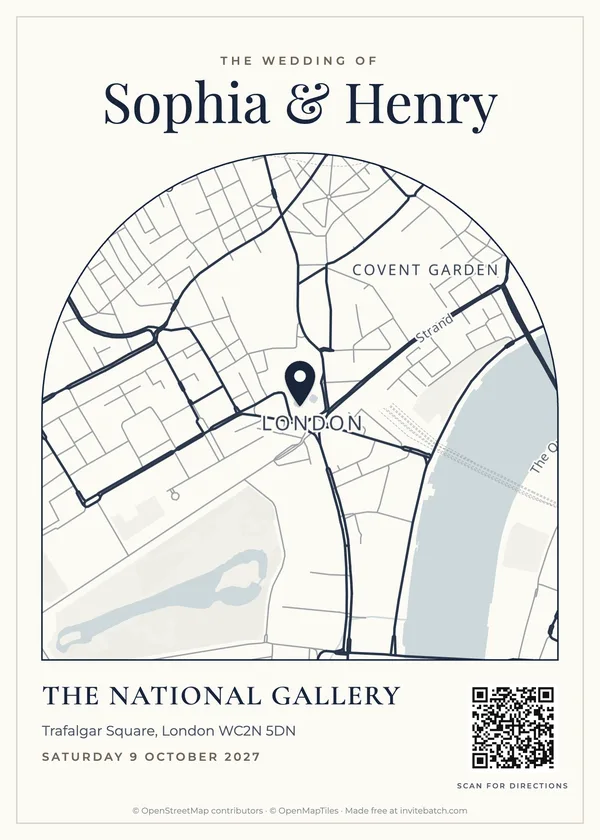
## Size, contrast and the quiet zone
- **Size:** at least **2 cm / 0.8 in** square; **2.5 cm / 1 in** for older phones or long links.
- **Contrast:** dark code on a white or very light background. Gold foil, pale blush or white-on-dark codes often fail.
- **Quiet zone:** leave a blank margin around the code about as wide as four of its small squares.
- **Matte paper:** glossy or metallic cardstock reflects light and can stop a scan.
## Where to put it
- **Not on the front of the main invitation.** Keep the invitation clean and put codes on the RSVP card, map card or details card.
- **Bottom corner of the card**, with a short label underneath: "Scan to RSVP", "Scan for directions".
- **Add a fallback** for guests without a smartphone: a short web address or a phone number.
## Test before you print the batch
1. Print one card at actual size on the real cardstock.
2. Scan it with an iPhone and an Android phone, from about 20 cm (8 in) away.
3. Check it opens the right page: the right guest's RSVP, or directions to the right gate.
4. Only then print the rest.
## Related guides
- [Do free QR codes expire? How to make one that never does](/blog/do-free-qr-codes-expire)
- [How to add a map to your wedding invitations](/blog/how-to-add-a-map-to-wedding-invitations)
- [How to print 5x7 invitations at home](/blog/how-to-print-wedding-invitations-at-home)
- [Wedding RSVP deadline: when RSVPs are due and when to send reminders](/blog/when-to-send-wedding-invitations-and-rsvp-deadline)
**How big should a QR code be on a wedding invitation?**
At least 2 cm (0.8 in) square, and about 2.5 cm (1 in) is safer for older phones. Keep a white margin around it the width of a few squares.
**What should the QR code on a wedding invitation link to?**
Pick one job per code - the RSVP form, directions to the venue, or your wedding website. A personal RSVP link per guest is best because you know who replied without asking for names.
**Do QR codes on invitations look tacky?**
Not when they're small, on a separate card (RSVP or map card) and labelled with what they do, such as "Scan to RSVP" or "Scan for directions".
**Can a QR code stop working?**
Codes made by "dynamic QR" services can stop working if the subscription ends. A code that directly contains the link, like a Google Maps directions link, keeps working. InviteBatch's own-link QR codes contain your link directly, and its free RSVP page has no subscription.
---
## How to add a map to your wedding invitations (sizes, wording and a free maker)
Guide: https://invitebatch.com/blog/how-to-add-a-map-to-wedding-invitations
**The short answer:** make a map card the same size as your invitation (5x7) or slightly smaller (4x6), show the venue name, full address and enough of the surrounding area to recognise, add a QR code that opens directions, and print it at 300 dpi on the same cardstock as your invitations. You can design and preview one free in about two minutes with our [wedding invitation map maker](/tools/wedding-invitation-map-maker).
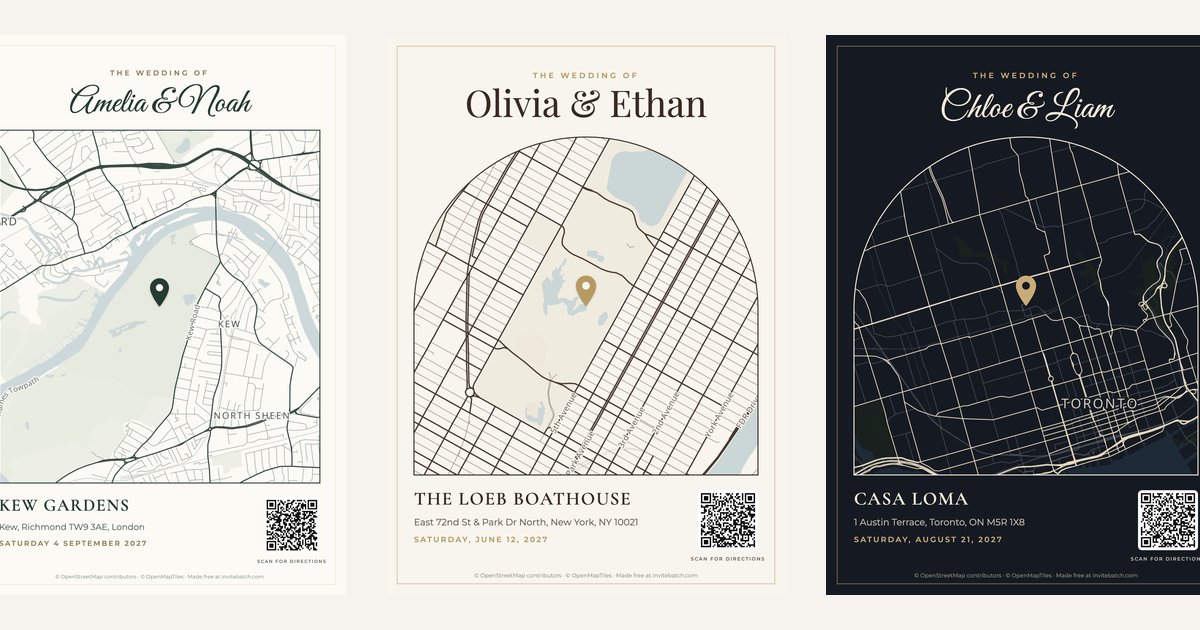
## When your invitations need a map
A map is worth adding when at least one of these is true:
- **Many guests are traveling** and don't know the area.
- **The venue is rural** (a barn, vineyard, country house or estate) and GPS gets people close but not to the gate.
- **The ceremony and reception are in different places.**
- **The venue has a tricky entrance**, a shared driveway or parking that isn't obvious.
For a well-known city venue, the address plus a QR code for directions is usually enough. A map card is then a nice extra, not a necessity.
## Three places to put the map
| Option | Size | Best for |
|---|---|---|
| **Insert card** | 5x7 (same as the invitation) | Most weddings. Sits behind the invitation. |
| **Details card** | 4x6 | When the map shares space with hotel or parking notes. Sits in front of the invitation. |
| **Back of the invitation** | 5x7 | Saving a card and postage weight. Needs double-sided printing. |
Stack the suite from largest to smallest, face up: invitation at the back, then the map or details card, then the RSVP card on top.
## What to put on a wedding map
- **The venue name, exactly as it appears on the sign at the entrance.** Guests look for the sign, not the house number.
- **The full address with ZIP or postcode.** Some guests will still type it into their phone.
- **Enough of the area to orient people:** about ½–1 mile around a city venue, 3–10 miles around a country venue so the nearest town and main road are visible.
- **A QR code for directions.** It opens Google Maps with the route, so nobody has to type anything. See [how to add a QR code to wedding invitations](/blog/how-to-add-a-qr-code-to-wedding-invitations).
- **Your names and the date** at the top, so the card makes sense on its own when it's stuck to a fridge.
Skip turn-by-turn written directions on the card. They take a lot of space and every guest's phone does it better.
## How to make the map (2 minutes)
1. Open the [wedding invitation map maker](/tools/wedding-invitation-map-maker) and search for your venue.
2. Choose how much area to show: ½ mile for a city venue, 3–10 miles for the countryside.
3. Pick a style that matches your invitation colors: old money, European luxury, feminine luxury, modern luxury, romantic estate or midnight.
4. Add your names, date, venue name and address. Leave the QR code on.
5. Choose 5x7, 4x6 or square, and download the PNG (or the PDF for a print shop).
The 5x7 card downloads at 1500 × 2100 pixels, which is 300 dpi: the resolution print shops ask for.
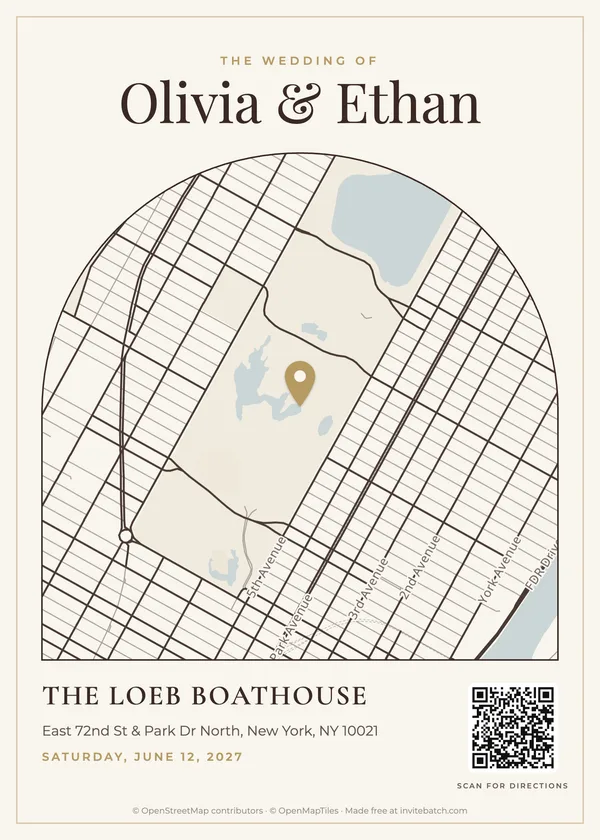
## Matching the map to your invitation
A map looks best when it uses the same paper color, the same accent color and the same script font as the invitation. Pick the style closest to your invitation's colors. If you create your invitations with InviteBatch, the map card is part of your suite and uses your invitation's own colors and fonts automatically, next to RSVP cards with QR codes, envelopes and thank-you cards.
## Printing tips
- Print at **100% / actual size**, not "fit to page".
- Use **matte cardstock, 80–110 lb cover (216–300 gsm)**: street names stay readable and the QR code scans well.
- **Print one test card and scan the QR code** with your own phone before printing the full batch.
- Two 5x7 cards fit on one landscape US Letter or A4 sheet. See [how to print 5x7 invitations at home](/blog/how-to-print-wedding-invitations-at-home).
## Send it to the guests who need it
You don't have to mail the map to everyone. Local guests and close family often don't need one. Many couples print maps only for out-of-town guests and add the square version to their wedding website for everyone else.
**Do wedding invitations need a map?**
Not always. Add one when many guests are traveling, the venue is rural or hard to find, the ceremony and reception are in different places, or the venue has a confusing entrance. For a well-known city hotel, the address and a QR code are usually enough.
**What size should a wedding map card be?**
A 5x7 card matches a standard 5x7 invitation and sits behind it in an A7 envelope. A 4x6 card sits in front as a details card. Both should be printed at 300 dpi.
**Where does the map go in the invitation suite?**
Stack from largest to smallest, face up - invitation at the back, then the map or details card, then the RSVP card on top.
**Can I put a map on the back of the invitation?**
Yes, if you print double-sided. It saves a card and postage weight, but the map is smaller and guests can't keep it separately in the car.
---
## Printable 5x7 wedding invitations with guest names: personalize in bulk, print anywhere
Guide: https://invitebatch.com/blog/printable-5x7-wedding-invitations-with-guest-names
**The short answer:** to get printable 5x7 wedding invitations with each guest's name on them, pick a design on [InviteBatch](/templates/wedding), paste your guest list, and download one print-ready invitation per guest. It takes about 2 minutes for 100 guests, costs £24.99 one-time, and you can print the PDFs at home, at any print shop near you, or with an online printer.
The same Classic Gold Frame design, with a different guest name on each card.
Putting each guest's name on their invitation usually means writing them by hand or editing one copy of the design per guest in Canva or Word. Below is the faster way, followed by where to print the cards, which envelopes to buy and what it costs.
## What you get with InviteBatch
InviteBatch is a website that turns one invitation design and your guest list into one personalized invitation per guest. One order includes:
- **One invitation per guest** with their name on it, sized 5x7 inches (127 x 178 mm)
- **Three print formats:** an all-in-one PDF (one invitation per page, for print shops), print sheets with two invitations per US Letter or A4 page with crop marks (for home printing), and a ZIP with one PDF per guest
- **A personal digital invitation link for every guest**, to send by WhatsApp, text or email, with online RSVP (attendance, meal choice, dietary needs and your own questions)
- **An RSVP dashboard** with live replies, reminders and CSV export
- **The rest of the suite:** RSVP cards with a personal QR code, A7 envelope addressing, Avery address labels and matching thank-you cards
- **Price:** £24.99 one-time, for one event and up to 1,000 invitations. No subscription and no account needed
- **Free preview of every card** with your real names before you pay, free edits for 7 days after you buy, and a full refund within 7 days
There is no printing or shipping. You keep full control of the paper, the printer and the price.
## How to put every guest's name on your invitations
Paste the list once. Every line becomes its own invitation.
1. **Choose a design.** Browse the [wedding invitation templates](/templates/wedding) and open one in the editor.
2. **Add your details.** Names, date, time, venue, address and RSVP date. Change the name font and colors if you like.
3. **Paste your guest list.** One invitation per line, written exactly as it should print. Copy it straight from Excel, Google Sheets, Notes or a WhatsApp message. Duplicates are removed and likely typos are flagged.
4. **Check the preview.** Scroll through every card with the real names on it. This is free.
5. **Pay and download.** Choose the print format that matches where you will print.
Not sure how to write couples, families or plus-ones? Our guide on [how to write guest names on wedding invitations](/blog/how-to-address-wedding-invitations) has copy-ready examples. Planning a birthday, shower or graduation instead? The same steps work for every event: see [5x7 custom invitations for any occasion](/blog/5x7-custom-invitations).
One design, four guests: Sage Botanical with names from a pasted list.
(design: https://invitebatch.com/editor/sage-botanical-wedding-invitation)
## Where to print wedding invitations near you
You have three good options. Pick by quantity, budget and how close the wedding is.
| | Home printer | Local print shop | Online printer |
|---|---|---|---|
| Best for | Up to about 100 cards | Fast turnaround, heavy paper | Premium paper and finishes |
| File to use | Print sheets (2 per page) | All-in-one PDF | All-in-one PDF or one PDF per guest |
| Paper | Up to your printer's limit, often 80–110 lb cover | Usually 100–130 lb cover | Wide choice, including cotton and foil |
| Turnaround | Same day | Same day to a few days | Usually several days plus shipping |
| Proof | Test print on plain paper | Ask for one printed proof | Digital proof, sometimes a printed sample |
### At home
Download the **print sheets**: two 5x7 invitations on each landscape US Letter or A4 page, with crop marks at the corners. Print at 100% scale on cardstock, then trim along the marks. The full walkthrough, with paper weights and printer settings, is in [how to print 5x7 invitations at home](/blog/how-to-print-wedding-invitations-at-home).
Print sheet layout: two 5x7 cards per 11 x 8.5 in page, a quarter inch apart, with crop marks.
### At a print shop near you
Searching "wedding invite printing near me" will bring up print and copy centers like Staples, FedEx Office and The UPS Store, plus independent print shops. All of them can print from a PDF. At the time of writing, Staples offers same-day pickup on select 5x7 flat cards ordered by 12 pm, with blank envelopes included.
What to ask for at the counter:
- **"5x7 flat cards, trimmed, from this PDF, one copy of each page."** Since every page is a different guest, one copy per page is the whole job.
- **The heaviest stock they have**, usually 100–130 lb cover. Matte or felt finishes look more like wedding stationery than gloss.
- **One printed proof first.** Check spelling, color and how close the design sits to the edge.
- **Use the all-in-one PDF.** Its backgrounds are 300 dpi and the text is vector, so names stay sharp at any size.
Our PDFs are exactly 5x7 with no bleed (no extra background past the trim line). Light designs like Classic Gold Frame or Sage Botanical are very forgiving. For dark, full-color designs like Navy & Gold, ask the shop to trim carefully, or print the Letter or A4 sheets and trim a hair inside the crop marks so no white edge shows.
### With an online printer (upload and print)
If you search "upload and print wedding invitations", you will find online printers that accept your own file. The thing to check is whether they can print **a different file on each card**.
- **MOO** has a feature called Printfinity: you can print a different design on every card in a pack, up to 25 per pack, at no extra cost. MOO sells a 5x7 (Medium) size, so you can upload one named invitation per guest (the all-in-one PDF has one guest per page). For 100 guests that is four packs. Check MOO's file and bleed requirements first, since our files have no bleed.
- **Many other online printers** print one design many times. Read the upload page or ask support before you order.
## Envelopes for 5x7 invitations
A 5x7 invitation fits an A7 envelope (5.25 x 7.25 in).
A 5x7 invitation goes in an **A7 envelope**, which measures 5.25 x 7.25 inches. Office stores and online paper shops sell them in packs of 25 to 100, in white, ivory, kraft and colors.
To address them, InviteBatch gives you two options from the same guest list:
- **Printed envelopes:** one A7 envelope per page, for printers with an envelope feed
- **Address labels:** Avery 5160 (US Letter, 30 per sheet) or Avery L7160 (A4, 21 per sheet)
A standard 5x7 invitation in an A7 envelope usually mails with one regular stamp in the US. Square envelopes, wax seals, ribbons or extra inserts can push it into a higher price, so weigh one finished invitation at the post office before you buy stamps for all of them.
## Can you print gold foil invitations?
Not on a regular home printer. Inkjet and laser printers print gold-*colored* ink, which looks flat next to real foil. You have three choices:
1. **Choose a gold-colored design** like [Classic Gold Frame](/templates/wedding/classic-gold-frame-wedding-invitation) or Navy & Gold. Printed on a warm ivory or pearl cardstock, it looks elegant without foil.
2. **DIY foil with a laser printer.** Toner-reactive foil sticks to laser toner when it goes through a laminator. It works best on bold lines and large script, so it suits the couple's names more than small details.
3. **Ask a print shop for foil.** Many local and online printers offer foil stamping or digital foil. Send them the PDF and ask which parts can be foiled.
(design: https://invitebatch.com/editor/classic-gold-frame-wedding-invitation)
## What it really costs
For 100 guests, a typical budget looks like this:
- **InviteBatch:** £24.99 one-time, covering every named invitation plus the digital invitations, RSVP tracking, RSVP cards, envelope addressing, labels and thank-you cards
- **Printing:** home printing costs cardstock and ink. A print shop charges per card, and prices vary a lot by paper and city, so ask for a quote on 100 flat 5x7 cards before you commit
- **Envelopes and stamps:** A7 envelopes plus one stamp per invitation in most cases
Compare that with ordering personalized stationery card by card, or spending an evening editing one file per guest. If you only need paper invitations for some guests, you can print for them and send the personal digital link to everyone else. Both come with the same order.
## Mistakes to avoid
- **Printing before checking names.** Use the free preview, then do one test print. Fixing a name costs nothing for 7 days after you buy; reprinting 100 cards does.
- **"Fit to page" in the print dialog.** It shrinks the cards. Always print at 100% or Actual size.
- **Ordering envelopes too small.** 5x7 envelopes are too tight. Buy A7.
- **Leaving printing to the last week.** Send invitations six to eight weeks before the wedding. Our [invitation and RSVP timeline](/blog/when-to-send-wedding-invitations-and-rsvp-deadline) has the full schedule.
## Start with your guest list
Pick a design, paste your names and look through every invitation before you pay anything. If you like what you see, download the PDFs and print them wherever suits you. [Browse wedding invitation designs](/templates/wedding) or read more about [wedding invitations with guest names](/wedding-invitations-with-guest-names).
**Can I get wedding invitations with each guest's name printed on them?**
Yes. With InviteBatch you paste your guest list once and get one 5x7 invitation per guest with their name on it, as print-ready PDFs. Print them at home, at a local print shop or with an online printer. One order is £24.99 one-time for up to 1,000 invitations.
**Where can I print 5x7 wedding invitations near me?**
Any print and copy center (Staples, FedEx Office, The UPS Store), an independent local print shop, or a university or library print room. Bring or upload the all-in-one PDF, ask for 5x7 flat cards on heavy cardstock, and ask for one proof before the full run. Staples offers same-day pickup on select 5x7 flat cards ordered by 12 pm.
**Can I upload my own wedding invitation design and have it printed?**
Yes. Most print shops and online printers accept a PDF upload. The InviteBatch all-in-one PDF has one 5x7 invitation per page, so a shop prints each page once and every guest gets their own named card.
**Can online printers like MOO print a different guest name on each invitation?**
MOO's Printfinity lets you print a different design on every card in a pack (up to 25 per pack) at no extra cost, and MOO offers a 5x7 size, so you can upload one named invitation per guest. Check MOO's bleed requirements first. Many other online printers print one design many times, so check before you order.
**What size envelope fits a 5x7 wedding invitation?**
An A7 envelope (5.25 x 7.25 inches). It leaves an eighth of an inch on each side so the card slides in without bending. InviteBatch includes printable A7 envelope addressing and Avery 5160 (US Letter) or L7160 (A4) address labels.
**Can I print gold foil wedding invitations at home?**
Not with a normal inkjet printer. You can print a gold-colored design, or use toner-reactive foil with a laser printer and a laminator. For true foil, send the PDF to a print shop that offers foil printing.
**How much does it cost to put guest names on wedding invitations?**
InviteBatch is £24.99 one-time for up to 1,000 invitations, including print-ready PDFs, a personal digital invitation and RSVP link for every guest, RSVP cards with QR codes, envelope addressing, address labels and thank-you cards. Printing is separate and depends on where you print.
---
## How to write guest names on wedding invitations (with examples)
Guide: https://invitebatch.com/blog/how-to-address-wedding-invitations
Writing names is where invitations quietly go wrong: a missing plus-one, a misspelled surname, or kids who weren't meant to be invited. The good news is that the rules are simple once you see them written out. Use the examples below exactly as written. They work for printed invitations and for personal digital invitations.
## The golden rule: write who is invited
The names on the invitation tell guests **exactly who is invited**. If a name isn't there, that person isn't invited. That's why clear names matter more than fancy wording.
## Single guests
Use the full name. Titles are optional and more formal.
- Emily Carter
- Ms. Emily Carter (formal)
## Married couples
- Sarah and James Smith
- Mr. and Mrs. James Smith (traditional)
- The Smiths (casual)
If the couple has different last names, list both full names: **Sarah Lee and James Smith**.
## Unmarried couples living together
List both full names on one line: **Anna Brown and David Lee**. If they live apart, send each their own invitation.
## Plus-ones
If you know the partner's name, use it. Otherwise:
- John O'Neil and Guest
In InviteBatch you can simply type "John O'Neil +1". We turn it into "John O'Neil & Guest" and allow two people to RSVP on that invitation.
## Families with children
- **The Johnson Family**: everyone in the household is invited, kids included.
- **Mr. and Mrs. Johnson**: only the adults are invited.
- Children over 18 who live at home should get their own invitation.
## Doctors, military and other titles
- Dr. Mark McDonald
- Dr. and Mr. Rivera (when one partner is a doctor, the doctor's title goes first)
- Captain Jane Lee and Mr. Tom Lee
## Names with accents and particles
Always use the spelling the guest uses: José and Zoë, Siobhán, Renée, de la Cruz, van der Berg. Accents print correctly in every InviteBatch design.
(design: https://invitebatch.com/editor/classic-gold-frame-wedding-invitation)
## Quick checklist before you print
1. Check spellings against how guests write their own names (their texts or social media are a good source).
2. Make sure every plus-one is written as "and Guest" or with a name.
3. Decide on kids: "Family" or adults only, and be consistent.
4. Use one line per invitation in your guest list.
5. Preview every invitation before printing. With InviteBatch you can flip through all of them for free.
## Write names once, use them everywhere
If you're putting names on every invitation, paste your guest list into InviteBatch once. Every guest gets a printed invitation and a personal digital link with their name, and the same list powers your RSVP dashboard.
**Do you put the guest's name on the wedding invitation itself?**
Traditionally names go on the envelope, but personalized invitations with the guest's name printed on the card are increasingly popular, and they make it clear exactly who is invited.
**How do I invite a guest with a plus-one?**
Write the guest's full name followed by "and Guest", for example "John O'Neil and Guest". If you know the partner's name, use it instead.
**How do I address a family with children?**
"The Johnson Family" invites everyone in the household. If only the adults are invited, write the parents' names only, for example "Mr. and Mrs. Johnson".
---
## How to print 5x7 invitations: at home on cardstock, on an HP printer, or printed for you
Guide: https://invitebatch.com/blog/how-to-print-wedding-invitations-at-home
**The short answer:** to print 5x7 invitations at home, put **two invitations on one landscape US Letter or A4 sheet** with crop marks, do a test print on plain paper, then print on **80–110 lb cover cardstock** at **100% scale** with the paper type set to cardstock, and cut along the crop marks with a paper trimmer. If your printer can't take thick card, or you'd rather not cut 50 cards by hand, you can [get your 5x7 invitations printed](/print) on 324 gsm card and posted, from 1 card.
Printing your own invitations can save money, and with the right paper and settings nobody will guess they came from your kitchen table. Here is exactly how to do it, including HP and Canva settings. (Still need the design? Start with our guide to [5x7 custom invitations](/blog/5x7-custom-invitations).)
## What do you need to print 5x7 invitations at home?
- **Cardstock:** 80–110 lb cover (216–300 gsm), matte or felt finish. Ivory and bright white both work. Buy US Letter or A4 sheets, which every home printer accepts, or pre-cut 5x7 cards if your printer has a manual feed.
- **A printer** that accepts card (check the maximum paper weight in its manual). Inkjets give richer colour on matte card; laser printers give crisper small text.
- **A paper trimmer** or a metal ruler and a sharp craft knife.
- **Envelopes:** A7 envelopes (5.25 x 7.25 in, 133 x 184 mm) fit 5x7 invitations. A C6 envelope is too small.
## How do I print two 5x7 invitations on one page?
**Two 5x7 cards fit on one US Letter or A4 sheet.** A 5x7 card is 5 by 7 inches (127 x 178 mm). Turn the sheet landscape (11 x 8.5 in for Letter, 297 x 210 mm for A4) and the two cards sit side by side, 10 x 7 inches together, with room for crop marks. That halves your paper cost compared with printing one card per sheet.
How to set it up:
- **From Word, Canva or Google Docs:** make a landscape page the size of your sheet, place two 5x7 copies side by side, and add thin crop marks just outside each corner.
- **From a PDF of one invitation:** don't use "Multiple pages per sheet" or "2 per page" in your PDF reader. It scales each card down to fit, so they come out smaller than 5x7. Make a 2-up layout at actual size instead, or use a tool that produces print sheets for you.
- **With InviteBatch:** choose **Print sheets** and pick **US Letter** or **A4**. Each page already holds two 5x7 invitations with crop marks, and every invitation can carry its own guest's name.
## Step 1: Do a test print on plain paper
Print one page on regular paper first. Check that names are spelled correctly, the colours look right and nothing is cut off. Hold the test sheet against a real 5x7 card or measure it: if a card measures less than 5 by 7 inches, the printer is scaling the page.
## Step 2: What printer settings should you use for 5x7 invitations?
- Paper type: **Cardstock / Heavy / Matte** (this slows the printer down and improves ink coverage)
- Quality: **Best** or **High**
- Scale: **100% / Actual size** (never "Fit to page", or the cards won't be exactly 5x7)
- Orientation: **Landscape**, to match the print sheet
- Feed: use the rear or manual feed tray if your printer has one, so thick card stays flat
- Borderless: **off**. The crop marks need the margin.
## How do you print 5x7 invitations on an HP printer?
Open your file, choose **File › Print** and pick your HP printer. Then open **Printer Properties** (Windows), the **Paper/Quality** menu (Mac) or the print settings in the **HP Smart** app:
- **Paper size:** 5x7 in (sometimes listed as 13x18 cm). If it's missing, create a custom size of 127 x 178 mm. For two per page, choose Letter or A4 instead.
- **Paper type:** **HP Matte Brochure**, **Cardstock** or **Heavy paper**, whichever your model lists. Plain paper settings put down too little ink for card.
- **Quality:** **Best**.
- **Borderless:** only if your model supports borderless 5x7 and your design has bleed.
**Loading:** most HP inkjets take paper **print side down** in the main tray (the icon on the tray shows which way). Slide the paper-width guides until they touch the card. Feed one card at a time if it's thick.
**Check the weight limit:** many home HP inkjets handle up to about 200–250 gsm. Heavier card jams or smudges. If yours tops out lower, print on 216 gsm (80 lb) card, or have the invitations printed instead.
## How do you print on 5x7 cardstock at home?
You can print straight onto pre-cut 5x7 cards if your printer supports a **custom paper size** and has a rear or manual feed:
1. Set the paper size to **5 x 7 in (127 x 178 mm)** and the scale to **100%**.
2. Set the paper type to **Cardstock** or **Heavy** and quality to **Best**.
3. Load **one card at a time**, guides snug against the edges.
4. Use a file with **one invitation per page** (with InviteBatch, the one-PDF-per-guest files), not print sheets.
5. Print **2–3 test cards** before the full batch. Pre-cut cards jam more often than Letter or A4 sheets.
You skip the cutting, but you can't print to the very edge on most home printers, so leave a white border in your design or print two per sheet with bleed and trim.
## How do I print my Canva invitation on 5x7 at home?
In Canva, choose **Share › Download › PDF Print**. Tick **Crop marks and bleed** if you'll trim the cards yourself, and download. Open the PDF and print at **Actual size / 100%** on 5x7 cardstock, or on Letter or A4 with two per page as above. Canva can't send a design straight to your home printer, so you always download first. Full guide: [how to print from Canva](/blog/how-to-print-from-canva).
## Step 3: Print in small batches
Print 10–20 sheets at a time and let the ink dry for 10–15 minutes before stacking. This prevents smudges, especially on dark designs. Keep a few spare sheets of cardstock for misprints.
## Step 4: Cut cleanly
Line up the blade with the crop marks at the corners. Cut the long edges first, then the short ones. A guillotine or rotary trimmer gives the cleanest edges. Cutting a stack of more than three or four sheets at once tends to drift, so cut a few at a time.
(design: https://invitebatch.com/editor/modern-minimal-wedding-invitation)
## Why do home-printed invitations look homemade, and how do you fix it?
- **Thin paper:** use at least 80 lb cover. Copy paper always looks homemade.
- **Wrong size:** "Fit to page" shrinks the card. Print at actual size.
- **Rough edges:** scissors leave wavy edges. Use a trimmer.
- **Streaky dark colours:** pick the cardstock paper type and best quality, and let each batch dry.
- **White edges:** cut a hair inside the crop marks rather than outside, or design with a white border.
## 5x7 invitation printing: getting them printed instead
Home printing stops being worth it when your printer won't take thick card, the design is full-bleed (colour to the edge), you need more than a few dozen, or you simply don't want to cut and stuff envelopes. Then an online printer is usually less hassle.
What 7x5-inch invitations cost at InviteBatch, delivered in the UK with VAT included (live prices):
| Premium matte 7x5″ with envelopes | Delivered price |
|---|---|
| 20 cards | £62.65 |
| 50 cards | £142.15 |
- **From 1 card**, so you can order a single test card to check the paper and colours first.
- **Upload the file you already have:** PDF, PNG or JPG from Canva, Word, Etsy or ChatGPT. You see the card preview and the full delivered price before you pay.
- **Printed in 1–3 working days**, then posted, with a tracked next-day courier option in the UK (£32.90). We also deliver to the US, Canada and 13 EU countries.
- **In the US or Canada?** We deliver there too: cards are printed in the UK and sent by DHL Express, usually 2–8 working days to the US after dispatch, and checkout shows your price in dollars before you pay. Any import duty or carrier fees are collected on delivery. See [printed invitations delivered to the US, Canada and Europe](/print/international-delivery).
On a tighter budget? 20 gloss 6x4-inch cards with envelopes cost £38.65 delivered, and 20 square 5.8-inch cards with envelopes cost £27.10.
Skip the printer: get your 5x7 invitations printed
Upload your design, pick 7×5″, choose how many cards, and see the delivered total with VAT before you pay. Printed on thick card with envelopes, from 1 card.
## When should you use a local print shop instead?
For foil, letterpress, unusual paper or a same-day job, a local print shop is worth it. Send them a PDF with one 5x7 invitation per page, ask for 5x7 trimmed cards on your chosen stock, and request a printed proof first. Our guide to [printable 5x7 wedding invitations with guest names](/blog/printable-5x7-wedding-invitations-with-guest-names) compares print shops and online printers.
## Skip printing for some guests
Many couples print only for guests who will treasure a paper card and send a personal digital invitation to everyone else. Every InviteBatch guest-name order includes both, so you can decide guest by guest. Replies from both arrive in one [RSVP dashboard](/wedding-rsvp).
**How do you print 5x7 invitations at home?**
Put two 5x7 invitations on one landscape US Letter or A4 sheet with crop marks, test on plain paper, then print on 80–110 lb cover cardstock at 100% scale with the paper type set to cardstock, and cut along the crop marks with a paper trimmer.
**How do I print two 5x7 invitations on one page?**
Turn a US Letter or A4 sheet landscape and place two 5x7 cards side by side (together they are 10 x 7 inches, so they fit with room for crop marks). Print at 100% / Actual size. Don't use the 'multiple pages per sheet' option in a PDF reader, because it shrinks each card below 5x7.
**How do you print on 5x7 cardstock at home?**
Set the paper size to 5 x 7 in (127 x 178 mm), the paper type to Cardstock or Heavy, quality to Best and scale to 100%. Load one card at a time in the rear or manual feed tray, with the paper guides touching the edges, and print a test card first.
**How do you print 5x7 invitations on an HP printer?**
In the HP print dialog (Printer Properties on Windows, or HP Smart), choose paper size 5x7 in, paper type HP Matte Brochure, Cardstock or Heavy paper, and quality Best. Load the cards print side down in the main tray (check the tray icon) and slide the guides in. Check your model's maximum paper weight first; many home HP inkjets top out around 200–250 gsm.
**How do I print my Canva invitation on 5x7 at home?**
In Canva choose Share › Download › PDF Print (tick crop marks and bleed if you will trim). Open the PDF and print at Actual size / 100% on 5x7 cardstock, or on Letter/A4 with two per page. Canva can't send a design straight to your printer, so you always download first.
**What paper weight is best for 5x7 invitations?**
Cardstock between 80 and 110 lb cover (about 216–300 gsm) feels premium. Check your printer's maximum paper weight first. Professionally printed invitations are often thicker, for example 324 gsm.
**How much does it cost to get 5x7 invitations printed in the UK?**
At InviteBatch, 20 premium matte 7x5-inch invitations with envelopes cost £62.65 and 50 cost £142.15, delivered in the UK with VAT included. You can order from 1 card, and the exact delivered price shows before you pay.
**Should I print at home or get them printed?**
Home printing works for small batches if your printer takes thick card. For heavier card, full-bleed designs, envelopes included or no cutting at all, an online printer is usually less hassle, and some print from 1 card.
---
## Wedding RSVP deadline: when RSVPs are due, when to send invitations and reminders
Guide: https://invitebatch.com/blog/when-to-send-wedding-invitations-and-rsvp-deadline
**The short answer:** wedding RSVPs are normally due **three to four weeks before the wedding**. Send the invitations six to eight weeks before (three months for a destination wedding), set the RSVP date about a week before your caterer needs final numbers, and remind anyone who hasn't replied a week before the deadline.
Good timing gives guests enough notice and gives you final numbers before your caterer and venue need them. Here is the timeline most planners use, and how to pick your own date. For send dates by wedding type (destination, holiday weekend, UK, short engagement), see [when to send wedding invitations](/blog/when-to-send-wedding-invitations).
Get every reply before your deadline
Give each guest a personal RSVP link with your reply-by date on it. You see who has answered, and remind only the guests who haven't, in one click.
## The wedding invitation and RSVP timeline
| When | What |
|---|---|
| 6–8 months before | Save-the-dates (10–12 months for destination weddings) |
| 6–8 weeks before | Wedding invitations (3 months for destination weddings) |
| 4–5 weeks before | Reminder to guests who haven't replied, about a week before the deadline |
| 3–4 weeks before | RSVP deadline |
| 2–3 days after the deadline | Follow-up to anyone still missing |
| 2 weeks before | Final numbers to caterer and venue |
## When are wedding RSVPs due?
Wedding RSVPs are due **three to four weeks before the wedding** in most cases. That window is long enough for guests to check their plans and short enough that the replies are still accurate when you give your final numbers.
The exact date depends on your vendors more than on etiquette. Ask your caterer and venue now when they need the final headcount and meal choices. Most ask for them one to two weeks before the wedding. Your RSVP date should come about a week before that, so there is time to chase late replies.
## What is a normal RSVP deadline for a wedding?
The normal RSVP deadline for a wedding is **three to four weeks before the wedding date**. Move it earlier when:
- **You are making a seating chart.** Seating takes longer than people expect, so ask for replies closer to four weeks out.
- **The guest list is large** (150 or more). More guests means more late replies to chase.
- **It is a destination wedding.** Guests need to book travel and you may need room-block numbers, so a deadline six to eight weeks before is common.
- **Your caterer needs numbers early.** Some venues ask for final counts three weeks before.
A deadline later than two weeks before the wedding almost always causes stress, because the caterer needs numbers before the last replies arrive.
## How do you pick the RSVP date for your wedding?
Work backwards from your vendors' deadline:
1. **Find the earliest vendor deadline** for final numbers (caterer, venue, rentals, the seating chart printer).
2. **Subtract one week** for late replies and reminders.
3. **Pick a day that is easy to remember**, such as the first of the month or a Saturday.
Example: the wedding is June 12, 2027 and the caterer needs final numbers by May 29. One week before that is May 22, so your RSVP date is **"Kindly reply by May 22, 2027"**. Put it on the invitation or the RSVP card in one clear line.
## How early should you request RSVPs on your wedding invitations?
Give guests **three to five weeks to reply**, so send the invitations at least three weeks before your RSVP date. If the invitations go out eight weeks before and the RSVP date is four weeks before, guests have about a month. That is the sweet spot. Much less and people feel rushed; much more and replies get forgotten, or plans change after they answer.
If you send invitations very early (for a destination wedding, for example), keep the RSVP date where it is and send a reminder instead of moving the deadline forward.
## How long should you give guests to RSVP for a wedding?
**Three to five weeks from the day the invitation arrives.** Four weeks is the sweet spot. With invitations posted six to eight weeks before the wedding and the RSVP date three to four weeks before, the maths works out on its own. Under two weeks feels rushed and over six weeks means replies get forgotten.
## How far in advance should the RSVP date be before the wedding?
| Wedding | RSVP date | Why |
|---|---|---|
| Local, under 100 guests | 3 weeks before | Caterers usually need numbers 2 weeks out |
| Local, 100+ guests or a seating plan | 4 weeks before | More late replies to chase, seating takes time |
| Destination wedding | 6–8 weeks before | Guests book travel, room blocks have cut-off dates |
| Holiday weekend | 4–6 weeks before | Guests' plans fill up early |
| Small or micro wedding | 2–3 weeks before | Few people to chase |
## When should guests RSVP by for a wedding?
**By the date on the card, and ideally within a week or two of receiving the invitation.** Guests don't need to wait for the deadline; replying early helps the couple plan. If you're a guest and unsure how to reply, see [how to fill out a wedding RSVP card](/blog/how-to-fill-out-a-wedding-rsvp-card).
## When should the RSVP deadline be for a destination wedding?
**Six to eight weeks before the wedding**, with invitations sent about three months before. Guests need time to book flights and hotels, and your hotel room block or resort usually wants final numbers earlier than a local caterer would. Check those cut-off dates first and set your RSVP date a week before the earliest one.
## RSVP wording you can copy
- *Kindly reply by May 22, 2027*
- *Please RSVP by the twenty-second of May*
- *We have reserved [2] seats in your honor. Kindly reply by May 22* (makes the party size clear)
- *Kindly reply online by May 22 at the link on your invitation*
More options for formal, casual, meal-choice and adults-only cards: [wedding RSVP wording examples](/blog/wedding-rsvp-wording).
## When should you send wedding RSVP reminders?
Send **one friendly reminder about a week before the RSVP deadline** to guests who haven't replied yet, then a short follow-up **two or three days after the deadline** to anyone still missing. That's it: two messages, only to the people who haven't answered. Guests who already replied should never get a reminder.
The easiest way to know who is missing is to track replies as they come in. See [how to track wedding RSVPs](/wedding-rsvp) for the options, from a spreadsheet to personal online RSVP links.
## Reminder wording
**A week before the deadline:**
> Hi Emily! Just a friendly reminder to RSVP for our wedding by May 22 when you have a minute. It helps us so much with planning. Here's your invitation: [link]
**After the deadline:**
> Hi David, we're finalizing numbers with our caterer this week. Will you be able to join us on June 12? A quick yes or no is perfect. [link]
(design: https://invitebatch.com/editor/blush-watercolor-wedding-invitation)
## What if guests miss the RSVP deadline?
Contact them directly two or three days after the deadline: a text, a call, or ask a family member who knows them. A missing reply is usually a forgotten envelope, not a no, so don't count them out without asking. Give your vendors the numbers you have on the day they need them, and add any very late yes replies only if the caterer can still take them.
## Make the deadline easy to meet
The easiest way to get replies on time is to make replying take ten seconds. With a personal invitation link, guests can reply from their phone the moment they read it, and your dashboard shows exactly who you still need to chase. InviteBatch includes [online RSVP tracking](/wedding-rsvp) with every set of invitations, and you can print the same invitations for guests who prefer paper.
Track RSVPs online, print for the rest
Personal invitations with each guest's name, online RSVP with live totals and reminders, and print-ready PDFs, for £24.99.
## Related guides
- [When to send wedding invitations: timeline for every kind of wedding](/blog/when-to-send-wedding-invitations)
- [Wedding RSVP wording: 25 examples](/blog/wedding-rsvp-wording)
- [Wedding invitation wording examples](/blog/wedding-invitation-wording)
- [How many wedding invitations to order](/blog/how-many-wedding-invitations-to-order)
- [How to write guest names on wedding invitations](/blog/how-to-address-wedding-invitations)
- [How to add a QR code to wedding invitations](/blog/how-to-add-a-qr-code-to-wedding-invitations)
- [How to print 5x7 invitations at home](/blog/how-to-print-wedding-invitations-at-home)
**When are wedding RSVPs due?**
Wedding RSVPs are normally due three to four weeks before the wedding. Pick the exact date by working back from the day your caterer or venue needs final numbers, then leaving about a week for late replies.
**What is a normal RSVP deadline for a wedding?**
Three to four weeks before the wedding date is the normal RSVP deadline. Go closer to four weeks for a large wedding, a seating chart or a caterer that needs numbers early, and six to eight weeks before for a destination wedding.
**How early should you request RSVPs on your wedding invitations?**
Give guests three to five weeks to reply. Send the invitations at least three weeks before your RSVP date; with invitations eight weeks out and RSVPs due four weeks before the wedding, guests have about a month.
**When should you send wedding RSVP reminders?**
Send one friendly reminder a week before the RSVP deadline to guests who haven't replied, and a short follow-up two or three days after the deadline. Only message the guests who are missing.
**How far in advance should wedding invitations be sent?**
Six to eight weeks before the wedding for a local wedding, and three months ahead for a destination wedding.
**How long should you give guests to RSVP for a wedding?**
Three to five weeks from the day the invitation arrives, with four weeks the sweet spot. Invitations posted six to eight weeks before the wedding with an RSVP date three to four weeks before gives guests about a month.
**When should the RSVP deadline be for a destination wedding?**
Six to eight weeks before the wedding, with invitations sent about three months ahead, so guests can book travel and you can confirm hotel room blocks before their cut-off dates.
**What if guests miss the RSVP deadline?**
Contact them directly two or three days after the deadline with a short, friendly message or a call. Assume nothing; a missing reply is usually a forgotten one, not a no.
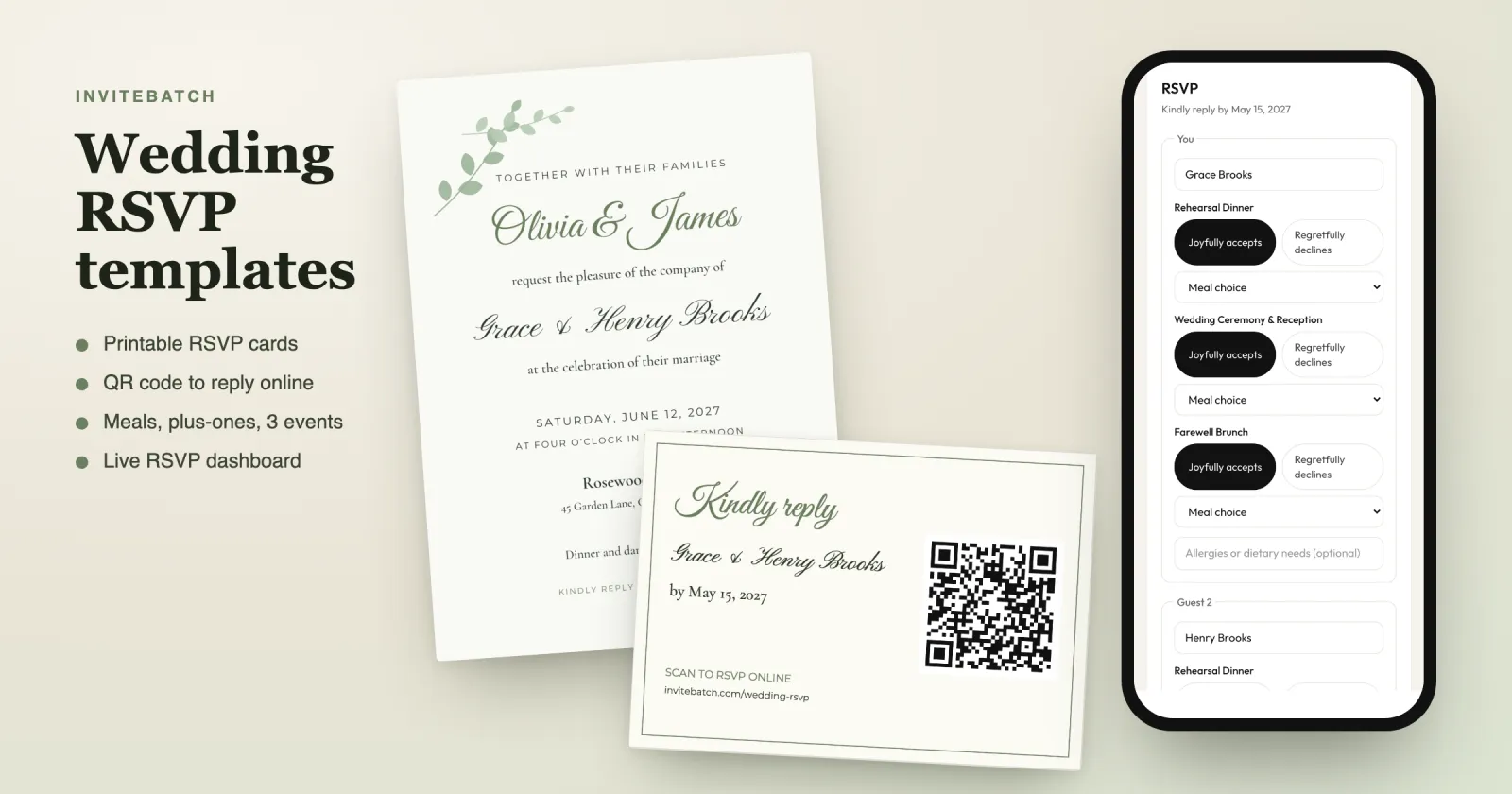
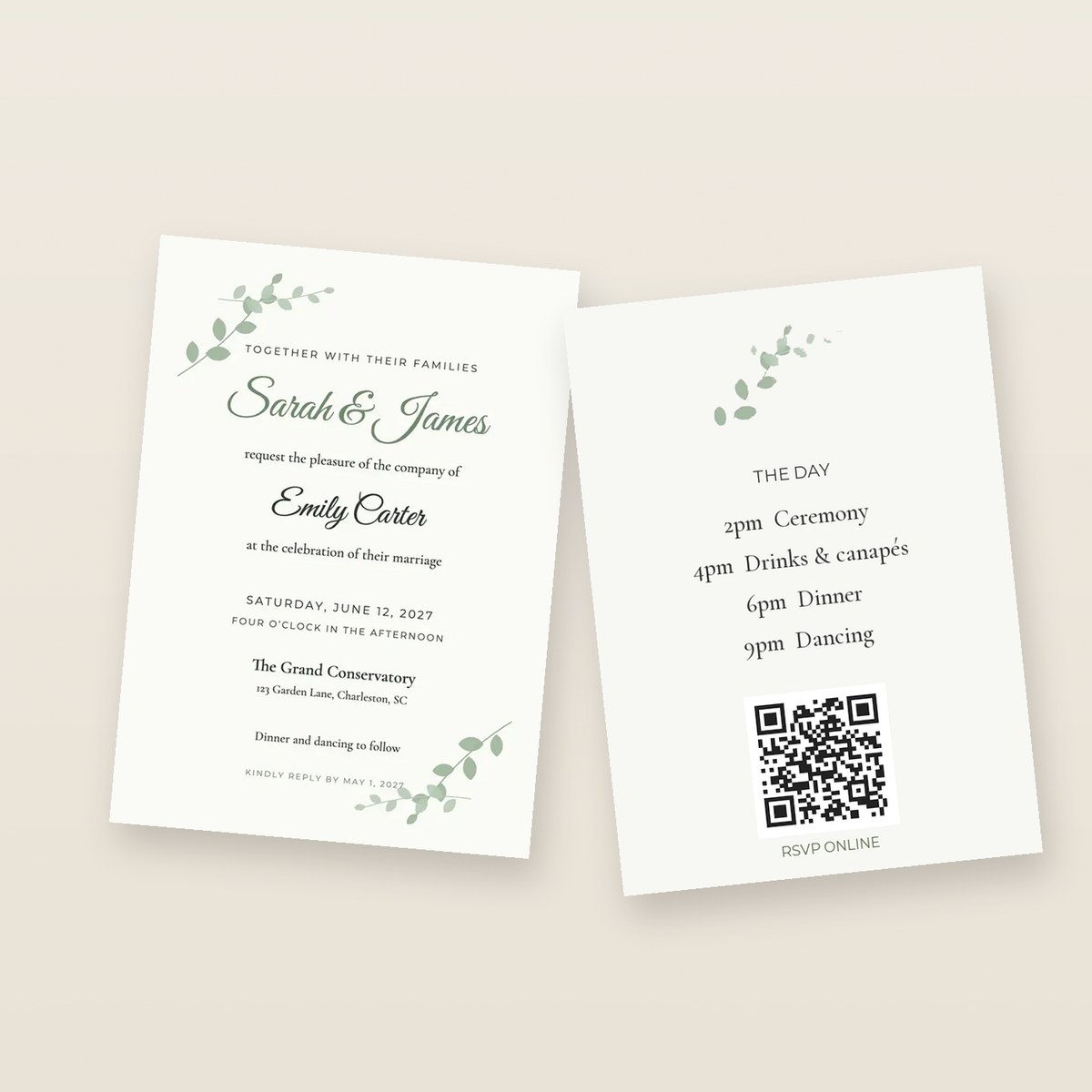 ## Etsy template + Staples vs an online printer: which is best?
**Pick by deadline and by how much the card itself matters to you.** Here is the honest comparison:
| | Office print shop (Staples, Office Depot, a local copy shop) | Online upload printer (InviteBatch, Vistaprint, Printed.com) |
|---|---|---|
| Speed | Same day or next day, in person | Printed in a few working days, then posted |
| Card | Standard cardstock, usually lighter than wedding stationery | Heavy card: ours is 324gsm premium matte (about 120 lb cover) |
| Printing | Digital toner on a copier-style press | Digital press made for cards and photos |
| Cutting | Often 2–4 invitations per sheet, cut by you or for a fee | Trimmed to size, with bleed |
| Envelopes | Usually bought separately | Often included or optional (ours: Kraft envelopes) |
| Minimum | Any number | Varies: InviteBatch from 1 card, many others from 10–50 |
| Best for | A last-minute or casual wedding, a very tight budget | Invitations you want to look and feel finished |
If your wedding is next weekend, Staples wins on speed. If it is weeks away, an online printer usually wins on feel, with no cutting and no hunting for envelopes.
## Can Staples print a wedding invitation template from Etsy?
**Usually, yes.** Bring the print-ready PDF on a USB stick or upload it to the store's online print service, and ask for heavy white cardstock with no scaling ("print at 100%"). Three things to know before you go:
- **Permission.** A designed file can look like a professional's work, so a print shop may ask you to show that you are allowed to print it. Keep the Etsy order page or the seller's **print release** handy. Printing a template you bought for your own wedding is normally exactly what the licence allows.
- **The sheet layout.** Copy shops print on Letter or A4 sheets, so a 5x7 invitation is usually laid out 2 per sheet and cut. Ask whether cutting is included.
- **A proof.** Ask for one printed card before they run 100. Colour on a toner printer can look different from your screen.
## What is the quality like when you print invitations at Staples?
**Fine for light, text-led designs; weaker for dark backgrounds and heavy, luxurious card.** We print other people's invitation files every day, so here is what to check on any proof, from any printer:
- **Dark or full-colour backgrounds.** Toner can show a slight shine, banding or uneven colour on large dark areas. Light designs with script text hide this best.
- **The edges.** Hand or guillotine cutting at a copy shop can leave a thin white line on one side if the file has no bleed. A 5x7 file with bleed (5.25 × 7.25 in) avoids it.
- **The card weight.** Wedding stationers use heavy card. Ours is 324gsm, about 120 lb cover. Copy-shop cardstock is usually lighter, so the invitation feels more like a flyer. Ask what weight they stock.
- **Sharpness.** A JPG preview saved from the listing photo will look soft. Use the PDF.
## Which file from your Etsy download should you print?
**The print-ready PDF in your card size, with bleed.** Etsy wedding templates (often edited in Templett, Corjl or Canva) usually let you download several versions. Pick by where you print:
| Where you print | File to download | Size |
|---|---|---|
| Online card printer (InviteBatch, Vistaprint…) | Single invitation, PDF, **with bleed** | 5x7: 5.25 × 7.25 in (133 × 184 mm) |
| Staples or a copy shop | 2-per-sheet PDF with crop marks | US Letter 8.5 × 11 in or A4 |
| Home printer | 2-per-sheet PDF | US Letter or A4 |
When you upload to InviteBatch, the studio shows the print quality in dpi straight away, shows exactly where the card will be trimmed, and offers "Whole design" if your file is a slightly different shape. A two-page PDF prints front and back. A PDF with one page per guest can print **one card per page**, so every guest gets their own named card.
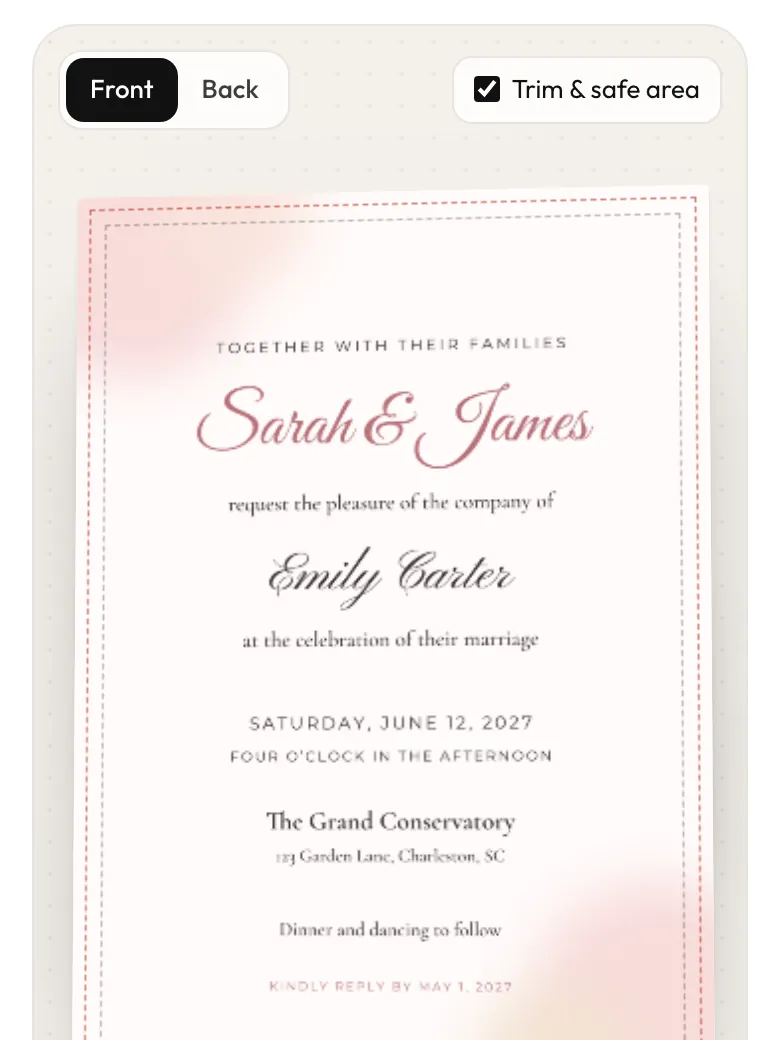 ## What mistakes do people make with Etsy invitation templates?
These are the problems we see most on uploaded wedding invitations, and our studio checks for the first three before you pay:
1. **The weekday doesn't match the date.** "Saturday, June 12, 2027" is right; copying an old template often leaves the wrong day. Our check flags it in PDFs.
2. **Template text left in**, such as "Your Name Here" or the seller's sample names.
3. **Low resolution.** A file exported for screens (72 dpi) prints blurry. You need about 300 dpi at print size.
4. **No bleed.** Without the extra 1/8 in (3 mm) around the edge, a white sliver can show after trimming.
5. **Ordering everything at once.** Print **1 card first**, check the paper and colours, then print for every guest.
## What do online printers charge for wedding invitations?
**InviteBatch prices, delivered in the UK with envelopes and VAT** (live from our price sheet):
| Order | Delivered total (UK) |
|---|---|
| 1 test card (6×4″ gloss) | £8.94 |
| 20 × 7×5″ premium matte + envelopes | £62.65 |
| 50 × 7×5″ premium matte + envelopes | £142.15 |
| 20 × square cards + envelopes | £27.10 |
US, Canadian and EU addresses see the delivered total in dollars or euros at checkout before paying. **Honestly:** for 100+ identical invitations, a large printer can cost less per card, and for a same-week US order a local Staples is faster than any mail-order printer. Our edge is **small runs, a 1-card test, heavy card and checks before you pay**. For a wider price comparison, see [how much it costs to print invitations](/blog/how-much-does-it-cost-to-print-invitations-uk) and [where to get invitations printed](/blog/where-to-get-invitations-printed).
## Any other sites to try?
- **[InviteBatch](/print/wedding-invitations):** upload your own Etsy, Canva or designer file; 6×4″, 7×5″ or square; premium matte 324gsm or gloss; envelopes; from 1 card; delivered to the UK, the US, Canada and 13 EU countries. You can add a [free RSVP QR code](/print/qr-code-invitations) to your card before it prints.
- **Vistaprint:** a big online printer with upload-your-design invitations and frequent sales. Check the minimum quantity and the paper options.
- **Printed.com (UK):** upload printer with many speciality papers and sample packs.
- **Your Etsy seller:** some sellers also offer a printed version of the template, which is the easiest route if the price works for you.
- **Home printing:** possible on a good inkjet with 250–300gsm card. See [how to print 5x7 invitations at home](/blog/how-to-print-wedding-invitations-at-home).
Designed in Canva instead of Etsy? See [how to print from Canva](/blog/how-to-print-from-canva).
## Is InviteBatch a good choice for printing an Etsy wedding invitation?
**InviteBatch is a London printing service (CILIALIGHT LTD, Companies House 16145887) that prints the design you already have.** You upload the PDF from your Etsy download, choose the card and envelopes, check the proof and the full delivered price, and we print it in 1–3 working days and post it. US orders are printed in the UK and sent by DHL Express, tracked, usually 2–4 working days after dispatch; import charges, if any, are collected on delivery. If a card arrives damaged or misprinted, email a photo within 14 days and we reprint or refund it. We launched in October 2026, so start with 1 card if you want to see the quality first. More: [what InviteBatch is and how it works](/blog/what-is-invitebatch).
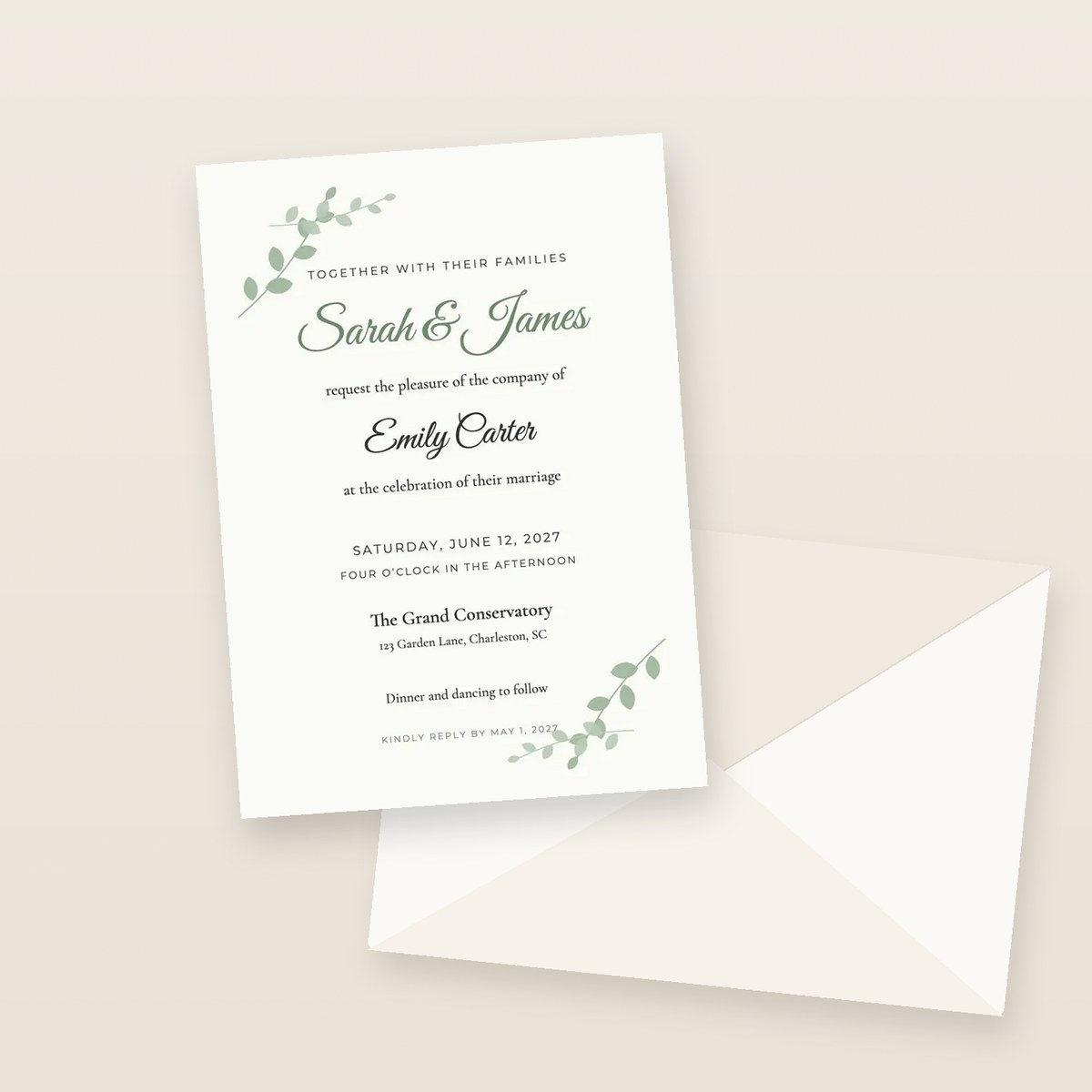 **What is the best printing service for wedding invitations?**
It depends on what you have. If you bought an Etsy template, use a printer that takes your own file: an office print shop like Staples is fastest for a same-week job on plain cardstock, and an online upload printer such as InviteBatch, Vistaprint or Printed.com gives thicker card, trimmed edges and envelopes. InviteBatch prints your own design from 1 card on 324gsm premium matte card (about 120 lb cover) and posts it to the UK, the US, Canada and the EU.
**Can Staples print a wedding invitation template from Etsy?**
Usually yes. Bring the print-ready PDF from your Etsy download (or upload it to Staples online) and ask for it on heavy white cardstock. Because the design looks professional, a print shop can ask you to show that you are allowed to print it, so keep the Etsy listing or the seller's print release handy. Ask for one proof card before they print the whole run.
**Is the quality good if you print wedding invitations at Staples?**
For text-heavy, light designs it is usually fine. Office print shops use digital toner printers on cardstock, so check a proof for colour, a slight shine on dark areas, and straight cutting. They rarely stock the very heavy 300gsm+ card that wedding stationers use, and envelopes and trimming are often extra or up to you.
**Which Etsy file should I print?**
Use the print-ready PDF in the exact card size with bleed (for a 5x7 invitation that is usually 5.25 × 7.25 in, or 133 × 184 mm). Use the 2-per-page Letter or A4 sheet only if you print and cut at home or at a copy shop. Avoid low-resolution JPG previews: you need about 300 dpi at print size.
**How much does it cost to print wedding invitations online?**
At InviteBatch, 20 7×5″ premium matte invitations with envelopes are £62.65 and 50 are £142.15, delivered in the UK with VAT. One test card is £8.94 delivered. US, Canadian and EU prices are shown in your currency at checkout before you pay.
**Can I print just one wedding invitation to check the quality?**
Yes. InviteBatch has no minimum order, so you can print 1 card from your Etsy file, check the paper, colours and trim, and then order for every guest. Many online printers start at 10, 25 or 50 cards.
---
## What is InviteBatch? Everything it does, prices and how it works (2027 guide)
Guide: https://invitebatch.com/blog/what-is-invitebatch
**The short answer:** InviteBatch is a London invitation printing and personalisation service run by CILIALIGHT LTD. You **upload your own invitation design** (from Canva, ChatGPT, Etsy, Word or a designer) or make one with our tools, and **we print it on thick card from 1 card and post it to you** in the UK, the US, Canada or the EU. One 6×4″ card is **£8.94 delivered** in the UK and 20 square invitations with envelopes are **£27.10**. InviteBatch also puts every guest's name on their own invitation, sends digital invitations on WhatsApp with RSVP, and makes QR codes, venue maps and posters.
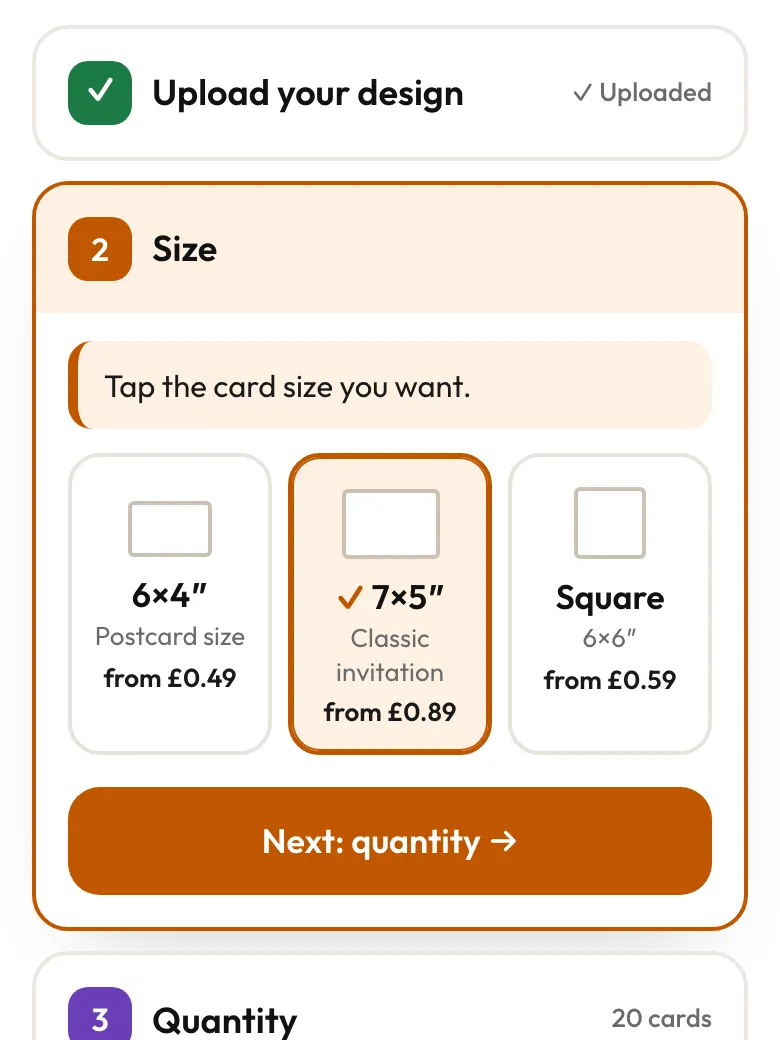 Our classic wedding card is **7×5″ premium matte: 324gsm recycled Mohawk card with a brown Kraft envelope**. Square cards come on thick gloss with envelopes. 6×4″ is the budget size for save the dates, evening invitations and kids' parties. For every card, paper and occasion we print, see [invitation printing for parties, weddings and more](/blog/invitation-printing-for-parties-weddings-and-more).
## What does InviteBatch check before it prints?
**The studio checks your file before you pay**, so a mistake is caught on screen instead of on 50 printed cards. These checks come from real problems we have seen on uploads:
- **Print quality.** It works out the dpi at your card size. A ChatGPT image (1024×1536 pixels) comes out at about 200 dpi on a 7×5″ card, which prints sharp. We now say so clearly, because a scary "low resolution" warning used to make people give up on files that would have printed well.
- **Shape and trim.** If your design is a different shape to the card, it shows how much would be trimmed, offers "Whole design" so nothing is cut off, and suggests the card size that fits best.
- **Dates.** In a PDF, it checks that the weekday matches the date (for example "Saturday 12 June 2027") and flags template text left in, such as "Your Name Here".
- **Multi-page PDFs.** It asks whether page 2 is the back or a second card, so you never get the wrong page printed.
## How much does InviteBatch cost?
**There is no subscription, no design fee and no account.** You pay for the product you order. These are delivered UK totals with VAT, worked out from our live prices:
| Order | Delivered UK total |
|---|---|
| 1 × 6×4″ gloss card | £8.94 |
| 20 × square invitations with envelopes | £27.10 |
| 20 × 6×4″ gloss with envelopes | £38.65 |
| 20 × 7×5″ premium matte with envelopes | £62.65 |
| 50 × 7×5″ premium matte with envelopes | £142.15 |
| 1 × A3 poster | £30.19 |
**Our honest advice:** InviteBatch is best value for **small orders**: a test card, 10–40 party invitations, or a last-minute top-up. Many big printers start at 25 or 50 cards. For 100+ identical wedding invitations, a large printer can be cheaper per card, and we say that on our [compare page](/compare). Prices in US dollars and euros are shown to visitors from those countries.
## Can InviteBatch put each guest's name on the invitation?
**Yes.** Paste your guest list, and InviteBatch makes **one invitation per guest with their name on it**: a ZIP with one PDF per guest, an all-in-one PDF and print sheets for A4 or US Letter. Each guest also gets a **private invitation link with an RSVP form** (attendance, meal choice, dietary needs and your own questions), and you get an RSVP dashboard with live totals, reminders and a CSV export. It is £24.99 one-time for up to 1,000 guests, with free edits for 7 days and a 7-day refund.
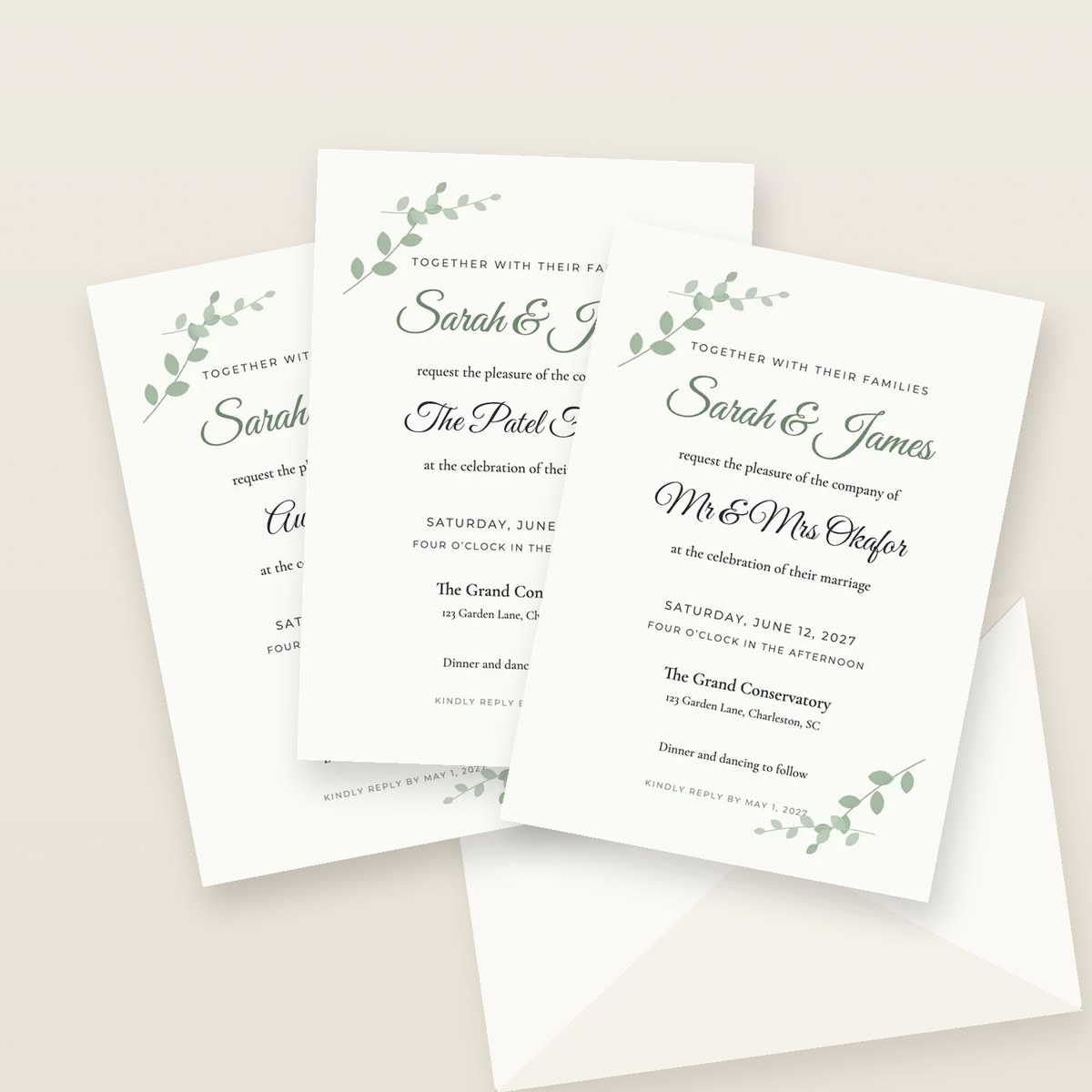 Read more: [wedding invitations with guest names](/wedding-invitations-with-guest-names) and [how to add guest names to invitations you already ordered](/blog/how-to-add-guest-names-to-wedding-invitations).
## Does InviteBatch do digital invitations?
**Yes: [InviteBatch Digital](/digital) is a wedding invitation website you send on WhatsApp.** Each guest gets their own link that opens like a sealed envelope with their name on it, then shows your invitation, countdown, schedule, venue map and an RSVP form for their household. You see who opened it and who replied. There are 11 styles (from Modern Estate to Tuscan Villa), a [digital save the date](/digital/save-the-date) is included, and it is £69 once for up to 1,000 guests. Designing and previewing are free.
## What free tools does InviteBatch have?
- **[QR Studio](/qr):** free QR codes for links, Wi-Fi, contacts and more, with colours and a logo. They are static codes, so they [never expire](/blog/do-free-qr-codes-expire). No sign-up and no watermark.
- **[RSVP QR page](/qr/rsvp):** a free RSVP page and its QR code made together. Guests scan, type their name and reply, with no app. You get an email for each reply.
- **[Wedding invitation map maker](/tools/wedding-invitation-map-maker):** search your venue, style the map and add a QR code for directions. Free to design and preview; the 300 dpi card is £2.99.
- **[Birthday invitation designer](/tools/design-a-birthday-invitation):** puts the name, date, venue and RSVP in the right order, checks it, then saves it free or prints it from 1 card.
- **[PDF not opening?](/tools/pdf-not-opening):** free fixes for iPhone, Android, WhatsApp and Outlook, and an in-browser viewer.
You can also add a QR code to your own design inside the print studio before it prints: see [QR code invitations](/print/qr-code-invitations).
## What else can InviteBatch print?
- **Posters A4 to A0** on silk or matte art paper, from 1 copy: welcome signs, seating plans, [AI and ChatGPT images](/print/ai-poster-printing) and [Etsy printables](/print/etsy-digital-download-printing).
- **[Star map, city map and "Our story" posters](/posters)** for weddings, anniversaries and births, from £2.99 to download or printed and posted.
- **[Framed prints and canvas](/print/framed-prints)** from your own photo or image (UK only).
- **Passport and boarding pass** wedding invitation suites, made in the browser: see [passport wedding invitations](/passport-wedding-invitations).
## Who uses InviteBatch?
Most of the people who print with us **already have a finished design and just need it on real card**. A large share of our printed orders come from people who asked ChatGPT where to print an invitation and were pointed to InviteBatch, which is why we built a page on [printing your ChatGPT invitation](/print/chatgpt-invitations). Others come from Canva ([how to print from Canva](/blog/how-to-print-from-canva)), Etsy downloads, or a design made by a friend. Typical orders are weddings, kids' birthday parties, christenings, engagement parties and save the dates.
## Is InviteBatch legit?
**Yes. InviteBatch is run by CILIALIGHT LTD, a UK company registered at Companies House (number 16145887), based in London.** We launched in October 2026, so we are a young company and still collecting reviews. Here is what you can check for yourself:
- **Payments** go through Stripe or PayPal; we never see your card number.
- **You see the proof and the full delivered price before you pay.**
- **Damaged or misprinted cards:** email a photo within 14 days of delivery and we reprint or refund them, with nothing to send back. If tracking shows no delivery 10 working days after dispatch, we reprint or refund.
- **Reviews:** read them, or leave an honest one, on [Trustpilot](https://www.trustpilot.com/review/invitebatch.com).
If you want to test us first, order **1 card**. That is exactly why we print from 1. More about the company: [about InviteBatch](/about).
## Where does InviteBatch deliver, and how fast?
**Printed cards and posters are delivered to the UK, the US, Canada, Ireland and 12 more EU countries.** Cards are printed in 1–3 working days, then sent with the delivery you choose: Royal Mail post, a tracked courier, or a **tracked next-day courier in the UK (£32.90)**. The delivery date and price are shown before you pay. We don't claim next-day printing; see [next-day delivery printing](/next-day-printing) and [shipping and delivery](/shipping) for every country and time.
## How do I start?
- **Have a design?** [Upload it and see the delivered price](/print).
- **Need a design?** Pick one of our [templates](/templates), or use the [birthday invitation designer](/tools/design-a-birthday-invitation).
- **Need every guest's name or RSVP?** Start with [invitations with guest names](/wedding-invitations-with-guest-names) or [InviteBatch Digital](/digital).
- **Questions?** Email support@invitebatch.com. A real person replies.
**What is InviteBatch?**
InviteBatch is an online invitation printing and personalisation service run by CILIALIGHT LTD in London (Companies House 16145887). You upload your own invitation design, or make one with our templates and tools, and we print it on thick card from 1 card and post it to the UK, the US, Canada and 13 EU countries. It also puts each guest's name on their own invitation, sends digital invitations on WhatsApp with RSVP, and makes QR codes, venue maps and posters.
**Is InviteBatch legit?**
Yes. InviteBatch is run by CILIALIGHT LTD, a UK company registered at Companies House (16145887). Payments go through Stripe or PayPal, you see the full delivered price and a proof before you pay, and the refund and privacy policies are public. We launched in October 2026 and are still collecting reviews on Trustpilot, so you can start with a 1-card order to test the quality.
**How much does InviteBatch cost?**
Printed invitations start at £8.94 for one 6×4″ card delivered in the UK. 20 square invitations with envelopes are £27.10 delivered and 20 7×5″ premium matte cards with envelopes are £62.65. One invitation to download is £5.99, every guest by name with RSVP is £24.99 one-time for up to 1,000 guests, and a digital WhatsApp invitation is £69. There is no subscription and no design fee.
**Can InviteBatch print a design I made in Canva or ChatGPT?**
Yes. Upload the PDF, PNG or JPG from Canva, ChatGPT, Etsy, Word or a designer. The studio shows how it fits the card, the print quality in dpi, and the delivered total before you pay. A 1024×1536 ChatGPT image prints sharp on a 6×4″ or 7×5″ card.
**How long does InviteBatch take to deliver?**
Cards are printed in 1–3 working days, then sent with the delivery you pick at checkout: Royal Mail post, a tracked courier or a tracked next-day courier in the UK. The delivery date is shown before you pay.
**Does InviteBatch need an account?**
No. You can upload, preview and order without an account or subscription. You give an email for your receipt and order tracking.
**Where does InviteBatch deliver?**
Printed invitations and posters go to the UK, the US, Canada, Ireland and 12 more EU countries. Framed prints and canvas are UK only. Digital invitations, downloads and tools work anywhere.
---
## Do free QR codes expire? How to make a free QR code that never does
Guide: https://invitebatch.com/blog/do-free-qr-codes-expire
**The short answer:** no, a free *static* QR code never expires, because your link or details are stored inside the pattern itself, with no website in between to switch off. The free codes that stop working are *dynamic* codes. They send people through the generator’s own short link, and many services turn that link off when a free trial or subscription ends. So check what your code actually contains before you print it on 100 invitations.
**Need a code that will never expire?** Make one free at [InviteBatch QR Studio](/qr). There’s no signup and no watermark. You can download it as PNG, SVG or PDF, or have it [printed on your invitations](/print/qr-code-invitations) or on a sign. InviteBatch is a UK invitation printing company (CILIALIGHT LTD) that prints and delivers cards and posters to the UK, US, Canada and 13 EU countries, and we built the QR tool because our customers kept asking us this question.

## How long does a free QR code last?
**A static QR code lasts for ever.** It’s just a printed pattern of squares, and your phone reads the information straight out of it. Nothing has to stay online except the page the code opens. A static code stops working only when:
- **the website it opens goes offline**: your link is deleted, the domain lapses, or a Google Drive file is no longer shared;
- **the print fails**: the code is too small, too pale, cut off by the card edge, or scratched and faded;
- **it was never static in the first place**: it was a dynamic code all along (see below).
A dynamic code lasts exactly as long as the company that runs its redirect keeps it switched on.
## Static vs dynamic QR codes: why some “free” codes stop working
| | Static QR code | Dynamic QR code |
|---|---|---|
| What’s inside the code | Your actual link, Wi-Fi details or text | The QR company’s short link |
| Does it expire? | **Never** | When the trial, plan or account ends, depending on the provider |
| Can you change the link after printing? | No | Yes, while you keep paying |
| Scan counts | No (no one sees the scans, not even the maker) | Yes |
| Works if the QR company closes? | **Yes** | No |
| Cost | Free | Often a free trial, then a monthly plan |
The trap is that both kinds look exactly the same on paper. Some “free” generators ask you to sign up, give you a dynamic code without saying so, and then ask for payment weeks later, after the cards are printed. Uniqode, for example, says on its pricing page that its dynamic codes “stop working as soon as your subscription ends” (checked 17 November 2026).
**For anything printed, such as invitations, business cards, menus, signs or packaging, use a static code** unless you really need to change the link later.
## How to check if your QR code will expire
You don’t need an “expiry date checker”. Use your phone:
1. **Open the camera and point it at the code**, but don’t tap yet.
2. **Read the address it shows.**
- If it’s **your own address** (your website, your Google Maps pin, your form, your Wi-Fi network name), the code is **static**. It won’t expire.
- If it shows the **QR company’s short link** (their domain followed by a short code), it’s **dynamic**. It depends on that company keeping the link switched on.
3. **If it’s dynamic and you haven’t printed yet**, remake it as a static code. If you’ve already printed, check that company’s plan terms so you know when it might stop.
**Do Canva QR codes expire?** Canva says its generator makes both static and dynamic codes, so use the same phone check on yours. A code that opens your own link directly is static.
## Is there a free QR code that lasts forever?
Yes. Every code from [InviteBatch QR Studio](/qr) except the RSVP page is static, so the code itself never expires and nothing passes through our servers when someone scans it. It keeps working even if InviteBatch disappears. Here’s what the tool makes:
| QR code type | What it does when scanned | Expires? |
|---|---|---|
| **Link** | Opens any web page: website, menu, Google review link, Instagram, WhatsApp group, Google Form, a PDF you’ve shared | Never (as long as your page stays online) |
| **Wi-Fi** | Offers to join your network, no typing | Never (until you change the password) |
| **Contact** | Saves your name, phone, email and company to the phone’s contacts | Never |
| **Text** | Shows a short message | Never |
| **Email** | Opens a new email to you, with a subject line | Never |
| **Phone** | Starts a call to your number | Never |
| **SMS** | Opens a text message to you with your words filled in | Never |
| **Location** | Opens the place in the phone’s maps app | Never |
| **RSVP page** | Opens a free event page where guests reply, with no app or account | The page is kept until **6 months after your event**, then deleted with the replies |
The RSVP page is the one code we host, and we say so up front. In return, it’s the one you **can edit after printing**: change the date, time, venue or questions from your private page and the printed code stays the same. You get an email for each reply, a page with totals, and a spreadsheet download. There’s no subscription.
**What else is free:** colours, rounded squares or dots, corner shapes, words under the code, your logo in the middle, and seven luxury sign templates (leave a review, follow us, Wi-Fi, menu, scan to pay, wedding photo sharing and RSVP). Every download, in PNG, large PNG, SVG and PDF, comes with no account and no watermark. **We make money only if you choose to have something printed.**

## Can I put a logo or colours on a free QR code and still have it scan?
**Yes, within limits, and the tool checks them for you.** When you add a logo, InviteBatch QR Studio switches the code to the highest error correction (level H), which can rebuild about 30% of the pattern, so the covered middle still reads. Plain codes use level M, which keeps them less dense and easier to print small.
Under the preview, the **scan check** shows the colour contrast and warns below 4.5:1. In Chrome on Android, a Mac or a Chromebook, it also decodes the finished image itself, including the full sign template, so you know the design scans before you download it. Still test the downloaded file with your own phone.
**Colours that scan:** dark on light, such as black, navy, dark green or dark brown on white or cream. **Colours that fail:** a light code on a dark background, red on green, and pale pastels.
## How big should a printed QR code be?
**At least 2 cm (0.8 in) wide on a card held in the hand, bigger for long links, and about a tenth of the scanning distance for signs.** The length of what’s inside the code matters more than most guides admit. These are real numbers from the print studio we use to place codes on customers’ invitations, which never places a code smaller than 18 mm or with squares under 0.5 mm:
| What’s in the code | Characters | Squares across | Smallest safe print size |
|---|---|---|---|
| A short website (invitebatch.com) | 23 | 25 × 25 | 18 mm (0.71 in) |
| A dynamic QR company short link | 28 | 29 × 29 | 18 mm (0.71 in) |
| An InviteBatch RSVP page link | 43 | 33 × 33 | 18 mm (0.71 in) |
| Wi-Fi details (network + password) | 50 | 33 × 33 | 18 mm (0.71 in) |
| A full Google Maps directions link | 140 | 49 × 49 | **25 mm (1 in)** |
Two lessons from that table:
- **Long links make dense codes.** A 140-character Maps link needs nearly twice as many squares across as a short web address, so it needs printing about a third bigger. If you can, use a shorter link (your page’s main address, not one full of tracking tags).
- **Dynamic codes don’t make your code smaller in practice.** Their short link saves a few squares, but a short static link fits at the same 18 mm.
For a sign read from about 1 metre (3 ft), print the code around **10 cm (4 in)** wide. On our A4 sign templates the code prints about 92 mm (3.6 in) wide. Always leave a clear white margin (the “quiet zone”) round it.
## How do I print a QR code that won’t expire?
You can do it yourself or have us print it.
- **Do it yourself:** download the **SVG or PDF** for Canva, Word or InDesign (they stay sharp at any size), or the large PNG. Place it with a white margin, print a test, and scan it with two different phones before you print the rest.
- **Put it on your invitations:** in [QR Studio](/qr), press **Print it → On my invitations or cards**, upload your finished design (PDF, PNG or JPG), and the code is placed on the front or back inside the safe area, at a safe size, on a white panel. We print from 1 card. **One card delivered in the UK starts from £10.51.** You can also start directly at [print invitations with a QR code](/print/qr-code-invitations).
- **Print a sign:** choose one of the free templates and we print it as an **A4 sign for £12.99 delivered in the UK**, or as 7×5 in (127×178 mm) or 6×4 in (102×152 mm) cards.
We print in 1–3 working days and deliver to the UK, United States, Canada and 13 EU countries. You see the proof and the full delivered price before you pay, and you don’t need an account. Prices above are UK prices on 17 November 2026; visitors in the US see prices in US dollars, and Europe in euros.

## Is a free QR code generator safe for my Wi-Fi password and details?
**With InviteBatch QR Studio, your details never leave your device.** The code is made in your browser. Your Wi-Fi password, contact details and text are not sent to us while you make or download a code, and we don’t keep a copy. We only count, without cookies, which *type* of code was made.
Two things do reach us, and only when you choose them: the RSVP page (its details and your email, so we can send your private link and guests’ replies) and a print order (the print file and your delivery address).
The same rule protects the people who scan your code. A static code contains exactly what you typed, with no tracking redirect in between.
## Can ChatGPT make a QR code?
**Not reliably.** An image generator draws a *picture* of a QR code, and it usually doesn’t scan or opens nothing. Use a real encoder, then test it with your phone. If ChatGPT made your invitation, you can still [upload it and add a real QR code](/print/qr-code-invitations) before we print it.
## Related guides
- [How to add a QR code to wedding invitations (size, placement and what to link)](/blog/how-to-add-a-qr-code-to-wedding-invitations)
- [Wedding RSVP templates: printable cards and online forms](/blog/wedding-rsvp-templates)
- [How to add a map to wedding invitations](/blog/how-to-add-a-map-to-wedding-invitations)
- [Invitation printing for parties, weddings and more](/blog/invitation-printing-for-parties-weddings-and-more)
**Do free QR codes expire?**
Static QR codes never expire, whether they were free or paid, because your link or details are inside the pattern itself. Dynamic QR codes can stop working, because they point to a short link on the generator’s server, and many services switch that link off when a free trial or subscription ends.
**How long does a free QR code last?**
A static QR code lasts for ever. It stops working only if the website it opens goes offline, or if the print is damaged, faded or too small to scan. A dynamic code lasts only as long as the company running its redirect keeps it switched on.
**Is there a free QR code that lasts forever?**
Yes. Any true static QR code lasts for ever. InviteBatch QR Studio (invitebatch.com/qr) makes static codes for links, Wi-Fi, contacts, text, email, phone, SMS and locations, free, with no signup and no watermark, as PNG, SVG or PDF.
**How can I check if my QR code will expire?**
Scan it with your phone camera and read the address it shows before you tap. If it shows your own address (your website, Google Maps, your Wi-Fi network), it is static and won’t expire. If it shows the QR company’s short link instead, it is dynamic, and it works only while that company keeps the link switched on.
**Do Canva QR codes expire?**
Canva says its generator can make static or dynamic codes. Use the phone check: if the scanned address is your own link, the code is static and won’t expire. If it shows a short link, read Canva’s terms for that code before you print hundreds of copies.
**Can I change the link on a free QR code after printing?**
Not on a static code, because the link is part of the pattern. Check the link before you print. For events whose details may change, InviteBatch’s free RSVP page keeps the same printed code while you edit the date, time, venue and questions.
**How small can a printed QR code be?**
About 2 cm (0.8 in) wide for a card held in the hand, and larger for long links or signs read from further away. InviteBatch’s print studio never places a code smaller than 18 mm, and a 140-character Google Maps link needs at least 25 mm (1 in).
**Can I print my free QR code on invitations or a sign?**
Yes. Download it and add it to your own design, or press Print it in InviteBatch QR Studio to have it placed on your uploaded invitation or printed on a free sign template. One card delivered in the UK starts from £10.51 and an A4 sign is £12.99 delivered (prices on 17 November 2026).
---
## Engagement party invitations: wording, when to send them and how to print them
Guide: https://invitebatch.com/blog/engagement-party-invitations
**The short answer:** send engagement party invitations **three to four weeks before the party**. Only invite people who will also be invited to the wedding. Put the hosts, the couple's names, the date, time, venue, dress code and an RSVP date on the card. If you designed the invitation yourself in **Canva** or **ChatGPT**, you can get it printed on thick card from **1 copy** and delivered to your door.
Lots of couples get engaged over Christmas, New Year and Valentine's Day, so January to March is peak time for engagement parties. This guide gives you invitation wording for every kind of party, the timing, who to invite and how to get the invitations printed quickly.
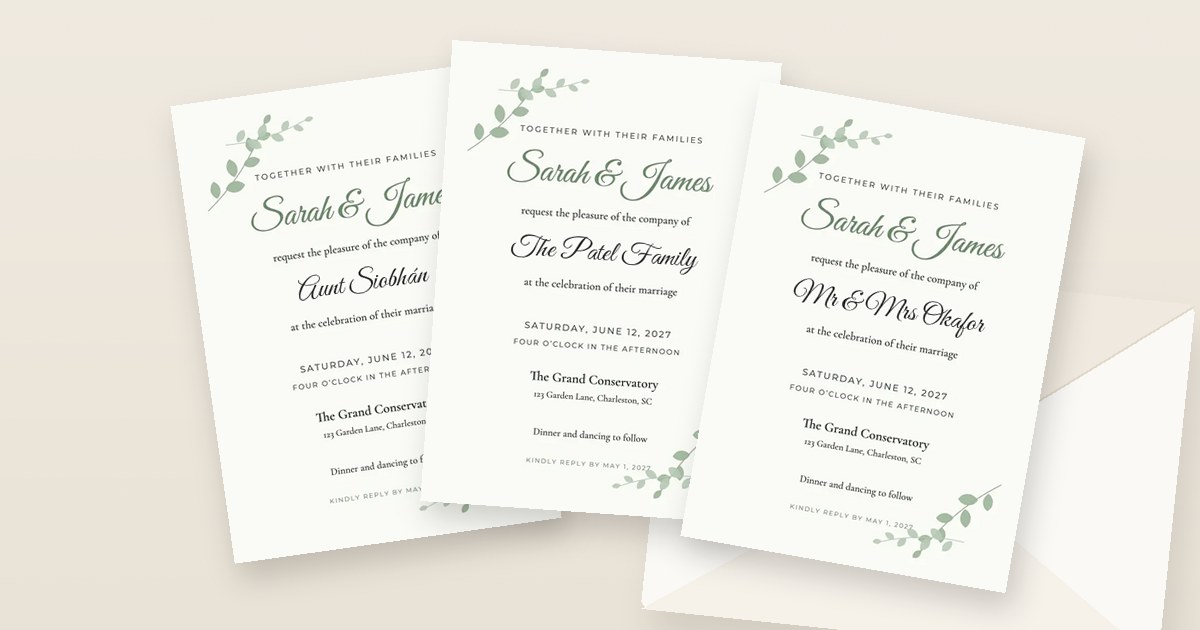
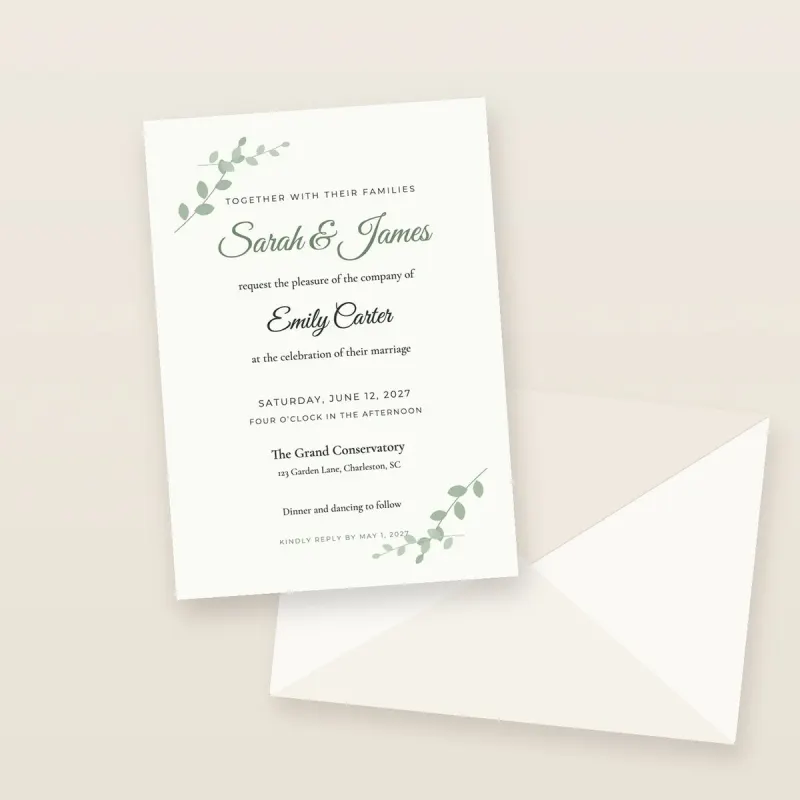 Wedding invitations are where paper quality matters most. Our most popular wedding card is **7×5″ premium matte**: a thick **324gsm recycled Mohawk card** with a soft, non-shiny finish that takes calligraphy fonts and watercolour florals beautifully, and comes with a **brown Kraft envelope**. Twenty of them cost **£62.65 delivered**, and fifty cost **£142.15**.
You can print the **back of the card** too, which is where many couples put the day's timings, a map, the dress code or an RSVP QR code. That saves the cost of separate insert cards.
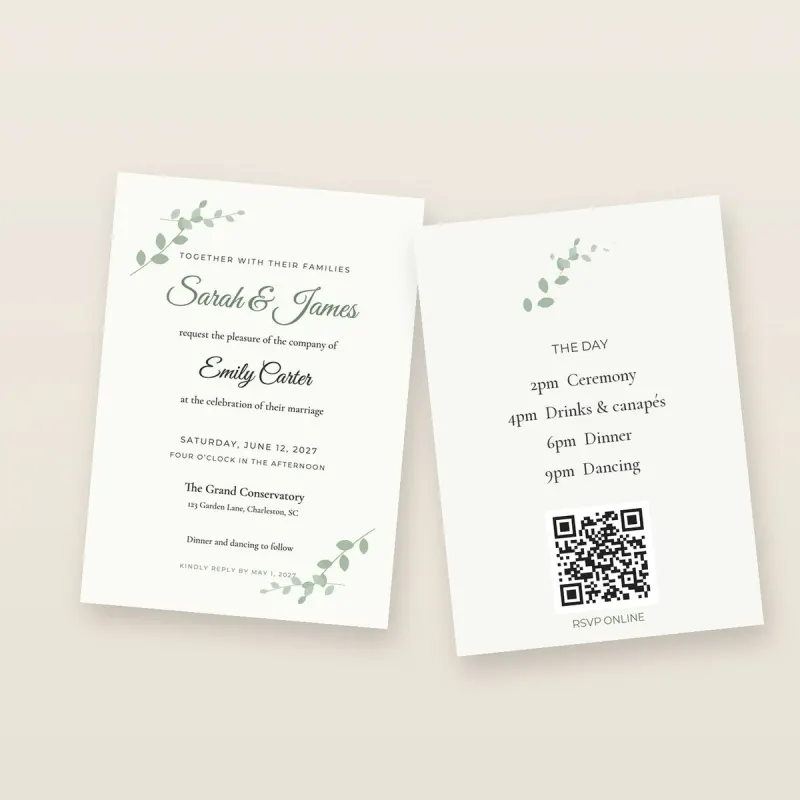 We also print **save the dates**, **evening invitations**, **RSVP cards**, **thank you cards** and **wedding welcome signs** (as A3 or A2 posters). See [wedding invitation printing](/print/wedding-invitations) for sizes and papers, and our guide on [what goes in a wedding invitation suite](/blog/wedding-invitation-suite).
### Birthday invitations, from kids' parties to 60ths
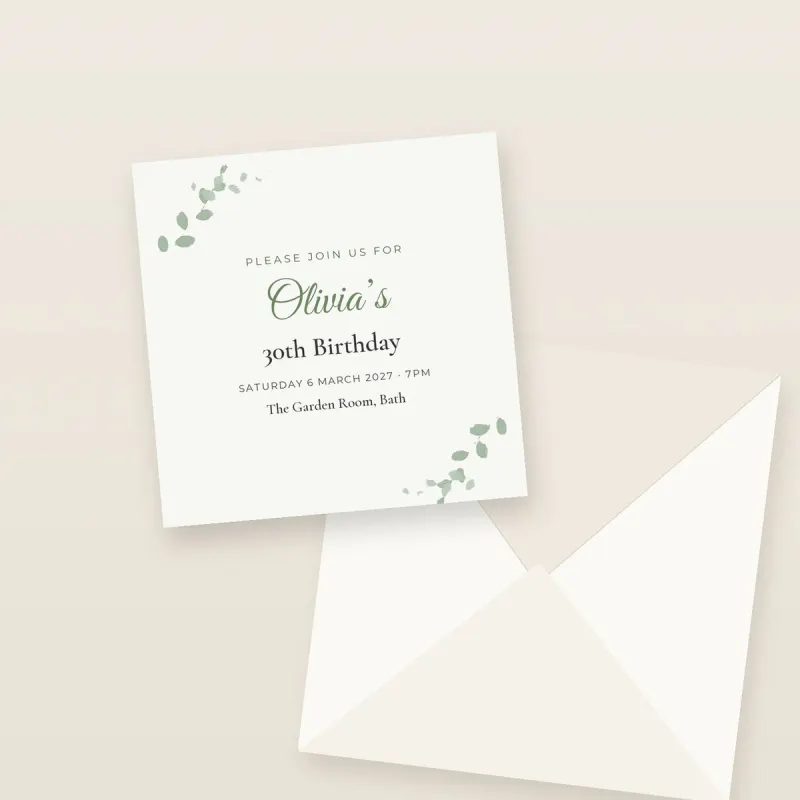 Birthday invitations are usually smaller orders, a class of 30, or 15 friends for a 40th, so no minimum order matters here. **6×4″ gloss** is bright, good value and easy for children to carry home in a book bag. **Square cards on thick 400gsm gloss** look more grown-up for 18ths, 21sts, 30ths, 50ths and 60ths. Twenty 6×4″ birthday cards with envelopes cost **£38.65 delivered**. See [birthday invitation cards](/print/birthday-invitations).
### Party invitations for every occasion
We print invitations for **engagement parties, baby showers, christenings and baptisms, graduations, anniversaries, Eid and Diwali parties, hen and stag dos, retirement parties, Christmas parties and office events**. Pick the card for the mood: matte for something elegant, gloss for bright colours and photos, square for something different. See [party invitation printing](/print/party-invitations).
### Personalised and photo invitations
Have a photo of the couple, the baby or the birthday girl on the invitation? Upload it as part of your design and we print it edge to edge. **Gloss** makes photos look their richest. Phone photos and AI images print sharp at invitation sizes, and the studio checks the resolution before you pay. Read [how to print a ChatGPT image or phone photo](/blog/how-to-print-a-chatgpt-image-or-phone-photo), or see [personalised invitations](/print/personalised-invitations).
### Canva, Etsy and DIY invitations
Most of our customers design in **Canva** or buy a template on **Etsy**. Download it from Canva as **PDF Print** (or the PDF the Etsy seller sends) and upload it. You don't need to add bleed or crop marks yourself: we show the trim line and fill to the edge. See [print Canva invitations](/print/canva-invitations) and [how to print from Canva](/blog/how-to-print-from-canva).
### Posters, welcome signs and seating charts
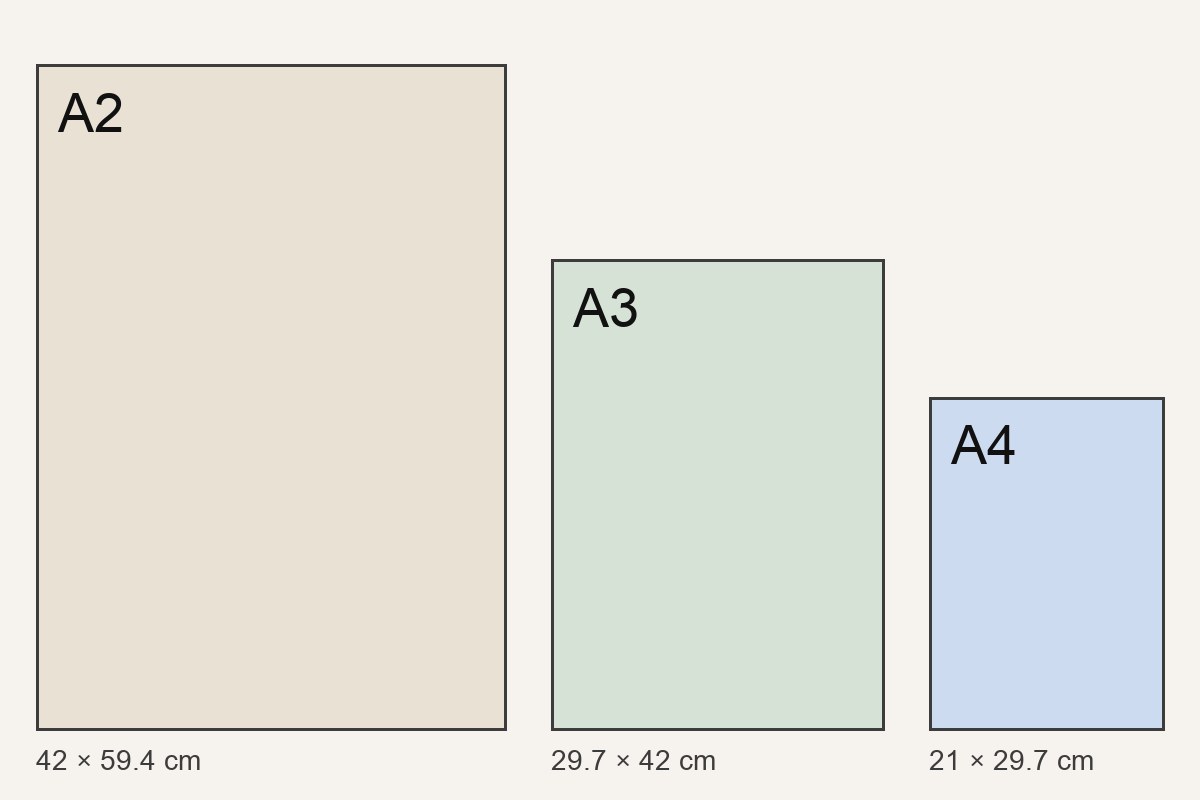 The same upload studio prints **A4, A3 and A2 posters** on silk 170gsm paper (and **11×17″ and 18×24″** for US orders), from 1 copy. People use them for **wedding welcome signs, seating plans, table plans, party menus and birthday banners**. One A3 print is £30.19 delivered. See [poster printing](/print/poster-printing).
## What sizes, papers and envelopes can I choose?
| Card | Size | Paper | Envelope | Good for |
|---|---|---|---|---|
| **7×5″ premium matte** | 127 × 178 mm | 324gsm recycled Mohawk matte | Brown Kraft, optional | Weddings, formal events |
| **7×5″ gloss** | 127 × 178 mm | 280gsm gloss | Optional | Photo invitations, bright party designs |
| **6×4″ matte or gloss** | 102 × 152 mm | 324gsm matte or 280gsm gloss | Optional | Kids' parties, save the dates, evening invitations |
| **Square** | 5.8 × 5.8″ | Thick 400gsm gloss | Included | Birthdays, engagement parties, christenings |
| **A4 / A3 / A2 poster** | 210 × 297 mm to 420 × 594 mm | Silk 170gsm | No | Welcome signs, seating plans, menus |
Every card can be printed on **one or both sides**. Not sure which size to pick? [Paper and poster sizes in the UK](/blog/paper-and-poster-sizes-uk) explains them all with real measurements.
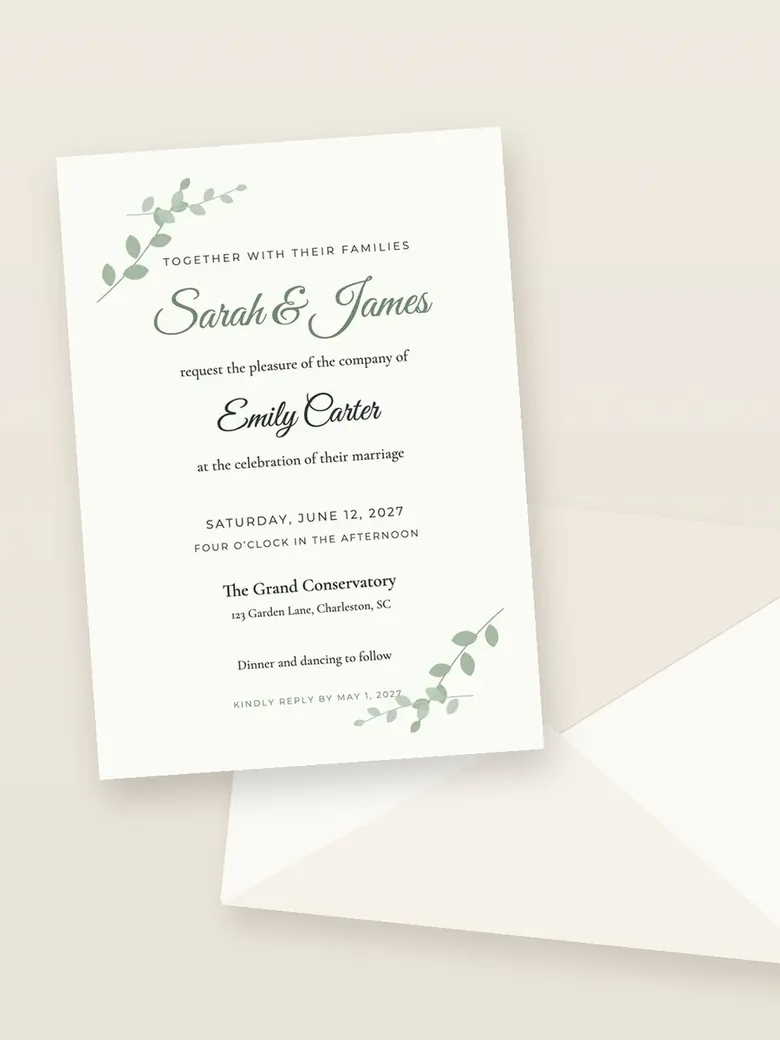 ## Where do you deliver printed invitations?
We print and deliver to the **United Kingdom, the United States, Canada and 13 EU countries**: Ireland, France, Germany, the Netherlands, Belgium, Luxembourg, Austria, Denmark, Sweden, Finland, Italy, Spain and Portugal. **EU orders are printed in the Netherlands** with VAT included and no customs charges. **US and Canadian orders** are printed in the UK and sent by courier; any import charges are collected on delivery. You see the delivery options and the full price for your country before you pay. See [international delivery](/print/international-delivery) and our [shipping page](/shipping).
## Why choose InviteBatch for invitation printing?
These are the reasons people pick us over a local print shop or a big online printer.
1. **From 1 card, no minimum.** Order one to check the colours, or exactly 37 for your guest list. No packs of 25 or 50 you don't need.
2. **You keep your own design.** Upload from Canva, Etsy, ChatGPT, Word or a designer. You don't have to rebuild it in our editor.
3. **The delivered price first.** Card, envelopes, delivery and VAT in one number before checkout.
4. **Premium card.** 324gsm recycled Mohawk matte, 280gsm gloss and 400gsm square cards, not thin flyer paper.
5. **A proof you can trust.** Your design on a real-size card with the trim line and safe area. The studio checks the resolution and warns you before you pay if an image will print soft.
6. **Fast.** Printed in 1–3 working days, with a tracked next-day courier option in the UK.
7. **Both sides at no hassle.** Put timings, a map or an RSVP QR code on the back instead of paying for separate inserts.
8. **UK, US, Canada and EU delivery** in your own currency.
9. **Easy payment.** Card, Apple Pay, Google Pay or PayPal, through Stripe and PayPal. We never see your card number.
10. **Real people.** Questions about a file or an order go to [support@invitebatch.com](mailto:support@invitebatch.com), and you can track every order online.
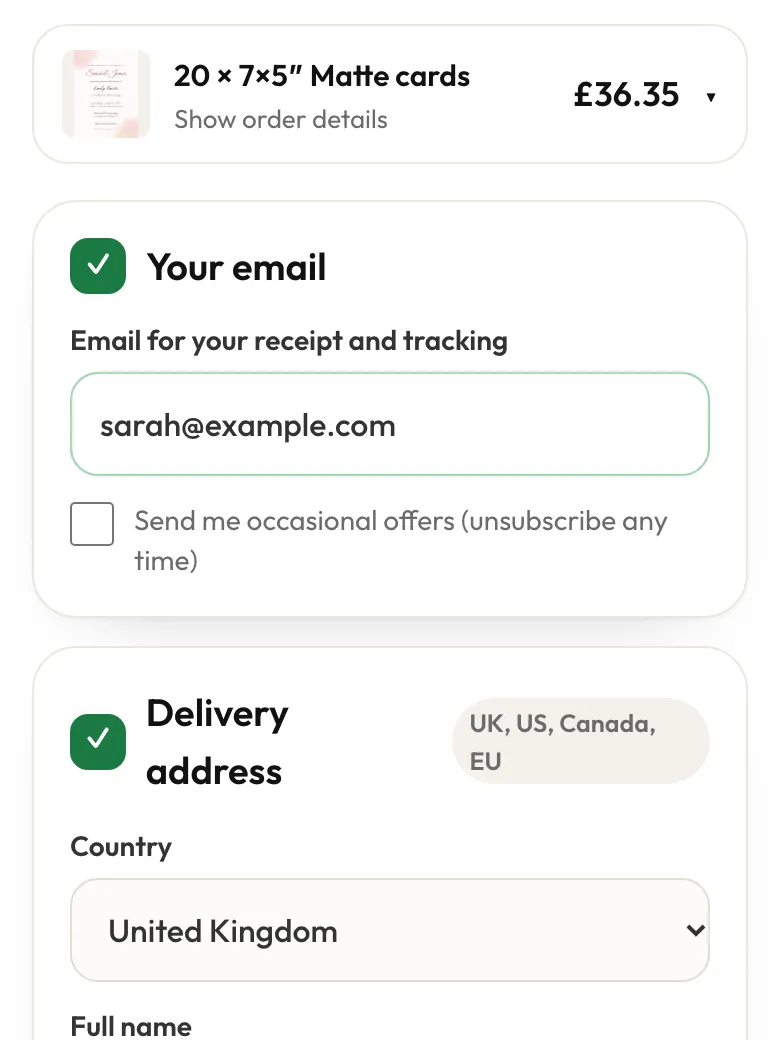 ## How do we compare with other ways to print invitations?
| Option | Minimum order | Speed | Price shown | Best for |
|---|---|---|---|---|
| **InviteBatch upload-and-print** | 1 card | 1–3 working days + post | Delivered, before you pay | Your own finished design, any quantity |
| **Local print shop** | Varies | Sometimes same day | Ask in store | Same-day jobs |
| **Large online printer** | Often 10–25+ | Several days + post | After many steps | Foil, letterpress, die-cut shapes |
| **Printing at home** | None | Today | Your ink and card | A handful of cards |
We're honest about our limits: we don't do **foil, letterpress, die-cut shapes or folded cards**. If you need those, a specialist stationer is the better choice. For a fuller comparison, read [where to get invitations printed](/blog/where-to-get-invitations-printed).
## Can each guest get an invitation with their own name?
Yes, with a different InviteBatch tool. The print service prints **one design on every card**. If you'd like every card to say "Dear Aunt Siobhán" or "Mr & Mrs Okafor", use [invitations with guest names](/wedding-invitations-with-guest-names): pick a design, paste your guest list, and you get a print-ready PDF for every guest.
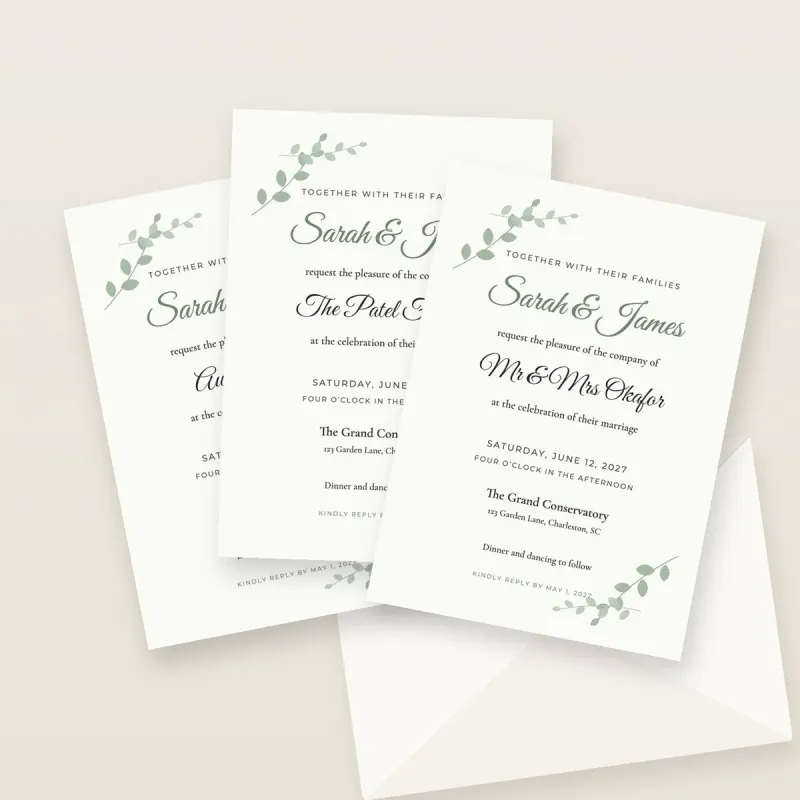 Prefer to send invitations by phone? Our [digital wedding invitations](/digital-wedding-invitations) send a personal link to each guest with online RSVP.
## How do I get my invitation file ready for printing?
- **Export as PDF** if you can. From Canva: Share → Download → **PDF Print**.
- **Keep text away from the edges.** About 2.5 mm is trimmed off each edge, so keep names and dates inside the safe area shown on the proof.
- **Match the shape.** Design a 7×5″ card as 5:7 portrait (or landscape), a square card as square. If the shape is slightly different, the studio fills the gap with your design's own edge colour.
- **Use big enough images.** For a 7×5″ card, 1500 × 2100 pixels is ideal and anything from about 1000 × 1400 still looks sharp in the hand.
- **Check spellings twice.** We print exactly what you upload.
## Ready to print your invitations?
Upload your design, see the delivered price, and we'll print and post it. Weddings, birthdays, christenings, Eid, hen dos, office parties: from 1 card.
[Upload your invitation and see the price](/print)
**What is invitation printing?**
Invitation printing means turning a finished invitation design (from Canva, Etsy, ChatGPT, Word or a designer) into real cards. At InviteBatch you upload a PDF, PNG or JPG, choose the size, card and envelopes, check a proof, and we print the invitations and post them to you, from 1 card up to 300.
**What kinds of invitations can you print?**
Any invitation you have a design for: weddings, save the dates, birthdays (kids' parties to 18ths, 30ths, 40ths and 60ths), engagement parties, baby showers, christenings, graduations, anniversaries, Eid and Diwali parties, hen and stag dos, and office events. We also print A4, A3 and A2 posters and welcome signs.
**How much does it cost to print 20 invitations?**
At InviteBatch, 20 square invitations with envelopes cost £27.10, 20 6×4″ gloss cards with envelopes cost £38.65 and 20 7×5″ premium matte cards with envelopes cost £62.65. These are delivered UK totals with VAT included. You see the exact total before you pay.
**Can I print just one invitation?**
Yes. There is no minimum order. You can order 1 card to check the paper and colours, or any number up to 300 in one order. One 6×4″ card is £8.94 delivered in the UK.
**How long does invitation printing take?**
Most orders are printed in 1–3 working days. Then it goes out with the delivery you choose at checkout: economy or standard Royal Mail post, a tracked courier, or a tracked next-day courier (£32.90) in the UK.
**Which card size is best for wedding invitations?**
7×5″ is the classic wedding size in the UK and US and fits standard envelopes. Our 7×5″ premium matte card is a thick 324gsm recycled Mohawk card with a brown Kraft envelope. Square cards feel more modern, and 6×4″ is the budget choice that suits save the dates and evening invitations.
**Do you deliver outside the UK?**
Yes. We print and deliver invitations to the UK, the US, Canada, Ireland and other EU countries including France, Germany, Spain, Italy and the Netherlands (13 EU countries in all). The delivery price for your country is shown before you pay.
**Can each invitation have a different guest name?**
Our print service prints one design on every card. If you want each guest's name on their own card, use our invitations with guest names tool: you paste your guest list and get a print-ready PDF for every guest, which you can print at home or at a print shop.
---
## How to print a ChatGPT image or a photo from your iPhone or Samsung (cards, invitations and posters)
Guide: https://invitebatch.com/blog/how-to-print-a-chatgpt-image-or-phone-photo
**The short answer:** save the image as a file (don't screenshot it), upload it to a printer, and pick a size that suits it. **A ChatGPT image (usually 1024×1536 px) prints sharp on 6×4″ and 7×5″ cards** but is too small for A4 posters. **A normal iPhone or Samsung photo prints sharp up to A3.** At InviteBatch you upload the file from your phone, see it on a real-size card with the trim line and a quality check, and we print and post it from 1 copy: **20 × 7×5″ invitations with envelopes are £62.65 delivered** in the UK.