New · $9 for the whole suite
Passport Wedding Invitations
Type your names, date and destination. The studio builds the whole travel-themed suite: a passport cover, a data page invitation with your photo, an itinerary with stamps, a boarding pass, a save the date and an RSVP card.
- Whole suite, one price
- No Canva needed
- Letter, A4 + print-shop PDF
Live preview · the watermark is removed in your files
6 printed pieces + share images
$9 once, print unlimited
What’s included?
- Passport cover (5×7, folds)
- Data page invitation
- Itinerary + stamps page
- Boarding pass (8×3.5)
- Save the date ticket
- RSVP card (5×2.5)
- Share images for phone
- Letter + A4 + print-shop PDF
Which style suits your trip?
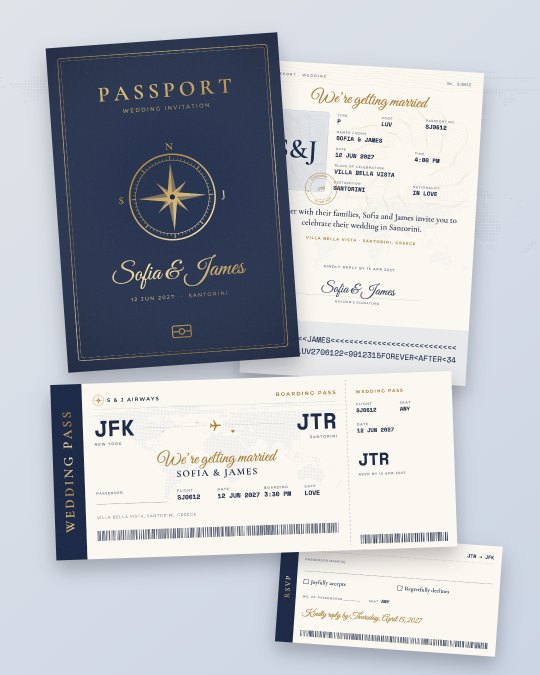
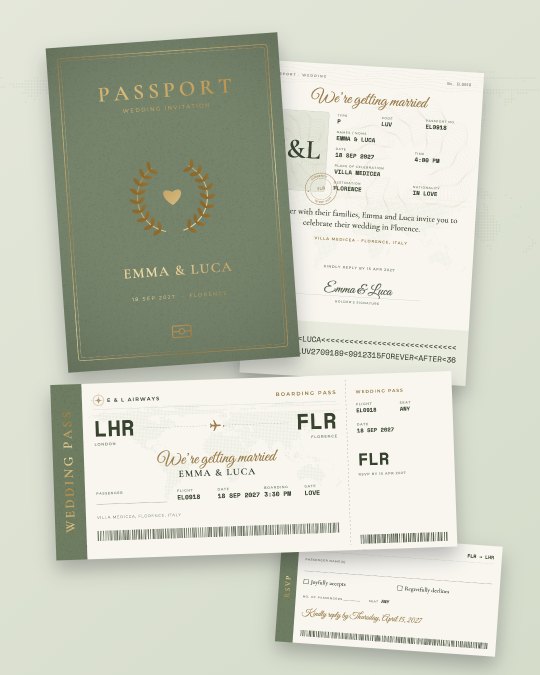
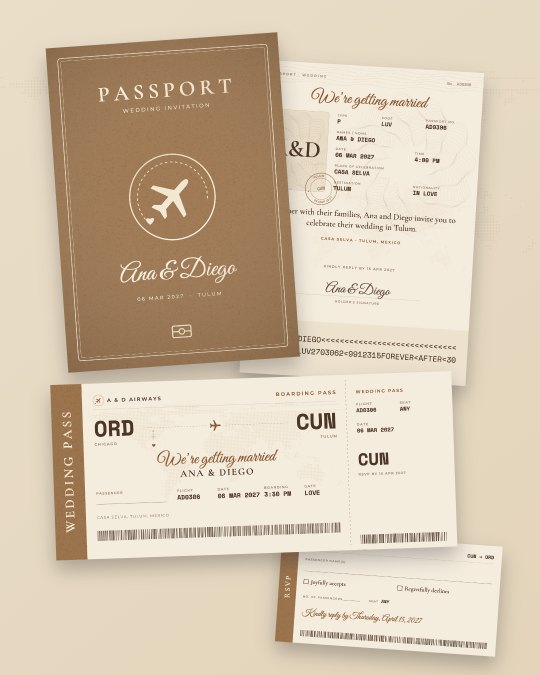
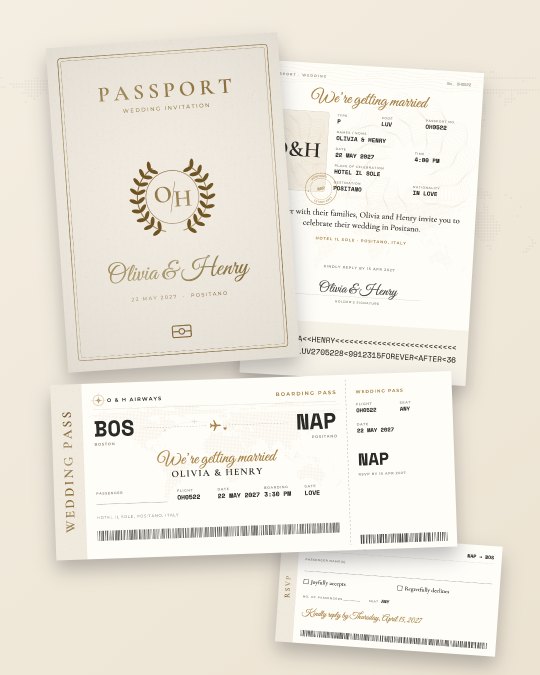
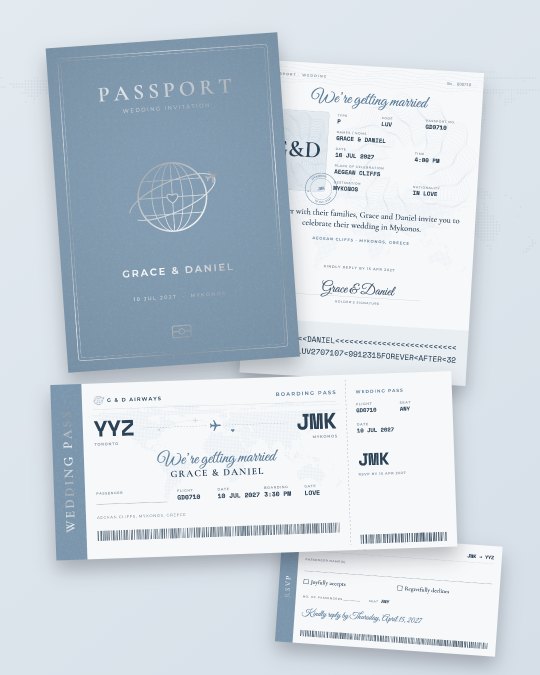
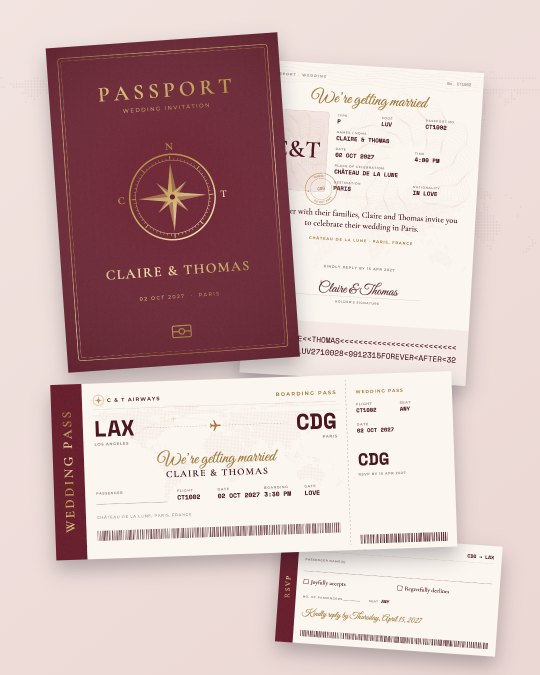
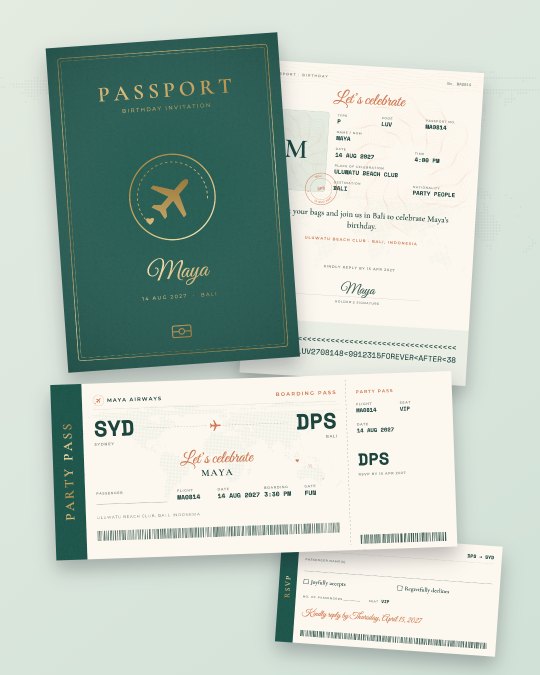
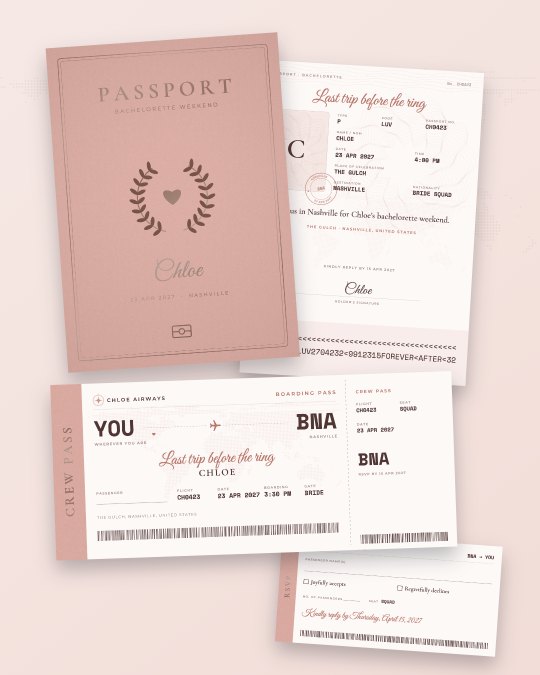
Real suites made in this studio. Tap one to start from its look.
How do I make one?
Step 1
Type the basics
Your names, the date and the destination. Pick where most guests fly from, or none.
Step 2
Watch it fill in
Airport codes, flight number, boarding time, stamps, the route map and the machine-readable passport line appear by themselves.
Step 3
Choose the words
Pick a wording (classic, adventure, formal or fun), add your RSVP date, an optional QR link and your weekend itinerary.
Step 4
Make it yours
Ten color styles, five cover emblems, three letterings, your own colors and your photo on the passport page.
Step 5
Download and print
Pay once. Print at home on cardstock or upload the print-shop file. Send the images by WhatsApp or email.
What sizes are the pieces?
Every download has all 6 printed pieces plus share images, sized for standard envelopes and home printers:
| Piece | Size |
|---|---|
| Passport cover | 5 × 7 in, folds from a 10 × 7 in sheet |
| Passport data page | 4.875 × 6.75 in, the invitation |
| Itinerary + stamps page | 4.875 × 6.75 in |
| Boarding pass | 8 × 3.5 in, fits a #10 or DL envelope |
| Save the date ticket | 8 × 3.5 in |
| Boarding pass RSVP | 5 × 2.5 in, tucks into the passport |
What is in a passport wedding invitation suite?
A passport cover that folds to 5 × 7 inches, with a foil-look emblem and your names. Inside, the data page is the invitation: your photo, names, date, time, venue and destination laid out like a real passport page, with a signature line and the two-line machine-readable code at the bottom. The facing page has your weekend itinerary, a route map from home to the destination and passport stamps.
With it: an 8 × 3.5 inch boarding pass (the RSVP or the main invitation), a save the date ticket and a 5 × 2.5 inch RSVP card that tucks into the passport.
Why is ours different from a Canva template?
Template shops sell a file you edit yourself, usually on a computer: you type every field, draw your own stamps and invent a flight number. Here the details are generated from what you type. The airport codes come from the nearest airport with scheduled flights, the flight number from your initials and date, boarding time from your start time, and the passport line follows the real ICAO 9303 format with correct check digits, the detail guests love to decode.
Every design element is our own: compass, plane, globe, laurel and monogram emblems. We never copy a country’s real passport crest.
When should I send destination wedding invitations?
Most planners suggest save the dates 8 to 12 months ahead for a destination wedding, so guests can book flights and leave, and the invitation itself about 3 months before, with an RSVP date 4 to 8 weeks before the wedding to give the venue final numbers. For international guests, add a few weeks.
How do I print and assemble the passport?
Print sheet 1 (the cover) on 250–300 gsm cardstock and the inside pages on 120–170 gsm paper, at 100% / actual size. Cut on the crop marks, fold the cover on the dashed fold marks, then glue the data page on the right and the itinerary on the left, or staple both in the fold. A print shop can use the separate file with 1/8″ (3 mm) bleed, trimmed to size.
Passport invitation questions
Can I add our photo?
Yes, on the passport data page, in color, black and white or a duotone in your style’s colors. No photo? The page shows your initials in a passport-style frame.
What if guests come from different countries?
Tap “None” for the departure city. The boarding pass then reads “YOU” → your destination airport, and the itinerary page shows your destination on the world map.
What do I get for the price?
One $9 payment gets the whole matching suite: passport cover, data page invitation, itinerary and stamps page, boarding pass, save the date ticket and RSVP card. You get a print-at-home PDF (US Letter and A4), a print-shop PDF with 1/8″ bleed, and images for WhatsApp, email and Instagram. Print as many copies as you need.
Do I need Canva or a computer?
No. Everything happens in this page, on a phone or a computer. Type your names, date and destination and the rest is filled in for you: airport codes, flight number, boarding time, passport stamps and the route map.
Is there a watermark?
Only on the live preview. The files you download after paying have no watermark and no logo.
Can every guest’s name be printed on their own boarding pass?
The suite has a “Passenger” line for writing names by hand. To print each guest’s name and give everyone their own RSVP QR code, use our personalized invitations plan, which adds names from your guest list in one go.
What if there is a typo after I pay?
Write to us with your order number and we fix it free. Not happy at all? Full refund within 7 days.
More for your trip
- Boarding pass wedding invitationsA real-looking ticket with your flight and RSVP QR.
- Boarding pass party invitationsBirthdays, bachelorette weekends and cruises.
- Free wedding map makerA venue map card for your guests, free.
- Every guest’s name printedPersonalized invitations from your guest list, with RSVP tracking.
Updated · Airport data: OurAirports (public domain) · World map: Natural Earth (public domain) · Place search © OpenStreetMap contributors