PDF Not Opening? Open It Here
The short answer: most PDFs that will not open were not fully downloaded, so download it again (on Wi-Fi) and open it from your Files or Downloads folder. If that fails, set a different app to open PDFs, or open it in your browser here to see in seconds whether the file itself is damaged.
InviteBatch is a UK print company: we can also print your PDF as cards or posters and post them to the UK, USA, Canada and the EU.
or drop it here · up to 100 MB · it opens on your device, not uploaded
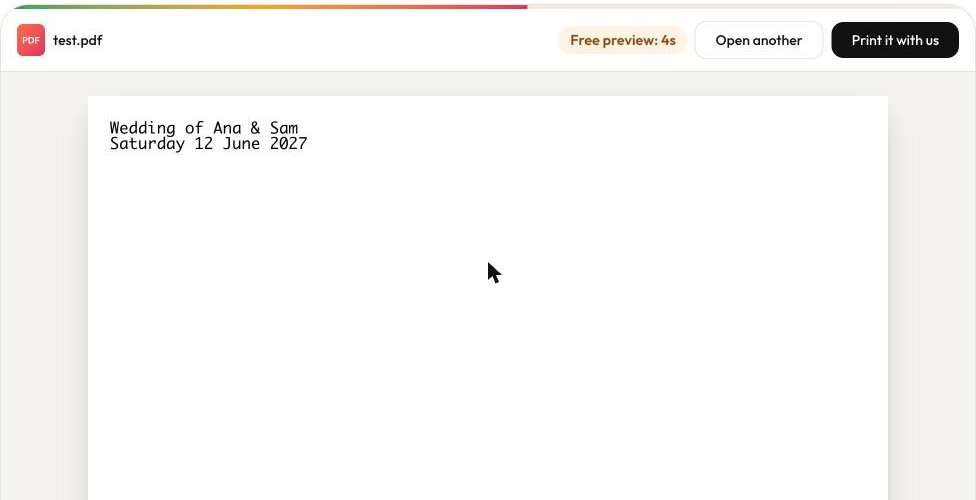
⏱ Free 7-second previewThen £1.59 for 24 hoursDamaged or locked? Nothing to pay
How to open a PDF that won't open
- 1Choose your PDFTap Open a PDF, or drop the file on the box. It opens in your browser and is not uploaded to view it.
- 2See it for freeThe first pages show for 7 seconds, free. If the file is damaged or locked we tell you why, and nothing is charged.
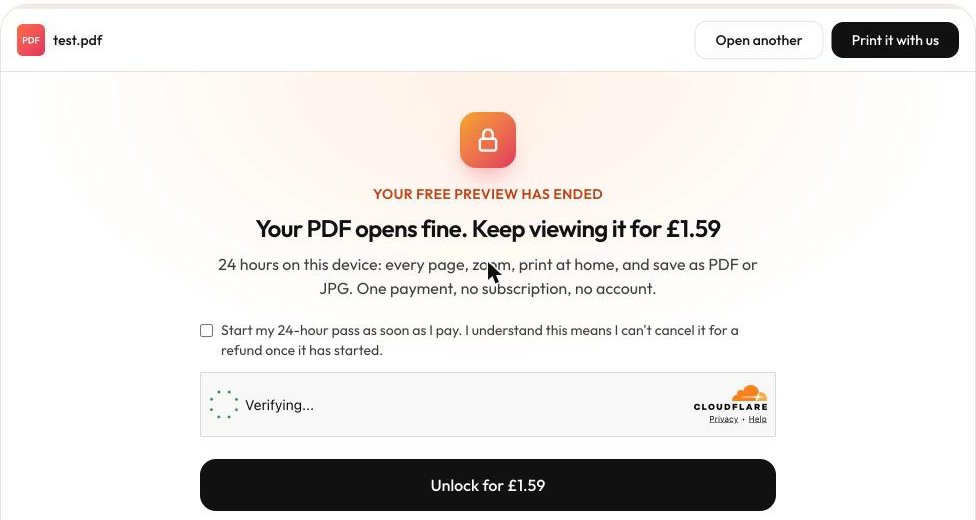
- 3Keep viewing, print or saveUnlock it for £1.59: every page, zoom, print at home and save as PDF or JPG on this device for 24 hours. Or have it printed and posted by us.
Why your PDF is not opening
- The download stopped early, so the file is cut short (most common on phones and WhatsApp).
- The file is named .pdf but is not one: an expired link or a web page saved by mistake.
- No PDF app is set as the default, or the default app is broken or out of date.
- The PDF is password protected or uses a feature your viewer does not support.
- The browser is set to download PDFs instead of showing them, or an extension blocks them.
- A phone or computer update changed which app opens PDFs.
Free fixes by device
PDF not opening on iPhone or iPad
- Tap the attachment and wait for the download circle to finish before opening it. On mobile data large PDFs often stop halfway.
- Tap Share, then Save to Files, and open it from the Files app. Files has its own PDF viewer.
- If it shows a blank page or greyed-out icon, delete it and download it again on Wi-Fi.
- Update iOS (Settings, General, Software Update). If PDFs from Mail or WhatsApp stopped opening right after an update, Share, then Save to Files works until the next fix.
PDF not opening on Android
- Open the Files (or My Files) app, find the PDF in Downloads and tap it.
- If Android asks which app to use, choose Google Drive PDF Viewer or Adobe Acrobat. If nothing is offered, install one of them.
- If the wrong app opens it, go to Settings, Apps, that app, Open by default, Clear defaults.
- Check the file size in Files. 0 KB, or far smaller than expected, means the download failed: get it again.
PDF not opening in WhatsApp
- Wait for the download arrow on the document to finish, then tap it again.
- Check you have free storage. WhatsApp stops downloads silently when the phone is full.
- On iPhone tap the document, then Share, then Save to Files. On Android open it from Files, in the WhatsApp Documents folder.
- If it still fails, ask the sender to send it again as a document (not as a photo or a link).
PDF not opening in Chrome or Edge
- In Chrome go to Settings, Privacy and security, Site settings, Additional content settings, PDF documents, and choose "Open PDFs in Chrome".
- Try a private (incognito) window. If it opens there, an extension is blocking it: turn extensions off one by one.
- Clear cached images and files, then reload the link.
- Right-click the link, choose Save link as, then open the saved file.
PDF attachment not opening in Outlook or Gmail
- Save the attachment to your device first, then open it from there instead of the preview pane.
- In Outlook, if the preview says it cannot show the file, open it in Acrobat Reader or your browser.
- If the attachment is 0 KB or tiny, it was cut off when sent: ask the sender to send it again or share a link.
PDF not opening on Windows 10, Windows 11 or Mac
- Right-click the PDF, choose Open with, and pick Edge, Chrome, Preview (Mac) or Adobe Acrobat Reader.
- To reset which app opens PDFs on Windows: Settings, Apps, Default apps, type .pdf, and choose the app. On a Mac: select the PDF, press Cmd + I (Get Info), choose the app under Open with, then Change All.
- In Acrobat Reader use Help, Check for updates, then Help, Repair installation (Windows).
- If Acrobat opens but shows an error, try turning off Protected Mode in its Preferences, Security (Enhanced).
- If another PDF opens fine, this file is damaged: download it again or ask for a new copy.
Still stuck? Open it in the viewer above: in a few seconds you'll know if the file itself is damaged, so you can ask the sender for a new copy.
What printing customers' PDFs has taught us
We print the PDFs our customers upload, so we see where they go wrong after they leave the screen.
Some PDFs open on screen but fail at the printer
In November 2026 our print lab rejected two paid InviteBatch orders because of the PDF files themselves. Since then we turn every PDF page into a high-resolution JPG before it is printed, so a PDF that opens on your screen prints the same way.
One page, one card
Many people send a single PDF with one invitation per guest. Our print studio prints each page as its own card, so a 40-page PDF becomes 40 personalised cards.
Printed in 1–3 working days
Cards and posters from your PDF are printed in 1–3 working days and posted to you: tracked next-day courier is an option in the UK, and we deliver to the USA, Canada and the EU too.
🔒 Your files, your privacy
What happens to the file you upload?
A PDF can hold invitations, contracts or medical letters, so it is private. Here is exactly where yours goes. Every rule is in our privacy policy.
Viewing stays on your device
The PDF opens inside your own browser. To view it, it is not sent to our servers or anyone else.
Only the page count if you pay
A pass keeps the number of pages and the file size with your order. Never the file, its name or what is in it.
Kept briefly for the payment page
While you pay, a copy waits in this browser so it can reopen unlocked. It is removed when it reopens and never used after 6 hours.
Uploaded only if you choose printing
If you tap Print it with us, the print studio uploads the file to private storage to print it. Unpaid uploads are deleted automatically after 5 hours.
Never for AI training or marketing
Files are used only to show or print your order, and print files are shared only with the print lab.
No account, no sign-up
The pass works on the device you paid on. There is nothing to log in to and no password to keep.
Print a PDF file online
Got an invitation, card or poster as a PDF and no printer? Upload the PDF to our print studio, pick the size and how many, and we print it on thick card or poster paper and post it to you in the UK, USA, Canada or the EU. A PDF with several pages can become one card per page, for example one per guest. You see the delivered price before you pay.
- Print invitations and cards from a PDF7×5 in (127×178 mm), 6×4 in (102×152 mm), square and more, with envelopes.
- Print a poster from a PDFA4 up to A0, posted in a tube.
- Need it fast?Printed in 1–3 working days, tracked next-day courier in the UK.
- Where to print files in the UKDelivery or collection, compared.
We print cards and posters. We don't print and bind multi-page documents or books.
PDF questions
How do I reset PDF opening settings?
On Windows open Settings, Apps, Default apps, type .pdf and pick the app you want. On a Mac select any PDF, press Cmd + I, choose the app under Open with and click Change All. In Chrome go to Settings, Privacy and security, Site settings, PDF documents and choose to open PDFs in Chrome. On Android go to Settings, Apps, the app that opens PDFs now, Open by default, Clear defaults.
Why can't I open PDFs in Chrome anymore?
Usually Chrome was switched to download PDFs instead of showing them, or an extension (often a PDF or ad-blocking one) is getting in the way. Set PDF documents back to open in Chrome in Site settings, then try a private window to see if an extension is the cause.
Why is my PDF not opening?
Most often the download stopped early, so the file is incomplete. Other causes: the file is not really a PDF (an expired link or saved web page), there is no PDF app set as the default, the PDF is password protected, or the browser is set to download PDFs instead of showing them. The fixes for each device are on this page.
Is this PDF viewer free?
The preview is free for 7 seconds, so you can check the file is fine. To keep viewing it costs £1.59 for 24 hours on this device, with printing at home and saving as PDF or JPG included. If your file is damaged or password protected we say so and nothing is charged. The fixes on this page are free and often solve it without us.
Is my PDF uploaded to your server?
Not to view it. The PDF opens inside your browser on your device. Only the number of pages and the file size are kept if you buy a pass. If you choose to have it printed, the print studio uploads it to print your order, and unpaid uploads are deleted automatically after 5 hours.
Can you open a damaged or corrupted PDF?
If a PDF is only slightly damaged our viewer often still opens it. If it is cut short or empty, no viewer can show the missing part: download it again, ideally on Wi-Fi, or ask the sender to resend it.
Can you open a password-protected PDF?
No. We do not remove passwords. Ask the sender for the password or for an unlocked copy.
Can I print a PDF file online with you?
Yes, for cards, invitations and posters. Upload the PDF, choose the size and how many, and we print it and post it to the UK, USA, Canada and 13 EU countries, with the full price shown before you pay. A PDF with several pages can become one card per page. We do not print and bind multi-page documents or books.
What does the pass include?
24 hours on the device you paid on: every page of any PDF you open, zoom, print at home, and save the PDF or each page as a JPG. It is a one-off payment, not a subscription.
Updated · PDF rendering by Mozilla pdf.js · Adobe, Acrobat, Chrome, WhatsApp and iPhone are trademarks of their owners; InviteBatch is not affiliated with them.