InviteBatch team
In this guide
- 1Which sizes will my file print sharp at?
- 2How to print an invitation you made in ChatGPT
- 3How to print a photo from your iPhone
- 4How to print a photo from a Samsung or other Android phone
- 5Printing a poster from your phone
- 6What it costs to print (delivered in the UK)
- 7Common problems (and quick fixes)
- 8Quick checklist before you order
The short answer: save the image as a file (don't screenshot it), upload it to a printer, and pick a size that suits it. A ChatGPT image (usually 1024×1536 px) prints sharp on 6×4″ and 7×5″ cards but is too small for A4 posters. A normal iPhone or Samsung photo prints sharp up to A3. At InviteBatch you upload the file from your phone, see it on a real-size card with the trim line and a quality check, and we print and post it from 1 copy: 20 × 7×5″ invitations with envelopes are £62.65 delivered in the UK.
Print your ChatGPT design or phone photo
Upload a PNG, JPG or PDF straight from your phone. You see it on a real-size card, we tell you if it's sharp enough, and you see the delivered price before you pay. From 1 copy.
Upload your design →Wedding invitationsWhich sizes will my file print sharp at?
Print sharpness depends on how many pixels your file has for each inch of paper (dpi). Around 300 dpi is perfect, 180–250 dpi looks sharp on a card in your hand, and under about 150 dpi starts to look soft. These are the numbers our quality check shows for common files:
| Your file | 6×4″ card | 7×5″ card | 5.8″ square card | A4 print | A3 poster |
|---|---|---|---|---|---|
| ChatGPT image, portrait (1024×1536) | ✓ sharp (~245 dpi) | ✓ sharp (~200 dpi) | ✓ fine (~175 dpi) | ✗ soft (~120 dpi) | ✗ too small |
| Photo sent on WhatsApp (about 1200×1600) | ✓ sharp | ✓ sharp | ✓ sharp | ✗ soft | ✗ too small |
| iPhone or Samsung photo (12 MP, 3024×4032) | ✓ perfect | ✓ perfect | ✓ perfect | ✓ perfect | ✓ sharp (~245 dpi) |
| iPhone screenshot (1179×2556) | ✓ sharp | ✓ sharp | ✓ sharp | ✗ soft | ✗ too small |
What this means: ChatGPT invitations are made for cards, not posters. Phone photos are good for almost anything up to A3 (and A2 if it's the original from the camera, not a copy).
When you upload to InviteBatch, the check under your design says it in plain words, for example "197 dpi, prints sharp at this size", and it only warns you when a file really is too small for the size you picked.
How to print an invitation you made in ChatGPT
1. Get the design right in ChatGPT first
- Ask for a tall portrait image for a 6×4″ or 7×5″ card, or a square image for a square card.
- Check every word. AI images sometimes misspell names, swap letters or invent dates. Read the names, the date, the time and the venue out loud before you order. Ask ChatGPT to fix any mistake, or regenerate.
- Keep text away from the edges. About 3 mm is trimmed off every side when cards are cut. Ask for "a wide plain border" or "keep all text in the centre".
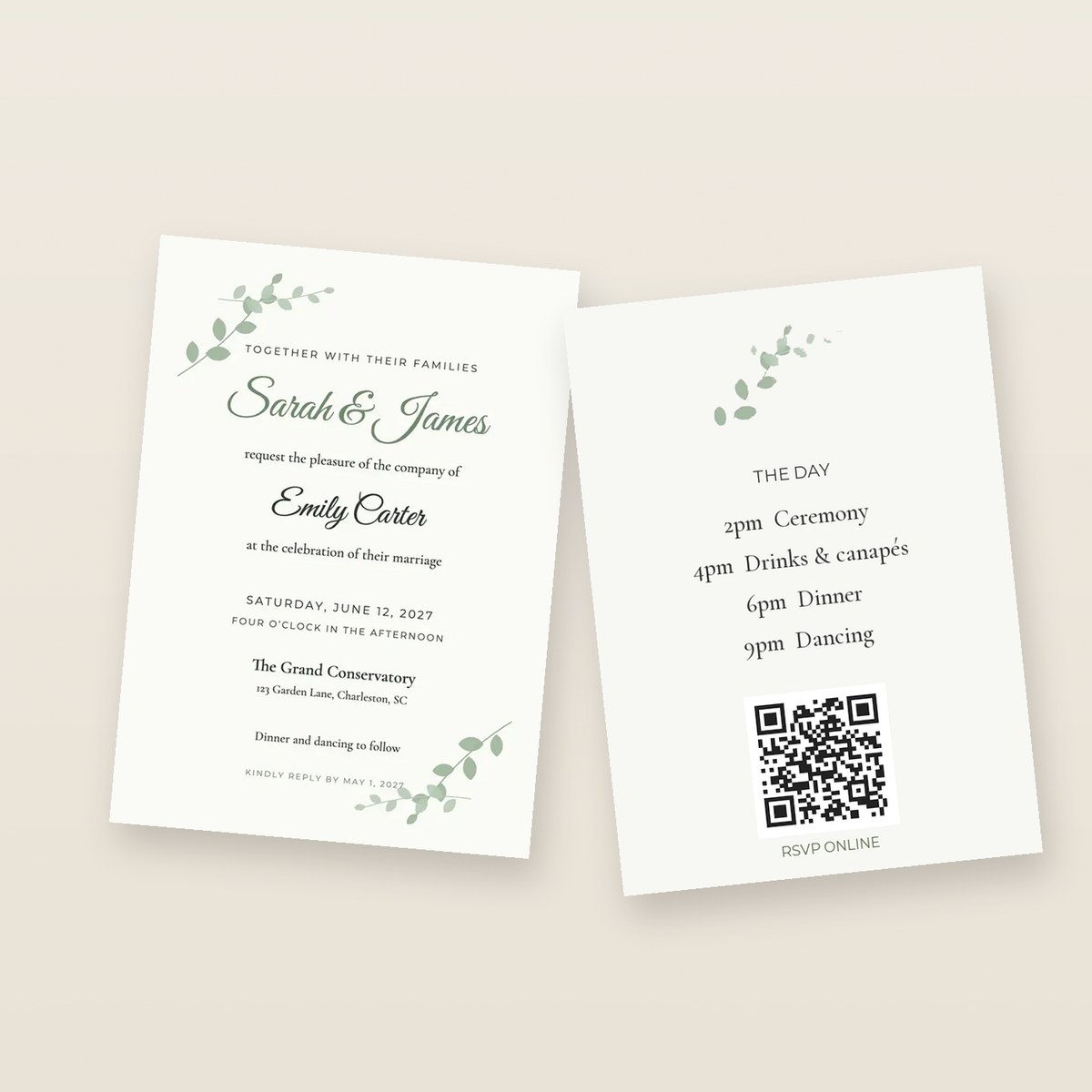
- If your invitation has a back (RSVP details, a map, a QR code), make it as a second image.
2. Save the full image, not a screenshot
- On a phone: tap the image to open it, then tap the download / save button. On iPhone it goes into Photos.
- On a computer: hover over the image and click the download button. It saves as a PNG.
A screenshot works, but it's a different shape (tall and thin), it can include the clock and battery bar, and you'd have to crop it. The saved file is cleaner and has more detail.
3. Upload it and choose the size
- Open print your ChatGPT invitation on the same phone or computer.
- Tap Upload your design and choose the image.
- It appears on a real-size card with the trim line and safe area, so you can see exactly what gets cut.
- Type how many you need, choose the card (6×4″, 7×5″ or square) and envelopes, and pay.
We print in 1–3 working days and post to the UK, the US, Canada or 13 EU countries, by economy post, tracked delivery or a next-day courier (£32.90 in the UK).
What about the shape?
A ChatGPT image is a 2:3 shape. A 7×5″ card is 5:7, which is very close but not the same. You have two choices on the upload page:
- Whole design (the default when the shape is different): nothing is cut off. The thin gap at the sides is filled with the colours of your design's own edge, so a lilac background stays lilac to the edge of the card instead of getting white strips.
- Fill to edge: the design fills the whole card and a sliver is trimmed from the top and bottom. Fine if your text isn't near the edge.
How to print a photo from your iPhone
- Open the print page in Safari.
- Tap Upload your design, then Photo Library, and choose the photo.
- That's it. iPhones save photos as HEIC, but Safari sends them as a JPG automatically, so you don't need to convert anything.
Tips for iPhone photos:
- Use the original photo, not one you received on WhatsApp or Messenger. Those apps shrink photos (to about 1600 px), which is fine for cards but too small for posters.
- If the photo is in iCloud and shows a loading circle, wait for it to download before you choose it.
- Edited a photo in the Photos app (crop, filter)? The edited version is what uploads.
- Designed your invitation in Canva on your phone? Download it as PDF Print and upload that instead. See how to print from Canva.
How to print a photo from a Samsung or other Android phone
- Open the print page in Chrome or Samsung Internet.
- Tap Upload your design and choose the photo from Gallery or Files.
Samsung cameras save JPG by default, which uploads straight away. If a photo won't open:
- Your camera may be set to High efficiency pictures (HEIF). Turn it off in Camera → Settings → Advanced picture options, or open the photo in Gallery, tap Share and save it as a JPG first.
- Pictures from WhatsApp are in Gallery → Albums → WhatsApp Images, but they're shrunk, so use them for cards rather than posters.
Printing a poster from your phone
For posters, the original camera photo is what you want:
| Poster | Original phone photo (12 MP) | ChatGPT image |
|---|---|---|
| A4 | ✓ perfect | ✗ soft |
| A3 | ✓ sharp | ✗ too small |
| A2 | ✓ good from arm's length | ✗ too small |
One A4 print is £23.19 and one A3 poster is £30.19, delivered in the UK. Paper sizes in cm, mm and pixels are in our paper and poster sizes guide.
What it costs to print (delivered in the UK)
| What | Delivered price |
|---|---|
| 1 × 6×4″ card | £8.94 |
| 20 square invitations with envelopes | £27.10 |
| 20 × 7×5″ invitations with envelopes | £62.65 |
| 50 × 7×5″ invitations with envelopes | £142.15 |
| 1 A4 print | £23.19 |
| 1 A3 poster | £30.19 |
Prices include VAT and the cheapest UK delivery. Outside the UK you see your exact price in your currency at checkout. Not sure how many to order? Use our invitation calculator method.
Common problems (and quick fixes)
- "It says my file is too small." You picked a size bigger than the file can fill. Choose a smaller card, or use the original photo instead of a copy from a chat app. ChatGPT can't make its images bigger, so for an A4 or larger poster use an image upscaler first or make the design in Canva at full size.
- "The text near the edge will be cut off." Move the text in (ask ChatGPT to regenerate with a wider border), or choose Whole design so nothing is trimmed.
- "My photo is sideways." Rotate it in your Photos or Gallery app first, then upload it again.
- "I want to finish on my computer." On the upload step, use Email me my design and price: we send you your price and a link back to your order.
- "Can I check it before it prints?" Yes. The live preview is your proof: the trim line, the safe area and the quality check are all on screen before you pay, and if a card arrives damaged or misprinted we reprint it free.
Quick checklist before you order
- Names, date, time and venue spelled correctly (read them out loud).
- Text at least 3 mm inside the edge.
- Saved image or original photo, not a screenshot or chat-app copy.
- Size matches the file (cards for ChatGPT images, posters for original photos).
- Order a few spare, plus one to keep.
Ready? Print your ChatGPT invitation: upload it and see it on a real card in a few seconds.
For everything we print in one place, with sizes, papers and delivered prices, see invitation printing for parties, weddings and more.