InviteBatch team
In this guide
- 1What is a 5x7 invitation, and why is it the standard size?
- 2What do you need to make your own 5x7 invitations?
- 3How do you design and customize a 5x7 invitation online?
- 4What files do you get, and which one should you print?
- 5How do you print 5x7 invitations?
- 6How do you make your own 5x7 invitation from scratch?
- 7What paper is best for 5x7 invitations?
- 8What envelope do you need for a 5x7 invitation?
- 9When should you send 5x7 invitations?
- 10What does InviteBatch include with 5x7 custom invitations?
- 11Should you print 5x7 invitations or send digital ones?
- 12What are the most common 5x7 invitation mistakes?
- 13Make your 5x7 invitations now
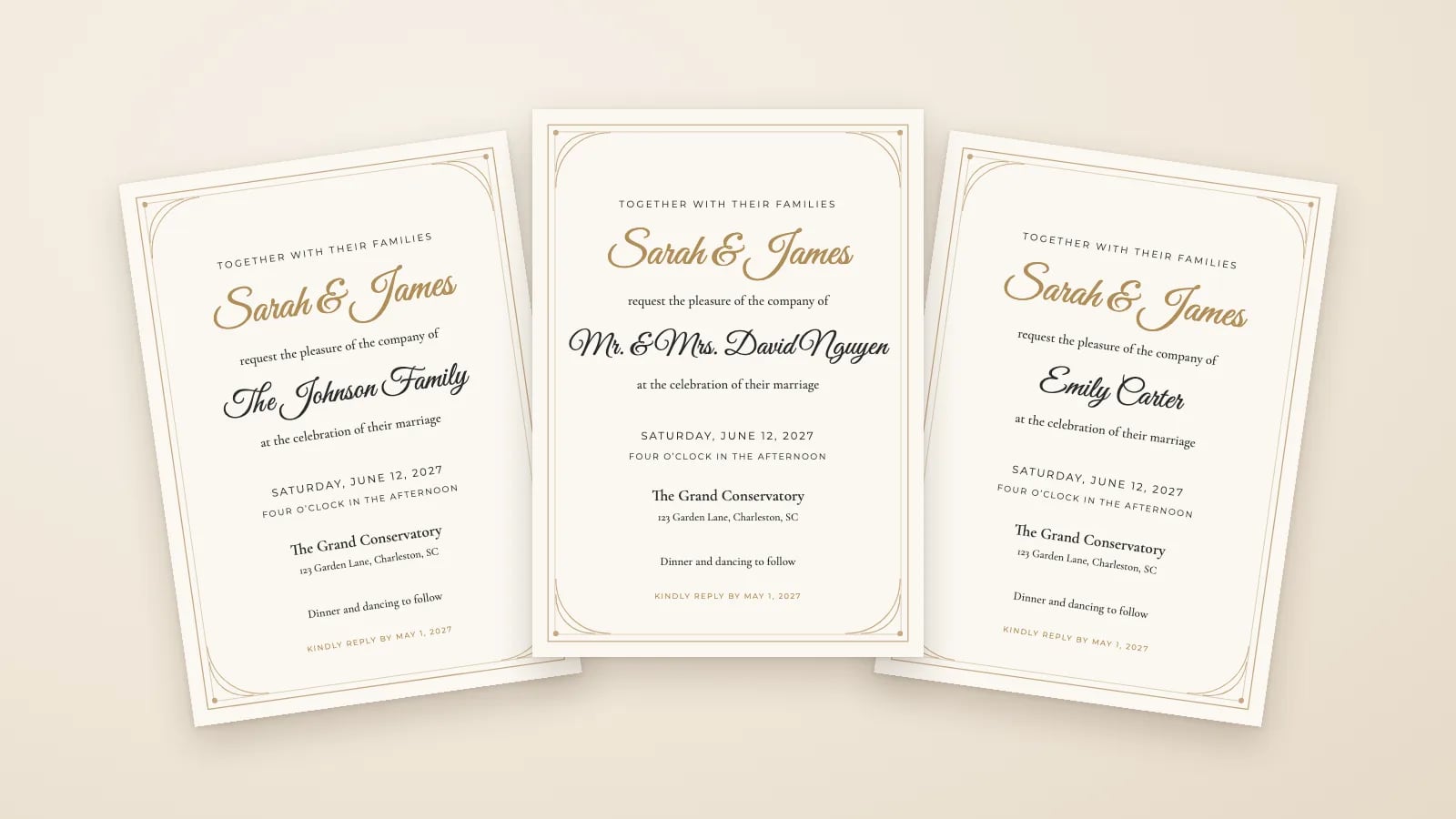
The short answer: to make 5x7 custom invitations, pick a 5x7 design on InviteBatch, change the wording, colors and fonts, paste your guest list, and download print-ready PDFs with one invitation per guest. Then print them at home, at a print shop or with an online printer. It works for weddings, birthdays, baby showers, bridal showers, graduations and holiday parties, and costs $49.99 one-time for up to 1,000 invitations.
5x7 inches is the most popular invitation size. It is big enough for full wording and a beautiful design, fits a standard A7 envelope, and two cards fit on one sheet of US Letter or A4 paper, so you can print at home. This guide covers the whole job, from the design to the envelope, in plain steps.
What is a 5x7 invitation, and why is it the standard size?
A 5x7 invitation is a flat card that measures 5 x 7 inches (127 x 178 mm). It is the standard size for wedding invitations and the most common size for birthday, baby shower and graduation invitations. Three reasons:
- Room for everything. Names, date, time, venue, address, RSVP details and a design all fit without tiny text.
- Easy envelopes. It fits an A7 envelope (5.25 x 7.25 in), which every office store and paper shop sells.
- Easy printing. Two 5x7 cards fit on one landscape US Letter or A4 sheet, and every print shop has 5x7 as a standard card size.
Smaller sizes like 4x6 or A6 feel more like postcards. Square invitations look modern but often need extra postage. If you are unsure, choose 5x7.
What do you need to make your own 5x7 invitations?
Here is the full checklist. Most people already have half of it.
- A 5x7 design with your wording. You can make one yourself or start from a ready template.
- Your guest list, one invitation per line (a couple, a family or one person).
- A print-ready PDF at 300 dpi, exactly 5x7 inches.
- Cardstock, 80–110 lb cover (about 216–300 gsm), if you print at home. A print shop has its own.
- A printer or a print shop.
- A paper trimmer if you print two per sheet.
- A7 envelopes, plus stamps if you mail them.
InviteBatch covers the first three items in one go, and also makes the envelope addressing and labels.
How do you design and customize a 5x7 invitation online?
Here is the easy way, step by step, using InviteBatch. No design skills, no software to install and no account needed.
- Choose a 5x7 design. Browse the templates by event: wedding, birthday, baby shower, bridal shower, graduation or holiday and party. Open one in the editor.
- Write your wording. Fill in the names, date, time, venue, address and RSVP date. Every line of text is editable. For ideas, see our wedding invitation wording examples or graduation party wording.
- Make it yours. Pick the guest name font, the accent color and the background color, and adjust the name size and position. Photo designs let you drop in your own photo.
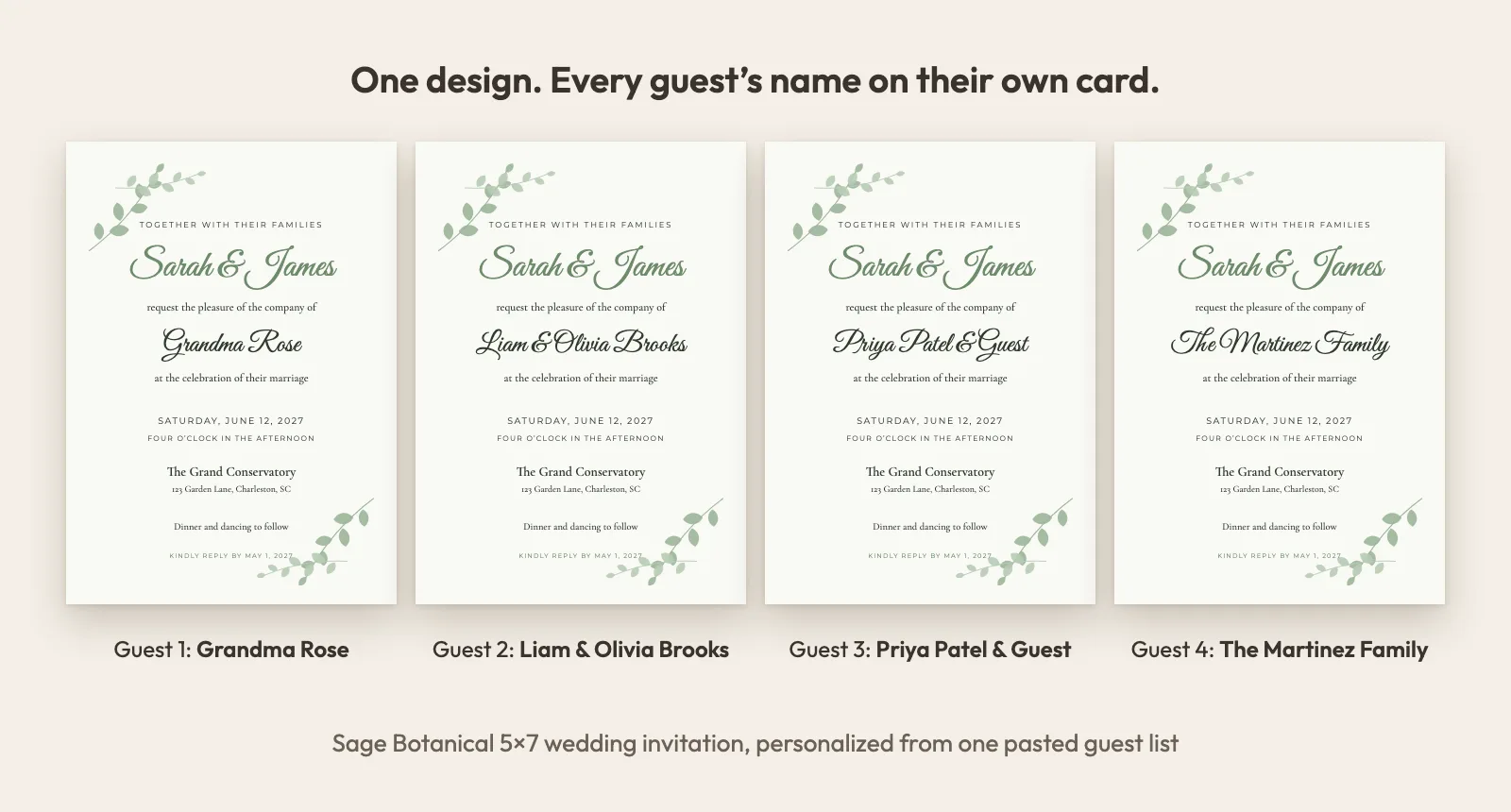
- Add your guest list. Paste it from Excel, Google Sheets, Notes or a WhatsApp message, or import a CSV file. Each line becomes its own invitation with that name printed on it. Duplicates are removed and likely typos are flagged.
- Set up RSVPs (optional). Add an RSVP deadline, meal choices, up to 3 of your own questions and up to 3 events (for example ceremony, reception and brunch).
- Preview every card for free. Scroll through each invitation with the real guest names before you pay anything.
- Pay once and download. Choose US Letter or A4 for the print sheets and download your files.
Not sure how to write names for couples, families or plus-ones? Our guide on how to write guest names on invitations has copy-ready examples.
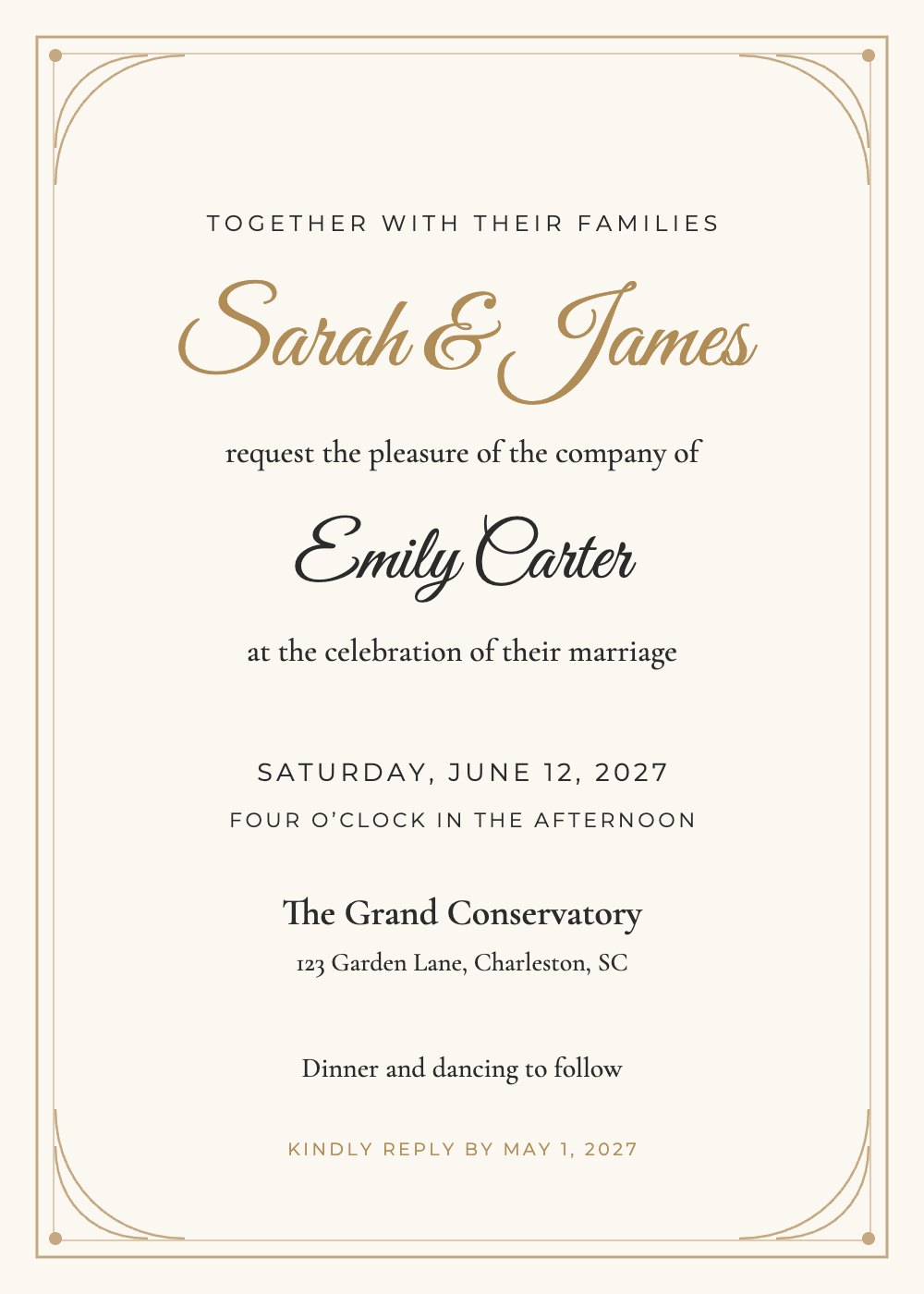
Classic Gold Frame
Wedding
What files do you get, and which one should you print?
Every InviteBatch order gives you three print formats, so the right file is ready wherever you print:
| File | What it is | Use it for |
|---|---|---|
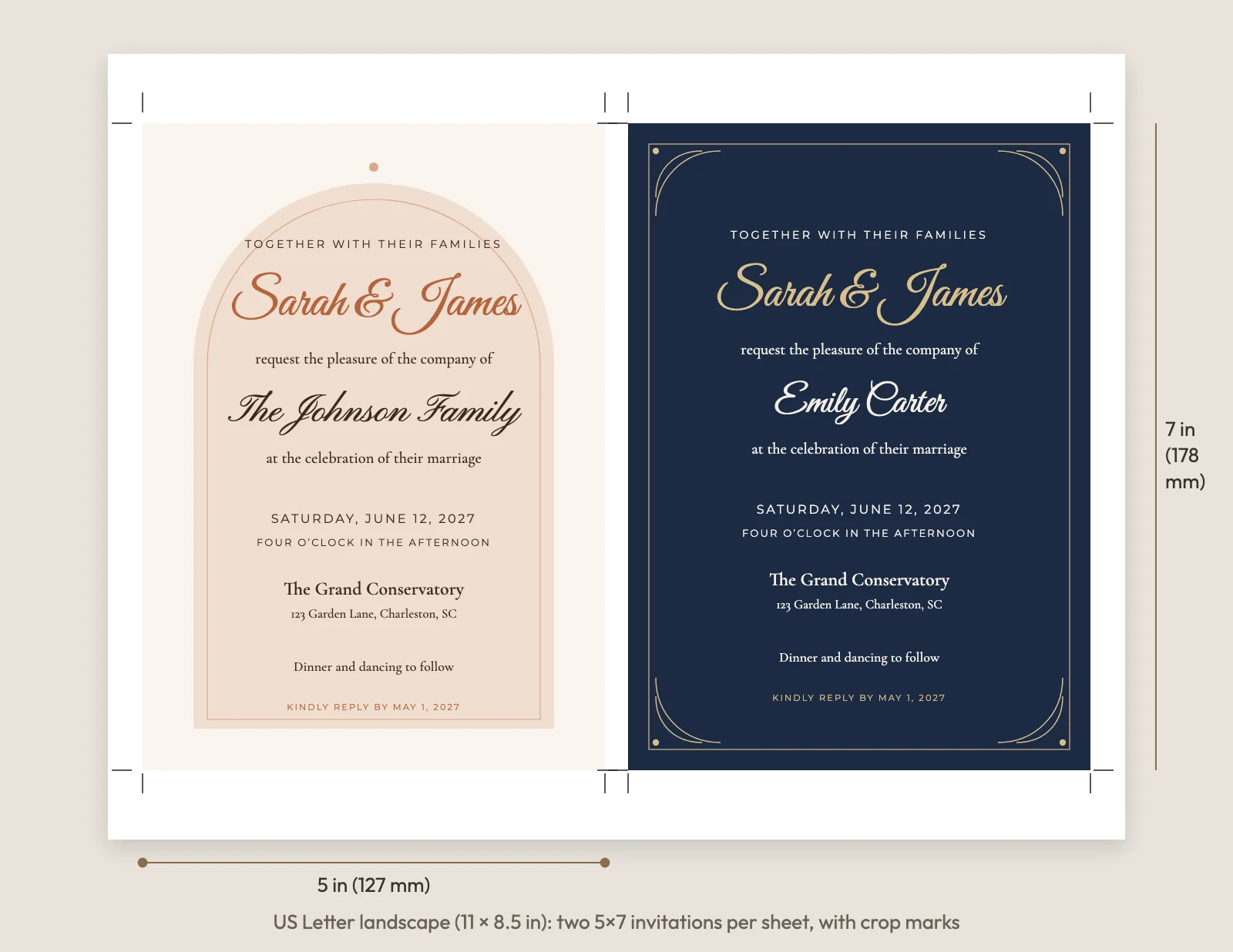
| Print sheets | Two 5x7 invitations per landscape US Letter or A4 page, with crop marks | Printing at home, then cutting |
| All-in-one PDF | One 5x7 invitation per page, one page per guest | Print shops and online printers |
| ZIP of PDFs | One separate 5x7 PDF per guest | Emailing a file, or printers that want single files |
The backgrounds are 300 dpi and the text is vector, so the names stay sharp at any size. The files are exactly 5x7 with no bleed (no extra background past the trim line).
How do you print 5x7 invitations?
You have three options. Pick by quantity, paper and how much time you have.
| Home printer | Local print shop | Online printer | |
|---|---|---|---|
| Best for | Up to about 100 cards, same day | Heavy paper, fast turnaround | Premium paper and finishes |
| File | Print sheets (2 per page) | All-in-one PDF | All-in-one PDF or ZIP |
| Paper | 80–110 lb cover cardstock | Usually 100–130 lb cover | Wide choice, including cotton and foil |
| Ready in | Same day | Same day to a few days | Several days plus shipping |
At home in 5 steps
- Download the print sheets (two invitations per page).
- Print one page on plain paper to check spelling, colors and alignment.
- Load cardstock and set the print dialog to 100% or Actual size, never "Fit to page", with the paper type set to cardstock or heavy paper.
- Print in small batches of 10 to 20 sheets so the cardstock doesn't jam.
- Cut along the crop marks with a paper trimmer.
For the best paper, printer settings and cutting tricks, read the full guide: how to print 5x7 invitations at home.
At a print shop
Take or upload the all-in-one PDF and ask for "5x7 flat cards, trimmed, one copy of each page, on your heaviest cardstock." Because every page is a different guest, one copy per page is the whole job. Ask for one printed proof first.
With an online printer
Upload the all-in-one PDF or the ZIP. Before you order, check that the printer can print a different file on each card, since many online printers print one design many times. Where to print, what to ask for and which printers handle one name per card is covered in printable 5x7 wedding invitations with guest names.
How do you make your own 5x7 invitation from scratch?
If you want to design your own invitation in Canva, Word, Photoshop or another tool, use these settings so it prints correctly:
- Canvas size: 5 x 7 inches (127 x 178 mm), portrait.
- Resolution: 300 dpi, which is 1500 x 2100 pixels.
- Bleed: if your printer asks for one, add 1/8 inch on every side. The canvas becomes 5.25 x 7.25 inches (1575 x 2175 pixels) and is trimmed back to 5x7.
- Safe zone: keep all text at least 1/4 inch from the edge so nothing gets cut off.
- Fonts: one script font for names and one clean serif or sans serif for details. Keep body text at 10 pt or larger.
- Color: use dark text on a light background, or light text on a dark background. Check that it is easy to read on paper, not just on screen.
- Export: PDF (print quality) with fonts embedded.
The hard part comes next. If you want each guest's name on their own invitation, you have to copy the design and retype the name for every guest. For 100 guests, that is 100 copies to make and check. InviteBatch does that part for you: one design, your pasted list, one named card per guest in about 2 minutes. Read how to put guest names on invitations without making 100 copies in Canva for a side-by-side comparison.
What paper is best for 5x7 invitations?
Use cardstock between 80 and 110 lb cover (about 216–300 gsm). It feels premium and still feeds through most home printers. Check your printer's maximum paper weight first.
- Matte or felt finish looks like real stationery. Gloss can look like a photo print.
- White or bright white keeps colors true. Ivory or cream suits vintage, gold and floral designs.
- Pearl or shimmer cardstock adds a soft glow to gold designs, with no foil needed.
What envelope do you need for a 5x7 invitation?
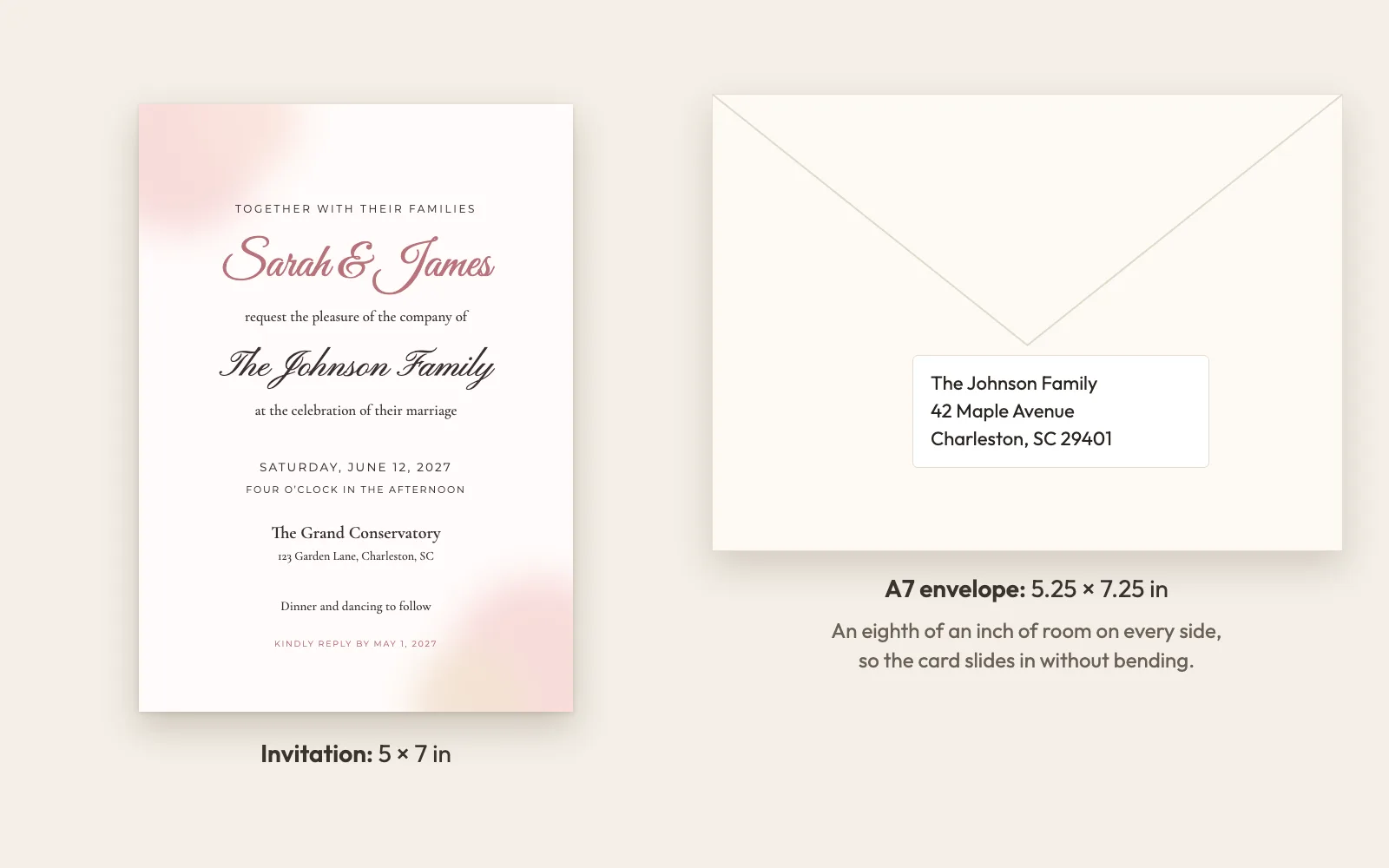
A 5x7 invitation fits an A7 envelope (5.25 x 7.25 inches). Envelopes sold as "5x7" are too tight, so buy A7. InviteBatch makes the addressing from the same guest list in two ways: printed A7 envelopes (one per page) or address labels on Avery 5160 (US Letter, 30 per sheet) or Avery L7160 (A4, 21 per sheet).
Before you buy stamps for everyone, weigh one finished invitation at the post office. Extra inserts, wax seals or ribbons can raise the postage.
When should you send 5x7 invitations?
Print early, because cutting and addressing take longer than you think. Common timelines:
| Event | Send invitations | RSVP deadline |
|---|---|---|
| Wedding | 6–8 weeks before | 3–4 weeks before |
| Bridal shower | 4–6 weeks before | 1–2 weeks before |
| Baby shower | 4–6 weeks before | 1–2 weeks before |
| Graduation party | 3–4 weeks before | 1–2 weeks before |
| Birthday party | 2–4 weeks before | 1 week before |
| Holiday party | 3–4 weeks before | 1 week before |
For weddings, the full schedule, including save the dates and reminders, is in our invitation and RSVP timeline. To work out how many to print, count households, not guests: see how many wedding invitations to order.
What does InviteBatch include with 5x7 custom invitations?
InviteBatch (invitebatch.com) is an online invitation maker for personalized invitations. You design and customize 5x7 invitations in your browser and order them online as print-ready files and digital links. InviteBatch does not print or ship, so you choose your own paper and printer and only pay for printing what you need.
One order includes:
- One 5x7 invitation per guest with their name on it, for up to 1,000 guests
- Three print formats: print sheets (two per US Letter or A4 page with crop marks), an all-in-one PDF and a ZIP with one PDF per guest
- A personal digital invitation link for every guest, to send by WhatsApp, text or email, with online RSVP (attendance per person and per event, meal choice, dietary needs and your own questions)
- An RSVP dashboard with live totals, meal counts, email reminders and CSV export
- The matching stationery suite: RSVP cards with a personal QR code (scans tracked), a venue map card with a QR code for directions, A7 envelope addressing, Avery address labels and personalized thank-you cards
- $49.99 one-time per event. No subscription and no account needed
- Free preview of every card before you pay, free edits for 7 days after you buy, and a full refund within 7 days
Designs cover weddings (including Jewish wedding invitations with Hebrew and English), birthdays and milestone birthdays, baby showers, bridal showers, engagement parties, graduations and holiday parties.
Class of 2027
Graduation
Also on InviteBatch:
- Free wedding invitation map maker: a printable 5x7 venue map card with a QR code for directions, free with no sign-up.
- Passport and boarding pass invitations: a travel-themed invitation suite for destination weddings and trips.
- Star map and city map posters: a custom night sky or map of the place you met, as a digital download for printing.
Should you print 5x7 invitations or send digital ones?
Do both, and decide guest by guest. Many hosts print paper invitations for grandparents and close family, and send the personal digital link to everyone else. With InviteBatch, both come with the same order: each guest's paper card and digital link carry the same name, and every RSVP lands in one dashboard. See digital wedding invitations for how the links work.
What are the most common 5x7 invitation mistakes?
- Printing before checking names. Use the free preview, then do one test print on plain paper.
- "Fit to page" in the print dialog. It shrinks the cards. Always print at 100% or Actual size.
- Text too close to the edge. Keep everything at least 1/4 inch inside the trim.
- Buying "5x7" envelopes. They are too tight. Buy A7.
- Low-resolution images. Anything under 300 dpi can look blurry on paper.
- Leaving it to the last week. Cutting, addressing and mailing 100 invitations takes an evening or two.
Make your 5x7 invitations now
Pick a design, add your wording and paste your guest list. You can see every personalized 5x7 invitation before you pay anything, then print wherever suits you. Browse all invitation designs or start with wedding invitations.